Why there are Amazon links here: Brave Review is paid a commission for qualifying Amazon purchases made through the links below. Your price does not change, and using our links is entirely optional. How this works
Amazon eero Pro 6E Mesh WiFi System: Whole-Home Coverage for Heavy Device Loads
The Amazon eero Pro 6E mesh wifi system is a three-unit kit built for large homes with crowded networks — up to 6,000 square feet and 100+ connected devices, with support for internet plans up to 2.5 Gbps. This review covers what the hardware is for, how the 6E design affects real-world use, and where the kit falls short. Buyers weighing a premium mesh purchase will find the decision points below.
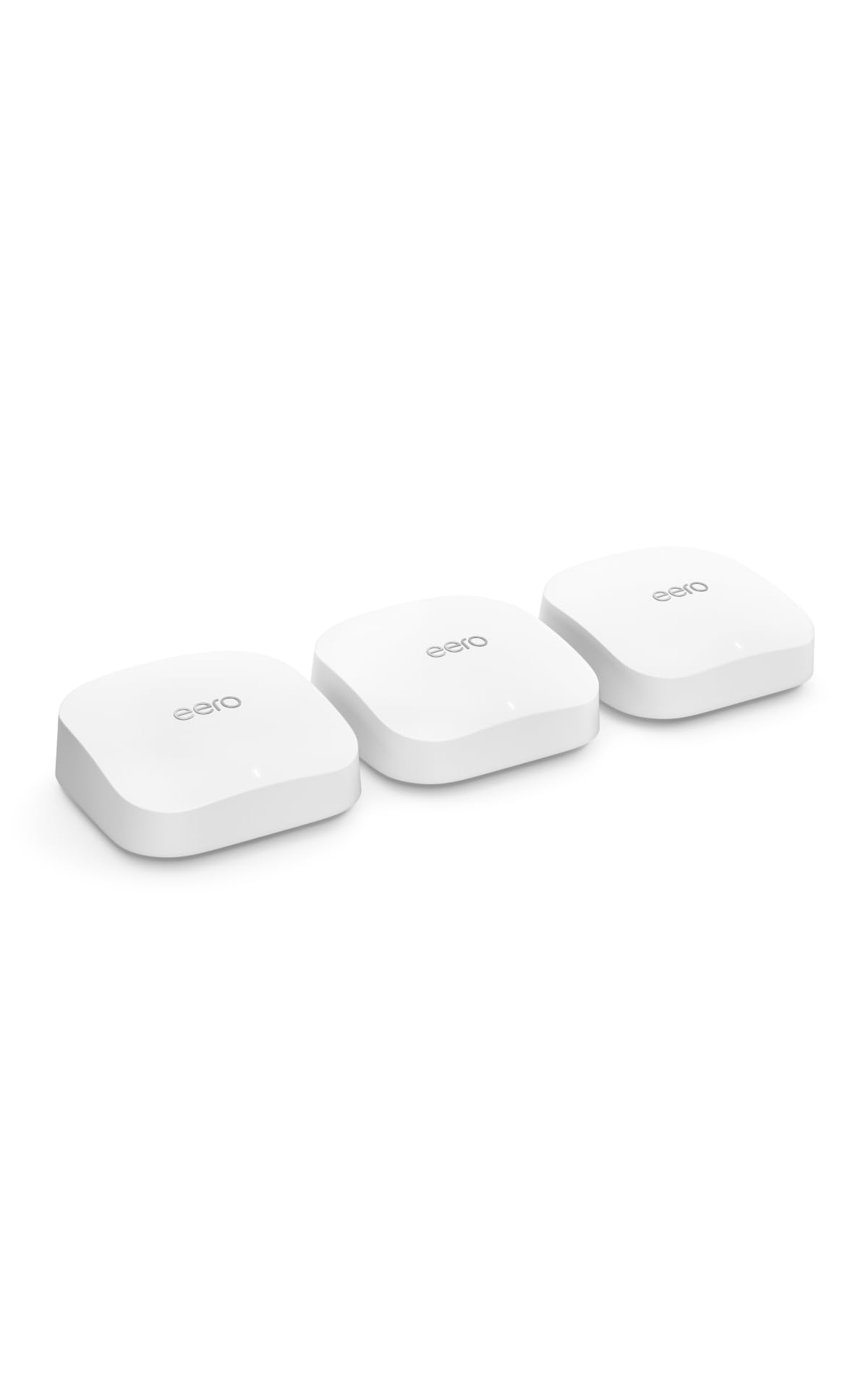
Features and Specifications
Product: Amazon eero Pro 6E mesh wifi system, 3-pack
Coverage: Up to 6,000 sq. ft. across three units
Device Load: 100+ connected devices
Internet Plan Support: Up to 2.5 Gbps
WiFi Standard: 6E (6 GHz band access)
Form Factor: Three identical mesh nodes, no separate router
Setup Style: App-guided, node-to-node mesh
The headline figure is the coverage. Three units rated for 6,000 square feet means roughly 2,000 square feet per node, which is a realistic spread for a multi-floor house rather than a single open room. Buyers in apartments or small condos will be paying for square footage they cannot use.
The 2.5 Gbps ceiling matters only if the incoming internet plan is genuinely fast. On a gigabit fiber line the system has headroom; on a slower cable plan the extra capacity sits idle. The 100+ device figure is the more useful number for modern households, where phones, laptops, TVs, thermostats, cameras and speakers all compete for airtime.
Trade-off: The three-pack is priced and sized for large homes, so buyers in a small space pay for coverage and hardware they will never use.
Check the current price of the Amazon eero Pro 6E 3-pack on Amazon
Build and Design
Each node is a compact, sealed unit with no external antennas — the design is meant to sit on a shelf or side table rather than be hidden in a closet. Identical nodes mean any unit can act as the gateway, which simplifies placement: the node nearest the modem becomes the entry point and the other two extend from there.
That uniformity is a genuine convenience for buyers who do not want to think about which box goes where. It also means the kit has no dedicated "main" router with extra ports or processing, so port-hungry buyers should check what each unit offers before committing.
The sealed, appliance-like build suits living rooms and home offices. Buyers who want visible hardware with adjustable antennas, or who plan to wall-mount nodes high up, will find the form factor less flexible than traditional routers.
Capacity and the 6E Band
The 6E label refers to access to the 6 GHz band, which is the newest slice of WiFi spectrum and the least crowded. In practice that band is short-range and easily blocked by walls, so its benefit shows up when a node and a compatible device are in the same room — a laptop, a recent phone or a modern TV streaming in 4K.
The 6 GHz band does nothing for older devices that cannot see it. A house full of aging gadgets still leans on the standard bands, and the 6E hardware is there to future-proof the purchase rather than transform every connection today.
The 2.5 Gbps support is the other half of the capacity story. Buyers on multi-gig fiber get a path that does not bottleneck at the router; buyers on ordinary broadband simply will not notice it. The 100+ device rating is the figure most households will actually feel, since it determines whether the network stays stable when everyone is home and streaming at once.
Coverage and Placement
Three nodes rated for 6,000 square feet work best when spread across floors and opposite ends of the house, not clustered near the modem. Mesh systems rely on a strong link between nodes, so placement decides whether the advertised coverage is real or theoretical.
Construction matters as much as square footage. Thick plaster walls, brick, and metal ductwork eat signal, and a 6,000-square-foot rating assumes reasonably open conditions. Buyers in dense urban buildings with interference from neighbors should expect the practical range to fall short of the headline number.
The payoff of a three-node kit is fewer dead zones at the edges of the home — the garage, the back bedroom, the patio. Buyers who only need to fix one weak corner are overbuying with a three-pack.
Setup and Maintenance
Setup runs through the eero app, which walks through placing the first node, connecting the modem, and adding the remaining units. The process is designed for non-technical buyers and avoids the browser-based admin pages common on traditional routers.
Day-to-day management also lives in the app: device lists, network names, guest access and parental controls are handled there rather than through a web interface. Buyers who like to tinker with advanced settings, static routes or detailed logging will find the controls shallower than a prosumer router’s.
Updates are pushed automatically, which reduces maintenance but also reduces control. The system is built to be set-and-forget, and that is the right trade for most households — less so for buyers who want to tune every radio setting themselves.
Trade-off: The app-first design trades configuration depth for simplicity, so buyers who want granular network control will feel boxed in.
Who It Suits and Who It Does Not
This kit fits large, device-heavy homes on fast internet — the household with four streaming screens, a home office, smart devices throughout, and at least one multi-gig or gigabit plan. It also suits buyers who want mesh WiFi that manages itself without a learning curve.
It does not fit small apartments, single-room setups, or buyers on modest broadband plans who would never use the capacity. Nor does it fit tinkerers who want deep router settings. Those buyers should look at a single-node system or a more configurable router instead.
FAQ
-
What does the 6E in eero Pro 6E mean?
6E refers to support for the 6 GHz WiFi band, which is newer and less congested than the standard bands. Only 6E-compatible devices can use it, so the benefit applies to recent phones, laptops and TVs rather than older gear. -
How much square footage does the eero Pro 6E 3-pack cover?
The kit is rated for up to 6,000 square feet across its three units. Real-world range depends on walls, floors and interference, so buyers in dense construction should expect less than the headline figure. -
Does the eero Pro 6E support 2.5 Gbps internet plans?
Yes — the system is rated for internet plans up to 2.5 Gbps. That headroom only matters if the incoming plan is actually that fast; on slower broadband the extra capacity goes unused. -
How many devices can the eero Pro 6E handle?
The 3-pack is rated for 100+ connected devices. That covers a typical modern home with phones, laptops, streaming boxes, smart speakers, cameras and thermostats all online at once. -
Is the eero Pro 6E good for a large house?
It is built for exactly that. Three nodes spread across floors and opposite ends of the home address dead zones at the edges — the garage, back bedroom and patio — better than a single router. -
Does the eero Pro 6E work in an apartment?
It works, but it is overkill. A 6,000-square-foot three-pack in a small apartment means paying for coverage and hardware that will never be used; a single node is the better fit. -
Do all three eero Pro 6E units have to be used?
No — the nodes are identical, so a buyer can deploy one or two and add the rest later. Spreading all three gives the widest coverage, but the kit does not require every unit to be active. -
How is the eero Pro 6E set up and managed?
Setup and management run through the eero app, which guides placement and device pairing. Advanced router settings are limited compared with traditional admin panels, which suits buyers who prefer set-and-forget. -
Will older devices benefit from the eero Pro 6E?
Older devices connect on the standard bands rather than 6 GHz, so they get the mesh coverage and stability but not the 6E speed advantage. The 6E hardware is largely future-proofing for those gadgets. -
Who should not buy the eero Pro 6E 3-pack?
Buyers in small spaces, on slow internet plans, or who want deep manual control over router settings. A single node or a more configurable router serves those households better and costs less.
Bottom Line
The Amazon eero Pro 6E 3-pack is the right buy for a large, crowded home on fast internet — 6,000 square feet of coverage, 100+ device capacity and app-managed simplicity in one kit. Buyers in small spaces or on modest broadband plans should skip it and spend less. For everyone else, the Amazon eero Pro 6E mesh wifi system is a straightforward, future-proof pick.
