Why there are Amazon links here: Brave Review is paid a commission for qualifying Amazon purchases made through the links below. Your price does not change, and using our links is entirely optional. How this works
Aqara G410 Doorbell Camera: A Matter Hub in a Doorbell
The Aqara G410 is a smart doorbell camera for households that want one device to handle both the front door and the smart home. It combines 2K video, two-way audio and a built-in Matter hub, which lets it act as a bridge for other Matter devices rather than a standalone camera alone. This review covers what the G410 does, how its specifications translate into daily use, and where it falls short. Buyers who already run Apple Home, Alexa, Google Home or Home Assistant will find the most value here.
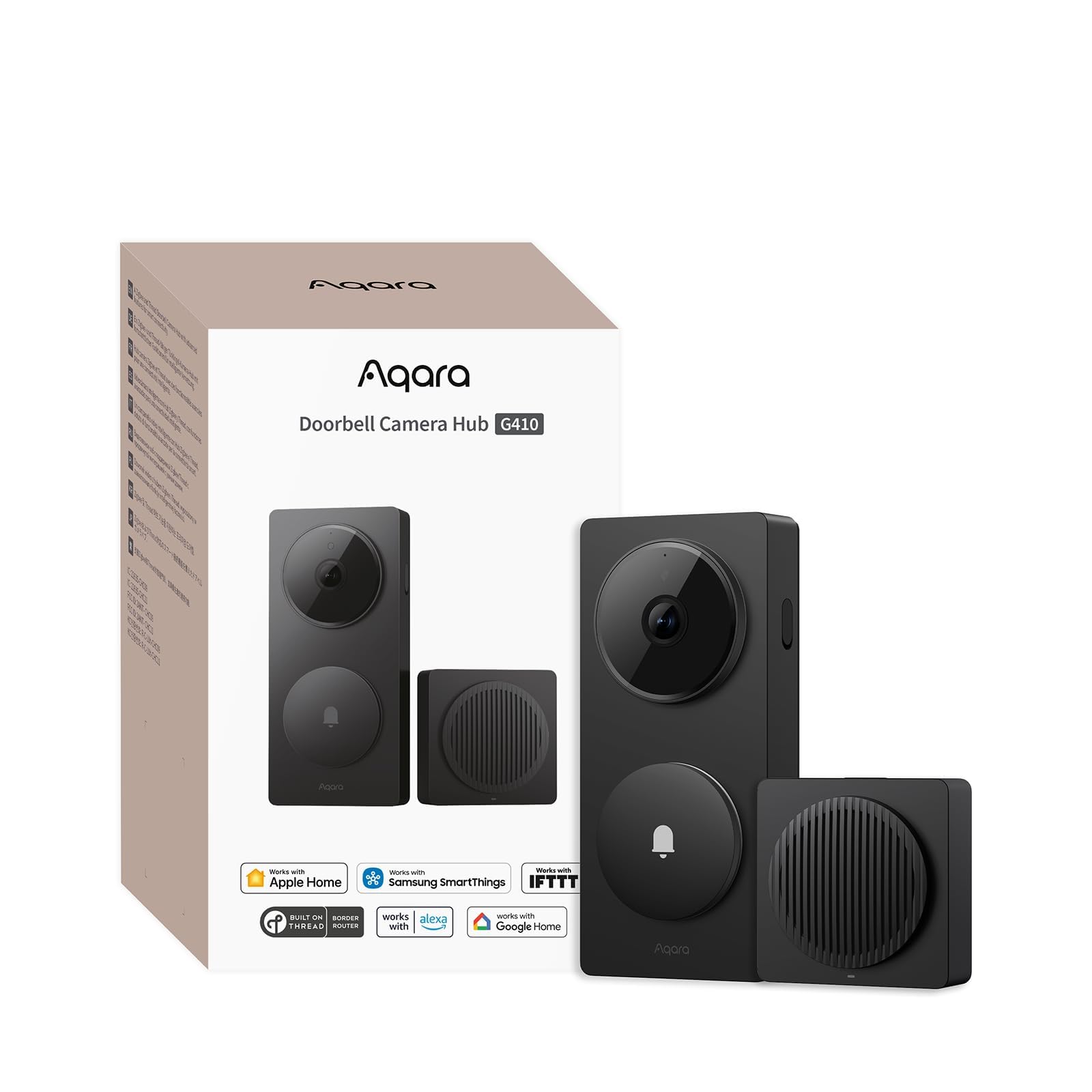
Features and Specifications
- Product: Aqara Smart Doorbell Camera G410
- Resolution: 2K
- Audio: Two-way
- Hub: Built-in Matter hub
- Installation: Wireless or wired
- Wi-Fi: 2.4GHz and 5GHz
- Platforms: Apple Home, Alexa, Google Home, Home Assistant
- Extras: Included chime, HomeKit Secure Video support
- Color: Black
The headline specification is the built-in Matter hub. Most doorbell cameras are endpoints: they capture video and send it to an app. The G410 also acts as a Matter controller, which means it can coordinate other Matter-certified devices in the home. That turns a front-door purchase into a small smart-home upgrade for buyers who have been putting off buying a separate hub.
The 2K resolution puts the G410 above the 1080p baseline that budget doorbells still use. Higher resolution matters most when a face or a license plate sits several feet from the lens, which is the typical distance at a front door. Two-way audio is standard for the category but still worth confirming, since it lets a homeowner speak to a delivery driver without opening the door.
Dual-band Wi-Fi is a practical inclusion. The 5GHz band offers more headroom for a 2K video stream in homes where the 2.4GHz spectrum is crowded with other devices. The 2.4GHz band remains available for longer range or older routers, so the doorbell can be placed where signal is strongest rather than where the router happens to be.
Wired or wireless installation gives the G410 flexibility that battery-only or wired-only doorbells lack. A wired setup typically means continuous power and no charging routine; a wireless setup avoids running new cable. The included chime solves a problem many doorbell buyers discover after installation: without one, a doorbell press may only reach a phone.
Trade-off: The built-in hub and dual-band Wi-Fi push the G410 into a higher price bracket than a basic 2K doorbell, so buyers who only want video and a chime pay for smart-home capability they may never use.
Check the current price on Amazon
Build and Installation
The G410 is a black doorbell camera designed to mount at the front door, and the wired-or-wireless choice is the first decision a buyer makes. A wired installation draws continuous power, which removes the charging cycle that battery doorbells impose. A wireless installation trades that convenience for placement freedom, since the unit can go where cable cannot reach.
The dual-band Wi-Fi specification matters most at installation time. A 5GHz connection generally delivers a steadier 2K stream, but 5GHz signal degrades faster through walls and doors. Buyers mounting the G410 far from the router should plan on the 2.4GHz band, while those with a router near the entryway can use the faster band.
The included chime is a real installation advantage. Many doorbell cameras leave the indoor chime out of the box, which forces a separate purchase or a phone-only notification. Having it bundled means the G410 is functionally complete on day one, whether the installation is wired or wireless.
Camera, Audio and Video Quality
The 2K sensor is the G410’s core capability, and it sits a step above the 1080p resolution common at the entry level. At a front door, the practical benefit shows up in detail: a face at the threshold, a package label, a vehicle in the driveway. Two-way audio completes the package, letting a homeowner answer the door remotely and speak with whoever is there.
HomeKit Secure Video support is the specification Apple households should weigh most carefully. It routes recordings through Apple’s secure video framework rather than a third-party cloud, which appeals to buyers who want footage handled inside the Apple ecosystem. Buyers outside Apple Home get the standard Aqara app experience instead.
The camera’s usefulness depends heavily on the platform it is paired with. The G410 lists Apple Home, Alexa, Google Home and Home Assistant, which is unusually broad coverage for a doorbell. A household split between Alexa speakers and an Apple TV, for example, can route the doorbell through either without buying a second camera.
The Built-In Matter Hub
The Matter hub is what separates the G410 from a conventional doorbell camera. Matter is the cross-platform smart-home standard, and a hub is the device that coordinates Matter accessories. By building one into the doorbell, Aqara gives buyers a controller at the front door rather than in a closet or on a shelf.
For a buyer starting a smart home, that is convenient: the doorbell arrives and the hub arrives with it. For a buyer who already owns a Matter controller, the built-in hub is redundant, and part of what the G410 costs goes toward capability already present elsewhere in the home. That is the central buying decision with this product.
The hub also raises a question of placement. A Matter hub works best when it sits centrally among the devices it coordinates. A front-door location is not always central, so buyers with a large floor plan should think about whether the doorbell’s position gives the hub adequate reach to the rest of the home’s Matter devices.
Smart Home Platforms and App Support
Platform breadth is a genuine strength of the G410. Apple Home, Alexa, Google Home and Home Assistant cover the four ecosystems most buyers actually use, and few doorbells support all four. A buyer who has standardized on Home Assistant, in particular, gets a doorbell that fits an existing automation setup rather than forcing a platform change.
HomeKit Secure Video support gives Apple households an option that many competing doorbells do not offer. The feature keeps recordings within Apple’s framework, which is the reason some buyers choose HomeKit-compatible hardware in the first place. It is not a reason to buy the G410 alone, but it strengthens the case for Apple-centric homes.
The counterweight is complexity. A doorbell that spans four platforms plus a Matter hub plus HomeKit Secure Video has more settings and more integration paths than a simple camera. Buyers who want a doorbell that just works with one app may find the G410’s feature set larger than their needs.
Who the G410 Suits and Who It Does Not
The G410 fits buyers who are building or expanding a smart home and want the front door to be part of it. A household with Matter devices, a mix of voice assistants, or a Home Assistant setup gets the most from the built-in hub and the wide platform support. The wired-or-wireless install and bundled chime also suit buyers who want a complete package rather than a project.
It does not fit buyers who only want a camera at the door. A basic 2K doorbell without a hub costs less and covers the core job. Nor does it fit a home that already has a capable Matter controller in a central location, since the G410’s hub would then duplicate hardware the buyer already owns.
Buyers on a tight budget should also look elsewhere. The G410’s price reflects the hub, the dual-band Wi-Fi and the platform breadth, and none of those features help a buyer who simply wants to see who is at the door.
FAQ
-
Does the Aqara G410 work without a separate hub?
Yes. The G410 has a built-in Matter hub, so it does not need an external Aqara hub to operate. It can also coordinate other Matter devices in the home. -
Can the Aqara G410 be installed wirelessly?
Yes. The G410 supports both wired and wireless installation, so buyers can choose continuous wired power or a cable-free setup. -
Does the Aqara G410 work with Apple Home?
Yes. The G410 supports Apple Home and HomeKit Secure Video, alongside Alexa, Google Home and Home Assistant. -
Is the Aqara G410 2K or 1080p?
The G410 records at 2K resolution, which is higher than the 1080p baseline common among budget doorbell cameras. -
Does the Aqara G410 include a chime?
Yes. The G410 ships with a chime, so an indoor doorbell alert is part of the package rather than a separate purchase. -
Does the Aqara G410 support 5GHz Wi-Fi?
Yes. The G410 connects over both 2.4GHz and 5GHz Wi-Fi, giving buyers a choice between range and bandwidth. -
Can the Aqara G410 be used with Home Assistant?
Yes. Home Assistant is one of the four platforms the G410 lists support for, alongside Apple Home, Alexa and Google Home. -
Does the Aqara G410 have two-way audio?
Yes. The G410 includes two-way audio, so a homeowner can speak with a visitor through the doorbell. -
Is the Aqara G410 worth it over a basic doorbell camera?
It is worth it for buyers who want a Matter hub and broad platform support in one device. Buyers who only want video and a chime can spend less on a basic model. -
What color is the Aqara G410?
The G410 is black.
Bottom Line
The Aqara G410 doorbell camera is the right buy for a household that wants the front door to double as a smart-home hub. The 2K video, two-way audio, dual-band Wi-Fi and bundled chime cover the doorbell job, while the built-in Matter hub and support for Apple Home, Alexa, Google Home and Home Assistant make it a genuinely useful piece of a larger setup. Buyers who only want to see who is at the door should look at a simpler, cheaper model instead — but for anyone building a connected home, the G410 earns its place.
