Why there are Amazon links here: Brave Review is paid a commission for qualifying Amazon purchases made through the links below. Your price does not change, and using our links is entirely optional. How this works
Best Doorbell Integration With a Display for a Screen-Based View
A doorbell with its own display lets a homeowner see and speak to visitors without reaching for a phone. This roundup covers five screen-based doorbell systems at three price tiers, from a compact budget monitor to a smart-home control panel. It suits renters who cannot run new wiring, homeowners replacing an old intercom, and anyone who wants a dedicated screen by the door instead of an app-only setup. The overview table below compares all five at a glance, and each review explains who the pick fits and where it falls short.
Overview of the Picks
| Product | Key Spec | Best Use | Price Tier |
|---|---|---|---|
| Wireless Smart Video Doorbell System | 7" touchscreen, 1080P, local storage | Whole-home no-wiring setup | Mid |
| SwitchBot 2K Doorbell Camera with Monitor | 4.3" screen, 2K, color night vision | Budget single-door coverage | Budget |
| Wireless Doorbell Camera with 7" Touchscreen Monitor | 7" touchscreen, 1080P, dual-band WiFi | App control plus a wall screen | Mid |
| 1080P Doorbell Camera with Door Release | Dual 7" monitors, 140° wide angle, door release | Multi-room intercom replacement | Premium |
| eufy Smart Display E10 | 8" control panel, four views on one screen | Managing several cameras and devices | Premium |
The table splits the field along two lines: systems that ship with their own dedicated monitor, and the eufy panel, which acts as a hub for other devices. The budget pick wins on price and screen size trade-off, while the premium picks add door release or multi-device control.
Wireless Smart Video Doorbell System, 7" Touchscreen Display

Type: Wireless video doorbell with dedicated display
Display: 7" touchscreen
Resolution: 1080P
Features: Motion detection, two-way audio
Storage: Local, no subscription
Install: No wiring required
This system pairs a battery-powered doorbell camera with a 7-inch touchscreen monitor that sits inside the home. The no-wiring install is its main draw: the camera mounts without a doorbell transformer, and the monitor needs only a power outlet. Local storage means footage stays on a card rather than in a paid cloud plan, which keeps the ongoing cost at zero. The 1080P sensor and two-way audio cover the basics of seeing and speaking to a visitor.
It earns its place as the balanced all-rounder for a household that wants a real screen by the door without touching existing wiring. The trade-off is that local storage puts the burden of card management and backup on the owner, and a wireless camera depends on battery upkeep rather than constant wired power.
SwitchBot 2K Doorbell Camera with Monitor
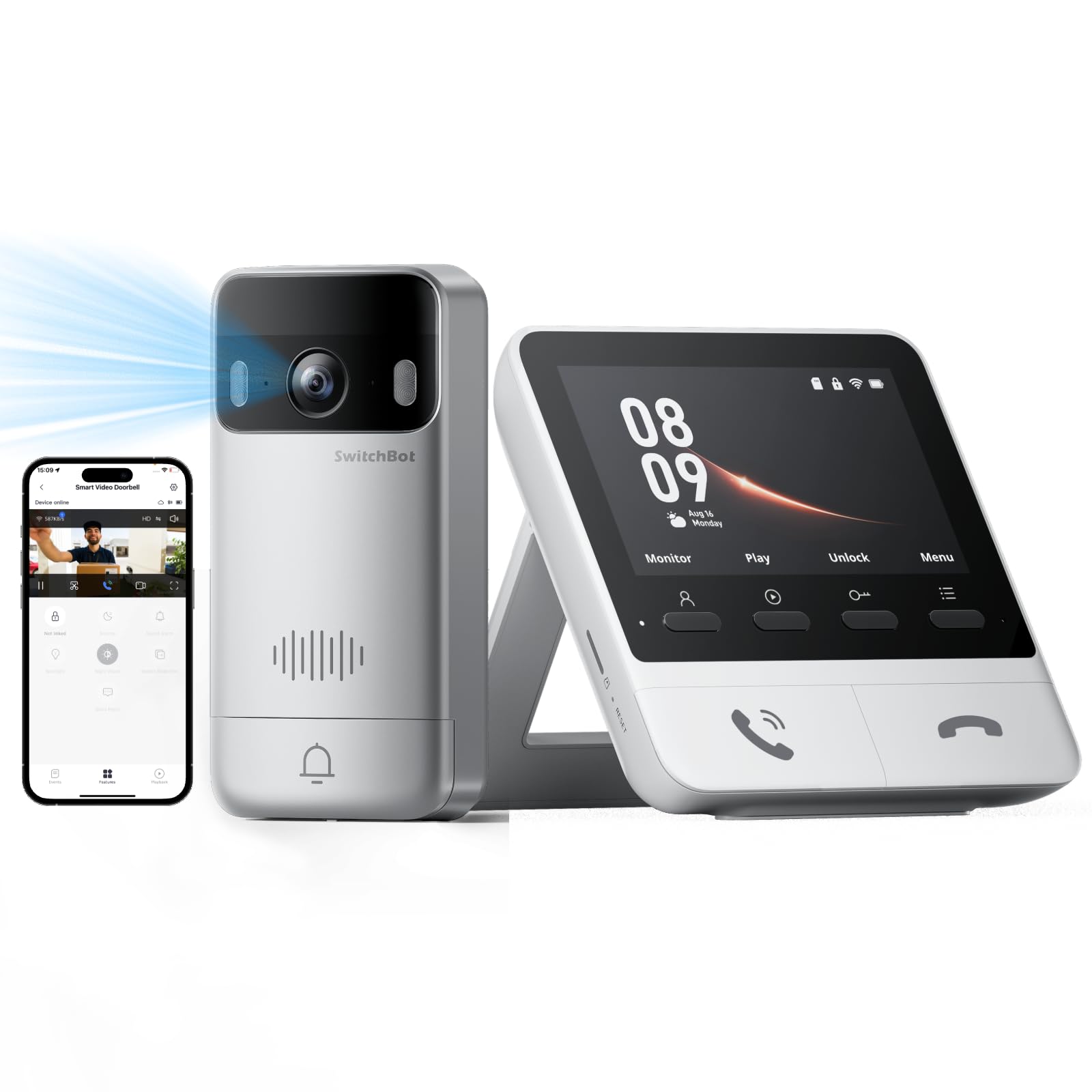
Type: Wireless video doorbell with monitor
Display: 4.3" screen
Resolution: 2K
Features: Color night vision, motion detection, two-way talk
Storage: No subscription
Install: Wireless
The SwitchBot kit trades screen size for image sharpness: a small 4.3-inch monitor is paired with a 2K camera that delivers more detail than the 1080P units here. Color night vision is the standout, since most budget doorbells fall back to black-and-white after dark. No subscription keeps running costs down, and the wireless build suits apartments and rentals where drilling and wiring are limited.
This is the budget entry, and it fits a single entry door where a small screen is enough. The trade-off is the 4.3-inch display itself — fine for a quick glance, cramped for reviewing footage or setting up features, so a buyer who wants a big wall screen should look up the list.
Wireless Doorbell Camera with 7" Touchscreen Monitor

Type: Wireless video door phone with touchscreen monitor
Display: 7" touchscreen
Resolution: 1080P
Connectivity: 2.4G/5G WiFi
Features: PIR motion detection, night vision, two-way audio, app control
Storage: Local, no monthly fee
This unit combines a 7-inch touchscreen monitor with app control, so the door can be answered either at the wall screen or from a phone. Dual-band WiFi support is a practical plus, since the 5GHz band is less crowded in dense neighborhoods. PIR motion detection is generally more reliable than pixel-based detection at filtering out swaying trees, and local storage with no monthly fee keeps costs predictable.
It suits a household that wants both a fixed screen and remote access, and it sits beside the first pick as a close alternative. The trade-off is that app control and dual-band WiFi add setup steps, so a buyer who wants a plug-and-play screen with no phone pairing may find the configuration more involved than expected.
1080P Doorbell Camera with Door Release
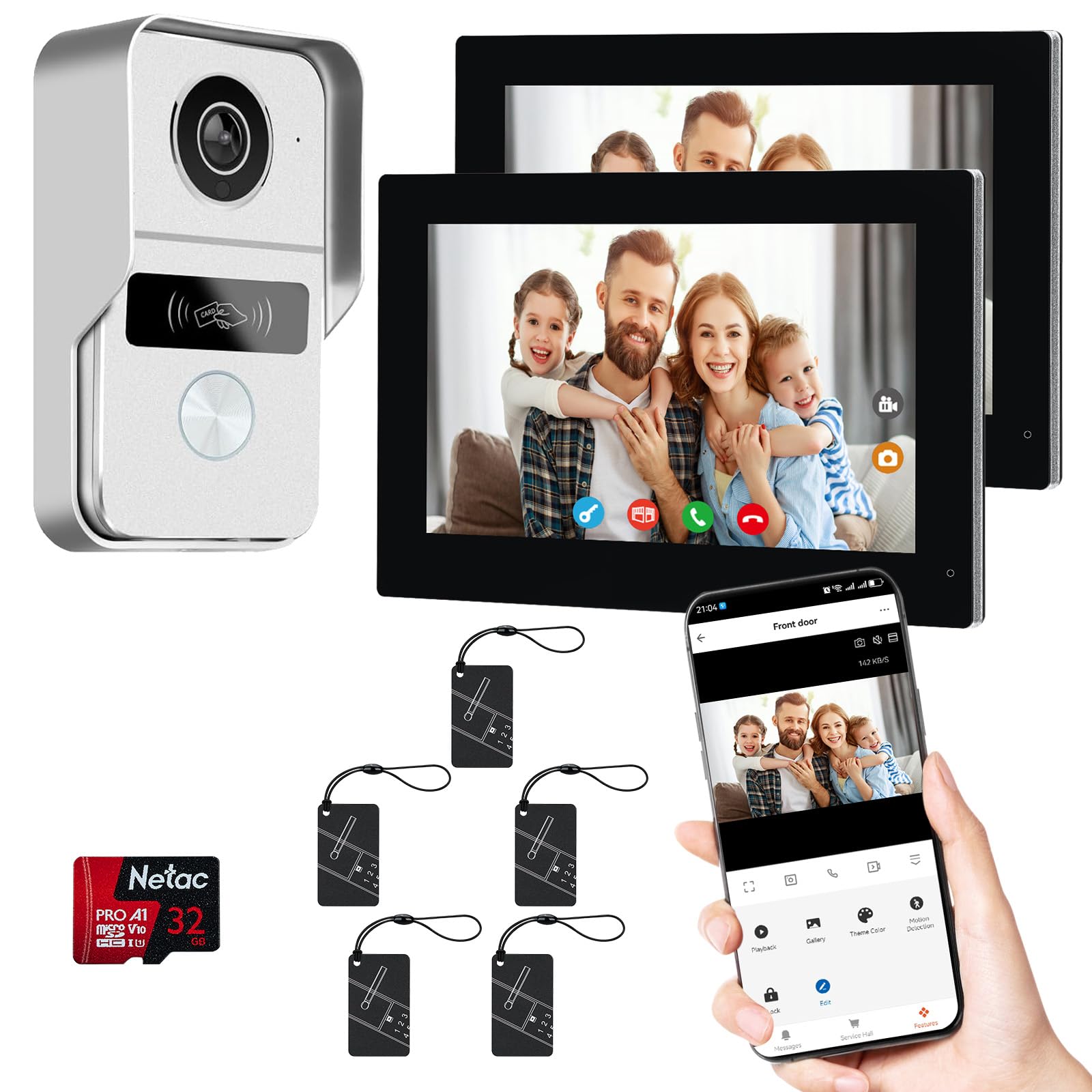
Type: Two-wire video intercom with door release
Display: Dual 7" touchscreen monitors
Resolution: 1080P
Lens: 140° wide angle
Features: Night vision, Tuya app remote control, door release
Install: 2-wire
This is the most capable system in the group, built around two 7-inch monitors and a door-release function that can buzz someone in from the screen. The 140° wide angle captures more of the doorstep than the standard lenses above, and the 2-wire design replaces an existing intercom rather than starting from scratch. Tuya app control adds remote answering and release from a phone.
It suits a larger home or a small office that wants screens in two locations and the ability to unlock a door remotely. The trade-off is the 2-wire requirement: a buyer with no existing intercom wiring faces a harder install than the wireless picks, and the premium price reflects the second monitor and release hardware.
eufy Smart Display E10
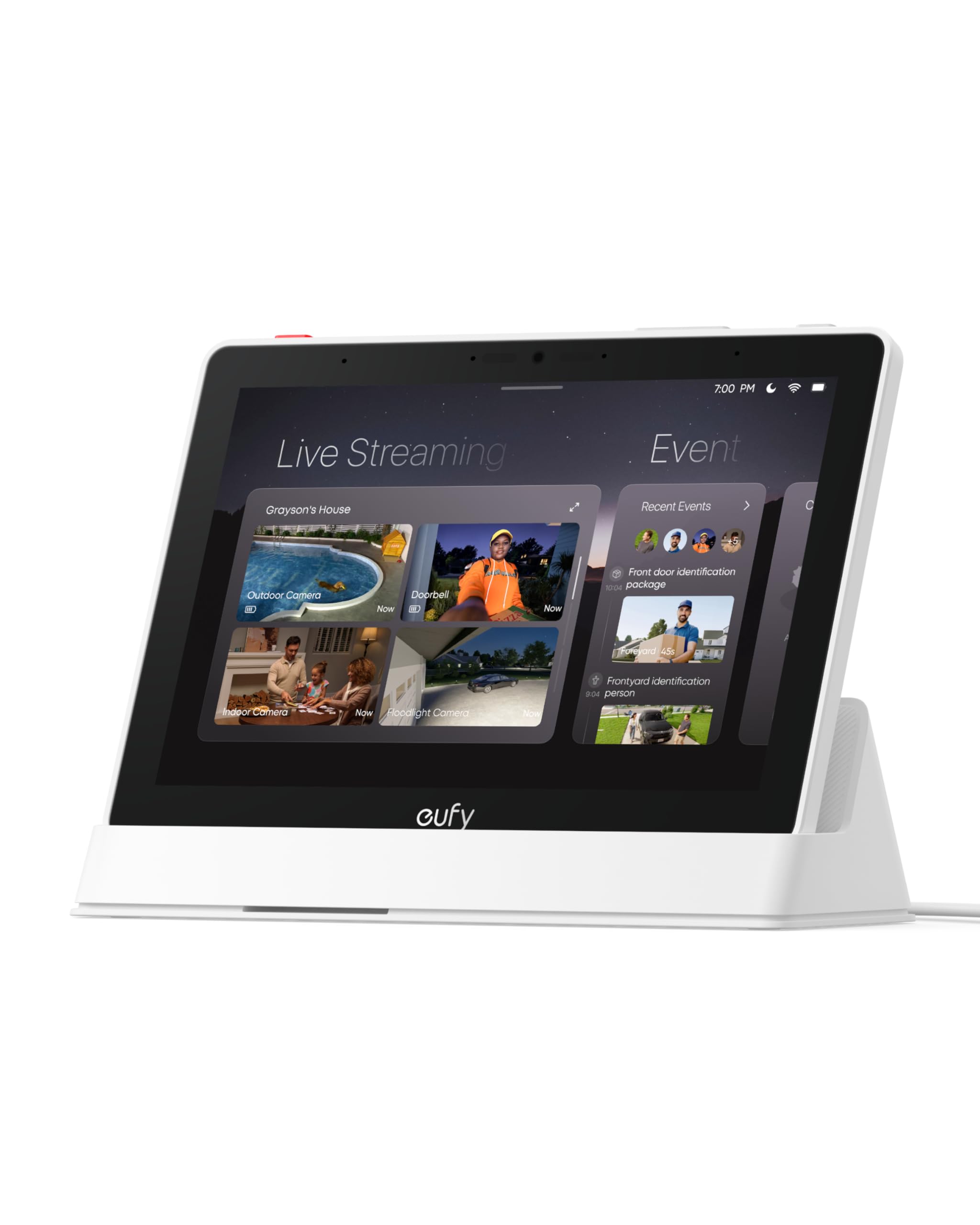
Type: Smart home hub and control panel
Display: 8" control panel
Views: Four views on one screen
Features: Instant door alerts, daily event reports, one-tap control
Storage: 64GB eMMC
Role: Hub for compatible devices
eufy Security eufy Smart Display E10, Smart Home Hub, 8" Control Panel
The E10 is a different animal: an 8-inch control panel that acts as a hub for compatible eufy devices rather than a doorbell kit on its own. Four views on one screen lets a household watch several cameras and the doorbell simultaneously, and the 64GB eMMC handles local storage without a card. Daily event reports and one-tap control round out the always-on dashboard experience.
It suits a home already running multiple eufy cameras that wants one screen to rule them all, and it is the most popular pick here for that reason. The trade-off is ecosystem lock-in: the panel only works with compatible devices, so a buyer starting from zero needs to price a doorbell and cameras alongside it before committing.
Before You Buy
- Compatibility: A hub-style panel like the E10 only works with devices in its own ecosystem; check that the doorbell is on the compatible list first.
- Wiring: The two-wire intercom needs existing doorbell wiring, while the wireless picks install without a transformer.
- Screen size: A 4.3-inch monitor is fine for a glance; a 7- or 8-inch screen is better for reviewing footage and setup menus.
- Storage: Local storage avoids monthly fees but puts card or drive management on the owner; confirm the capacity and format.
- Power: Battery-powered doorbells need periodic recharging, so factor in how accessible the mount is.
- Connectivity: Dual-band WiFi helps in crowded areas; check the router supports the band the doorbell needs.
- Door release: Only the intercom kit includes a release function; buyers who need to buzz visitors in should weigh that requirement early.
Frequently Asked Questions
-
What does a doorbell integration with a display include?
Most kits pair a doorbell camera with a dedicated indoor monitor, so visitors can be seen and heard without a phone. Some, like the E10, act as a hub that displays other cameras too. -
Do these systems require a subscription?
The four doorbell kits list local storage or no monthly fee, and the E10 stores on built-in memory. Cloud plans are optional rather than required. -
Can a doorbell with a display work in a rental?
The wireless, no-wiring picks are the best fit for rentals, since they avoid a transformer install. The two-wire intercom is better suited to a permanent replacement. -
How many monitors can one system support?
The intercom kit ships with dual 7-inch monitors, while the other kits pair one camera with one screen. Multi-room coverage is the intercom’s main advantage. -
Is a bigger screen always better?
Not necessarily — a small monitor is cheaper and enough for quick glances, while a 7- or 8-inch screen helps with setup and reviewing events. The right size depends on how the screen will be used. -
Can these doorbells be answered remotely?
The models listing app control, such as the Tuya-based intercom and the WiFi touchscreen kit, allow remote answering. The budget SwitchBot kit emphasizes the local monitor.
Bottom Line
For most households, the Wireless Smart Video Doorbell System is the best doorbell integration with a display: a 7-inch touchscreen, 1080P video, local storage, and a no-wiring install that covers the common case without a subscription. Buyers on a tight budget can drop to the SwitchBot for 2K color night vision on a smaller screen, while multi-camera homes should step up to the eufy E10 hub.
