Why there are Amazon links here: Brave Review is paid a commission for qualifying Amazon purchases made through the links below. Your price does not change, and using our links is entirely optional. How this works
Best Local Control Smart Home System for Privacy-First Automation
A local control smart home system keeps routines, schedules, and device links running inside the home instead of on a manufacturer’s server. This roundup covers five hubs that handle that job in different ways, from an Alexa-first touchscreen to a fully open automation platform. It suits three kinds of buyers: renters who want a simple wall-mounted panel, tinkerers who want deep automation without a cloud account, and households already committed to Apple, Google, or Alexa who just need a reliable bridge. The overview table below sorts all five by key spec and price tier so a pick is possible in under a minute.
Overview of the Picks
| Product | Key Spec | Best Use | Price Tier |
|---|---|---|---|
| Amazon Echo Hub | 8" touchscreen, Alexa+ | Simple visual control panel | Mid |
| Home Assistant Green | Official Home Assistant hardware | Open, cloud-free automation | Mid |
| Lutron Caseta Smart Hub | Own reliable radio link | Rock-solid lighting control | Budget |
| Aqara Smart Home Hub M3 | Thread border router, Matter, IR | Mixed-protocol bridging | Mid |
| ecobee Smart Thermostat Premium | Wi-Fi thermostat with sensors | Climate-first local control | Premium |
1. Amazon Echo Hub — Best for a Simple Touchscreen Panel
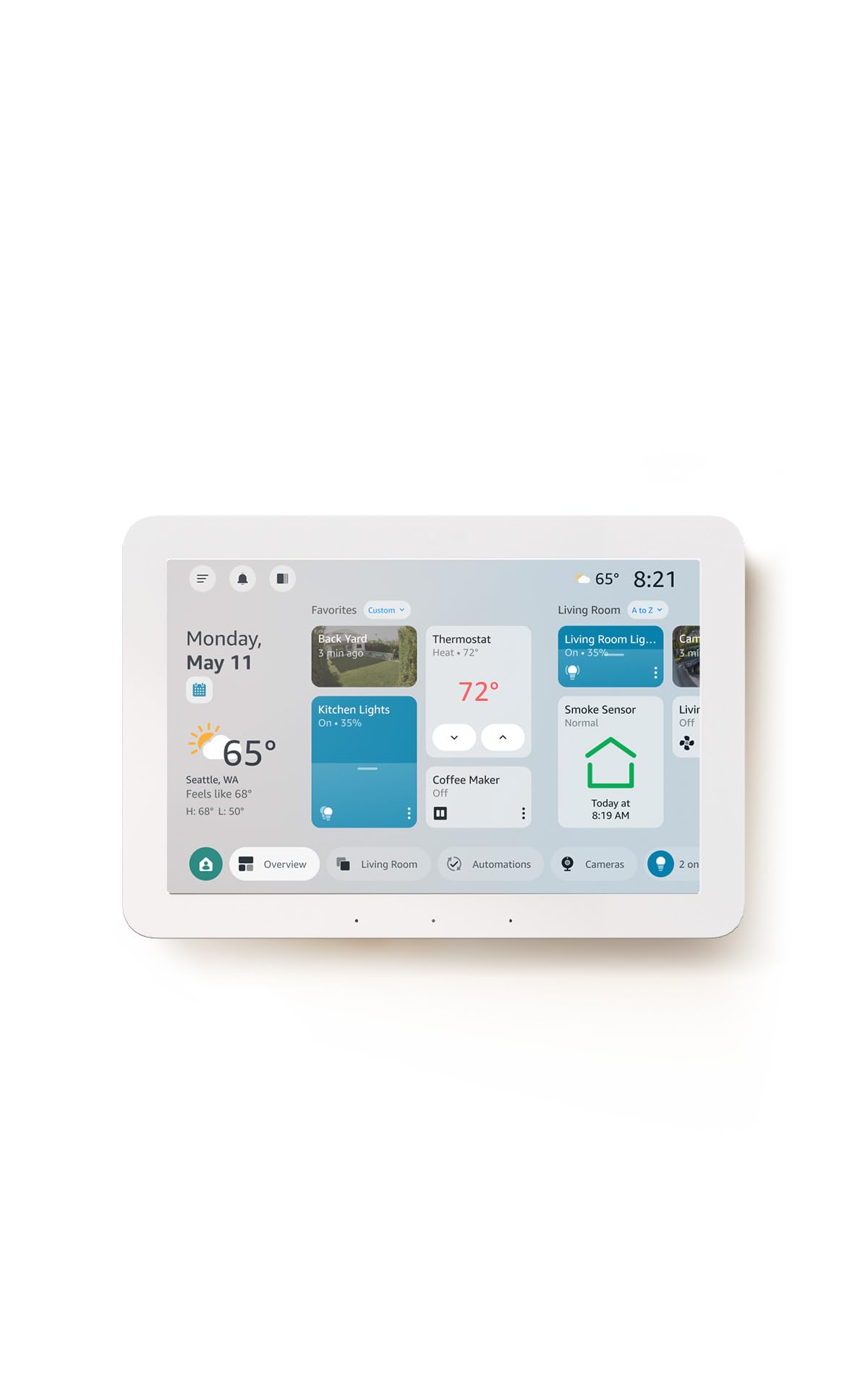
Type: Wall-mountable smart home control panel
Screen: 8-inch touchscreen
Voice Assistant: Alexa+
Compatibility: Thousands of smart devices
Design: Redesigned customizable control layout
The Echo Hub is built as a dedicated control surface rather than a general-purpose tablet, with an 8-inch touchscreen meant to sit on a wall or counter and show devices at a glance. The redesigned interface lets a household arrange widgets and device groups the way it actually uses them, and Alexa+ handles voice requests on top of the touch controls. It is aimed at buyers who want one obvious place to tap lights, locks, and scenes without opening several apps. The wide device compatibility means it can pull together gear from many brands into a single view.
This pick earns its place for households that want local-feeling control with the least possible setup friction: the panel is the interface, and Alexa does the heavy lifting. It suits families, renters, and anyone who wants a visual dashboard in a hallway or kitchen. The caution is that it is a control surface tied to the Alexa ecosystem, so buyers who avoid Amazon services or want deep custom automation logic should look at the open-platform option instead.
2. Home Assistant Green — Best for Open, Cloud-Free Automation

Type: Dedicated Home Assistant hub
Platform: Official Home Assistant hardware
Automation: Advanced, rule-based
Setup: Purpose-built appliance
Ecosystem: Open, local-first
Home Assistant Green | Smart Home hub with Advanced Automation | Official Home Assistant Hardware
Home Assistant Green is a small appliance built specifically to run Home Assistant, the open automation platform that keeps logic and device data on the local network. Because it ships as official hardware, it removes the usual chore of flashing software onto a spare computer or single-board device. Advanced automation is the point: routines can chain conditions, triggers, and multiple device types in ways consumer apps rarely allow. It is the pick for buyers who want their smart home to keep working when the internet or a vendor cloud goes down.
This hub suits tinkerers, privacy-minded households, and anyone who has outgrown one-brand apps and wants everything under one roof. Its place in the roundup is the deep-control option that does not depend on a big-tech account. The caution is that it rewards patience: the setup and automation building ask more of the user than a plug-in panel, so buyers who want zero configuration should choose a simpler hub.
3. Lutron Caseta Smart Hub — Best Budget Pick for Reliable Lighting

Type: Lighting-focused smart bridge
Connection: Ultra-reliable link that does not rely on Wi-Fi
Voice Platforms: Alexa, Apple Home, Google Home
Color: White
Model: L-BDG2-WH
The Caseta Smart Hub is a bridge for Lutron’s lighting controls, and its selling point is a dedicated radio link that does not lean on the home Wi-Fi network. That separation is why it has a reputation for staying responsive when a busy router is struggling, and it works alongside Alexa, Apple Home, and Google Home for voice and app control. It is a narrow tool by design: it exists to make Lutron switches, dimmers, and shades dependable and locally responsive. For a household whose priority is lighting that always answers, that focus is a feature.
This is the budget-friendly entry for buyers who mainly want flawless light control and are happy to add other systems separately. It suits anyone building around Lutron dimmers or wanting a low-cost, low-drama bridge. The caution is scope: it is not a general-purpose hub for every device brand, so buyers wanting one box to rule a mixed smart home will need something broader.
4. Aqara Smart Home Hub M3 — Best for Mixed-Protocol Bridging

Type: Multi-protocol smart home hub
Radios: Thread border router, Zigbee, Bluetooth, Wi-Fi, PoE
Platforms: Apple HomeKit, Alexa, SmartThings, Home Assistant
Role: Matter controller
Extra: Infrared control
The Aqara Hub M3 is the bridge for households that have collected devices on different standards and want them talking. It acts as a Thread border router, speaks Zigbee and Bluetooth, connects over Wi-Fi or wired PoE, and serves as a Matter controller, so it can tie together gear across Apple, Alexa, SmartThings, and Home Assistant. The built-in infrared control adds a way to reach older appliances that only understand a remote. It is a strong fit for buyers who want broad compatibility without committing to a single brand’s ecosystem.
This pick earns its spot as the connector for a mixed smart home, especially one that is gradually moving toward Matter. It suits buyers with devices from several brands and a preference for keeping automation local. The caution is that multi-protocol hubs live or die by firmware and platform updates, and a setup this broad asks for more patience than a single-purpose bridge.
5. ecobee Smart Thermostat Premium — Best Climate-First Local Control

Type: Smart thermostat with sensors
Connection: Wi-Fi
Voice Assistants: Siri and Alexa built in
Extras: Air quality monitor, live view from ecobee doorbell
Focus: Energy-saving climate control
The ecobee Smart Thermostat Premium is a climate-first device rather than a universal hub, but it belongs here because heating and cooling are where local control pays off most. It manages schedules and remote sensors to trim energy use, works with Alexa, Siri, and Google Home, and bundles an air quality monitor plus a live view feed from an ecobee doorbell. Siri and Alexa are built in, so voice control lives on the device itself. It is aimed at buyers who want the biggest everyday savings and comfort gains from one smart upgrade.
This pick is for households where energy bills and comfort matter more than controlling dozens of device types. It earns its place as the premium, single-purpose choice that delivers tangible results. The caution is that it is a thermostat, not a hub: it will not orchestrate lights, locks, and sensors across brands, so it complements a broader system rather than replacing one.
Before You Buy
- Compatibility: Check that the hub speaks the protocols the existing devices use, whether that is Zigbee, Thread, Matter, Lutron’s own radio, or plain Wi-Fi.
- Local vs. cloud: Confirm which routines run on the device and which still need an internet connection or a manufacturer account.
- Ecosystem: Match the hub to the household’s voice assistant, since Apple, Alexa, and Google homes each favor different bridges.
- Scope: Decide between a universal hub that links many brands and a focused device like a lighting bridge or thermostat.
- Setup effort: Weigh a plug-in panel against an open platform that asks for more configuration time.
- Wired options: Look for PoE or Ethernet support where a stable, cable-fed connection matters.
- Expansion: Leave room to add sensors and new standards, especially Matter, as the setup grows.
Frequently Asked Questions
-
What does "local control" actually mean in a smart home?
It means routines, schedules, and device-to-device links run inside the home network rather than on a vendor’s cloud, so they keep working when the internet drops. -
Which pick is best for someone who wants no cloud account at all?
Home Assistant Green is the strongest fit, since it runs an open platform on local hardware and keeps automation logic in the home. -
Can one hub control devices from several brands?
Yes, if it supports the right protocols. The Aqara Hub M3 is the broadest bridge here, covering Thread, Zigbee, Bluetooth, and Matter across major platforms. -
Is a smart thermostat a replacement for a hub?
No. The ecobee Smart Thermostat Premium excels at climate and energy control but does not orchestrate lights, locks, and sensors across brands. -
Why choose a hub that avoids Wi-Fi?
A dedicated radio link, like the one on the Lutron Caseta Smart Hub, keeps lighting responsive even when the home network is busy. -
How much setup should a buyer expect?
A panel like the Echo Hub is close to plug-and-play, while an open platform like Home Assistant Green rewards time spent building automations.
Bottom Line
For most households, the Amazon Echo Hub is the easiest route to the best local control smart home system: an 8-inch panel that puts devices and scenes one tap away with Alexa+ on top. Buyers who want full cloud-free automation should choose Home Assistant Green, while mixed-brand setups are best served by the Aqara Hub M3.