Why there are Amazon links here: Brave Review is paid a commission for qualifying Amazon purchases made through the links below. Your price does not change, and using our links is entirely optional. How this works
Best Mesh System for a House with a Dead Spot Upstairs
A dead spot upstairs is almost always a coverage problem, not a speed problem: the router signal fades before it reaches the far bedrooms, so a mesh system with a well-placed satellite fixes it better than a bigger single router. The five picks below cover the realistic cases — a sprawling house that needs maximum range, a fast fiber line that deserves WiFi 7 hardware, and smaller homes that just need one stubborn room filled in. Budget shoppers, gamers and large-family households each get a clear match. The overview table sorts them by coverage and price tier, and each review explains who the pick is not for.
Overview of the Picks
| Product | Key Spec | Best Use | Price Tier |
|---|---|---|---|
| TP-Link Deco X55 (3-Pack) | AX3000 WiFi 6, up to 6500 sq ft | Large homes on a mid-range budget | Mid-range |
| TP-Link Deco 7 Pro BE63 (3-Pack) | WiFi 7 BE10000, 2.5G wired backhaul | Fast fiber and heavy device loads | Premium |
| NETGEAR Nighthawk MK62 | AX1800 WiFi 6, up to 3000 sq ft | Small homes, one dead room | Budget |
| NETGEAR Nighthawk MK72 | AX3000 WiFi 6, up to 3000 sq ft | Small homes with many devices | Entry mid-range |
| NETGEAR Orbi 370 (3-Pack) | WiFi 7, up to 6000 sq ft, 70 devices | Mid-size homes that want WiFi 7 | Upper mid-range |
TP-Link Deco X55 AX3000 WiFi 6 Mesh System (3-Pack)

Coverage: Up to 6500 sq ft
Standard: WiFi 6 (AX3000)
Units: 3-pack
Ports: 3 Gigabit ports per unit
Backhaul: Supports Ethernet backhaul
Replaces: Wireless router and extender
TP-Link Deco X55 AX3000 WiFi 6 Mesh System, Deco X55(3-Pack)
The Deco X55 is the sensible default for a house where the upstairs hallway or back bedroom drops out. Three units spread the signal across a large footprint, and each one carries three Gigabit ports, which is unusually generous for a mid-range mesh node — wired devices like a desktop or console can plug in directly upstairs. Ethernet backhaul support matters here: if the house is wired, each satellite can talk to the main unit over cable instead of radio, which steadies the far rooms. WiFi 6 handles a normal family load of phones, laptops and streaming boxes without strain.
This pick earns its place on value per square foot. Buyers with a long house or an added wing get enough coverage without stepping up to premium hardware, and the Ethernet backhaul option gives the system room to grow. The trade-off is that WiFi 6 tops out below the newest WiFi 7 gear, so anyone with a multi-gig fiber plan will leave speed on the table.
Trade-off: WiFi 6 hardware cannot exploit a multi-gigabit internet plan the way WiFi 7 units can, so very fast connections are capped by the mesh itself.
TP-Link Deco 7 Pro Tri-Band WiFi 7 BE10000 Whole Home Mesh System (3-Pack)
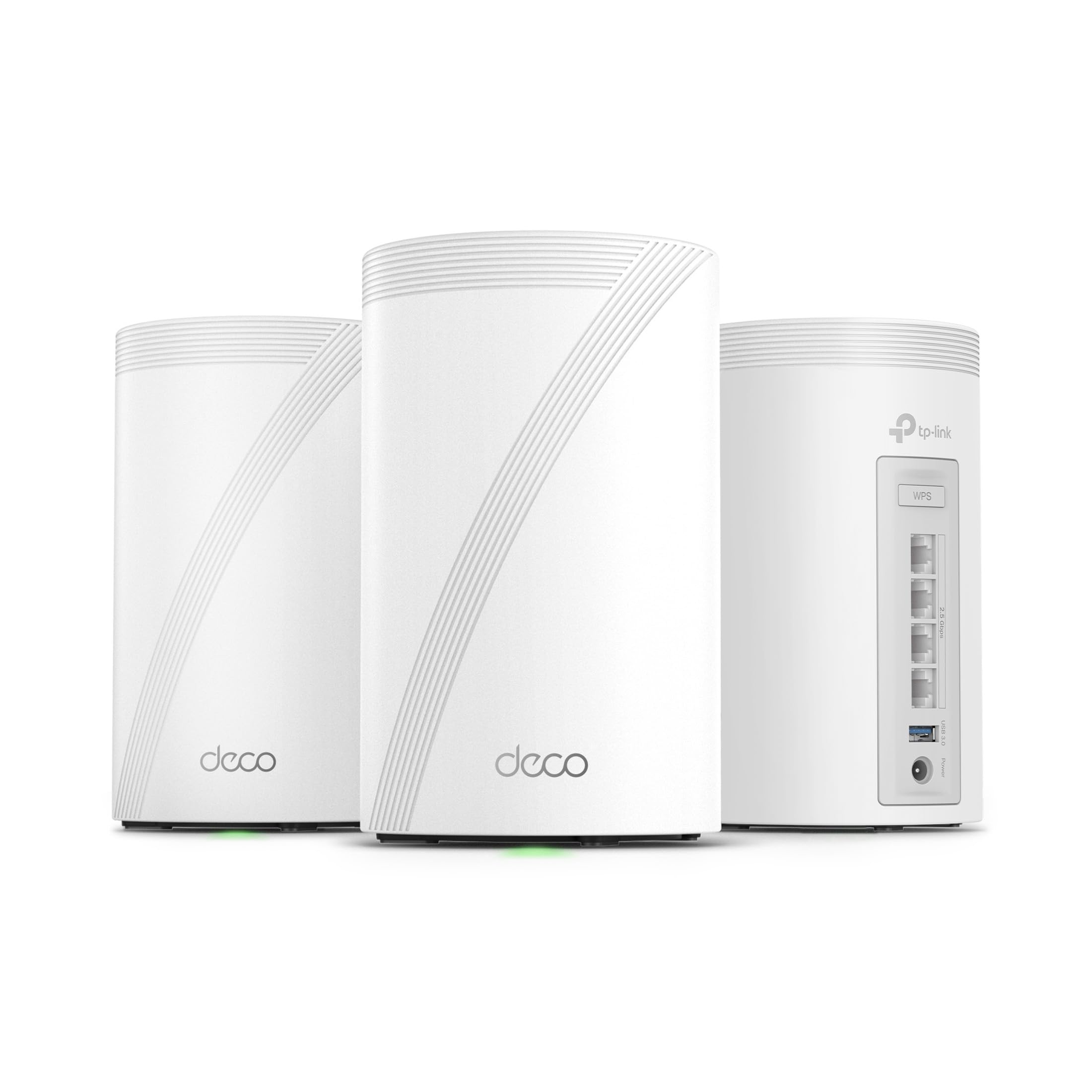
Coverage: Up to 7600 sq ft
Standard: WiFi 7 tri-band (BE10000)
Units: 3-pack
Ports: 4 x 2.5G ports, wired backhaul
Antennas: 4 smart internal antennas
Features: VPN, HomeShield, AI-Roaming
TP-Link Deco 7 Pro Tri-Band WiFi 7 BE10000 Whole Home Mesh System (BE63 3-Pack)
The Deco 7 Pro is the pick for a large house on a fast connection where the dead spot sits at the far end of a long floor plan. The 2.5G ports on every unit make wired backhaul genuinely useful — satellites linked by cable keep their full speed instead of splitting it with wireless traffic. Tri-band operation gives the system a dedicated lane for backhaul, and the six-stream design spreads capacity across many devices at once. HomeShield adds network-level security controls, and AI-Roaming hands devices between units as the user moves from downstairs to upstairs.
This is the most future-proof system in the group and the right call for households running 4K streams, gaming and video calls at the same time. It costs accordingly. The trade-off is that the premium only pays off with a matching internet plan and WiFi 7 client devices — older phones and laptops will connect at their own ceiling.
Trade-off: The price premium is hard to justify without a fast fiber plan and WiFi 7 devices to take advantage of it.
NETGEAR Nighthawk Whole Home Mesh WiFi 6 System (MK62)
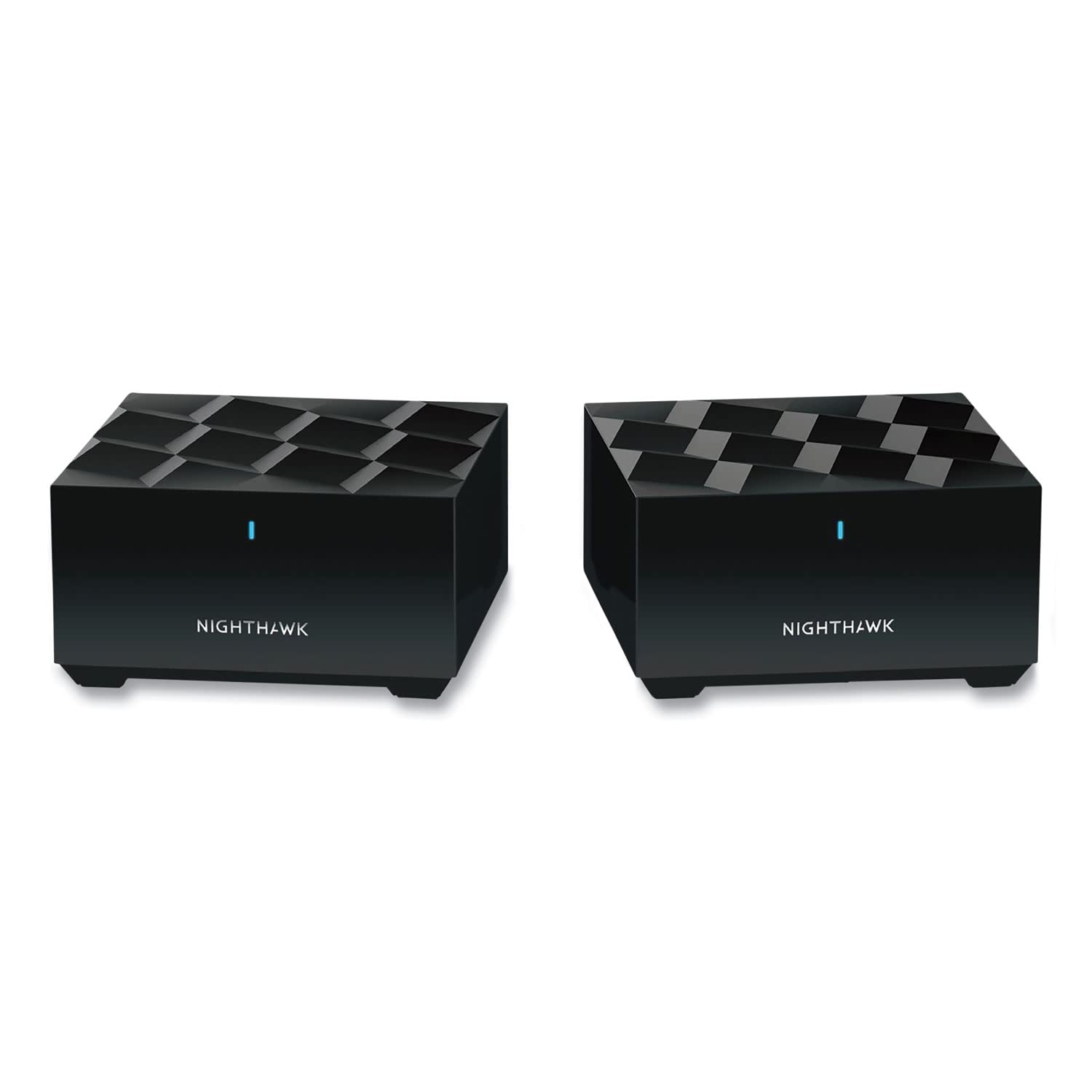
Coverage: Up to 3000 sq ft
Standard: WiFi 6 (AX1800)
Units: Router plus 1 satellite extender
Device Load: 25+ devices
Type: Whole home mesh system
NETGEAR Nighthawk Whole Home Mesh WiFi 6 System (MK62)
The MK62 is the budget answer to a single dead room in a smaller house. A two-piece kit — router plus one satellite — is enough when the problem is one upstairs bedroom or an office at the end of a hall, and the satellite is best placed roughly halfway between the router and the weak spot. WiFi 6 keeps it current, and the stated device load suits a typical couple or small family. Setup runs through the Nighthawk app, which keeps configuration simple for buyers who do not want to touch network settings.
This pick suits renters and smaller homes where a three-pack would be overkill and more units than the floor plan needs. It is not for large or multi-story houses with several weak rooms — two units spread thin over a big footprint. The trade-off is capacity: the AX1800 ceiling and 25-device rating leave little headroom for a house full of smart plugs, cameras and consoles.
Trade-off: The two-unit kit and modest device rating suit compact homes, not large households with dozens of connected devices.
NETGEAR Nighthawk Advanced Whole Home Mesh Dual Band WiFi 6 System (MK72)

Coverage: Up to 3000 sq ft
Standard: WiFi 6 dual-band (AX3000)
Units: Router plus 1 satellite extender
Device Load: 35+ devices
Support: Free expert help
NETGEAR Nighthawk Advanced Whole Home Mesh Dual Band WiFi 6 System (MK72)
The MK72 is the step up from the MK62 for the same size of house. Coverage is stated the same at 3000 sq ft, but the AX3000 standard and the higher device rating mean more headroom for a busy small household — smart home gear, streaming sticks and work laptops all at once. Dual-band WiFi 6 keeps it simple and compatible, and the included expert help is a real convenience for buyers who would rather have someone walk them through placement than troubleshoot alone. The two-unit format keeps the upstairs satellite close to the weak spot.
This pick suits a small home with a dense device count, or a buyer who wants hand-holding during setup. It is not for a large multi-story house, where two units cannot cover the distance regardless of the speed rating. The trade-off is range: the higher throughput does not extend coverage, so a big floor plan still needs a three-pack.
Trade-off: Faster throughput does not add range, so the two-unit kit still falls short in a large or rambling house.
NETGEAR Orbi 370 Series WiFi 7 Mesh System (3-Pack)

Coverage: Up to 6000 sq ft
Standard: WiFi 7 dual-band
Units: Router plus 2 satellite extenders (3-pack)
Speed: Up to 5 Gbps
Device Load: 70 devices
Ports: 2.5 Gig port
Features: Easy setup, security features
NETGEAR Orbi 370 Series WiFi 7 Mesh System, 3 Pack
The Orbi 370 sits between the budget Nighthawk kits and the premium Deco 7 Pro. Three units cover a mid-size home up to 6000 sq ft, and the 70-device rating is the highest in this group short of the Deco — enough for a family with cameras, tablets and consoles throughout the house. The 2.5 Gig port on the main unit lets a fast internet line through without bottlenecking at the router. WiFi 7 support and built-in security features make it a reasonable long-term buy, and Orbi’s setup process is aimed at non-technical buyers.
This pick suits a mid-size home that wants WiFi 7 without paying the top-tier price. It is not for buyers on the tightest budget, and it is not the fastest system here — the dual-band design and 5 Gbps ceiling sit below the tri-band Deco 7 Pro. The trade-off is that the middle position means paying for WiFi 7 without the top-end throughput.
Trade-off: Dual-band WiFi 7 and a 5 Gbps ceiling cost more than WiFi 6 but deliver less top-end speed than the premium tri-band option.
Before You Buy
- Coverage: Match the stated square footage to the whole house, not just the dead room — satellites work best with room to spread out.
- Satellite placement: Put the upstairs unit roughly halfway between the router and the weak spot, not in the dead zone itself.
- Wired backhaul: If the house has Ethernet runs, choose a system that supports backhaul (the Deco X55 and Deco 7 Pro both do) for the steadiest upstairs signal.
- Internet plan: A WiFi 7 system only pays off with a fast fiber line and WiFi 7 devices; a WiFi 6 kit is the better value otherwise.
- Device count: Count phones, laptops, TVs, cameras and smart plugs before choosing — the device rating is a real ceiling.
- House construction: Thick walls, brick and metal lath cut signal; more units or wired backhaul help where a single satellite struggles.
- Budget tier: Two-piece kits suit one dead room; three-packs are the safer choice for multi-story homes.
Frequently Asked Questions
-
Will a mesh system fix an upstairs dead spot?
Usually yes. A satellite placed between the router and the weak area extends coverage into the room, which a single router or a basic extender often cannot do cleanly. -
How many units does a two-story house need?
A small two-story home can work with a two-piece kit if the dead spot is limited to one room. Larger or long floor plans generally need a three-pack. -
Is WiFi 7 worth it for a dead spot?
Only if the internet plan and devices are fast enough to benefit. For most buyers fixing a coverage gap, a WiFi 6 mesh system delivers the fix at a lower price. -
Where should the upstairs satellite go?
Halfway between the router and the dead spot, with a clear line of sight where possible. Placing it inside the dead room usually gives a weak connection to the rest of the mesh. -
Does Ethernet backhaul help?
Yes. A wired link between units frees the wireless bands for devices and keeps upstairs speeds stable, provided the house has cabling in place. -
Can a mesh system replace an existing router and extender?
Yes. A mesh kit replaces both, and the Deco X55 is explicitly built to do so, which simplifies the network into one system with one name.
Bottom Line
For most houses with a dead spot upstairs, the TP-Link Deco X55 three-pack is the pick that balances coverage, ports and price — enough units to reach the far rooms, Ethernet backhaul when the house is wired, and no premium for WiFi 7 features that may go unused. Buyers with a fast fiber plan and WiFi 7 devices should step up to the Deco 7 Pro, while a single dead room in a smaller home is handled well by the Nighthawk MK62 or MK72. Check current prices before deciding, since mesh pricing moves often.
