Why there are Amazon links here: Brave Review is paid a commission for qualifying Amazon purchases made through the links below. Your price does not change, and using our links is entirely optional. How this works
Best Mesh System for a House with Solid Walls: 5 Picks That Punch Through
Solid walls — brick, stone, plaster over masonry — absorb WiFi signal in a way drywall never does. This roundup covers five mesh systems chosen for their ability to hold a connection across thick interior walls, from budget dual-band kits to tri-band WiFi 7 hardware. It suits homeowners in older brick or masonry houses, renters who cannot run cable, and anyone replacing a router-plus-extender setup that keeps dropping rooms. The overview table below puts every pick side by side so the right one is obvious fast.
Top Mesh Systems for Solid Walls at a Glance
| Product | Key Spec | Best Use | Price Tier |
|---|---|---|---|
| TP-Link Deco X55 AX3000 (3-Pack) | WiFi 6, up to 6,500 sq. ft., Ethernet backhaul | Best overall for most solid-wall homes | Mid |
| TP-Link Deco 7 Pro BE10000 (3-Pack) | WiFi 7 tri-band, 4 x 2.5G ports, up to 7,600 sq. ft. | Best for large homes and heavy device loads | Premium |
| NETGEAR Orbi 370 Series (3-Pack) | WiFi 7 dual-band, up to 6,000 sq. ft., 2.5G port | Best simple setup with strong security features | Upper mid |
| Amazon eero 6+ (3-Pack) | WiFi 6, up to 4,500 sq. ft., 75+ devices | Best for gigabit plans and app-first users | Mid |
| TP-Link Deco S4 AC1900 (3-Pack) | WiFi 5 dual-band, up to 5,500 sq. ft., Gigabit ports | Best budget pick for smaller solid-wall homes | Budget |
1. TP-Link Deco X55 AX3000 WiFi 6 Mesh System (3-Pack)
Type: Whole-home mesh system, 3 units
Wireless standard: WiFi 6 (AX3000)
Coverage: Up to 6,500 sq. ft.
Ports: 3 Gigabit ports per unit
Backhaul: Supports Ethernet backhaul
Function: Replaces wireless router and extender

TP-Link Deco X55 AX3000 WiFi 6 Mesh System, Deco X55(3-Pack)
The Deco X55 is the most balanced pick here for a solid-wall house. Three units spread across a floor plan, and each one carries three Gigabit ports, which matters in masonry homes because Ethernet backhaul is the single most reliable way to beat wall attenuation — run a cable between nodes where possible and the walls stop mattering. WiFi 6 handles dense device households without choking, and the Deco app makes node placement straightforward for non-technical buyers. It replaces both a router and any extenders in one system.
This pick earns its place as the default recommendation for a typical two-story brick or plaster home where the budget is real but not tight. It suits families with a dozen or more connected devices and a mid-tier internet plan. The trade-off: WiFi 6 is now a generation behind WiFi 7, so buyers planning to keep a system for five-plus years may find it dated sooner than the premium picks.
2. TP-Link Deco 7 Pro BE10000 Tri-Band WiFi 7 Mesh System (3-Pack)
Type: Whole-home mesh system, 3 units
Wireless standard: WiFi 7 tri-band (BE10000), 6-stream
Coverage: Up to 7,600 sq. ft.
Ports: 4 x 2.5G ports, wired backhaul
Antennas: 4 x smart internal antennas
Features: VPN, HomeShield, AI-Roaming
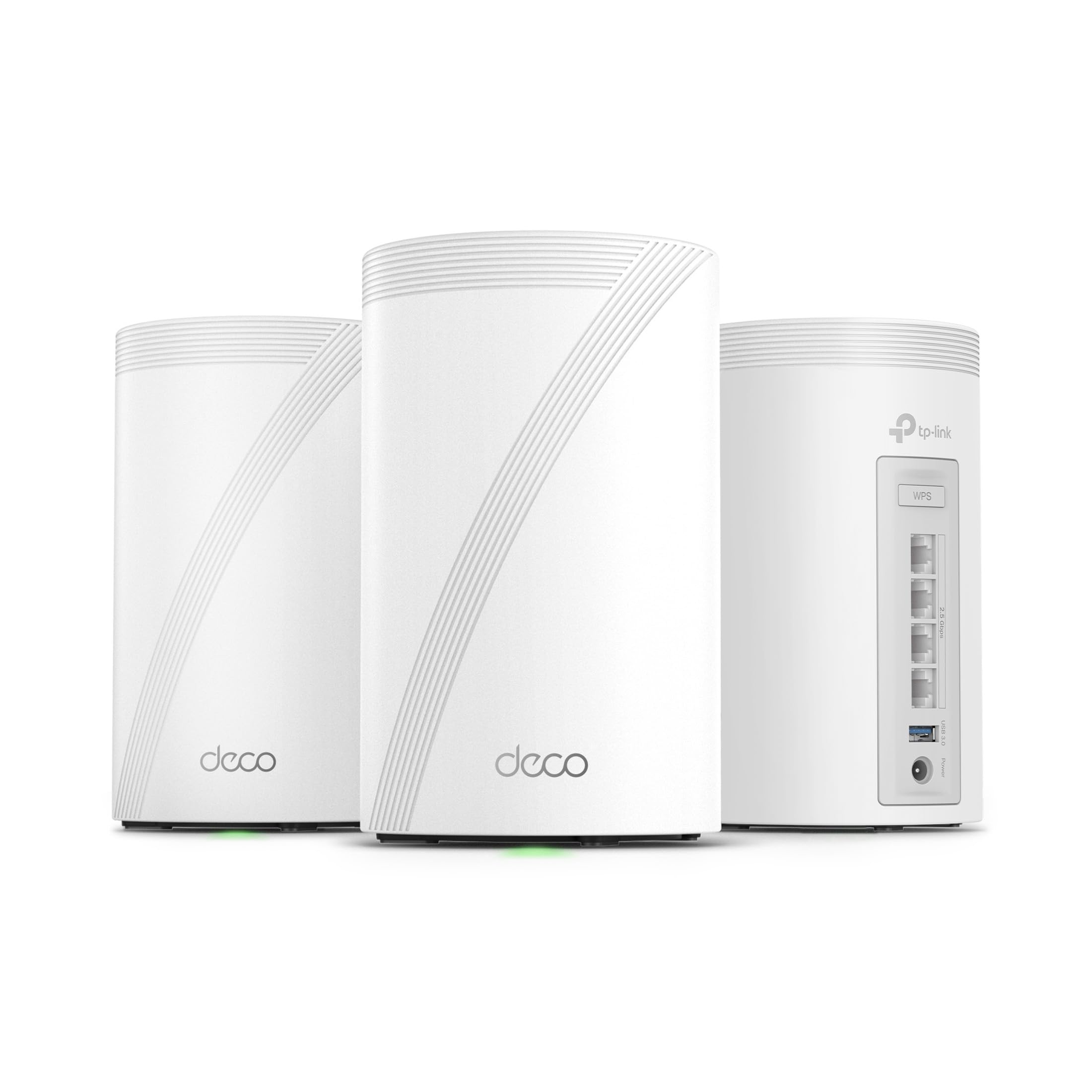
TP-Link Deco 7 Pro Tri-Band WiFi 7 BE10000 Whole Home Mesh System (BE63 3-Pack)
The Deco 7 Pro is the heavy-duty answer to thick walls and big floor plans. Tri-band WiFi 7 with a dedicated high-capacity band keeps node-to-node traffic off the bands devices use, which is exactly what a solid-wall house needs when wireless backhaul has to travel through masonry. Four 2.5G ports per unit and wired backhaul support mean the system can be cabled for maximum stability, and AI-Roaming steers devices to the best node automatically. HomeShield and VPN support round it out for buyers who care about network security.
This is the pick for large homes, multi-floor masonry builds, and households running 4K streaming, gaming and work-from-home traffic at once. It suits buyers who want headroom and intend to keep the system for years. The trade-off: it is the most expensive pick here, and WiFi 7 benefits only materialize with WiFi 7 client devices and a fast internet plan — otherwise much of the capability sits unused.
3. NETGEAR Orbi 370 Series WiFi 7 Mesh System (3-Pack)
Type: Router plus 2 satellite extenders, 3-pack
Wireless standard: WiFi 7 dual-band
Coverage: Up to 6,000 sq. ft.
Speed: Up to 5 Gbps
Capacity: 70 devices
Ports: 2.5 Gig port
Features: Easy setup, security features

NETGEAR Orbi 370 Series WiFi 7 Mesh System, RBE373, 3 Pack
The Orbi 370 takes the traditional router-plus-satellites approach and updates it to WiFi 7. Coverage reaches 6,000 square feet across the three pieces, with a 2.5 Gig port on the main unit for fast wired connections and support for up to 70 devices. NETGEAR’s setup process is among the friendlier ones for buyers who do not want to fiddle, and the built-in security features add a layer many budget systems skip. The dedicated satellite design tends to hold a backhaul link well across a floor.
This pick suits buyers who want a recognizable brand, a simple app-led setup, and WiFi 7 without paying the absolute top tier. It fits medium-to-large solid-wall homes with a moderate device count. The trade-off: dual-band rather than tri-band means the backhaul shares spectrum with client traffic, so in a very dense or very large masonry home the Deco 7 Pro’s extra band will pull ahead.
4. Amazon eero 6+ Mesh WiFi System (3-Pack)
Type: Whole-home mesh system, 3 units
Wireless standard: WiFi 6
Coverage: Up to 4,500 sq. ft.
Capacity: 75+ devices
Internet plans: Supports plans up to a Gigabit
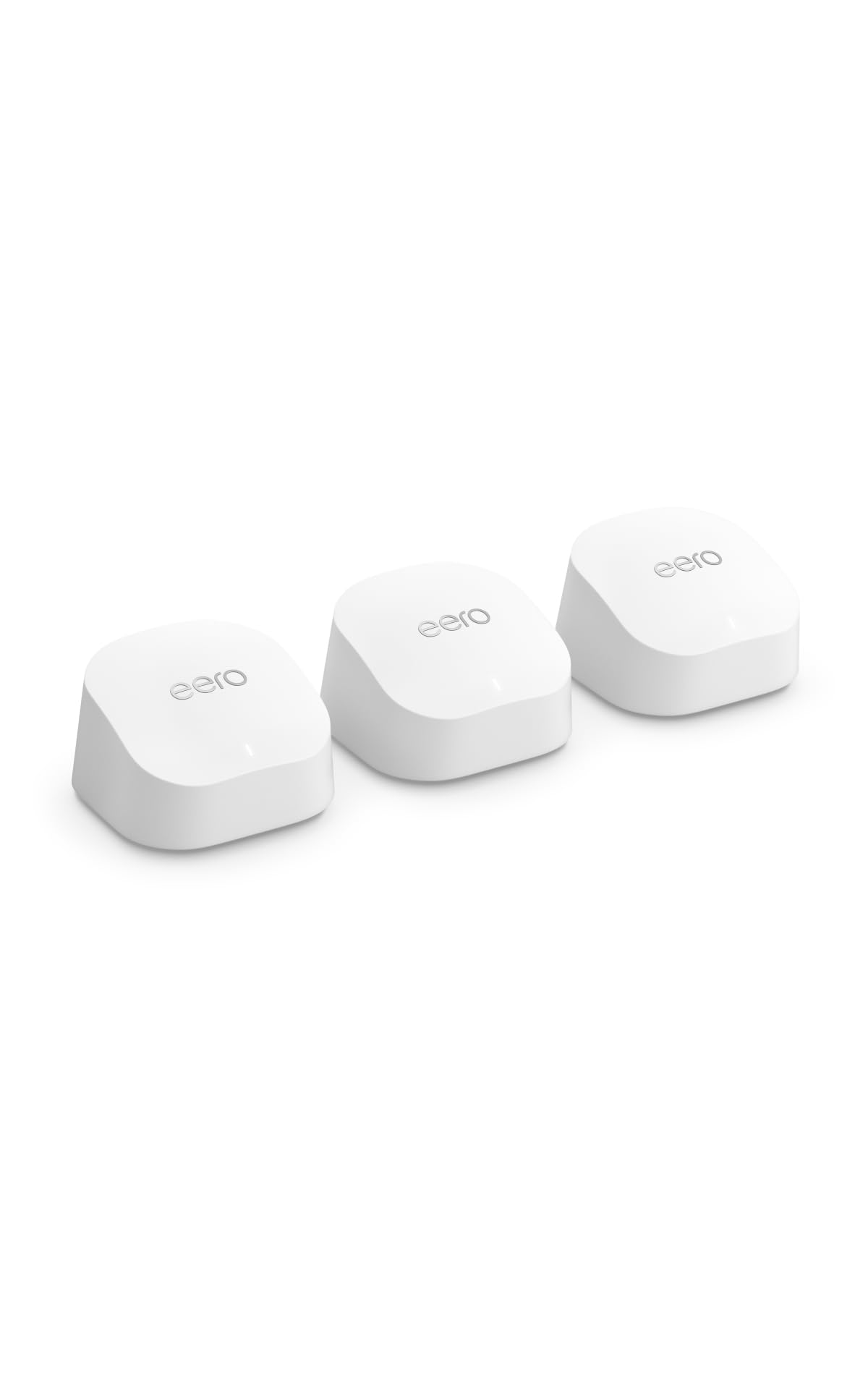
Amazon eero 6+ mesh wifi system, 3-pack
The eero 6+ is the simplest system to live with. Three compact units cover up to 4,500 square feet, support gigabit internet plans, and handle 75+ devices — enough for a modern family. Setup is done entirely through the eero app with no browser login, and the system manages band steering and roaming automatically, which helps in solid-wall homes where devices otherwise cling to the wrong node. The small footprint makes discreet placement on shelves or side tables easy.
This pick suits renters and app-first buyers who value simplicity over tinkering, and homes where the internet plan tops out at a gigabit. It earns its spot for the setup experience alone. The trade-off: coverage is the second-lowest here, so a sprawling masonry house may need a fourth unit, and the system offers fewer advanced controls than the TP-Link options for buyers who like to tune their network.
5. TP-Link Deco S4 AC1900 WiFi Mesh System (3-Pack)
Type: Whole-home mesh system, 3 units
Wireless standard: WiFi 5 dual-band (AC1900)
Coverage: Up to 5,500 sq. ft.
Ports: Gigabit ports
Function: Replaces WiFi router and extender
Voice: Works with Alexa

TP-Link Deco S4 Mesh AC1900 WiFi System, Deco S4(3-Pack)
The Deco S4 is the budget route to whole-home coverage. Three units cover up to 5,500 square feet, Gigabit ports keep wired devices fast, and Alexa compatibility adds voice control for buyers already in that ecosystem. It replaces a router and extenders in one move, and the Deco app keeps management consistent with the rest of the line. For a solid-wall house on a tight budget, it delivers the core benefit — multiple nodes spreading signal — without the premium price.
This pick suits budget-conscious buyers in smaller or single-floor masonry homes, or anyone who needs coverage more than raw speed. It earns its place as the value option. The trade-off: WiFi 5 is two generations behind, so it will not maximize a fast internet plan, and buyers with many high-bandwidth devices should expect it to feel limited sooner than the WiFi 6 and WiFi 7 picks.
Before You Buy
- Wall construction: Solid masonry walls attenuate signal far more than drywall; plan on more nodes than the square-footage rating suggests, or use wired backhaul.
- Ethernet backhaul: Every pick here supports wired connections between units. In a solid-wall house, a single cable run between floors often beats any wireless tuning.
- Wireless standard: WiFi 6 and WiFi 7 systems handle dense device loads better; WiFi 5 remains fine for smaller homes on modest plans.
- Ports: Check the port count and speed per unit if wired devices like consoles or desktop PCs matter; the premium picks carry 2.5G ports.
- Placement: Nodes need line of sight where possible — hallways and stairwells beat closets and cupboards in masonry homes.
- Plan headroom: Match the system to the internet plan; a gigabit-plus plan wastes money on a WiFi 5 kit.
Frequently Asked Questions
-
Will a mesh system work through brick walls?
Yes, but expect reduced range per node. Adding a unit or wiring the nodes together with Ethernet is the reliable fix in masonry homes. -
How many units does a solid-wall house need?
More than the square-footage rating implies. A typical two-story brick home often needs three units placed one per floor plus one at the far end. -
Is WiFi 7 worth it for a house with thick walls?
WiFi 7 helps most with dense device loads and fast plans. If the walls are the main problem, placement and wired backhaul matter more than the standard. -
Can mesh nodes be connected by cable?
Yes — every system in this roundup supports wired backhaul, which is the most stable way to push signal past solid walls. -
Does a mesh system replace an extender?
Yes. All five picks are designed to replace a router and extenders with a single managed network and seamless roaming.
Bottom Line
For most solid-wall homes, the TP-Link Deco X55 AX3000 3-Pack is the safest buy: enough coverage, WiFi 6 speed, three Gigabit ports per unit and Ethernet backhaul support to beat masonry walls. Buyers with large multi-floor houses and heavy device loads should step up to the Deco 7 Pro, while budget-focused shoppers in smaller homes will find the Deco S4 does the essential job for less.
