Why there are Amazon links here: Brave Review is paid a commission for qualifying Amazon purchases made through the links below. Your price does not change, and using our links is entirely optional. How this works
Best Motion Sensors for Lighting Automation for Hands-Free Rooms
The best motion sensor for lighting automation depends less on the sensor itself than on how it talks to the lights. Hardwired switches suit anyone replacing a wall toggle; hub-based sensors suit smart-home owners who want rules and routines. Wireless and ceiling models fill the gaps where running cable is impractical. The five picks below are grouped by wiring situation and ecosystem, so most buyers can settle on one in a minute. The overview table sums up each option before the full reviews.
Overview of the Picks
| Product | Key Spec | Best Use | Price Tier |
|---|---|---|---|
| TP-Link Tapo Motion Sensor (Tapo T100) | Requires Tapo Hub, Sub-1G wireless | Battery sensor inside a Tapo ecosystem | Budget |
| Lutron Motion Sensor Light Switch (MS-OPS2-WH) | 2 Amp single pole, any bulb, Title 24 | Replacing a wall switch, no hub | Mid-range |
| SONOFF SenseGuard (SNZB-03PR2) | Zigbee, light sensor, illuminance history | Home Assistant and multi-platform setups | Budget |
| Lutron Caseta Wireless Occupancy Sensor (PD-OSENS-WH) | Wireless, pairs with dimmers and switches | Adding motion to existing Caseta systems | Premium |
| Infrared Motion Sensor, 360° Ceiling PIR | 220V ceiling mount, adjustable head | Covering a whole room from above | Budget |
1. TP-Link Tapo Motion Sensor (Tapo T100)
Type: Battery-powered PIR sensor
Connectivity: Sub-1G low-power wireless
Requires: Tapo Hub
Detection: Wide range, adjustable sensitivity
Alerts: Real-time notification
Automation: Smart actions via Tapo app

TP-Link Tapo Motion Sensor (Tapo T100)
Check the current price on Amazon
The Tapo T100 is a small battery sensor built for the Tapo app ecosystem. Its Sub-1G radio is designed to sip power, so the battery stretches over long stretches of ordinary use rather than weeks. Adjustable sensitivity lets the sensor ignore a passing pet or a curtain draft while still catching a person walking through. Real-time notifications and smart actions mean the sensor can trigger lights, routines or alerts rather than simply switching a bulb.
This is the pick for households already running a Tapo hub, because the sensor is useless without one. It earns its place on price and on how neatly it folds into Tapo routines. The trade-off is ecosystem lock-in: without the hub, the sensor cannot talk to anything.
Trade-off: The hub requirement adds cost and ties the sensor to one brand’s app.
2. Lutron Motion Sensor Light Switch (MS-OPS2-WH)
Type: Hardwired occupancy/vacancy switch
Rating: 2 Amp, single pole
Bulb support: Any bulb
Compliance: Title 24
Timer: Delay-off
Use: Bathroom, garage, laundry room

Lutron Motion Sensor Light Switch (MS-OPS2-WH)
Check the current price on Amazon
This is a direct replacement for an existing wall switch, not a sensor that reports to an app. It handles any bulb type, including the low-draw LED and fluorescent loads that trip up cheaper occupancy switches. The delay-off timer keeps lights on briefly after motion stops, which prevents a bathroom going dark mid-visit. Title 24 compliance makes it a straightforward choice where code requires occupancy control.
It suits anyone who wants automatic lights without a hub, a phone or a battery. The single-pole, 2-amp rating is the limit worth checking first, since it will not suit every circuit. The trade-off is wiring: installation means working inside a wall box, and multi-way circuits are out of scope.
Trade-off: Installation requires mains wiring and the switch is limited to single-pole circuits within its amp rating.
3. SONOFF SenseGuard (SNZB-03PR2)
Type: Zigbee motion sensor with light sensing
Connectivity: Zigbee
Extras: Illuminance history
Platforms: Home Assistant, Alexa, SmartThings
Use: Light control, alarm automation
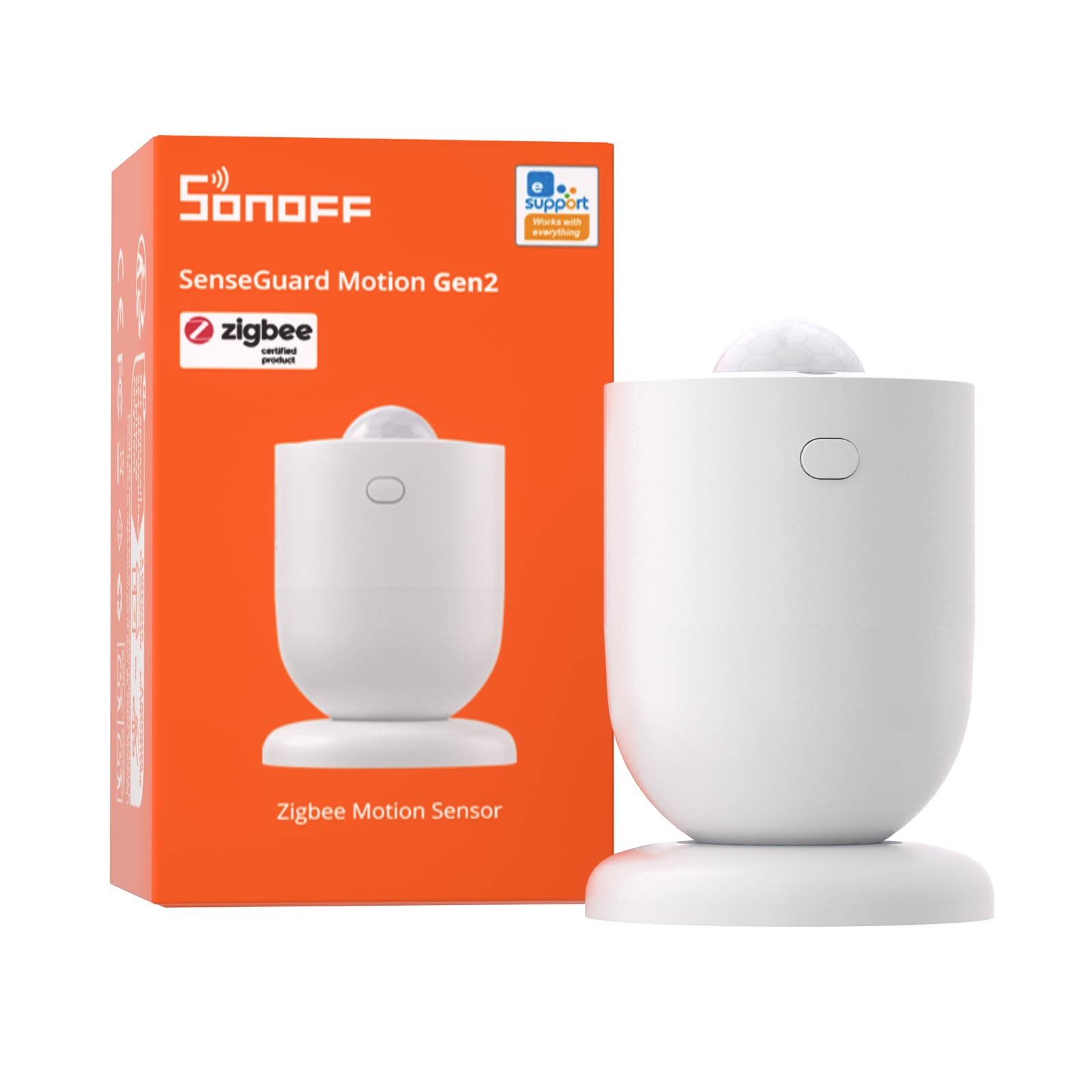
SONOFF SenseGuard (SNZB-03PR2)
Check the current price on Amazon
The SenseGuard pairs motion detection with a light sensor, which is the combination that makes lighting automation genuinely useful. A rule can require both motion and darkness before a lamp turns on, so the hallway light stays off at noon. Illuminance history gives the automation platform a record to build conditions around, not just a live reading. It works with Home Assistant, Alexa and SmartThings, so it is not tied to a single app.
This is the pick for tinkerers who already run a Zigbee coordinator and want granular control. It earns its place on the light-sensing feature, which most budget motion sensors lack. The trade-off is setup: it needs a Zigbee hub and a platform where rules are written, and it is not a plug-and-play consumer device.
Trade-off: It requires a Zigbee hub and comfort with automation platforms, so it is not a beginner’s first sensor.
4. Lutron Caseta Wireless Occupancy Sensor (PD-OSENS-WH)
Type: Wireless occupancy sensor
Pairs with: Dimmers, switches, fan controls
Wiring: No wires required
Use: Bathroom, hallway, garage
Color: White

Lutron Caseta Wireless Occupancy Sensor (PD-OSENS-WH)
Check the current price on Amazon
The Caseta occupancy sensor is a battery-powered companion for Lutron’s dimmers, switches and fan controls. Because it needs no wires, it can sit where a ceiling or wall sensor makes sense without cutting into the wall. It triggers the paired Caseta device automatically, so the light comes on with motion and off again after the room empties. Placement is flexible, which matters in hallways and garages where a switch location is rarely where people walk.
It suits homes already invested in Caseta, where one sensor extends automation to a room that lacks it. It earns its place on installation freedom and on integration with fan controls, not just lights. The trade-off is that it only works within the Caseta system and needs a battery swap now and then.
Trade-off: It is only useful inside a Caseta setup and depends on battery power rather than line voltage.
5. Infrared Motion Sensor, 360° Adjustable Ceiling PIR
Type: Ceiling-mount PIR sensor
Coverage: 360°, adjustable head
Voltage: 220V
Use: Indoor lighting automation
Mounting: Ceiling

Infrared Motion Sensor, 360° Adjustable Ceiling PIR Sensor
Check the current price on Amazon
This is a bare ceiling PIR unit with a 360° head that can be aimed to cover a whole room from above. It switches a 220V lighting circuit rather than reporting to an app, so it is a standalone device. The adjustable head lets the detection pattern be tilted toward a doorway or a corridor rather than wasted on a ceiling corner. It is the cheapest way to automate a room where a ceiling point already exists.
It suits utility spaces — basements, storage rooms, garages — where nobody wants a smart-home app. It earns its place on coverage per dollar, since one ceiling unit watches an entire room. The trade-off is voltage: the 220V rating does not match standard US residential circuits, so buyers must confirm compatibility before ordering.
Trade-off: The 220V rating is a mismatch for typical US line voltage, so it will not suit every home.
Before You Buy
- Wiring: Decide first whether the sensor replaces a wall switch, mounts on the ceiling, or runs on batteries. That single question eliminates most of the list.
- Hub compatibility: Sensors that require a hub — Tapo, Zigbee, Caseta — only work inside that ecosystem. Check the hub already in the home before buying.
- Voltage: Confirm the sensor matches the circuit it controls. A 220V ceiling unit is not a drop-in for a standard US lighting circuit.
- Bulb type: Occupancy switches vary in how they handle low-draw LED and fluorescent loads; a model rated for any bulb avoids flicker and false triggers.
- Coverage and placement: A 360° ceiling sensor watches a whole room, while a wall sensor covers a path. Match the pattern to the space rather than the other way around.
- Light sensing: A motion sensor with a light sensor can be set to trigger only in darkness, which is what keeps hallway lights off during the day.
- Timer behavior: A delay-off setting prevents lights cutting out while a room is still occupied. Check that the timer is adjustable before committing.
Frequently Asked Questions
-
Do motion sensors for lighting need a hub?
Not all of them. Hardwired occupancy switches and standalone ceiling PIR units work without any hub. Battery sensors from Tapo, SONOFF and Lutron need their own hub or bridge. -
Which motion sensor is best for a bathroom?
A hardwired occupancy switch with a delay-off timer is the simplest fit, since it replaces the existing switch and keeps the light on briefly after motion stops. A wireless sensor suits bathrooms where the Caseta system is already installed. -
Can a motion sensor tell the difference between a person and a pet?
Adjustable sensitivity helps a sensor ignore small moving objects, but no PIR sensor is a true pet-immune detector. Mounting the sensor higher and aiming it away from floor level reduces false triggers. -
Why does a light sensor matter for lighting automation?
A light sensor lets the automation require darkness as well as motion. Without it, a hallway or porch light would switch on every time someone walked past in daylight. -
Is a 360° ceiling sensor better than a wall switch sensor?
A ceiling sensor covers an entire room from one point, which suits open utility spaces. A wall switch sensor is easier to install where a switch box already exists and is better for corridors. -
Do these sensors work with LED bulbs?
Models rated for any bulb, like the Lutron switch here, handle LED and fluorescent loads without flicker. Cheaper sensors can struggle with the low current draw of LED bulbs.
Bottom Line
For most homes, the Lutron Motion Sensor Light Switch (MS-OPS2-WH) is the best motion sensor for lighting automation because it needs no hub, works with any bulb and installs in an existing switch box. Buyers already inside a smart ecosystem should look at the Tapo T100 for Tapo homes or the SONOFF SenseGuard for Zigbee platforms and light-aware rules.