Why there are Amazon links here: Brave Review is paid a commission for qualifying Amazon purchases made through the links below. Your price does not change, and using our links is entirely optional. How this works
Best Network for a Shared House: 5 Mesh Systems That Keep Everyone Connected
A shared house puts unusual strain on a home network: multiple streaming sessions, gaming consoles, work-from-home video calls, and phones all hitting the same router at once, often through walls and across floors. The five mesh systems below are the realistic shortlist for that job, sorted from a budget-friendly starter kit to a premium Wi-Fi 7 setup. Renters who want something simple and cheap, households with heavy gamers and remote workers, and tech-minded roommates splitting a bill will each find a fit in the overview table. That table comes first so a decision can be made quickly.
Overview of the Picks
| Product | Key Spec | Best Use | Price Tier |
|---|---|---|---|
| TP-Link Deco S4 (3-Pack) | AC1900, up to 5,500 sq. ft. | Budget starter mesh for smaller shared homes | Budget |
| TP-Link Deco X55 (3-Pack) | AX3000 Wi-Fi 6, up to 6,500 sq. ft. | Best all-round value for most shared houses | Mid-range |
| NETGEAR Orbi 370 Series (3-Pack) | Wi-Fi 7, up to 6,000 sq. ft., 2.5 Gig port | Households with a fast fiber plan | Upper mid-range |
| Amazon eero 7 (3-Pack) | Dual-band Wi-Fi 7, up to 6,000 sq. ft. | Simple app-managed setup for non-technical roommates | Upper mid-range |
| TP-Link Deco 7 Pro BE63 (3-Pack) | Tri-band Wi-Fi 7 BE10000, 4 x 2.5G ports | Heavy gaming and many-device households | Premium |
1. TP-Link Deco S4 Mesh AC1900 WiFi System (3-Pack)

Type: Whole-home mesh Wi-Fi system
Standard: AC1900 dual-band
Coverage: Up to 5,500 sq. ft.
Units: 3-pack
Ports: Gigabit ports
Compatibility: Works with Alexa
The Deco S4 is the entry point into mesh networking: three compact units that replace a single router and its extender, wired together by gigabit ports if the house has Ethernet runs. It covers a typical three-bedroom shared home and handles the everyday load of streaming, browsing, and video calls without fuss. Setup runs through the Deco app, which keeps configuration simple enough that one roommate can administer the whole network. This is the pick for a rental where nobody wants to spend much or tinker.
It earns its place as the budget option because it delivers the core mesh benefit, one network name and seamless roaming between units, at the lowest cost here. The caution is speed: AC1900 is an older Wi-Fi standard, so a household with several heavy gamers or a fast multi-gig fiber plan will feel the ceiling.
Trade-off: The older Wi-Fi standard and gigabit-only ports leave little headroom for a house full of 4K streams, large downloads, and next-gen consoles at the same time.
2. TP-Link Deco X55 AX3000 WiFi 6 Mesh System (3-Pack)

Type: Whole-home mesh Wi-Fi system
Standard: AX3000 Wi-Fi 6
Coverage: Up to 6,500 sq. ft.
Units: 3-pack
Ports: 3 gigabit ports per unit
Backhaul: Supports Ethernet backhaul
The Deco X55 is the middle child that fits most shared houses best: Wi-Fi 6, the widest coverage in this group, and three gigabit ports on every unit so consoles, TVs, and desktops can be wired directly. Ethernet backhaul support means the units can be linked by cable for a rock-solid backbone if the house is wired. It replaces both the old router and any extenders, simplifying a network that has grown piecemeal.
This is the value pick because it balances modern Wi-Fi 6 throughput against a mid-range price, and the extra ports matter in a shared house where several devices want a cable. The caution is that it is Wi-Fi 6, not Wi-Fi 7, so it will not fully exploit a multi-gig internet plan.
Trade-off: It is a generation behind the newest standard, so buyers with a multi-gig fiber connection will cap their speeds below what the plan provides.
3. NETGEAR Orbi 370 Series WiFi 7 Mesh System (3-Pack)

Type: Whole-home mesh Wi-Fi system
Standard: Wi-Fi 7, dual-band
Coverage: Up to 6,000 sq. ft.
Units: 3-pack (router + 2 satellite extenders)
Speeds: Up to 5 Gbps
Capacity: Up to 70 devices
Ports: 2.5 Gig port
Security: Built-in security features
The Orbi 370 brings Wi-Fi 7 and a 2.5 Gig port into a three-piece kit that covers a large shared house and lists support for up to 70 devices, which suits a household where everyone has a phone, laptop, and console. The router-plus-two-satellites design is the classic Orbi arrangement, and setup is described as easy through the app. Built-in security features add a layer that matters when multiple people share one network. It is the pick for a house with a fast fiber plan that wants to use it.
It earns its place by pairing next-gen Wi-Fi with a 2.5 Gig port, so a multi-gig connection is not wasted. The caution is that dual-band Wi-Fi 7 gives up the extra band that tri-band systems use to keep mesh traffic separate, which can matter in a very crowded household.
Trade-off: The dual-band design offers less dedicated backhaul capacity than tri-band rivals, so a house with dozens of active devices may see less consistent top speeds.
4. Amazon eero 7 Dual-Band Mesh Wi-Fi 7 Router (3-Pack)
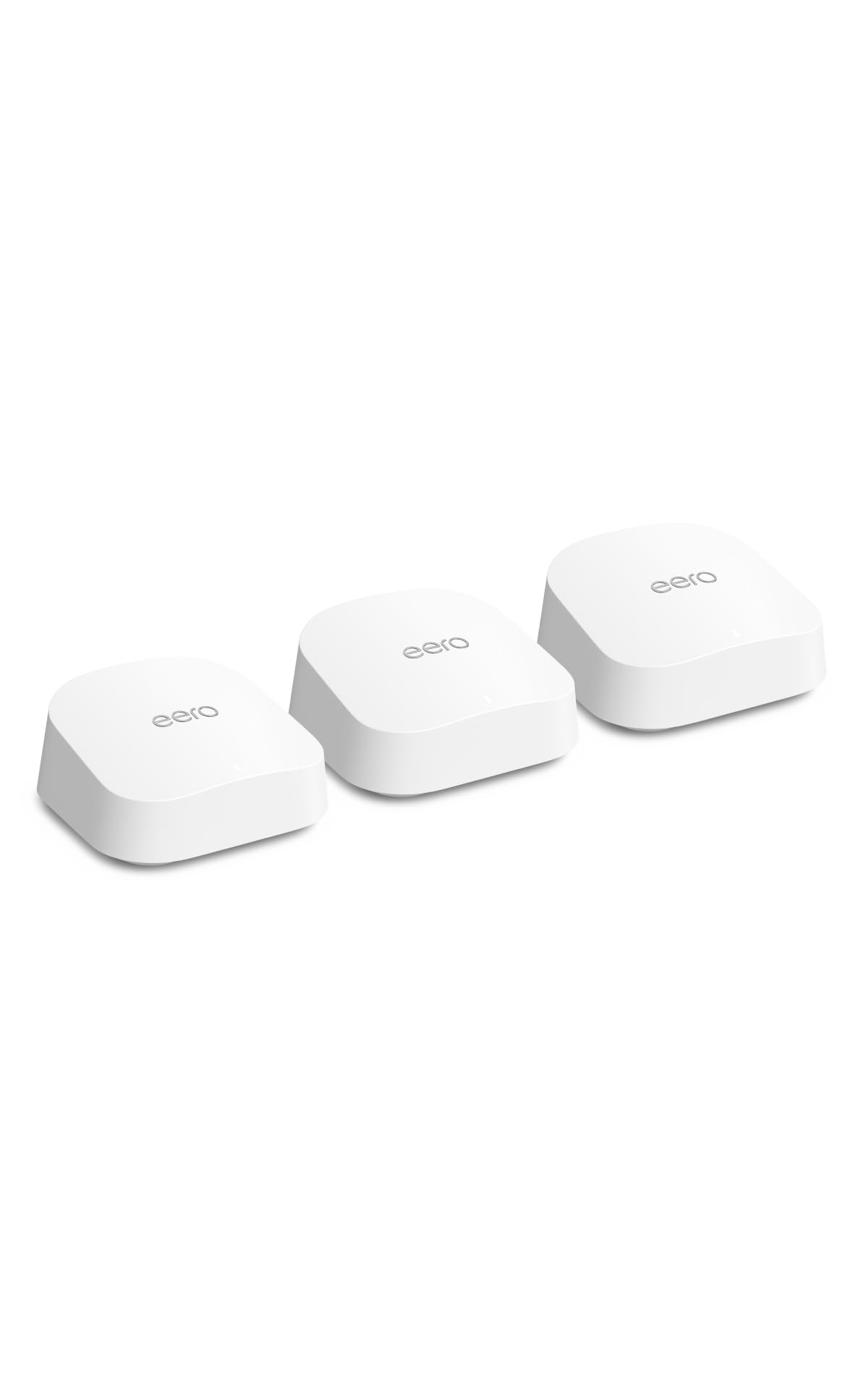
Type: Whole-home mesh Wi-Fi system
Standard: Dual-band Wi-Fi 7
Coverage: Up to 6,000 sq. ft.
Units: 3-pack
Internet plans: Supports plans up to 2.5 Gbps
Management: eero app
The eero 7 is the simplest system here to live with: three units, an app-driven setup, and support for internet plans up to 2.5 Gbps. Dual-band Wi-Fi 7 keeps it current without the complexity of a tri-band configuration. For a shared house where the least technical roommate ends up managing the network, that simplicity is a real feature. It covers a large home and handles the usual mix of streaming and work traffic.
It earns its place as the easy-administration pick, since eero’s app is the whole interface and there is little to misconfigure. The caution is that the eero ecosystem leans on subscription features for some advanced controls, and the dual-band design trades peak throughput for simplicity.
Trade-off: Some advanced network and security controls sit behind eero’s subscription tier, and the dual-band layout is less suited to extremely dense device loads.
5. TP-Link Deco 7 Pro Tri-Band WiFi 7 BE10000 Mesh System (3-Pack)
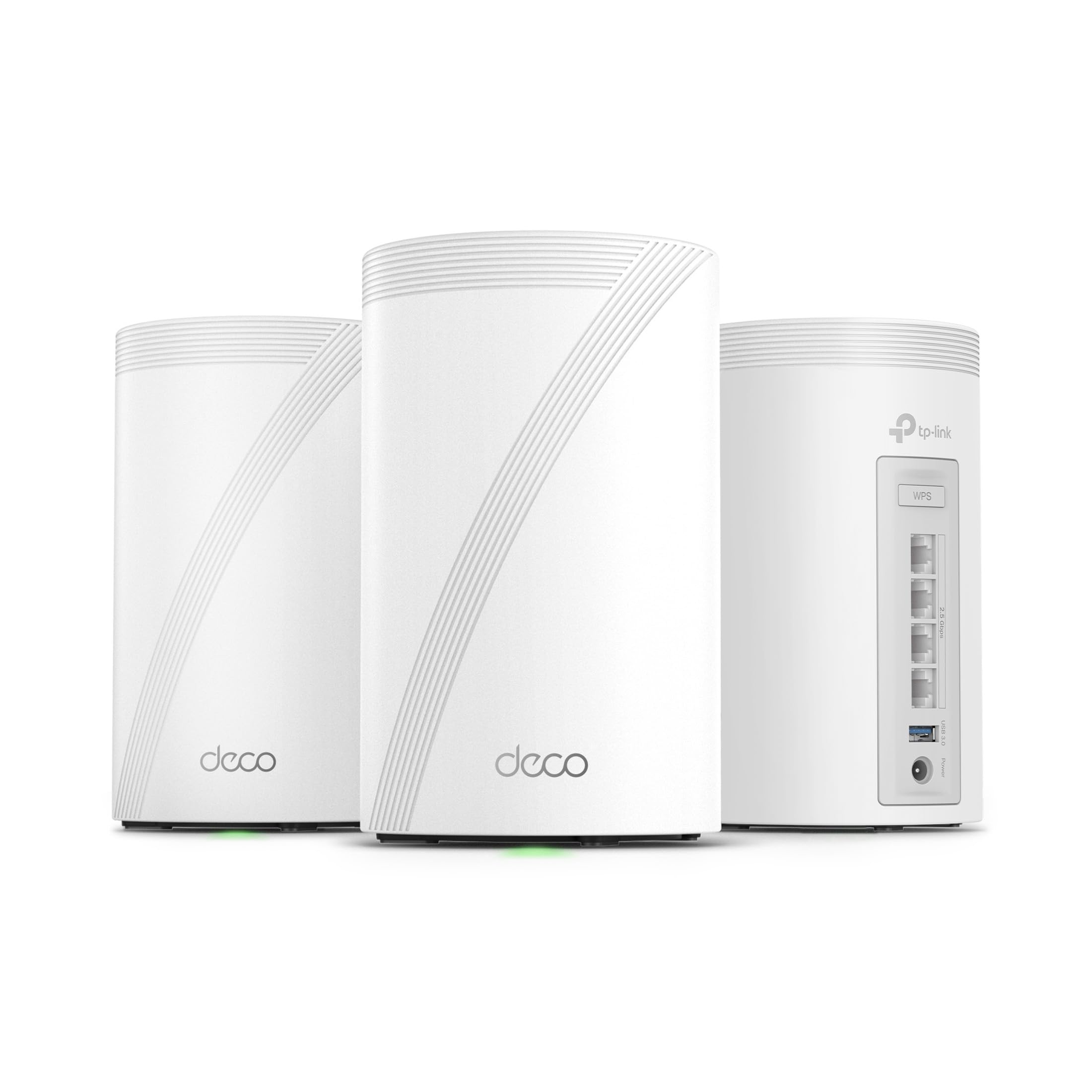
Type: Whole-home mesh Wi-Fi system
Standard: Tri-band Wi-Fi 7, BE10000
Coverage: Up to 7,600 sq. ft.
Units: 3-pack
Ports: 4 x 2.5G ports, wired backhaul
Antennas: 4 x smart internal antennas
Features: VPN, HomeShield, AI-Roaming
The Deco 7 Pro BE63 is the premium pick: tri-band Wi-Fi 7 with a dedicated band for mesh traffic, four 2.5G ports per unit for wired backhaul, and the widest coverage in this roundup. VPN support, HomeShield security, and AI-Roaming round out a feature set aimed at demanding households. Six streams and 10 Gbps combined throughput put it at the top of the stack. This is the system for a shared house full of gamers, streamers, and remote workers who split the cost.
It earns its place because tri-band Wi-Fi 7 and 2.5G wired backhaul keep mesh traffic off the bands devices use, which is exactly what a crowded house needs. The caution is price: it costs the most here, and most households without a multi-gig plan will not use its full capability.
Trade-off: The premium price and top-tier throughput are overkill for a house on a standard cable or DSL plan, where a mid-range system performs just as well.
Before You Buy
- Coverage: Match the stated square footage to the house, and remember walls and floors cut into real-world range.
- Wi-Fi standard: Wi-Fi 6 is fine for most plans; Wi-Fi 7 pays off only with a fast multi-gig connection and many devices.
- Wired ports: Count the devices that want Ethernet, such as consoles, TVs, and desktops, and check ports per unit.
- Backhaul: Ethernet backhaul between units gives the most stable mesh backbone if the house is wired.
- Device count: A shared house with many phones, laptops, and smart devices benefits from higher device capacity.
- Management: Pick a system whose app one roommate can comfortably administer for the whole household.
- Cost splitting: Agree upfront how the hardware and any subscription features will be divided among roommates.
Frequently Asked Questions
-
How many mesh units does a shared house need?
A three-pack suits most shared homes up to roughly 5,500-6,500 square feet. Larger or multi-floor houses with thick walls may need a fourth unit. -
Is Wi-Fi 6 enough for a shared house, or is Wi-Fi 7 worth it?
Wi-Fi 6 handles typical shared-house traffic well. Wi-Fi 7 is worth the upgrade when the house has a multi-gig internet plan and many simultaneous heavy users. -
Can roommates manage the network without technical skills?
Yes. The eero and Deco systems here set up through a phone app, and one person can administer the network for everyone. -
Does a mesh system replace the existing router and extender?
Yes. Each kit here replaces both, using multiple units on one network name so devices roam automatically. -
What is Ethernet backhaul, and does a shared house need it?
Ethernet backhaul wires the mesh units together by cable instead of relying on Wi-Fi between them. It is worth using if the house already has network cabling. -
Will a mesh system help with gaming lag in a shared house?
A mesh system with wired ports lets consoles connect by cable, and tri-band designs keep mesh traffic separate, both of which reduce contention when several people are online.
Bottom Line
For most shared houses, the TP-Link Deco X55 is the best network for a shared house overall: Wi-Fi 6, the widest coverage in this group, and three gigabit ports per unit at a mid-range price that splits comfortably among roommates. Households on a tight budget can start with the Deco S4, while a house with a fast fiber plan and heavy gamers should go straight to the tri-band Deco 7 Pro.
