Why there are Amazon links here: Brave Review is paid a commission for qualifying Amazon purchases made through the links below. Your price does not change, and using our links is entirely optional. How this works
Best Network Storage for Photo Backups for Safe, Private Photo Libraries
The best network storage for photo backups gives a household its own private cloud — a box on the shelf that quietly pulls photos off phones, laptops, and tablets and keeps them in one place. This short roundup covers five picks: two all-in-one devices for beginners, two diskless NAS units for buyers who want to grow their own storage, and one pocket drive for quick offloads. A reader who just wants the simplest set-and-forget option should skim the overview table below and jump straight to that pick.
Overview of the Picks
| Product | Key Spec | Best Use | Price Tier |
|---|---|---|---|
| UGREEN NAS DH2300 2-Bay | 4GB RAM on board, diskless | Beginners who want an AI-sorted photo library | Mid-range |
| Synology DS225+ | Intel CPU with hardware transcoding, diskless | Photo plus video libraries that get streamed | Premium |
| Synology DS223j | 2-bay diskless | Budget buyers building a first NAS | Budget |
| Synology BeeStation 4TB | 4TB included, no subscription | Households that want zero setup | Mid-range |
| 3-in-1 USB Flash Drive 256GB | USB-C/USB 3.0, MFi certified | Fast phone offloads and travel backup | Budget |
The 5 Best Network Storage Devices for Photo Backups
UGREEN NAS DH2300 2-Bay

Type: Two-bay desktop NAS, diskless
Memory: 4GB RAM on board
Key Features: AI Album, private cloud, remote access, file sharing, multi-device backup
Intended Use: Beginners and personal users, phone backup
Drives: Not included
The DH2300 is aimed squarely at the buyer who has never owned a NAS. It ships without drives, so the buyer adds two of their own, and the 4GB of on-board memory is generous for a beginner box — it is what keeps the AI Album feature responsive while it sorts photos by face, place, and scene. Remote access and file sharing mean the library is reachable away from home without a paid cloud plan.
Phone backup is the headline here. The device is built to pull camera rolls off handsets automatically, which is exactly the chore most people are trying to eliminate. Buyers who already own a router and a spare drive can be up and running quickly.
Trade-off: Diskless means the real cost lands after checkout, since drives are bought separately and a two-bay unit fills up faster than expected once video enters the library.
Synology DS225+ Private Cloud Media Server

Type: Two-bay desktop NAS, diskless
Processor: Intel CPU with hardware transcoding
Key Features: Private cloud, media streaming, photo backup, file sharing
Intended Use: Photo and video libraries, home streaming
Drives: Not included
The DS225+ is the pick for the household that stores more than stills. Its Intel chip handles hardware transcoding, which matters when a library contains phone video and the goal is to stream it to a TV or phone without stutter. Photo backup and file sharing sit alongside that, so the same box serves as both a photo archive and a media server.
This is a diskless two-bay unit, so the buyer supplies drives and decides how much capacity to buy. That flexibility is the point: a photographer can start modest and swap in larger drives later, and the software ecosystem around Synology is the deepest in the consumer NAS market.
Trade-off: The premium sits in the processor and platform, so a buyer who only wants to back up phone photos pays for streaming horsepower they may never use.
Synology 2-Bay DiskStation DS223j

Type: Two-bay desktop NAS, diskless
Key Features: Photo and file backup, private cloud
Intended Use: First-time NAS buyers on a tight budget
Drives: Not included
The DS223j is the entry point into Synology’s ecosystem and the cheapest way to get a proper two-bay NAS on a shelf. It is a diskless unit built for the basics: backing up photos and files from computers and phones, then serving them back over the home network. Buyers who want the Synology software experience without paying for transcoding get it here.
Two bays mean a buyer can mirror one drive to the other for redundancy, which is the single biggest upgrade over a USB drive sitting on a desk. Setup is guided, and the device is quiet enough for a living-room shelf.
Trade-off: The j-series is the value tier, so the processor is modest and heavy photo indexing or video streaming will feel slower than on the plus-series models.
Synology BeeStation 4TB Personal Cloud Storage

Type: Personal cloud storage device, drives included
Capacity: 4TB
Key Features: Automatic photo and video backup, no subscription required
Intended Use: Households that want a private cloud without setup
Drives: Included
The BeeStation is the answer for the buyer who reads "diskless" and closes the tab. It arrives with 4TB already inside, so there is no drive shopping, no compatibility check, and no empty bays to worry about. Photos and videos back up automatically, and the whole thing works as a personal cloud with no subscription attached.
That last point is the real selling argument. A family paying monthly for cloud photo storage can put that money into a one-time box instead, and the library stays on hardware in the house rather than on someone else’s servers. It is the lowest-friction pick in this list.
Trade-off: The 4TB is fixed and the unit is not built for drive swapping, so a library that outgrows it means replacing the device rather than adding capacity.
3-in-1 USB Flash Drive 256GB
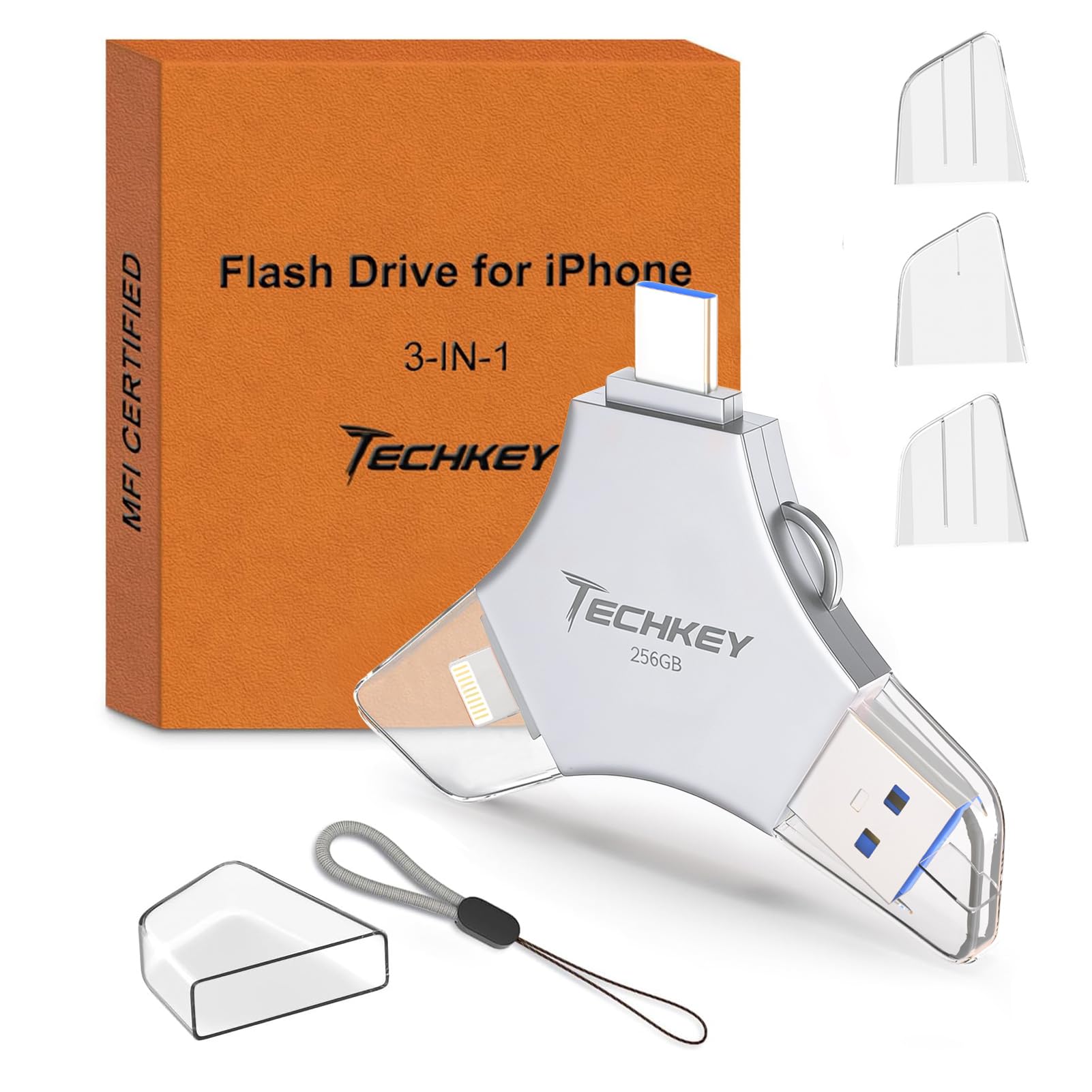
Type: Portable flash drive, three connectors
Capacity: 256GB
Interfaces: USB-C, USB 3.0, USB-C
Certification: MFi certified
Intended Use: Phone, tablet, and PC photo offloads
Color: Silver
This is not a NAS, and it is not trying to be. It is the pocket-sized companion to one: a 256GB flash drive with USB-C and USB 3.0 connectors plus MFi certification for iPhone and iPad. It moves photos off a phone in the field, backs up a card, and hands files to a PC without a cable hunt.
For travelers and anyone whose phone fills up mid-trip, this is the fastest fix on the list. It also works as a staging drive — offload from the phone, then dump into the NAS at home. Buyers who want a single do-everything device should look at the BeeStation instead.
Trade-off: A flash drive is a single point of failure with no redundancy, so it works as a transfer tool and a second copy, not as the only home for a photo library.
Before You Buy
- Drives Included or Not: Three picks here are diskless, so budget for drives on top of the unit. The BeeStation is the only one that arrives ready to use.
- Capacity Planning: Photos are small; video is not. A library with phone video needs far more room than stills alone, and two-bay units cap how far it can grow.
- Redundancy: Two bays allow mirroring so one drive failure does not wipe the library. A single-drive device or flash drive offers no such safety net.
- Phone Compatibility: Check connector types and MFi certification before assuming a drive will talk to an iPhone or iPad.
- Remote Access: Buyers who want the library reachable away from home should confirm the device supports private cloud and remote access.
- Subscription Cost: A no-subscription device pays for itself over time against monthly cloud plans; factor that into the comparison.
- Noise and Placement: A NAS runs continuously, so plan a shelf away from bedrooms if silence matters.
Frequently Asked Questions
-
What is the best network storage for photo backups for a beginner?
The Synology BeeStation 4TB is the easiest starting point because the drive is included and setup is minimal. The UGREEN DH2300 is the better fit for a beginner who wants to choose drives and use AI photo sorting. -
Do these devices require a monthly subscription?
No. The BeeStation is explicitly sold as subscription-free, and a NAS with local drives stores photos on hardware the buyer owns. Any subscription cost comes from optional cloud services, not the device itself. -
Is a NAS better than an external hard drive for photos?
A NAS is reachable from every device on the network and can mirror drives for redundancy. An external drive is cheaper but tethered to one computer and offers no automatic phone backup. -
How much storage is enough for a photo library?
Stills alone fit comfortably in a few terabytes for most households. Once phone video is included, capacity disappears quickly, so buyers should size up rather than buy the smallest option. -
Can a flash drive replace a NAS?
No. A flash drive is a transfer and secondary-copy tool with no redundancy, while a NAS runs continuously and backs up automatically. The two work well together. -
Do diskless NAS units come with drives?
No. Diskless means the buyer supplies and installs the drives, which adds cost but lets them choose capacity and drive quality.
Bottom Line
For most households, the Synology BeeStation 4TB is the best network storage for photo backups — it arrives with capacity included, backs up automatically, and skips the subscription. Buyers who want to choose their own drives and grow the library over time should start with the UGREEN NAS DH2300 instead.
