Why there are Amazon links here: Brave Review is paid a commission for qualifying Amazon purchases made through the links below. Your price does not change, and using our links is entirely optional. How this works
Best Retrofit Smart Lock for a Rented Flat: 5 No-Drill Picks
Renters who want keyless entry usually cannot swap out the deadbolt, so the best retrofit smart lock for a rented flat is one that clamps over the existing thumb turn and comes off again at move-out. This roundup covers five retrofit locks across a wide price range, from a budget Wi-Fi model to a premium Matter-over-Thread unit. The picks suit three kinds of renter: the budget-conscious tenant who just wants app entry, the Apple Home household that wants Home Key and fingerprints, and the tinkerer who plans to build a full smart-home setup. The overview table below shows the key differences at a glance.
The Picks at a Glance
| Product | Key Spec | Best Use | Price Tier |
|---|---|---|---|
| Philips WiFi Smart Retrofit Lock + Wireless Fingerprint Keypad | Built-in Wi-Fi plus separate fingerprint keypad | Renters who want fingerprint entry without a hub | Budget |
| Yale Approach Smart Wi-Fi Deadbolt Retrofit Smart Lock | Built-in Wi-Fi, unlimited virtual keys | Simple app control for a single door | Mid-range |
| Aqara Smart Retrofit Lock U200 | Matter over Thread, Apple Home Key and fingerprint | Apple Home and multi-platform households | Premium |
| August Home Wi-Fi Connected Smart Keyless Entry Door Lock | Wi-Fi connected, fits existing deadbolt | Brand-name reliability with app remote control | Premium |
| Philips WiFi Smart Retrofit Lock | Built-in Wi-Fi, real-time notifications | The lowest-cost way to try smart entry | Budget |
1. Philips WiFi Smart Retrofit Lock + Wireless Fingerprint Keypad
Type: Retrofit deadbolt lock with separate wireless keypad
Connectivity: Built-in Wi-Fi
Entry methods: Fingerprint keypad, app, voice control
Power source: Battery
Finish: Polish Black
Extras: Auto lock, interior knob
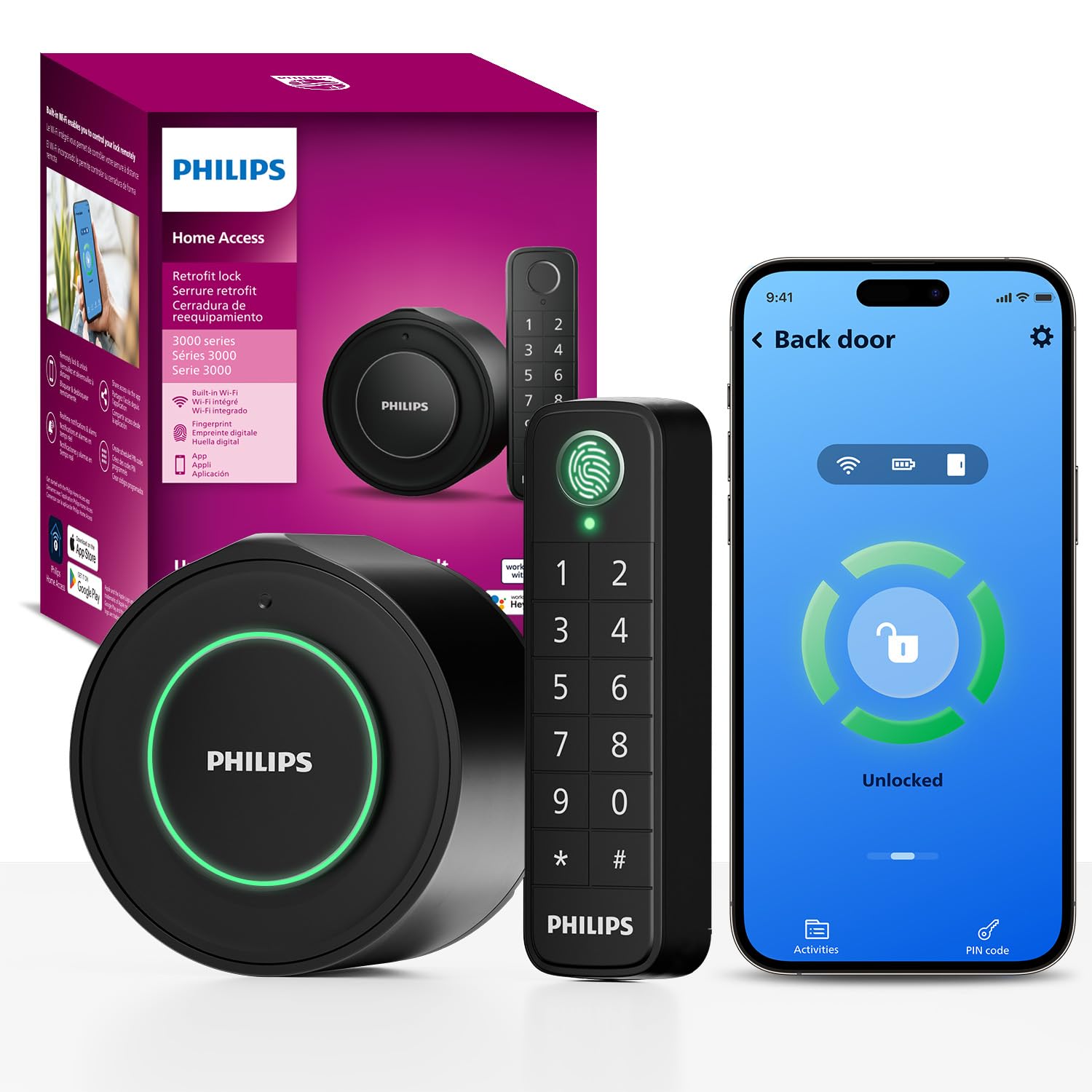
Philips WiFi Smart Retrofit Lock + Wireless Fingerprint Keypad
This bundle pairs the retrofit motor unit that mounts over the interior thumb turn with a wireless fingerprint keypad that sticks on the outside of the door, so no wiring runs through the door itself. The built-in Wi-Fi means the lock talks to the router directly, with no bridge or hub in between, and the app handles remote control and voice commands. The auto-lock feature closes the door behind a forgetful tenant, and the interior knob keeps manual exit intuitive. It is aimed at renters who want fingerprint entry but do not want to pay premium prices.
Who it suits: Renters who want the convenience of a fingerprint reader without committing to a whole smart-home platform. It also fits households where several people come and go and a keypad beats passing out keys.
Trade-off: The separate keypad mounts on the exterior of the door, so it is the most visible part of the setup and needs a flat, clean surface to sit securely.
2. Yale Approach Smart Wi-Fi Deadbolt Retrofit Smart Lock
Type: Retrofit smart deadbolt lock
Connectivity: Built-in Wi-Fi
Entry methods: App, virtual keys
Power source: Battery
Finish: Black
Extras: Unlimited virtual keys
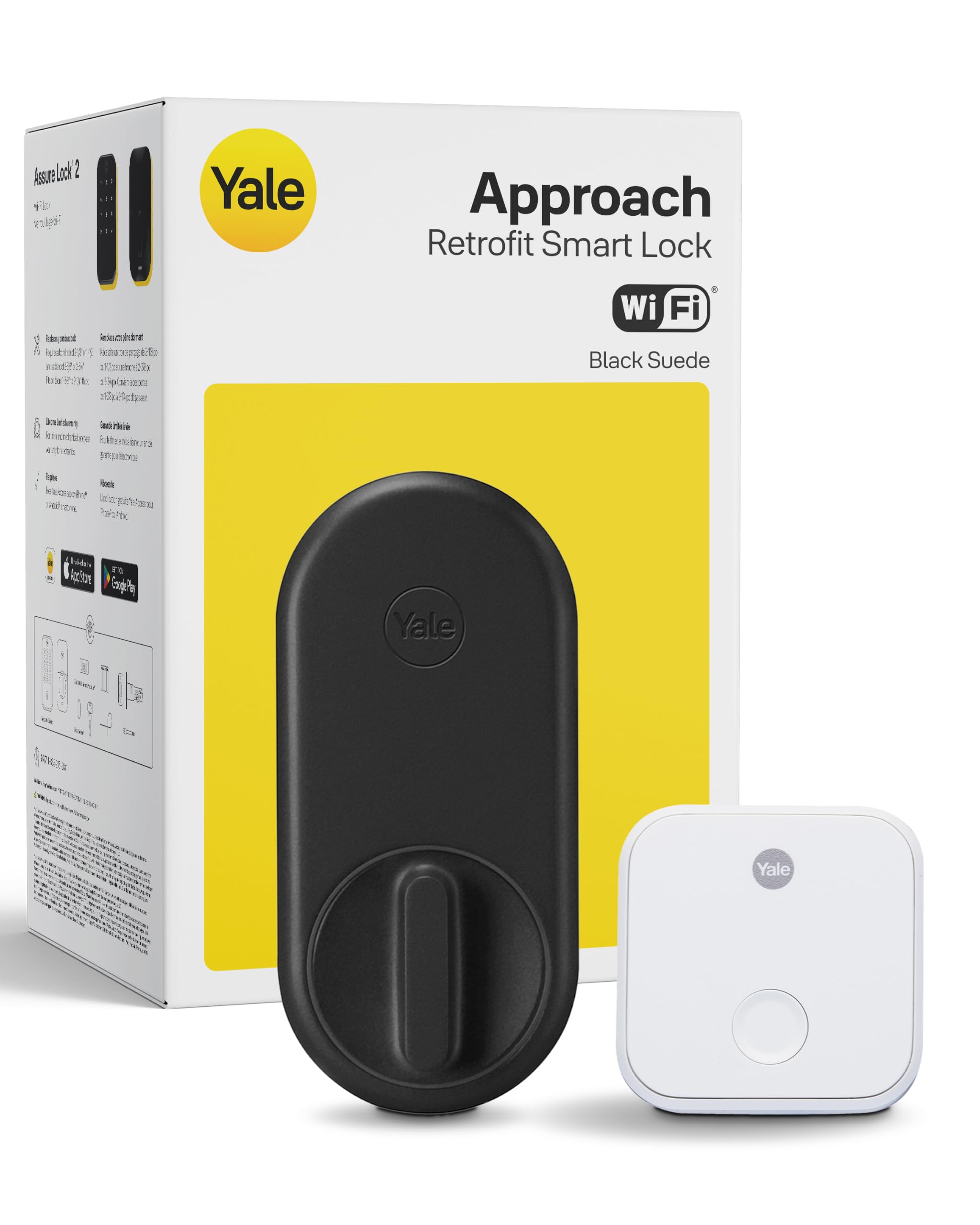
Yale Approach Smart Wi-Fi Deadbolt Retrofit Smart Lock
Yale’s retrofit approach keeps the existing exterior hardware and replaces only the interior side, which is the least disruptive option for a rental. Wi-Fi is built in, so the lock connects straight to the home network for app remote control without a separate bridge. The unlimited virtual keys are the headline feature for landlords-by-accident and shared flats, since temporary access can be issued and revoked from the app instead of copying physical keys. The black finish is understated enough to disappear against most interior doors.
Who it suits: Tenants in a shared flat or anyone who needs to hand out and cancel access regularly. It also suits renters who want a recognizable smart-lock brand without paying the top-tier price.
Trade-off: The Approach relies on the app for everyday use, so anyone who wants a keypad or fingerprint reader on the door will need to add an accessory or look at a different pick.
3. Aqara Smart Retrofit Lock U200 with Apple Home Key & Fingerprint
Type: Retrofit smart lock with included keypad
Connectivity: Matter over Thread
Entry methods: Apple Home Key, fingerprint, keypad, app
Power source: Rechargeable battery
Platforms: Apple Home, Alexa, SmartThings
Finish: Black
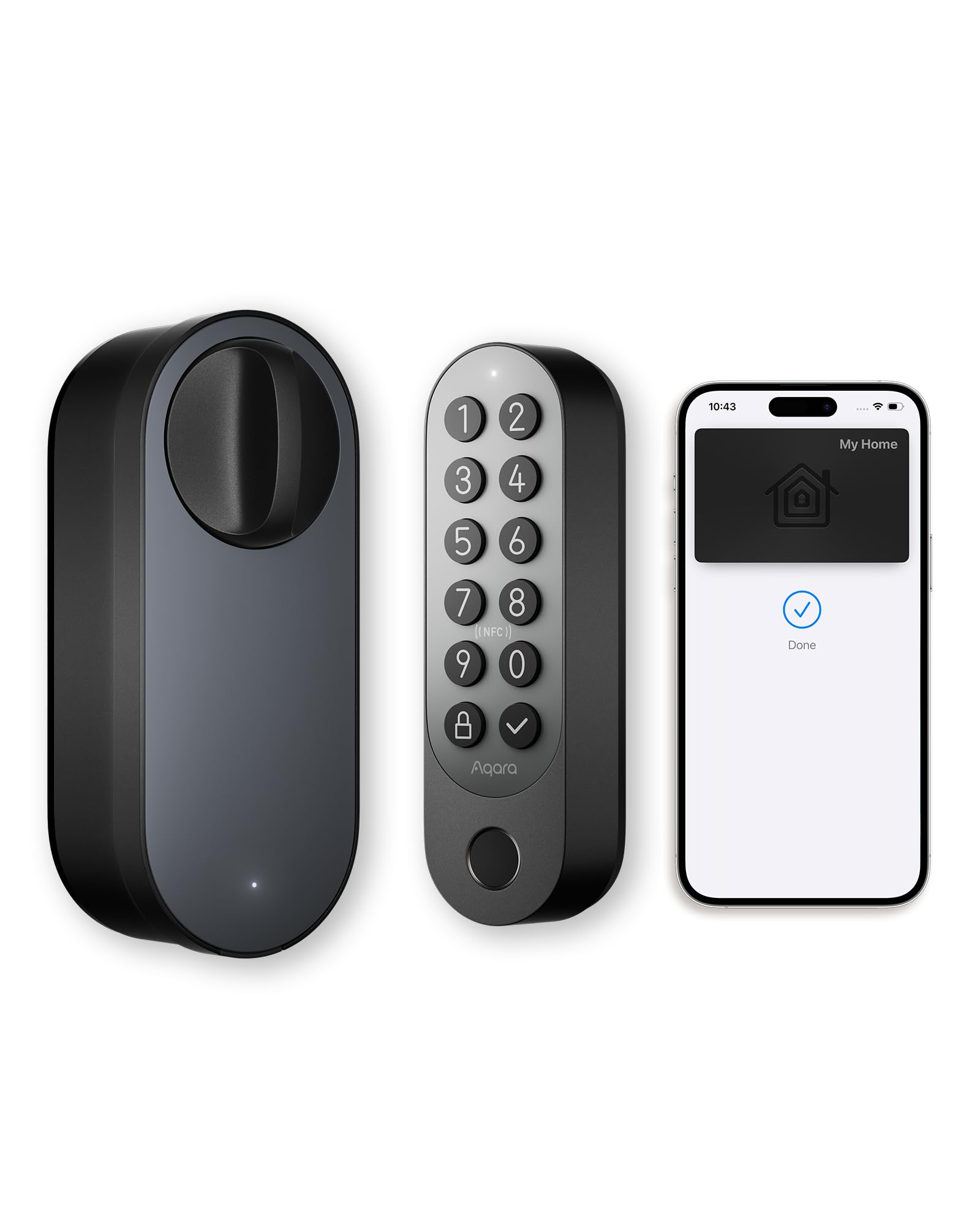
Aqara Smart Retrofit Lock U200 with Apple Home Key & Fingerprint
The U200 is the most capable lock in this group: a keypad is included in the box, the rechargeable battery avoids disposable cells, and Matter over Thread puts it on the modern smart-home standard rather than a proprietary app. Apple Home Key lets an iPhone or Apple Watch unlock the door with a tap, and the fingerprint reader covers everyone who does not carry an Apple device. It works with Apple Home, Alexa and SmartThings, so it survives a change of ecosystem better than single-platform locks.
Who it suits: Apple Home households and renters who expect to add more smart devices later. It is also the pick for anyone who wants fingerprint and keypad entry in one box.
Trade-off: Matter over Thread depends on a compatible Thread border router in the home, so a renter without one faces extra cost and setup before the lock reaches its full feature set.
4. August Home Wi-Fi Connected Smart Keyless Entry Door Lock
Type: Retrofit smart lock for existing deadbolt
Connectivity: Wi-Fi connected
Entry methods: App, keyless entry
Power source: Battery
Finish: Silver
Installation: Fits existing deadbolt in minutes

August Home Wi-Fi Connected Smart Keyless Entry Door Lock
August is the name most renters associate with retrofit locks, and this model keeps the formula: the exterior deadbolt and key stay untouched while a motorized unit clamps over the interior thumb turn. Wi-Fi is built in, so remote locking and unlocking works from the app without a bridge. The silver finish is a better match for brushed-nickel hardware than the black models here, which matters in a rental where the exterior hardware cannot be changed.
Who it suits: Renters who want a proven retrofit design and app-based control, especially where the existing door hardware is silver or nickel. It also suits anyone who prefers to keep a physical key as a backup.
Trade-off: At the top of the price range it offers less hardware than the Aqara for similar money, and the app-only entry means no keypad or fingerprint reader unless an accessory is added.
5. Philips WiFi Smart Retrofit Lock
Type: Retrofit smart deadbolt lock
Connectivity: Built-in Wi-Fi
Entry methods: App, voice control
Power source: Battery
Finish: Matte Black
Extras: Real-time notifications, auto lock, interior knob
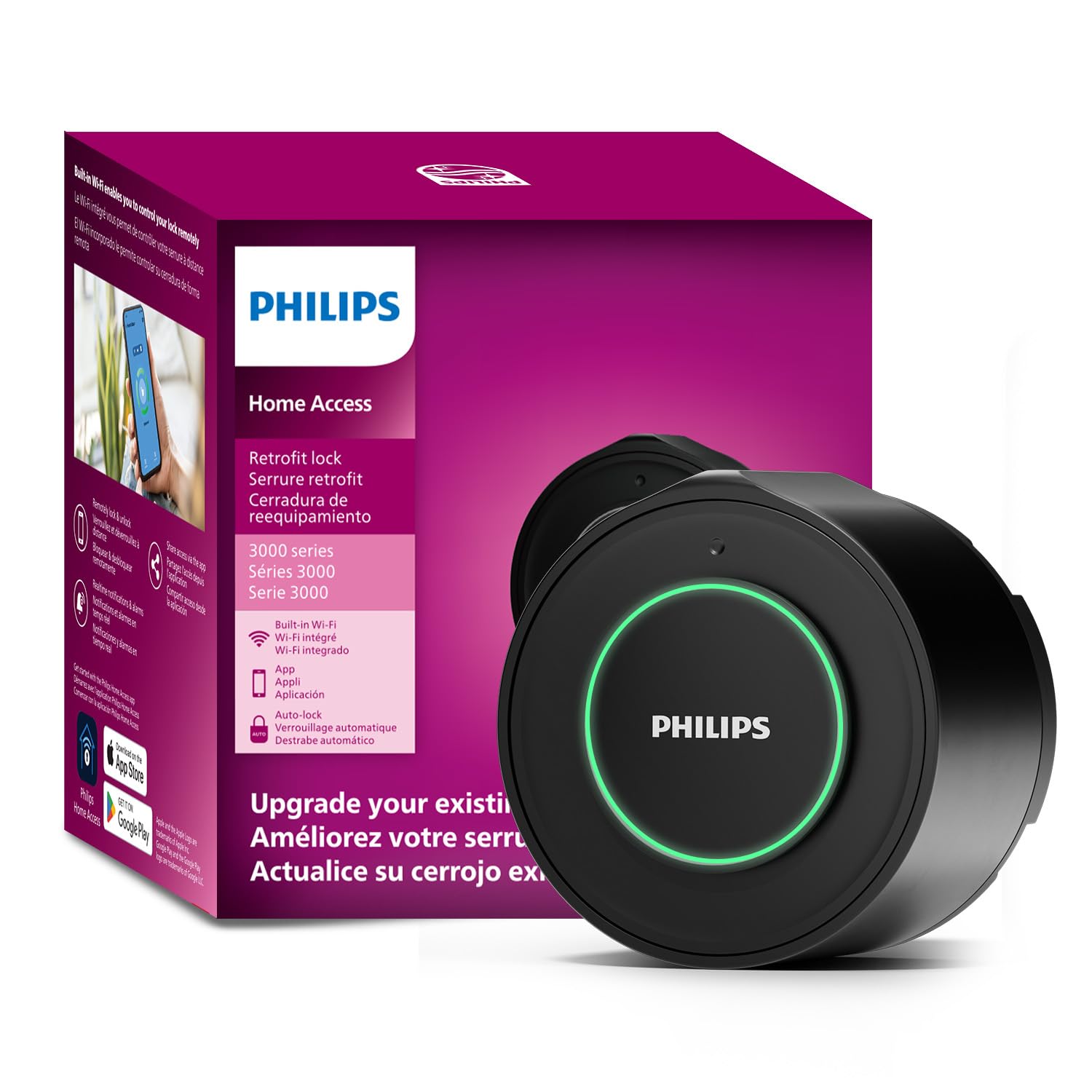
Philips WiFi Smart Retrofit Lock
This is the simplest and least expensive way into smart entry: a single retrofit unit that mounts over the existing thumb turn, connects over built-in Wi-Fi and is controlled from the app or by voice. Real-time notifications tell the tenant when the door opens, and auto lock closes it automatically after entry. The matte black interior knob looks deliberate rather than utilitarian, which helps in a flat where the inside of the front door is on show.
Who it suits: First-time smart-lock buyers and renters on a tight budget who mainly want remote locking, notifications and auto lock.
Trade-off: There is no keypad or fingerprint reader in the box, so guests and family without the app have no way in except a physical key.
Before You Buy
- Compatibility: Check the shape of the existing interior thumb turn before ordering, since retrofit locks clamp over it and a non-standard turn can block installation.
- Door thickness and backset: Most retrofit units are designed around common deadbolt dimensions, but an unusually thin or thick door can rule a model out.
- Hub or bridge: Built-in Wi-Fi models work alone, while Matter over Thread models need a compatible border router already in the home.
- Entry methods: Decide up front whether app-only entry is enough or whether a keypad and fingerprint reader are needed for guests and family.
- Battery type: Rechargeable packs save on disposables, while standard cells are easier to replace in an emergency.
- Exterior finish: The outside hardware stays as it is in a rental, so pick an interior finish that matches the existing door furniture.
- Move-out: Keep the original screws and mounting plate, since the lock has to come off and the door has to go back to how it was.
Frequently Asked Questions
- Will a retrofit smart lock damage a rented door? No drilling is needed on most models, because the unit clamps over the existing interior thumb turn and is held by screws and adhesive plates that come off at move-out.
- Does a retrofit lock replace the existing key? No. The exterior deadbolt and key stay in place, and the retrofit unit adds app, keypad or fingerprint entry on top of the existing lock.
- Which pick is best for a shared flat? The Yale Approach, because unlimited virtual keys can be issued and revoked from the app without copying physical keys.
- Do these locks need a hub? The Philips and Yale models use built-in Wi-Fi and work alone, while the Aqara U200 uses Matter over Thread and needs a compatible border router.
- What happens if the battery dies? A physical key still works on the exterior deadbolt, and most apps warn before the battery is fully drained.
- Can a tenant take the lock to the next flat? Yes, that is the main appeal of the category: the unit unscrews from the thumb turn and can be reinstalled on another standard deadbolt.
Bottom Line
For most renters, the Philips WiFi Smart Retrofit Lock + Wireless Fingerprint Keypad is the best retrofit smart lock for a rented flat, because it delivers fingerprint entry, built-in Wi-Fi and auto lock for less than the premium models. Renters deep in the Apple ecosystem should spend more on the Aqara U200, and anyone who mainly needs virtual keys for a shared flat will be well served by the Yale Approach.