Why there are Amazon links here: Brave Review is paid a commission for qualifying Amazon purchases made through the links below. Your price does not change, and using our links is entirely optional. How this works
Best Router for a House With a Dead Spot in a Bedroom
A bedroom dead spot is usually a coverage problem, not a speed problem: the signal has to cross too many walls and too much floor space before it reaches the far room. The five picks below cover that gap in different ways — a cheap single router for small homes, mesh kits that blanket a whole floor, and Wi-Fi 7 models for households that want headroom. Budget shoppers, renters in apartments, and families in multi-bedroom houses will each find a fit, and the overview table shows the short version before the detailed reviews.
Overview of the Picks
| Product | Key Spec | Best Use | Price Tier |
|---|---|---|---|
| TP-Link Archer AX21 V5 | Dual-band Wi-Fi 6, Gigabit, Easy Mesh | Budget fix for small homes | Budget |
| Amazon eero 6 (1-pack) | Mesh Wi-Fi 6, up to 1,500 sq. ft. | Simple single-unit coverage | Mid-range |
| Amazon eero 7 (1-pack) | Dual-band mesh Wi-Fi 7, up to 2,000 sq. ft. | Future-proof mesh for medium homes | Premium |
| NETGEAR Nighthawk MK63S | Mesh Wi-Fi 6, router plus 2 satellites, up to 4,500 sq. ft. | Large multi-bedroom houses | Upper mid-range |
| NETGEAR Nighthawk RS90 | Dual-band Wi-Fi 7, BE3600, 2.5G port | Fast standalone router for one floor | Mid-range |
TP-Link Archer AX21 V5

Type: Dual-band Wi-Fi 6 router
Ports: Gigabit
Mesh: Easy Mesh compatible
Voice control: Works with Alexa
Certification: Certified for Humans
TP-Link AX1800 WiFi 6 Router (Archer AX21 V5)
The Archer AX21 is a conventional single router built around Wi-Fi 6 and Gigabit Ethernet, with a setup process simple enough that TP-Link labels it Certified for Humans. Its Easy Mesh support means a second compatible unit can be added later if one router cannot reach the far bedroom on its own. The chassis is the usual upright plastic tower design with external antennas, meant to sit on a shelf or desk near the center of the home. For a small house or a single-floor apartment where the dead spot is one room away from the router, it is the cheapest sensible starting point.
This pick earns its place on price and simplicity, and it suits renters and smaller households that do not want a subscription or an app-heavy ecosystem. The trade-off is that a single budget router has the least reach of anything here — a thick-walled bedroom at the far end of a long house will likely still need a second node.
Check the current price on Amazon
Amazon eero 6 Mesh WiFi Router (1-pack)

Type: Mesh Wi-Fi 6 router
Coverage: Up to 1,500 sq. ft.
Internet plans: Up to 900 Mbps
Device load: 75+ devices
Form factor: 1-pack, single unit
Amazon eero 6 mesh wifi router
The eero 6 is a compact mesh unit rated for up to 1,500 square feet and internet plans up to 900 Mbps, with capacity for 75 or more connected devices. It is built for the eero app experience: the setup walks through placement and the network manages band steering automatically, so there is little to configure by hand. The small puck shape sits out of the way on a shelf rather than demanding desk space. It is the natural pick for a medium home that wants one well-placed unit and an easy path to adding a second later.
Buyers who want a set-and-forget network and do not need to tinker with settings will get the most from it. The trade-off is that the single unit is coverage-limited by design — a bedroom behind two or three walls may still be marginal, and the real fix is a second eero node rather than a bigger router.
Check the current price on Amazon
Amazon eero 7 Dual-Band Mesh Wi-Fi 7 Router (1-pack)
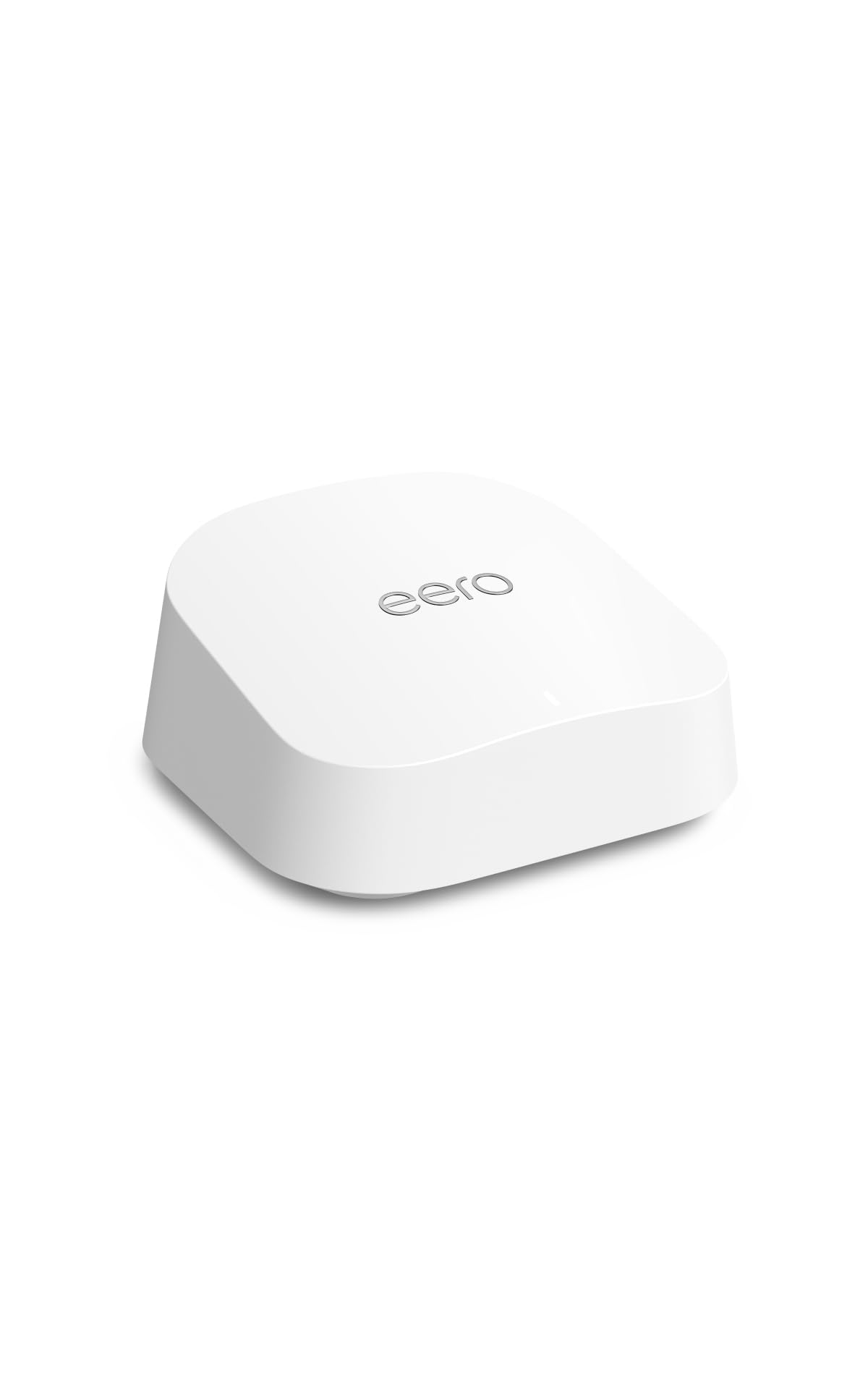
Type: Dual-band mesh Wi-Fi 7 router
Coverage: Up to 2,000 sq. ft.
Internet plans: Up to 2.5 Gbps
Form factor: 1-pack, newest model
Amazon eero 7 dual-band mesh Wi-Fi 7 router
The eero 7 is the newest single-unit model in Amazon’s mesh line, moving to Wi-Fi 7 and raising the ceiling to internet plans up to 2.5 Gbps with coverage rated to 2,000 square feet. It keeps the same app-first setup and compact housing as the rest of the family, so the upgrade is mostly about wireless headroom rather than a new way of living with the router. Households on fast fiber plans and a growing pile of devices get the most out of the newer standard.
This is the pick for buyers who want to fix a dead spot now and not think about the router again for several years. The trade-off is cost and the dual-band design: it is the priciest single unit here, and a very large or thick-walled house may still want a second node despite the higher coverage rating.
Check the current price on Amazon
NETGEAR Nighthawk Advanced Whole Home Mesh WiFi 6 System (MK63S)

Type: Mesh Wi-Fi 6 system
Configuration: Router plus 2 satellite extenders
Coverage: Up to 4,500 sq. ft.
Device load: 25+ devices
Security: Free Armor security included
NETGEAR Nighthawk Advanced Whole Home Mesh WiFi 6 System (MK63S)
The MK63S is a three-piece kit — one router and two satellite extenders — rated for up to 4,500 square feet, which makes it the only pick here built to cover a genuinely large footprint out of the box. The satellites are placed between the router and the problem rooms, so a bedroom at the end of a hallway gets its own nearby node instead of reaching back to the main unit. Free Armor security is bundled in, covering the network side of things without a separate purchase.
This is the right choice for a multi-bedroom house where one dead spot is really a symptom of overall distance. The trade-off is that three units need three power outlets and some placement thought, and the device rating is modest compared with newer mesh hardware — a very crowded smart home may want more capacity.
Check the current price on Amazon
NETGEAR Nighthawk WiFi 7 Router RS90

Type: Dual-band Wi-Fi 7 router
Speed rating: BE3600, 3.6 Gbps
Coverage: Up to 2,000 sq. ft.
Ports: 1× 2.5G plus 3× Gigabit
Device load: 50 devices
NETGEAR Nighthawk WiFi 7 Router RS90
The RS90 is a standalone Wi-Fi 7 router rated BE3600 with a 2.5G port and three Gigabit ports, covering up to 2,000 square feet and around 50 devices. It is aimed at buyers who want one fast, modern router rather than a mesh kit, with a wired 2.5G uplink for households on multi-gig internet. Setup is described by NETGEAR as straightforward, and the port selection gives a NAS or desktop a fast wired path alongside the wireless network.
Buyers with a single-floor home, a fast internet plan, and a dead spot that is really about age and standard rather than distance will find this the most router per dollar. The trade-off is that it is still one unit: a bedroom separated by several walls in a large two-story house will benefit more from a mesh node than from extra speed.
Check the current price on Amazon
Before You Buy
- Coverage rating: Compare the square footage rating with the actual floor area, and add margin for walls and floors — ratings assume open-ish space.
- Mesh support: A router that supports Easy Mesh or a mesh ecosystem can be expanded with a node later instead of replaced.
- Internet plan speed: Match the router to the plan; a 2.5 Gbps-capable model is wasted on a slow connection.
- Wired ports: A 2.5G port matters for multi-gig plans and wired devices; Gigabit-only is fine for most homes.
- Device count: Count phones, TVs, cameras and smart plugs together — crowded homes need a higher device rating.
- Placement: Central, elevated and out of cabinets; a node between the router and the dead bedroom beats a bigger router in the wrong corner.
Frequently Asked Questions
- Will a new router fix a bedroom dead spot?
Sometimes. If the current router is old or badly placed, a modern unit can help, but distance and walls usually call for a mesh node near the bedroom. - Is mesh better than one powerful router?
For a single dead room in a large house, mesh is usually more reliable because the signal does not have to travel the whole distance. - Does Wi-Fi 7 help with coverage?
Wi-Fi 7 improves speed and efficiency more than raw range, so it is a future-proofing choice rather than a guaranteed dead-spot cure. - Where should a mesh satellite go?
Roughly halfway between the router and the problem room, in open space — not inside the bedroom itself. - How many units does a three-bedroom house need?
Often two: the router plus one node placed toward the far bedrooms is enough for most single-story layouts. - Do thick walls change the recommendation?
Yes. Masonry and plaster walls cut signal sharply, so a multi-unit mesh kit is the safer pick over any single router.
Bottom Line
For most homes chasing a single bedroom dead spot, the Amazon eero 7 is the best router for a house with a dead spot in a bedroom when budget allows — it pairs modern Wi-Fi 7 headroom with easy app setup and a clear upgrade path. Households on a tight budget should start with the TP-Link Archer AX21 V5, and large multi-bedroom layouts are better served by the three-piece NETGEAR MK63S.
