Why there are Amazon links here: Brave Review is paid a commission for qualifying Amazon purchases made through the links below. Your price does not change, and using our links is entirely optional. How this works
Best Router for a House With a Home Office in a Loft
A loft office sits above the rest of the house, which is exactly where signal gets thin: floors, ductwork and distance all work against a single router. The five picks here cover the realistic options — a budget WiFi 6 workhorse, two WiFi 7 upgrades, a compact Nighthawk and a modem-router combo for cable homes. Buyers who just need reliable video calls should look at the budget picks; anyone running multi-gig internet or a house full of devices should start at the top of the table. The overview below compares every model before the individual reviews.
The Picks at a Glance
| Product | Key Spec | Best Use | Price Tier |
|---|---|---|---|
| TP-Link BE6500 (BE400) | Dual 2.5Gbps ports, 2,400 sq. ft., 90 devices | Whole-home WiFi 7 with loft office | Mid |
| TP-Link Archer AX21 V5 | AX1800, Gigabit, Easy Mesh | Tight budgets, small homes | Budget |
| NETGEAR Nighthawk RS90 | BE3600, 1× 2.5G port, 2,000 sq ft | Fast WiFi 7 without overspending | Mid |
| NETGEAR Nighthawk R6700AX | AX1800, 4× Gigabit, 1,500 sq ft | Simple, cheap WiFi 6 | Budget |
| NETGEAR Nighthawk CAX30 | DOCSIS 3.1 combo, WiFi 6, 2.7 Gbps | Cable homes replacing a rented modem | Premium |
1. TP-Link BE6500 Dual-Band WiFi 7 Router (BE400)

Wireless Standard: WiFi 7, dual-band
Ports: Dual 2.5Gbps, USB 3.0
Coverage: Up to 2,400 sq. ft.
Device Load: 90 devices
Processor: Quad-core CPU
Security: HomeShield, Private IoT
TP-Link BE6500 Dual-Band WiFi 7 Router (BE400) is the most complete package in this group. The dual 2.5Gbps ports mean the router can accept a fast fiber or cable handoff and still feed a wired desktop or NAS in the loft without a bottleneck. A quad-core CPU and a 90-device rating keep a busy household running alongside the office setup.
The USB 3.0 port adds a shared drive or printer, and HomeShield plus a Private IoT network gives the work laptop a cleaner lane than the smart plugs and cameras. Coverage of up to 2,400 sq. ft. is the widest here, which matters when the office is on an upper floor. Buyers with multi-gig service and a loft full of gear get the most from it.
Trade-off: The 2.5Gbps ports only pay off with an internet plan and wired gear that can use them, so a household on a basic cable tier is buying headroom it may never touch.
Best for: Busy homes with fast internet, many devices and a wired loft desk.
Not for: Shoppers on a strict budget or anyone who wants a single-box modem replacement.
Check the current price on Amazon
2. TP-Link Archer AX21 V5 WiFi 6 Router

Wireless Standard: WiFi 6 (AX1800), dual-band
Ports: Gigabit
Mesh: Easy Mesh compatible
Voice: Works with Alexa
Setup: Certified for Humans
TP-Link Archer AX1800 WiFi 6 Router (Archer AX21 V5) is the value pick and the most popular model in this roundup. AX1800 WiFi 6 speeds are modest on paper but comfortably handle video calls, file sync and streaming for a typical household. Gigabit ports match what most cable and fiber plans deliver.
Easy Mesh support is the quiet advantage: if the loft turns out to be a dead zone, a second compatible unit can be added later rather than replacing the whole router. Setup is simplified, and Alexa voice control is built in. It suits renters and first-time buyers who want a dependable router without spending much.
Trade-off: A single AX1800 unit will struggle to push strong signal through multiple floors, so a loft office at the far end of a large house may still need a mesh node.
Best for: Budget-conscious buyers in smaller homes or apartments.
Not for: Households with dozens of devices or a need for multi-gig wired speeds.
Check the current price on Amazon
3. NETGEAR Nighthawk WiFi 7 Router RS90

Wireless Standard: WiFi 7 (BE3600), dual-band
Ports: 1× 2.5G, 3× Gigabit
Coverage: Up to 2,000 sq ft
Device Load: 50 devices
Speed Rating: 3.6 Gbps
Setup: Easy set up
NETGEAR Nighthawk WiFi 7 Router RS90 brings WiFi 7 to a mid-range price. The single 2.5G port is enough for a fast incoming connection, while three Gigabit ports cover a wired printer, a desktop and a spare. A 50-device rating and up to 2,000 sq. ft. of coverage fit a normal family home with a loft converted to an office.
The Nighthawk line is built around straightforward setup, and the 3.6 Gbps figure reflects the combined dual-band throughput rather than a single stream. For a loft worker who wants newer wireless tech and low latency without paying flagship money, this is the sensible middle step.
Trade-off: With only one 2.5G port, there is no fast wired lane left for a loft desktop once the modem takes that port, so heavy wired users should look at the BE400 instead.
Best for: Buyers who want WiFi 7 and a single fast port at a moderate price.
Not for: Wired-heavy setups or very large multi-floor homes.
Check the current price on Amazon
4. NETGEAR Nighthawk WiFi 6 Router R6700AX

Wireless Standard: WiFi 6 (AX1800), dual-band
Ports: 4× Gigabit
Coverage: Up to 1,500 sq ft
Device Load: 20 devices
Speed Rating: 1.8 Gbps
Setup: Easy set up
NETGEAR Nighthawk WiFi 6 Router R6700AX is the cheapest way into WiFi 6 in this group. Four Gigabit ports is generous at the price and covers a wired desk, a console and a printer without a switch. Up to 1,500 sq. ft. of coverage and a 20-device rating set clear expectations: this is a router for a modest home.
Setup is kept simple, and the AX1800 dual-band radios handle everyday work-from-home traffic well. It makes sense for a small house where the loft is directly above the living space and the signal only has to cross one floor.
Trade-off: The 20-device limit and 1,500 sq. ft. coverage are the tightest here, so a loft office plus a family of streamers can bump against its ceiling.
Best for: Small homes and light households that want WiFi 6 on a budget.
Not for: Large houses, heavy device counts or anyone planning multi-gig internet.
Check the current price on Amazon
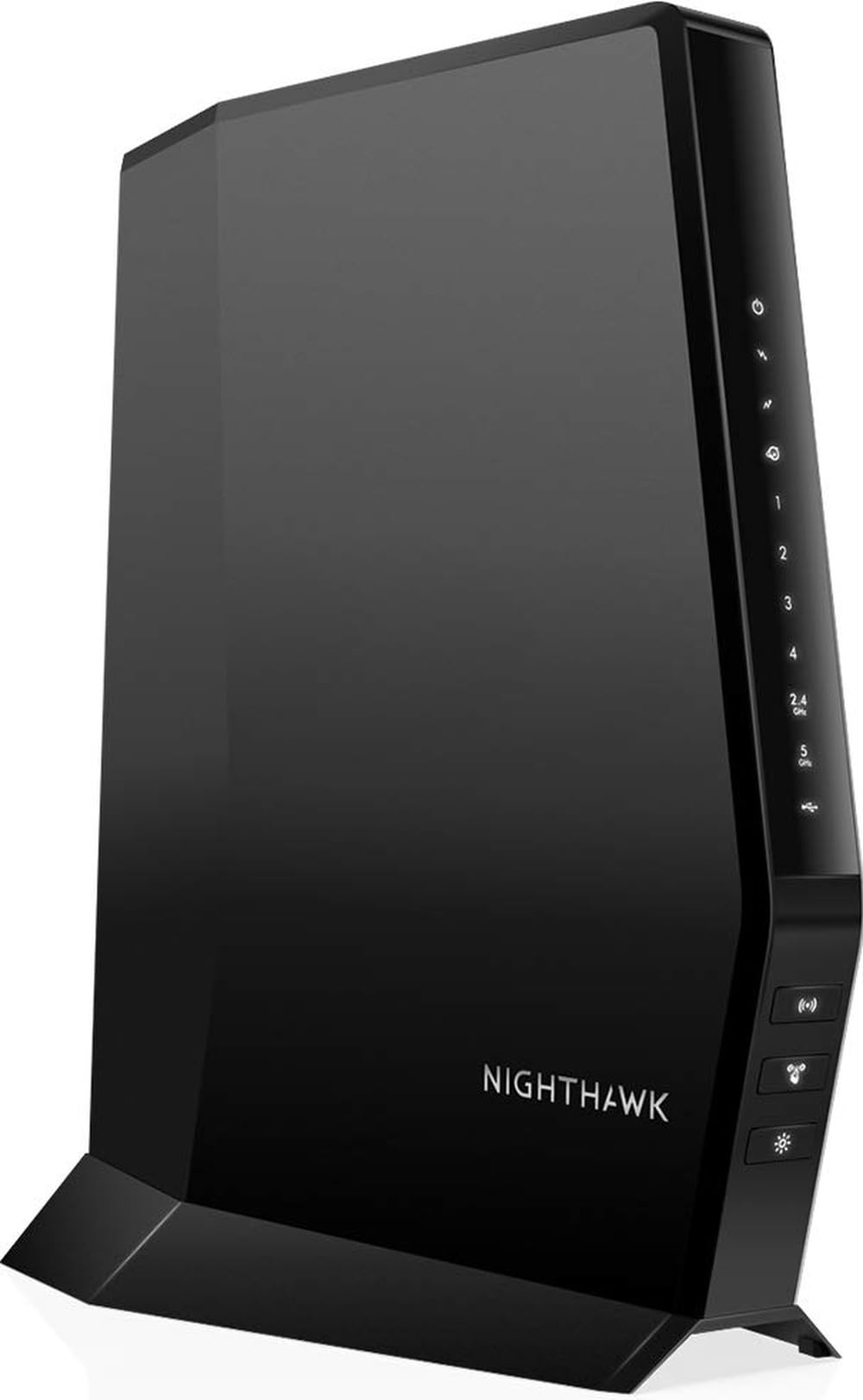
5. NETGEAR Nighthawk DOCSIS 3.1 Modem Router Combo CAX30
Type: DOCSIS 3.1 modem router combo
Wireless Standard: WiFi 6, dual-band
Speed Rating: 2.7 Gbps
Ports: 4× Gigabit
Compatibility: Xfinity, Spectrum, Cox
Setup: Guided set up, free expert help
NETGEAR Nighthawk DOCSIS 3.1 Modem Router Combo CAX30 replaces two boxes with one. DOCSIS 3.1 support is the current cable standard, and the listed compatibility with Xfinity, Spectrum and Cox covers most US cable households. WiFi 6 radios and a 2.7 Gbps rating handle a home office comfortably, and four Gigabit ports serve wired gear.
The appeal is practical: no separate modem, no rental fee, one device to power and one guided setup. Free expert help is included for the configuration step, which suits buyers who would rather not troubleshoot a modem themselves. It is the pick for cable homes that want a clean single-box install near the loft.
Trade-off: It is locked to cable providers, so fiber and DSL households cannot use it, and the premium price only makes sense if it replaces a rented modem.
Best for: Cable-internet homes that want to drop the rental modem and simplify the setup.
Not for: Fiber or DSL subscribers, or anyone who already owns a good modem.
Check the current price on Amazon
Before You Buy
- Internet type: Cable homes can use the CAX30 combo; fiber and DSL households need a standalone router like the BE400 or RS90.
- Coverage vs. floors: The loft is the hardest room to reach. Match the router’s square-footage rating to the whole house, not just the office.
- Wired ports: A loft desk with a desktop, dock or NAS needs enough Gigabit or 2.5G ports, or a cheap network switch.
- Device count: Count phones, laptops, TVs, consoles and smart devices. The 20-device rating on the R6700AX fills up faster than expected.
- Speed tier: Multi-gig internet is wasted on Gigabit-only ports; 2.5G ports on the BE400 and RS90 are what unlock it.
- Mesh plans: Easy Mesh support on the Archer AX21 allows a second node later if the loft stays weak.
- Setup patience: Guided and simplified setups help, but a combo modem still needs provider activation.
Frequently Asked Questions
-
Will one router reach a loft office?
Usually yes in a small or mid-size house if the router sits centrally and the coverage rating covers the whole floor plan. Large homes with thick floors may need a mesh node. -
Is WiFi 7 worth it for a home office?
It helps most when the internet plan is fast and many devices are active. On a basic cable tier, a WiFi 6 router like the Archer AX21 delivers the same everyday experience for less. -
Should the loft office get a wired connection?
Wired is always more stable for video calls and large uploads. The BE400 and RS90 both offer a 2.5G port for that purpose, and every pick here has at least one Gigabit port. -
Does the CAX30 work with any provider?
No. It is a DOCSIS 3.1 cable modem router combo, listed for Xfinity, Spectrum and Cox. Fiber and DSL homes need a separate router instead. -
How many devices can these routers handle?
The ratings range from 20 devices on the R6700AX to 90 on the BE400. Counting every connected gadget before buying avoids a bottleneck later. -
Can a second unit be added later?
The Archer AX21 supports Easy Mesh, so coverage can be extended with a compatible node rather than a full replacement.
Bottom Line
For most houses with a loft office, the TP-Link BE6500 (BE400) is the safest buy: the widest coverage here, dual 2.5Gbps ports for fast internet and a wired loft desk, and enough device capacity for a busy household. Cable homes that want to ditch the rental modem should go straight to the Nighthawk CAX30, while tight budgets are well served by the Archer AX21.
