Why there are Amazon links here: Brave Review is paid a commission for qualifying Amazon purchases made through the links below. Your price does not change, and using our links is entirely optional. How this works
Best Router for a Household with Thick Internal Walls
Thick brick, plaster or concrete internal walls kill Wi-Fi signal, and a single weak router leaves back rooms and upstairs bedrooms stuck on a crawl. This roundup covers five routers chosen for the job: a budget Wi-Fi 6 workhorse, three Wi-Fi 7 models at different price tiers, and a tri-band mesh system built for larger or more awkward layouts. Budget-minded buyers, mid-range upgraders and whole-home mesh shoppers each have a clear pick below. The overview table comes first, so a decision is possible in under a minute.
The Picks at a Glance
| Product | Key Spec | Best Use | Price Tier |
|---|---|---|---|
| TP-Link Archer AX21 V5 | Wi-Fi 6, dual band, EasyMesh | Budget replacement in a smaller home | Budget |
| TP-Link BE6500 (BE400) | Wi-Fi 7, dual 2.5G ports, quad-core | High-device homes wanting wired speed | Mid-range |
| NETGEAR Nighthawk RS90 | Wi-Fi 7, 2.5G + 3 Gigabit ports | Simple setup for a mid-size home | Mid-range |
| Amazon eero Pro 7 | Tri-band Wi-Fi 7 mesh, 5 Gbps plans | Whole-home mesh in a tricky layout | Premium |
| TP-Link Archer BE550 | Tri-band Wi-Fi 7, full 2.5G ports | Power users wanting VPN and mesh | Upper mid-range |
1. TP-Link AX1800 WiFi 6 Router (Archer AX21 V5)

Wireless Standard: Wi-Fi 6 (AX1800)
Bands: Dual band
Ports: Gigabit
Mesh: EasyMesh compatible
Voice Control: Works with Alexa
Setup: Certified for Humans device
TP-Link AX1800 WiFi 6 Router (Archer AX21 V5)
The Archer AX21 is the entry point into this list and the sensible first step for a household that has never moved past an ISP-supplied box. Wi-Fi 6 handles dense device traffic better than older standards, and EasyMesh means a second compatible unit can be added later if one room still struggles behind a thick wall. Gigabit ports cover ordinary broadband plans without overspending on hardware the connection cannot use. Setup is pitched at non-technical buyers, and Alexa support adds a small convenience layer.
This is the pick for renters and smaller homes where the budget matters more than raw throughput. It earned its place because it delivers the core job — a modern standard at the lowest outlay — without demanding networking knowledge. The trade-off is that a single AX1800 unit has the least headroom of the five for a large or heavily walled floor plan, so a very stubborn back room may still need a mesh node.
2. TP-Link BE6500 Dual-Band WiFi 7 Router (BE400)

Wireless Standard: Wi-Fi 7 (BE6500)
Bands: Dual band
Ports: Dual 2.5 Gbps, USB 3.0
Processor: Quad-core CPU
Stated Coverage: Up to 2,400 sq. ft.
Rated Devices: 90
Security: HomeShield, Private IoT
TP-Link BE6500 Dual-Band WiFi 7 Router (BE400)
The BE400 is the value play among the Wi-Fi 7 models here, and its headline is the pair of 2.5 Gbps ports — useful for anyone with fast broadband or a NAS. The quad-core CPU and a device rating of 90 suit busy households with phones, laptops, consoles and smart-home gear all competing at once. HomeShield and a dedicated private IoT network add a layer of network management that budget routers usually skip. Stated coverage reaches 2,400 sq. ft., the largest figure on this list.
This suits a mid-size home with a heavy device count and a wired backbone worth feeding. It earned its place by pairing next-gen wireless with multi-gig wired ports at a mid-range tier. The trade-off is that it is dual band rather than tri-band, so the very busiest homes lose one lane of capacity compared with the tri-band picks below.
3. NETGEAR Nighthawk WiFi 7 Router RS90

Wireless Standard: Wi-Fi 7 (BE3600)
Bands: Dual band
Ports: 1× 2.5G, 3× Gigabit
Rated Devices: 50
Stated Coverage: Up to 2,000 sq. ft.
Stated Speed: 3.6 Gbps
Setup: Easy set up
NETGEAR Nighthawk WiFi 7 Router RS90
The RS90 is the straightforward option: Wi-Fi 7, one 2.5G port for a fast modem or switch, and three Gigabit ports for wired devices. Its 50-device rating and 2,000 sq. ft. coverage target a normal family home rather than a gadget-heavy one, and the setup is pitched at simplicity. The Nighthawk name carries a reputation for performance-first firmware, and the 3.6 Gbps figure is respectable for a dual-band design. It is a set-and-forget box for buyers who do not want to tinker.
This is the pick for a mid-size home that wants Wi-Fi 7 without the tri-band price and does not run dozens of devices. It earned its place through a clean port layout and an emphasis on easy setup. The trade-off is the 50-device ceiling and the lowest stated speed of the Wi-Fi 7 group, which leaves less room to grow as a smart home fills up.
4. Amazon eero Pro 7 Tri-Band Mesh Wi-Fi 7 Router
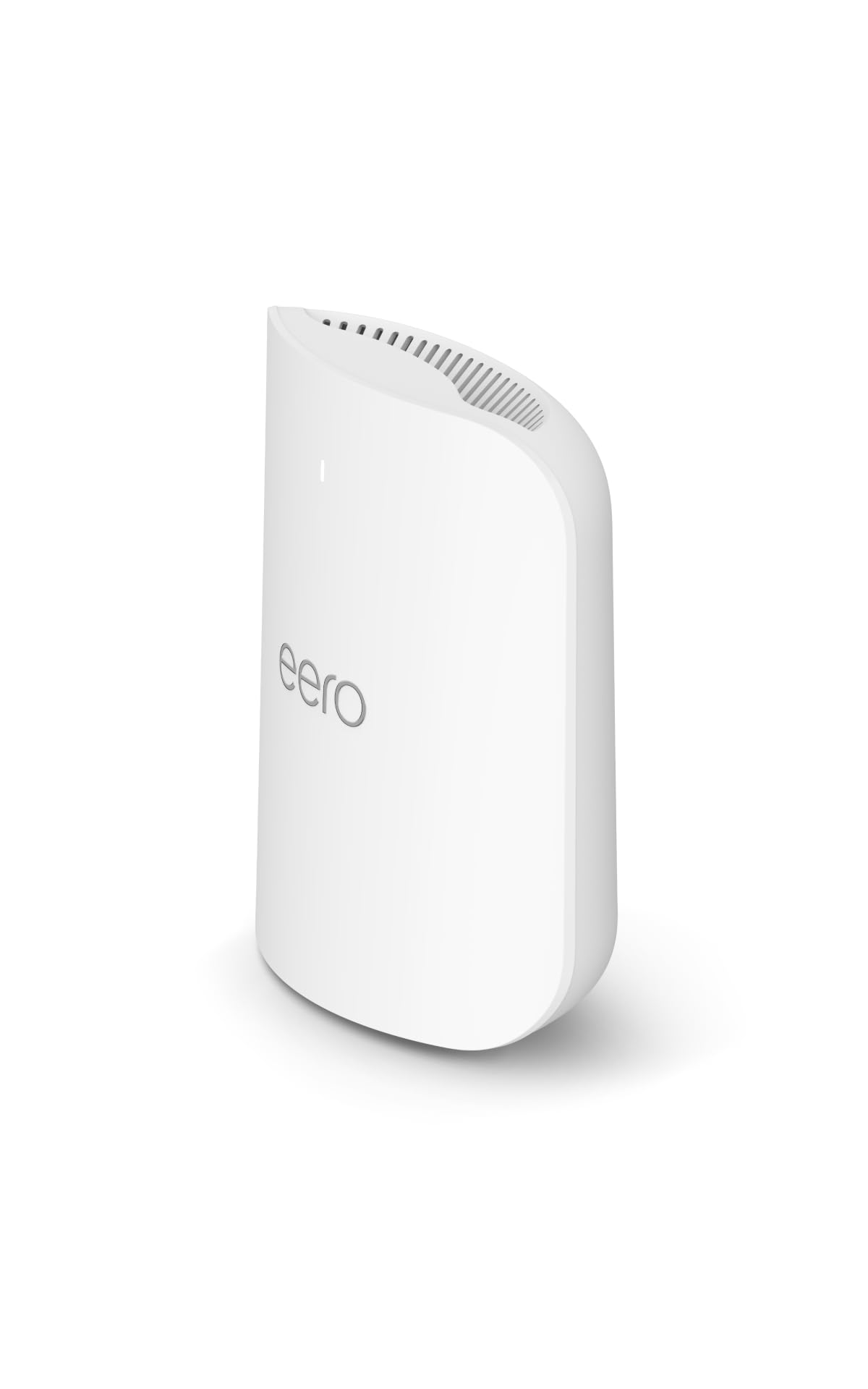
Wireless Standard: Wi-Fi 7, tri-band
Type: Mesh router (1-pack)
Wired Support: Internet plans up to 5 Gbps
Stated Coverage: Up to 2,000 sq. ft.
Model Status: Newest model
The eero Pro 7 is the premium pick and the only true mesh system on this list, with a tri-band design that adds a dedicated lane for backhaul when more units are added. It supports internet plans up to 5 Gbps, so it will not bottleneck a fast fiber line. The single pack covers up to 2,000 sq. ft., and the eero ecosystem is built around app-first management and painless expansion. For a home where thick walls make one central router impractical, adding a second node is the real fix.
This suits buyers with a large or awkward layout who expect to expand, and who value simple management over a web of manual settings. It earned its place as the most flexible answer to internal walls, because mesh nodes go where the signal cannot. The trade-off is the premium price for a single unit — the coverage figure per unit is no larger than cheaper picks, so the value only lands once a second node is added.
5. TP-Link Tri-Band BE9300 WiFi 7 Router (Archer BE550)

Wireless Standard: Wi-Fi 7 (BE9300), tri-band
Streams: 6-stream
Ports: Full 2.5G ports
Antennas: 6 internal
Stated Coverage: Up to 2,000 sq. ft.
Mesh: EasyMesh expansion
Extras: VPN support
TP-Link Tri-Band BE9300 WiFi 7 Router (Archer BE550)
The Archer BE550 is the power-user pick: tri-band Wi-Fi 7, six streams and a full set of 2.5G ports for anyone wiring a desktop, console or NAS. Six internal antennas keep the chassis tidy while shaping coverage across a stated 2,000 sq. ft. EasyMesh expansion means the same system can grow with extra nodes if walls win the first round. VPN support is the differentiator for remote workers and privacy-minded buyers.
This suits technical households that want maximum wired and wireless throughput and are comfortable with router settings. It earned its place by combining tri-band capacity with mesh expansion and VPN at an upper mid-range tier. The trade-off is that all this capability is overkill for a casual user, and the per-unit coverage figure is modest, so a very large home still needs a second unit.
Before You Buy
- Wall construction: Thick brick or concrete blocks more signal than drywall; expect any single router to lose range and plan for a mesh node if rooms are sealed off.
- Coverage vs. reality: Stated square footage assumes open space, so treat a 2,000 sq. ft. figure as optimistic in a heavily walled home.
- Wired ports: A 2.5G port matters only if the broadband plan or a NAS can use it; Gigabit is enough for ordinary connections.
- Mesh expansion: EasyMesh or a mesh ecosystem lets a second unit fix a dead room later — worth prioritizing over raw top speed.
- Device count: A 50-device rating is fine for a typical family; smart-home-heavy homes should look at the 90-device model.
- Wi-Fi standard: Wi-Fi 6 is the budget floor; Wi-Fi 7 adds headroom for future devices but costs more.
- Placement: Central, elevated and out of cupboards beats any spec sheet — walls and metal are the real enemy.
Frequently Asked Questions
-
Will a better router get through thick internal walls?
A stronger router helps at the margins, but thick brick or concrete still blocks signal. The reliable fix is placement plus a mesh node on the far side of the wall. -
Is Wi-Fi 7 worth it for a walled home?
Wi-Fi 7 improves efficiency and capacity, which helps in busy homes, but it does not defeat physics. Buy it for future-proofing and device load, not as a wall-penetration shortcut. -
Do I need a mesh system or a single router?
A single router suits a compact or open layout. A mesh system earns its keep in a large or compartmentalized home where one central unit cannot reach every room. -
How many mesh units does a thick-walled house need?
Start with one node beyond the worst wall and add more only if a room still struggles. More units than needed can add cost without adding much. -
Does a 2.5G port matter for everyday use?
Only with a fast broadband plan or wired devices like a NAS. For standard connections, Gigabit ports are sufficient and cheaper. -
Where should the router go in a home with thick walls?
Central, elevated and in the open — never in a cupboard or against an external wall. Placement often matters more than the model chosen.
Bottom Line
For most households fighting thick internal walls, the TP-Link BE6500 (BE400) is the best balance of Wi-Fi 7 speed, multi-gig ports, device capacity and price. Buyers who expect to expand should step up to the eero Pro 7 for its tri-band mesh design, while tight budgets are well served by the Archer AX21.
