Why there are Amazon links here: Brave Review is paid a commission for qualifying Amazon purchases made through the links below. Your price does not change, and using our links is entirely optional. How this works
Best Router for a Household With Too Many Devices
A crowded home network is not really an internet-speed problem — it is a capacity problem. When phones, laptops, TVs, consoles, cameras, and smart plugs all share one connection, the router has to juggle every device without dropping anyone. This guide covers five routers that handle dense device loads at different budgets, from a budget-friendly Wi-Fi 6 starter to a whole-home Wi-Fi 7 mesh system. It suits apartment dwellers with a dozen gadgets, families with a full house of screens, and anyone tired of restarting the router every evening. The overview below points to the right pick in under a minute.
Overview of the Picks
| Product | Key Spec | Best Use | Price Tier |
|---|---|---|---|
| TP-Link Archer AX21 V5 | AX1800, dual band, EasyMesh | Budget starter for light device loads | Budget |
| TP-Link Archer AX55 | AX3000, USB 3.0, MU-MIMO | Mid-range pick for busy homes | Mid-range |
| NETGEAR Nighthawk RS90 | BE3600, Wi-Fi 7, 50 devices | Future-proof single router for mid-size homes | Mid-range |
| TP-Link BE400 | BE6500, Wi-Fi 7, 2.5G ports, 90 devices | High-capacity pick for heavy households | Upper mid-range |
| NETGEAR Orbi 370 Series | Wi-Fi 7 mesh, 3 pack, up to 6,000 sq ft | Whole-home coverage for large houses | Premium |
TP-Link Archer AX21 V5
Type: Dual-band Wi-Fi 6 router
Speed Class: AX1800
Mesh: EasyMesh compatible
Ports: Gigabit
Voice Control: Works with Alexa
Certification: Certified for Humans

TP-Link AX1800 WiFi 6 Router (Archer AX21 V5)
Check the current price on Amazon
The Archer AX21 V5 is the entry point into Wi-Fi 6, and it covers the basics a crowded household needs. Dual-band Wi-Fi 6 gives more efficient device handling than an older Wi-Fi 5 router, and gigabit ports keep wired connections at full speed. EasyMesh support means a second compatible unit can be added later to extend coverage rather than replacing the whole router.
This is a sensible pick for a small apartment or a household with a moderate gadget count that mainly wants stable Wi-Fi 6 without spending much. It is not the right choice for a large home with dozens of active devices or anyone wanting Wi-Fi 7 headroom. Trade-off: The AX1800 speed class and dual-band design will feel limited once many high-bandwidth devices stream at once.
TP-Link Archer AX55
Type: Dual-band Wi-Fi 6 router
Speed Class: AX3000
Features: EasyMesh, OFDMA, MU-MIMO
Ports: Gigabit
USB: USB 3.0
Security: HomeShield, VPN clients and server

TP-Link Archer AX55 Dual-Band AX3000 Wi-Fi 6 Wireless Gigabit Internet Router for Home
Check the current price on Amazon
The Archer AX55 steps up to the AX3000 class and adds OFDMA and MU-MIMO, both of which help a router serve many devices at the same time instead of queuing them. The USB 3.0 port is useful for sharing a drive across the network, and the built-in VPN client and server plus HomeShield security round out a well-equipped mid-range package. EasyMesh keeps the door open for adding coverage later.
This is the pick for a busy household that wants strong Wi-Fi 6 performance and a few extras without jumping to Wi-Fi 7 prices. It is not ideal for very large homes where a single router cannot reach every room, nor for buyers who specifically want the newest Wi-Fi 7 standard. Trade-off: It remains a single dual-band unit, so the far corners of a big house may still need a mesh add-on.
NETGEAR Nighthawk RS90
Type: Dual-band Wi-Fi 7 router
Speed Class: BE3600
Rated Devices: 50 devices
Coverage: Up to 2,000 sq ft
Ports: 1× 2.5G + 3× Gigabit
Setup: Easy set up

NETGEAR Nighthawk WiFi 7 Router RS90
Check the current price on Amazon
The Nighthawk RS90 brings Wi-Fi 7 into a single-router package rated for up to 50 devices and roughly 2,000 square feet of coverage. A 2.5G port gives headroom for fast broadband, while the three gigabit ports handle wired gear. Dual-band Wi-Fi 7 delivers the newer standard’s efficiency gains without the cost of a tri-band flagship.
This pick suits a mid-size home that wants future-proof Wi-Fi 7 performance and a straightforward single-unit setup. It is not the right fit for a sprawling multi-floor house or a household pushing well past 50 connected devices. Trade-off: The BE3600 speed class and 50-device rating put a ceiling on how far this router can scale as a home’s gadget count keeps climbing.
TP-Link BE400
Type: Dual-band Wi-Fi 7 router
Speed Class: BE6500
Rated Devices: 90 devices
Coverage: Up to 2,400 sq ft
Ports: Dual 2.5Gbps ports
USB: USB 3.0
Processor: Quad-core CPU
Security: HomeShield, Private IoT

TP-Link BE6500 Dual-Band WiFi 7 Router (BE400)
Check the current price on Amazon
The BE400 is built for density. A quad-core CPU and a 90-device rating make it the strongest single-router pick here for households where everything is connected at once. Dual 2.5Gbps ports feed fast wired devices and multi-gig broadband, and Private IoT separates smart-home gear onto its own network for better security.
This is the pick for a heavy household — gamers, streamers, work-from-home setups, and a house full of smart devices — that wants one powerful router rather than a mesh kit. It is not necessary for smaller homes with light device loads, where the extra capacity goes unused. Trade-off: The dual-band design and 2,400 sq ft coverage mean very large or multi-floor homes may still need additional coverage.
NETGEAR Orbi 370 Series
Type: Wi-Fi 7 mesh system (router + 2 satellites)
Speed Class: Up to 5 Gbps
Rated Devices: 70 devices
Coverage: Up to 6,000 sq ft
Pack: 3 pack
Ports: 2.5 Gig port
Security: Security features
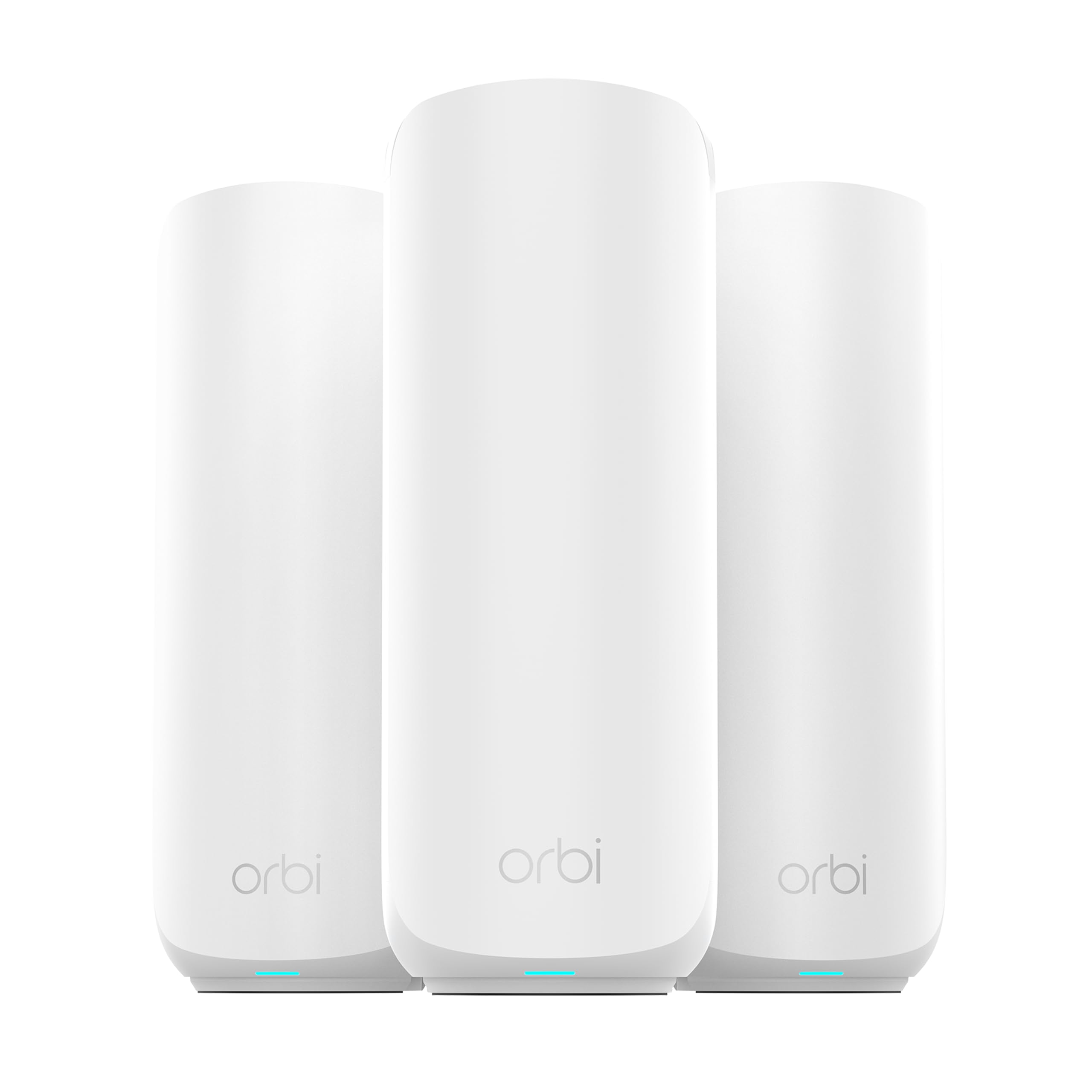
NETGEAR Orbi 370 Series WiFi 7 Mesh System, 3 Pack
Check the current price on Amazon
The Orbi 370 Series is the whole-home answer: a three-piece Wi-Fi 7 mesh kit covering up to 6,000 square feet and rated for 70 devices. The router and two satellites work together to spread a single network across a large house, and the 2.5 Gig port keeps wired speed high. Security features come built in, and setup is designed to be straightforward.
This pick suits large homes and multi-floor layouts where a single router leaves dead zones, and buyers who want one network name everywhere. It is not the right choice for a small apartment or a tight budget, where a single router is simpler and cheaper. Trade-off: The mesh kit costs the most here and is overkill for compact homes, so the coverage advantage is wasted if the space is small.
Before You Buy
- Device count: Match the router’s rated device capacity to the number of phones, TVs, computers, and smart devices in the home, with some headroom for growth.
- Coverage area: Compare the router’s rated square footage to the home’s layout; multi-floor and long homes often need a mesh system rather than a single unit.
- Wi-Fi standard: Wi-Fi 6 is affordable and capable; Wi-Fi 7 adds future-proofing and efficiency for buyers who plan to keep the router for years.
- Ports: Check for 2.5G ports if the broadband plan is multi-gig or if fast wired devices are in use.
- Security and IoT separation: HomeShield or Private IoT features help isolate smart-home devices on a crowded network.
- Expandability: EasyMesh or mesh support lets coverage grow later without replacing the router.
Frequently Asked Questions
- How many devices can a router handle? It depends on the model — some are rated for around 50 devices, others for 70 or 90. A household should pick a rating comfortably above its current device count.
- Is Wi-Fi 7 worth it for a crowded home? Wi-Fi 7 handles many devices more efficiently than older standards, so it is worth considering for heavy households that plan to keep the router for several years.
- Does a mesh system beat a single router? For large or multi-floor homes, a mesh system spreads coverage better. For smaller spaces, a single powerful router is simpler and cheaper.
- What does EasyMesh mean? It is a standard that lets compatible routers and extenders form one network, so coverage can be added later without replacing the main router.
- Do 2.5G ports matter? They help if the broadband plan exceeds gigabit speeds or if fast wired devices are connected. For standard plans, gigabit ports are usually enough.
- Where should the router be placed? Central, elevated, and out in the open works best — away from thick walls, metal, and appliances that interfere with the signal.
Bottom Line
For a household with too many devices, the TP-Link BE400 is the strongest single-router pick, with a 90-device rating, dual 2.5Gbps ports, and Wi-Fi 7 efficiency for heavy loads. Large multi-floor homes should step up to the NETGEAR Orbi 370 Series mesh kit for whole-home coverage, while budget buyers can start with the TP-Link Archer AX21 V5.
