Why there are Amazon links here: Brave Review is paid a commission for qualifying Amazon purchases made through the links below. Your price does not change, and using our links is entirely optional. How this works
Best Smart Home for a Household That Is Not Technical
Setting up a smart home should not require a networking degree, yet most hubs assume buyers enjoy troubleshooting. This guide covers five devices that make automation approachable for renters, older homeowners, and families who simply want lights and routines to behave. Each pick is judged on setup effort, everyday reliability, and how gracefully it fails when the internet drops. The overview table below shows every option at a glance, and each review explains who it fits and who should skip it.
The Picks at a Glance
| Product | Key Spec | Best Use | Price Tier |
|---|---|---|---|
| Linkind Matter Smart Plug (4 Pack) | 15A/1800W, 2.4G Wi-Fi, ETL Certified | Simple lamp and appliance scheduling | Budget |
| Home Assistant Green | Official Home Assistant hardware, advanced automation | Hands-off local control for the patient | Premium |
| Amazon Echo Hub | 8" touchscreen, Alexa+, thousands of devices | One wall-mounted control panel | Mid-range |
| Lutron Caseta Smart Hub | Ultra-reliable non-Wi-Fi connection | Rock-solid lighting control | Mid-range |
| Hubitat Elevation C-8 Pro | Z-Wave, Zigbee, Matter, no subscription | Local automation without cloud reliance | Premium |
1. Linkind Matter Smart Plug (4 Pack)

Type: Smart plug with timer and scheduling
Capacity: 15A/1800W
Connectivity: 2.4G Wi-Fi only, Matter
Certification: ETL Certified
Voice Control: Apple Home, Alexa, Siri, Google Home
Pack Size: 4 plugs
These plugs are the lowest-effort entry point into a smart home. Each one sits between a wall outlet and a lamp, fan, or coffee maker, and the Matter badge means it pairs with whichever voice assistant the household already owns. Scheduling happens in the companion app, so a lamp can turn on at dusk without anyone touching a switch.
The four-pack suits a household that wants to automate a few rooms at once rather than experiment with a single plug. There is no hub to buy and no account juggling beyond the app. The main limitation is that these are Wi-Fi devices on the crowded 2.4GHz band, so a router set up for 5GHz-only will cause pairing headaches.
Trade-off: The plugs depend on a stable 2.4GHz Wi-Fi signal, so a weak router corner or a mesh system that hides that band will make setup frustrating.
Check the current price on Amazon
2. Home Assistant Green

Type: Smart home hub
Platform: Official Home Assistant hardware
Automation: Advanced, rule-based
Setup: App-guided local hub
Best For: Households willing to learn one app
Home Assistant Green is the official hardware for the open-source Home Assistant platform, packaged so buyers do not have to build their own server. It runs locally, which means routines keep working when the cloud goes down, and it can pull together devices from many brands into one dashboard. The hardware is small, silent, and designed to be left alone once configured.
This is the pick for a household that wants serious automation but has one patient person willing to learn the interface. It is not plug-and-play in the way a consumer hub is; the first week involves discovering devices and naming things sensibly. The payoff is a system that stays fast and private.
Trade-off: The learning curve is real, and the advanced automation the hub advertises assumes someone in the house enjoys tinkering with rules and integrations.
Check the current price on Amazon
3. Amazon Echo Hub
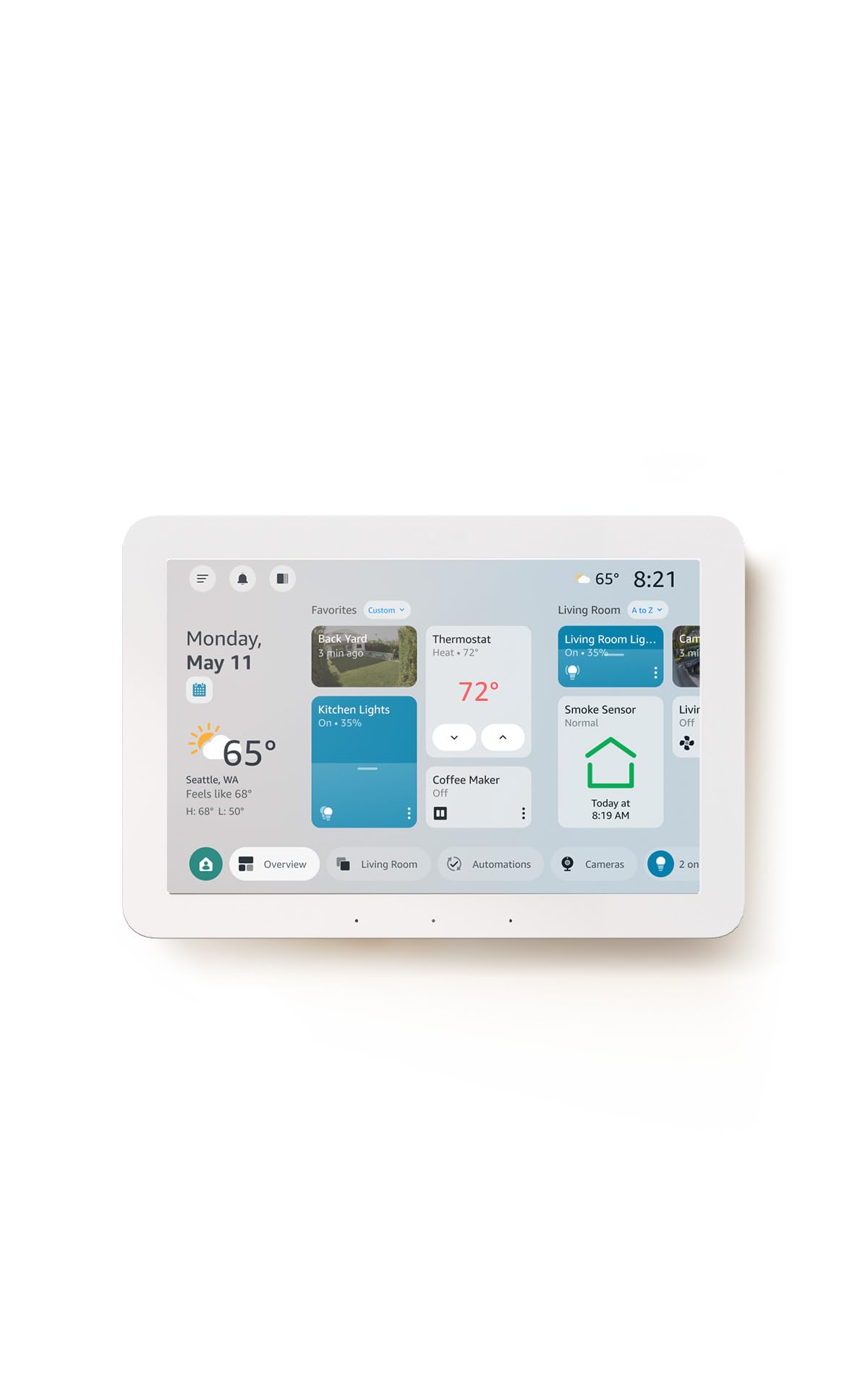
Type: Wall-mountable smart home control panel
Display: 8-inch touchscreen
Assistant: Alexa+ with customizable controls
Compatibility: Thousands of devices
Mounting: Wall or stand
Best For: One central control point
The Echo Hub is a dedicated touchscreen for the home rather than a speaker with a screen bolted on. It mounts on a wall or sits on a stand, shows customizable tiles for lights, locks, and cameras, and responds to Alexa voice commands. For a non-technical household, the appeal is that everything lives on one visible panel instead of being buried in phone apps.
It suits families who already use Alexa and want a shared control point in a hallway or kitchen. The catch is that the panel is only as good as the devices it talks to, and a home full of off-brand gadgets will still need their own apps for setup.
Trade-off: The Hub is a controller, not a bridge, so it cannot rescue devices that refuse to connect to Alexa in the first place.
Check the current price on Amazon
4. Lutron Caseta Smart Hub

Type: Smart lighting hub
Connection: Ultra-reliable, does not rely on Wi-Fi
Compatibility: Alexa, Apple Home, Google Home
Color: White
Best For: Whole-home lighting control
Setup: Hub pairs with Caseta switches and dimmers
Lutron built its reputation on lighting, and this hub reflects that focus. It uses its own low-power radio instead of Wi-Fi, which is why the brand calls the connection ultra-reliable, and it bridges Caseta switches and dimmers to the major voice platforms. For a household that mainly wants lights to work every single time, that trade is worth it.
The hub suits homeowners replacing wall switches room by room rather than gadget collectors. It is not a general-purpose hub for locks, cameras, or sensors, and the switches are sold separately, so the total cost climbs with each room.
Trade-off: The hub only speaks to Lutron’s own lighting line, so it solves lighting beautifully and nothing else.
Check the current price on Amazon
5. Hubitat Elevation C-8 Pro
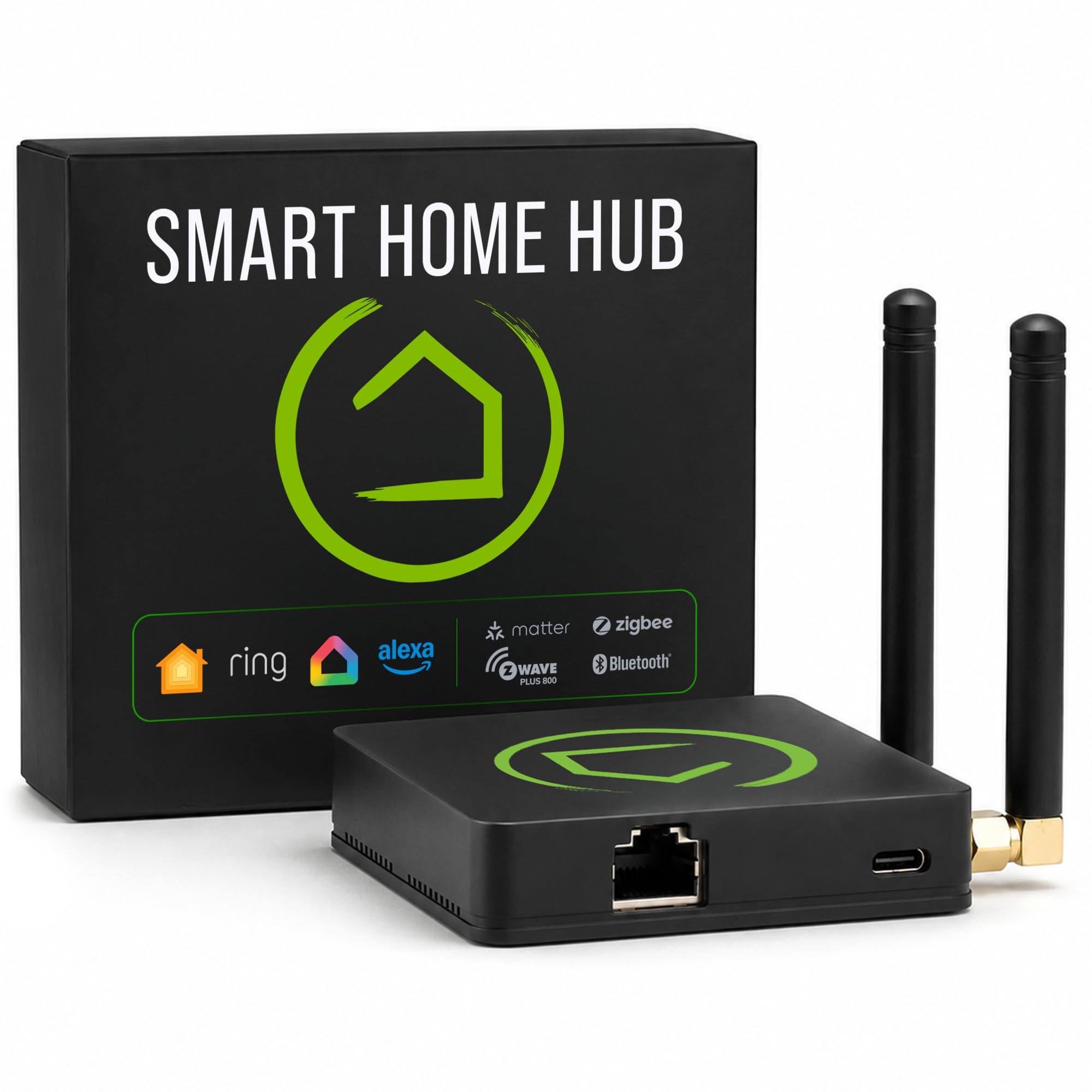
Type: Local smart home hub
Protocols: Z-Wave, Zigbee, Matter, Bluetooth
Subscriptions: None required
Voice Control: Alexa, Google, HomeKit
Compatibility: Ring cameras and more
Best For: Privacy-focused local automation
Hubitat runs automations on the box itself, so routines fire even when the internet is down and no subscription is needed. It supports Z-Wave, Zigbee, Matter, and Bluetooth, which covers most sensors, switches, and locks a household is likely to own. The trade is that the interface is built for people who like dashboards, not for someone who wants a single on/off button.
This pick fits a household with a tech-comfortable family member who wants local control and no monthly fees. Buyers who expect a polished consumer app will find the setup menus dense and the terminology unfamiliar.
Trade-off: The web-based interface is utilitarian and assumes comfort with device pairing and rule logic, which will overwhelm a truly non-technical user.
Check the current price on Amazon
Before You Buy
- Protocol: Wi-Fi plugs are simplest, but Zigbee, Z-Wave, and Matter hubs are more reliable at scale.
- Hub or no hub: A hub adds a box and an app but removes the need for a phone to be present for every routine.
- Voice platform: Match the device to the assistant already in the house rather than switching ecosystems.
- Internet dependence: Local hubs keep working during outages; cloud-dependent devices do not.
- Subscriptions: Some hubs require a monthly fee for remote access, while others charge nothing.
- Expansion: Lighting-only hubs limit future purchases, so check the supported device list first.
- Setup patience: Every hub here needs an initial session of naming devices and testing routines.
Frequently Asked Questions
-
What is the easiest smart home setup for a non-technical household?
A four-pack of Matter smart plugs paired with an existing voice assistant is the fastest route, because there is no hub to configure. -
Do smart hubs need Wi-Fi?
Most hubs connect to the router for app access, but some, like the Lutron Caseta hub, use their own radio for device communication. -
Can a smart home work without the internet?
Yes, if the hub runs automations locally. Home Assistant Green and Hubitat both keep routines running during an outage. -
Is a touchscreen panel worth it?
A panel like the Echo Hub helps when multiple people share the home, since controls are visible to everyone rather than locked in one phone. -
Which hub supports the most device types?
Hubitat covers Z-Wave, Zigbee, Matter, and Bluetooth, making it the broadest of these picks, though it demands more setup effort. -
Do these devices require a subscription?
None of the picks here list a required subscription, but some cloud features on other platforms do.
Bottom Line
For a household that is not technical, start with the Linkind Matter Smart Plug four-pack: it needs no hub, works with the assistant already in the house, and delivers scheduling in minutes. Add a hub only when the device count grows and one shared control point becomes worth the setup effort.
