Why there are Amazon links here: Brave Review is paid a commission for qualifying Amazon purchases made through the links below. Your price does not change, and using our links is entirely optional. How this works
Best Smart Home for Older Relatives for Easy Daily Check-Ins
The best smart home for older relatives is the one a senior will actually use without a manual, and the one family members can check from a phone. This short roundup covers five devices that solve different parts of that problem: a wall-mounted control hub, two caregiver call-button systems, a TV-based care platform, and a simple door and window chime. It is written for adult children setting up a parent’s home, for caregivers who need a fast alert, and for seniors who want independence without a complicated app. The overview table below shows each pick’s key spec and best use so a decision can be made in under a minute.
Overview of the Picks
| Product | Key Spec | Best Use | Price Tier |
|---|---|---|---|
| Amazon Echo Hub | 8" customizable control panel, Alexa+ compatible | Central smart-home control in one room | Mid |
| Emergency Button for Seniors with App Alert | 2.4GHz WiFi only, 2 buttons + 1 wrist button + receiver | Bedside and bathroom call for help | Budget |
| JubileeTV Remote Care System | TV control from a phone, video calls, reminders, monitoring | Staying connected through the television | Premium |
| WiFi Caregiver Pager & Call Button | No monthly fee, 4 SOS buttons + 1 receiver | Multi-room caregiver alerting | Mid |
| Smart WiFi Door Sensor Chime | 500 ft range, 32 ringtones, app notifications | Door and window awareness | Budget |
1. Amazon Echo Hub (Newest Model), 8", Redesigned with Customizable Control and Alexa+
Display: 8-inch touchscreen
Control: Customizable smart-home dashboard
Voice: Alexa+ compatible
Compatibility: Works with thousands of devices
Mounting: Wall-friendly, hub-style design
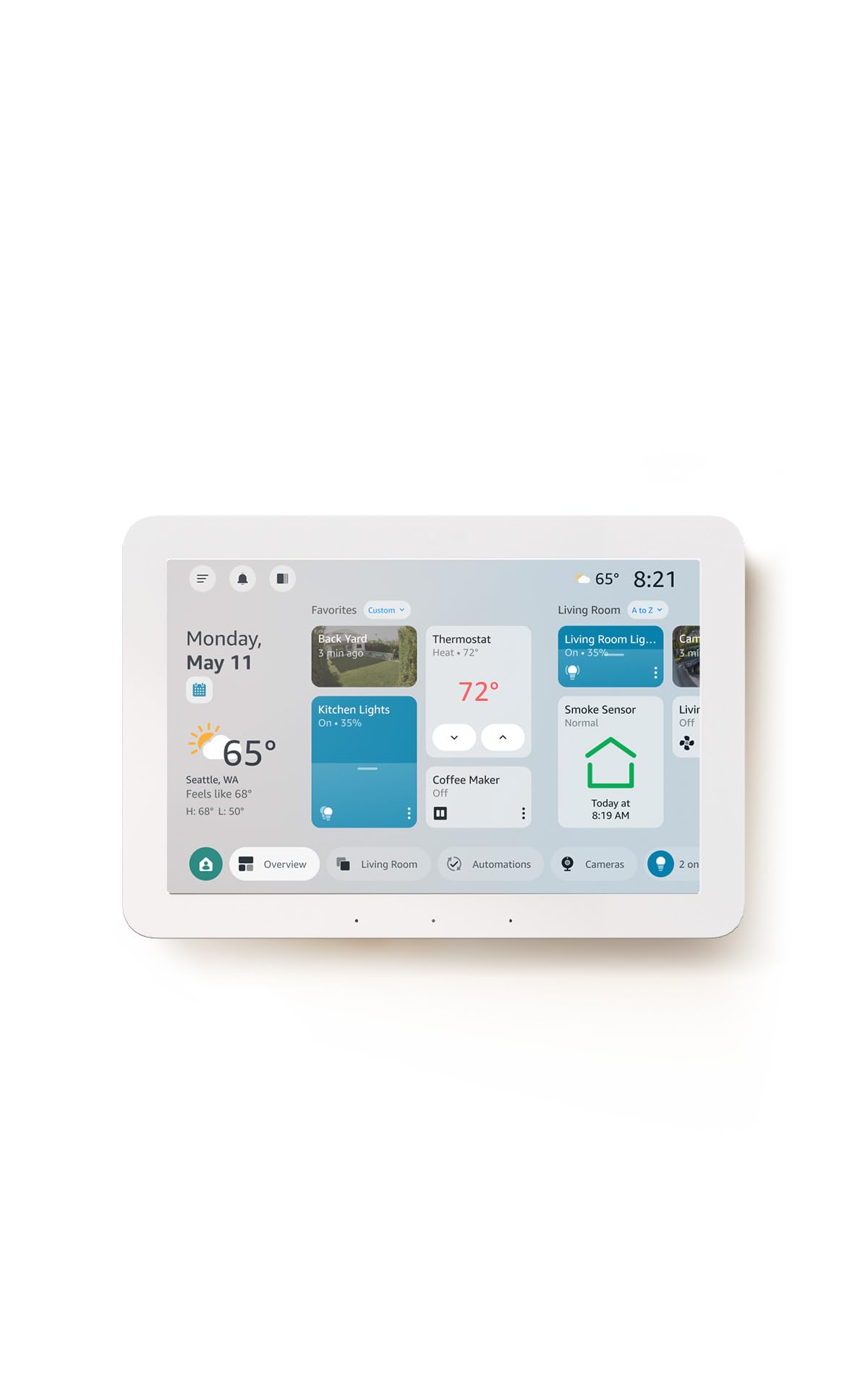
The Echo Hub is a dedicated control surface rather than a speaker with a screen bolted on. Its 8-inch display is meant to sit on a wall or a counter and show a customizable dashboard of lights, locks, thermostats and cameras, so a senior can tap a tile instead of hunting through an app. Because it is compatible with thousands of devices, it works as a single front door to a mixed smart home. Alexa+ compatibility adds voice control on top of the touchscreen, which helps anyone who finds small icons hard to hit. It suits a household that already owns a few smart plugs or bulbs and wants one obvious place to run them.
This pick earns its place as the organizing layer of a setup: it does not watch for emergencies, it makes everything else easier to reach. Buyers should plan on a stable WiFi connection and a bit of initial dashboard setup, since a half-configured hub is just a blank screen. Trade-off: It is a control panel, not a monitoring device, so it adds no fall alerts or caregiver notifications of its own.
2. Emergency Button for Seniors with App Alert, 2.4GHz WiFi Only, Senior Alarm Home Care, Bedside Bathroom Use WiFi Caregiver Call Button Calls Phone, 2Button 1 Wrist 1 Receiver
Connectivity: 2.4GHz WiFi only
Included: 2 call buttons, 1 wrist button, 1 receiver
Alert type: App alert that calls a phone
Intended use: Bedside, bathroom, home care
Setup: WiFi caregiver call system
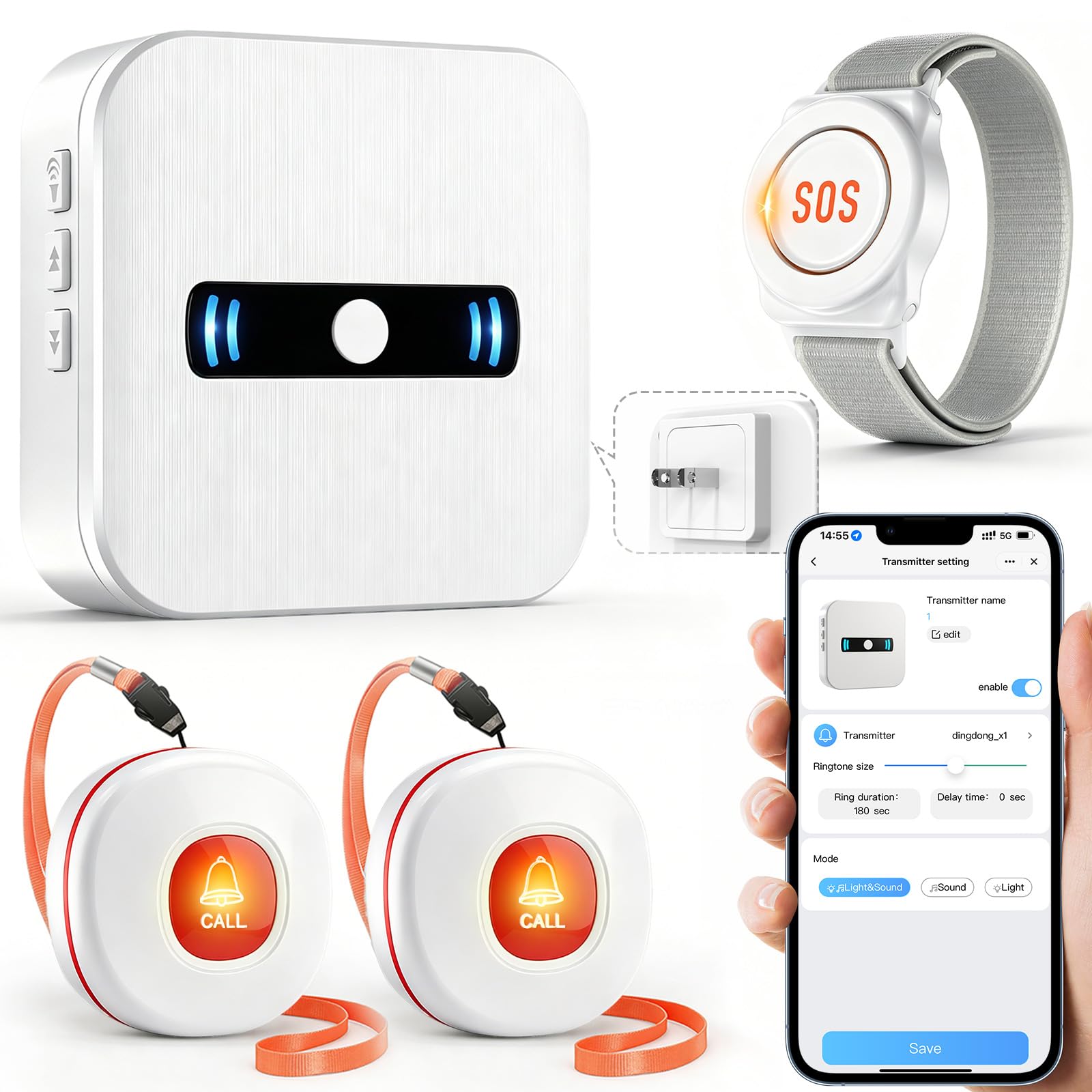
This kit is built around the two rooms where a fall is most likely and hardest to recover from: the bedroom and the bathroom. Two fixed call buttons plus a wearable wrist button give a senior several ways to reach someone, and the included receiver means there is a loud local alarm even if a phone is in another room. App alerts push the same signal to a caregiver’s phone, so family can respond without sitting in the house. The 2.4GHz WiFi requirement is the main thing to confirm before ordering, since a 5GHz-only network will not connect.
It suits a senior who lives alone or spends long stretches unsupervised, and a family that wants a low-cost, no-fuss layer of cover. Placement matters more than the hardware: one button by the bed and one within reach of the toilet covers the realistic risk. Trade-off: The fixed buttons only protect the rooms they are installed in, so coverage depends entirely on where the household puts them.
3. JubileeTV Remote Care System for Seniors — Stay Connected Through Their TV | Control TV Remotely from Your Phone | Video Calls, Reminders & Monitoring | Simple Setup + Voice Remote
Core function: TV-based care and connection system
Remote control: TV control from a phone
Features: Video calls, reminders, monitoring
Included: Voice remote
Setup: Simple setup
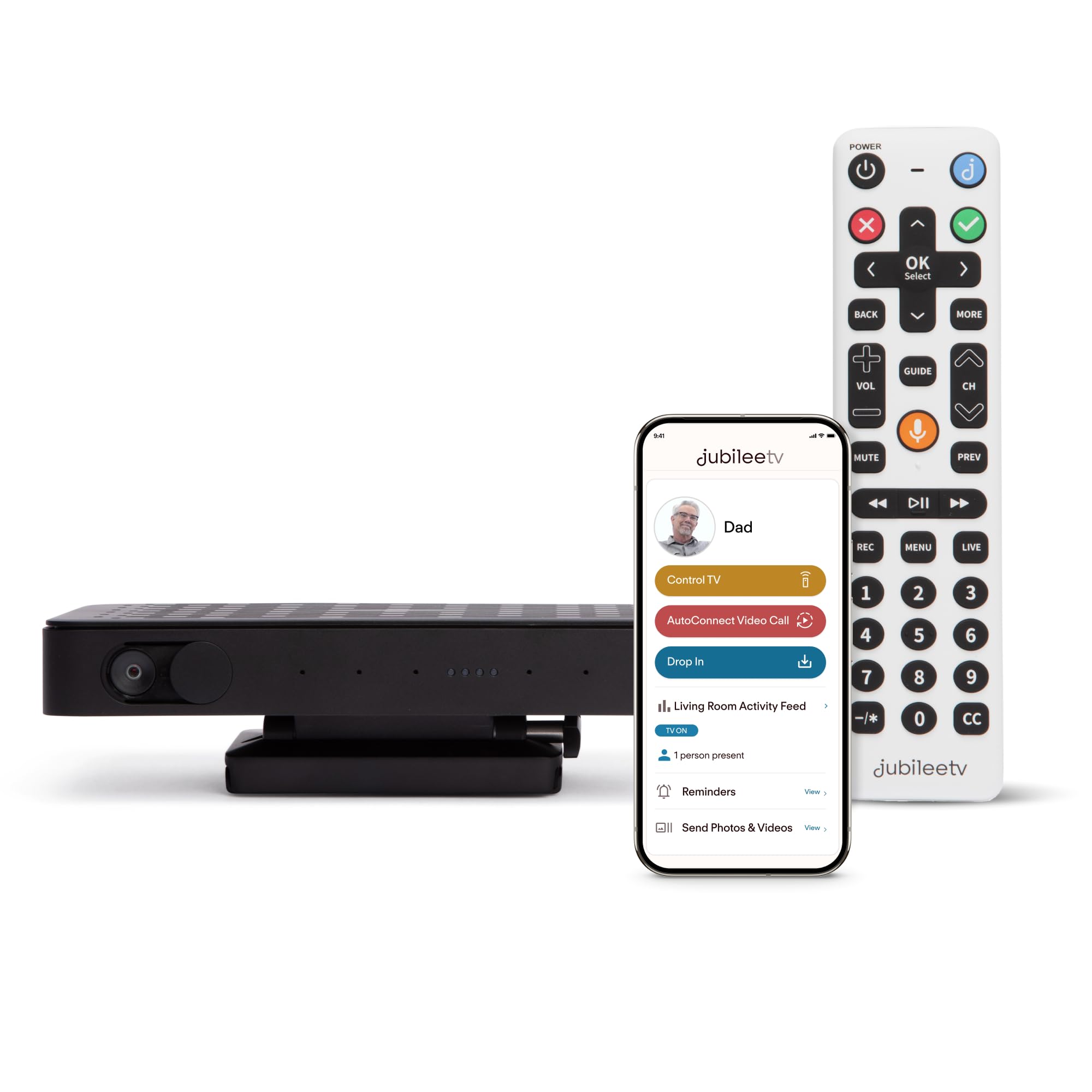
JubileeTV takes the device a senior already uses every day — the television — and turns it into the interface for everything else. Family members can control the TV from a phone, which handles the classic "the remote stopped working" call without a visit. Video calls, reminders and monitoring run through the same screen, so there is nothing new to learn beyond the voice remote that comes in the box. That single-interface approach is the smartest part of the design: it meets an older relative exactly where they already are.
It suits a senior who watches TV daily and a family that wants contact without asking them to adopt a tablet or smartphone. The setup is described as simple, but the household should expect to spend a session with the app before handing over the remote. Trade-off: It leans on the TV being on and understood, so a senior who rarely watches television gets far less value from it than the price suggests.
4. WiFi Caregiver Pager & Call Button with App Alerts, No Monthly Fee, 4 SOS Call Buttons + 1 Receiver Emergency Alert System for Elderly Seniors at Home & Nursing Care Plug & Play Caregiver Call Button
Connectivity: WiFi with app alerts
Included: 4 SOS call buttons, 1 receiver
Fees: No monthly fee
Intended use: Elderly seniors at home and nursing care
Setup: Plug and play
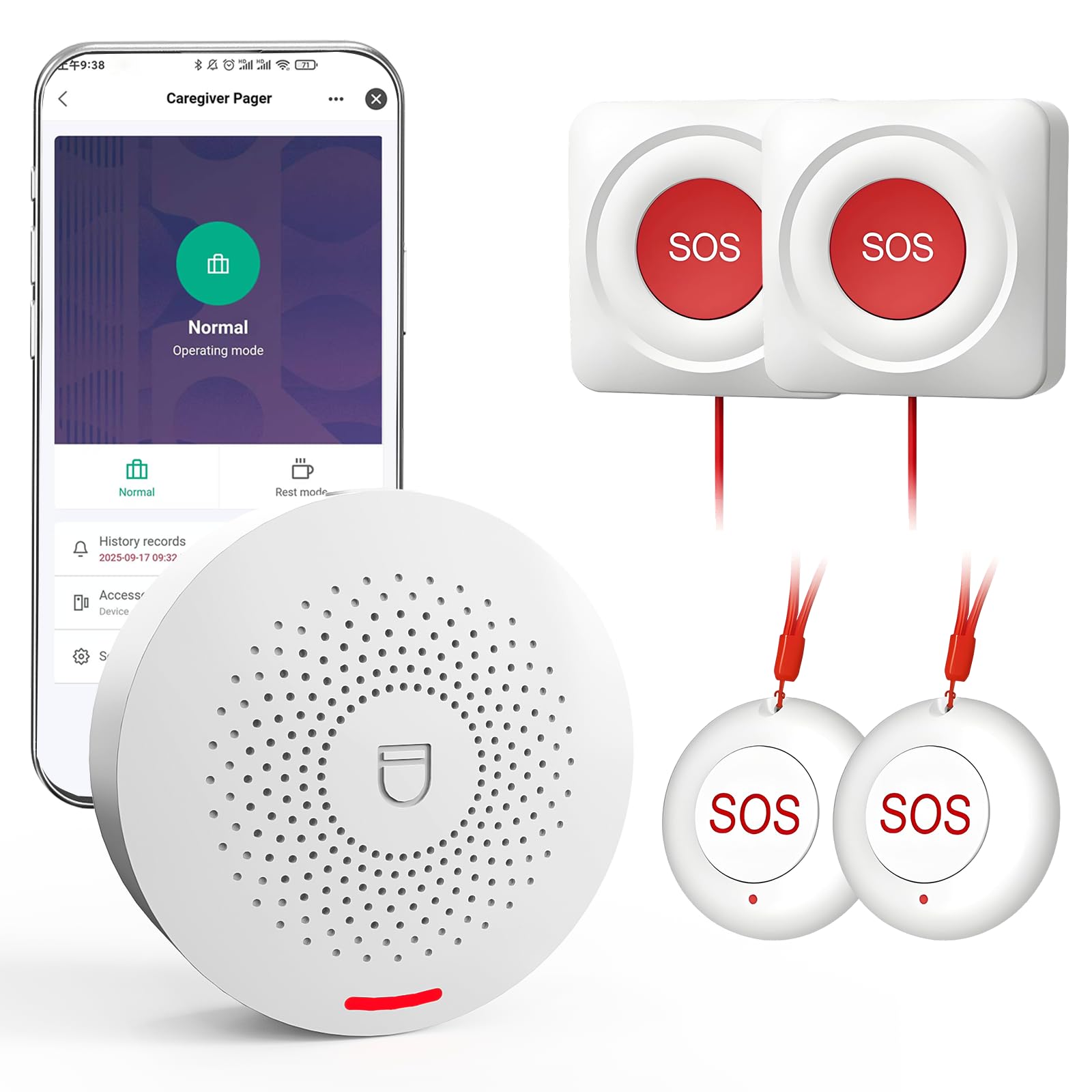
Four SOS buttons and one receiver make this the widest-coverage call system in the roundup. The extra buttons can be spread across a bedroom, bathroom, kitchen and living room, so help is always within arm’s reach rather than one room away. App alerts go to a caregiver’s phone, and the plug-and-play setup means there is no wiring or installer visit. The absence of a monthly fee is a genuine advantage for a family that wants predictable costs.
It suits multi-room homes, live-in caregivers and small nursing-care settings where several call points matter more than portability. Because it plugs in and runs over WiFi, the household should place the receiver where it can be heard from the rooms in use. Trade-off: The buttons are fixed rather than wearable, so a senior who moves between floors may still be out of reach of the nearest button.
5. Smart WiFi Door Sensor Chime Window Sensor Alarm with Free Phone App Notifications
Range: 500 ft
Ringtones: 32
Volume: 5 adjustable levels
Alerts: Free phone app notifications
Intended use: Business, kids safety, home security
Type: WiFi door and window sensor chime
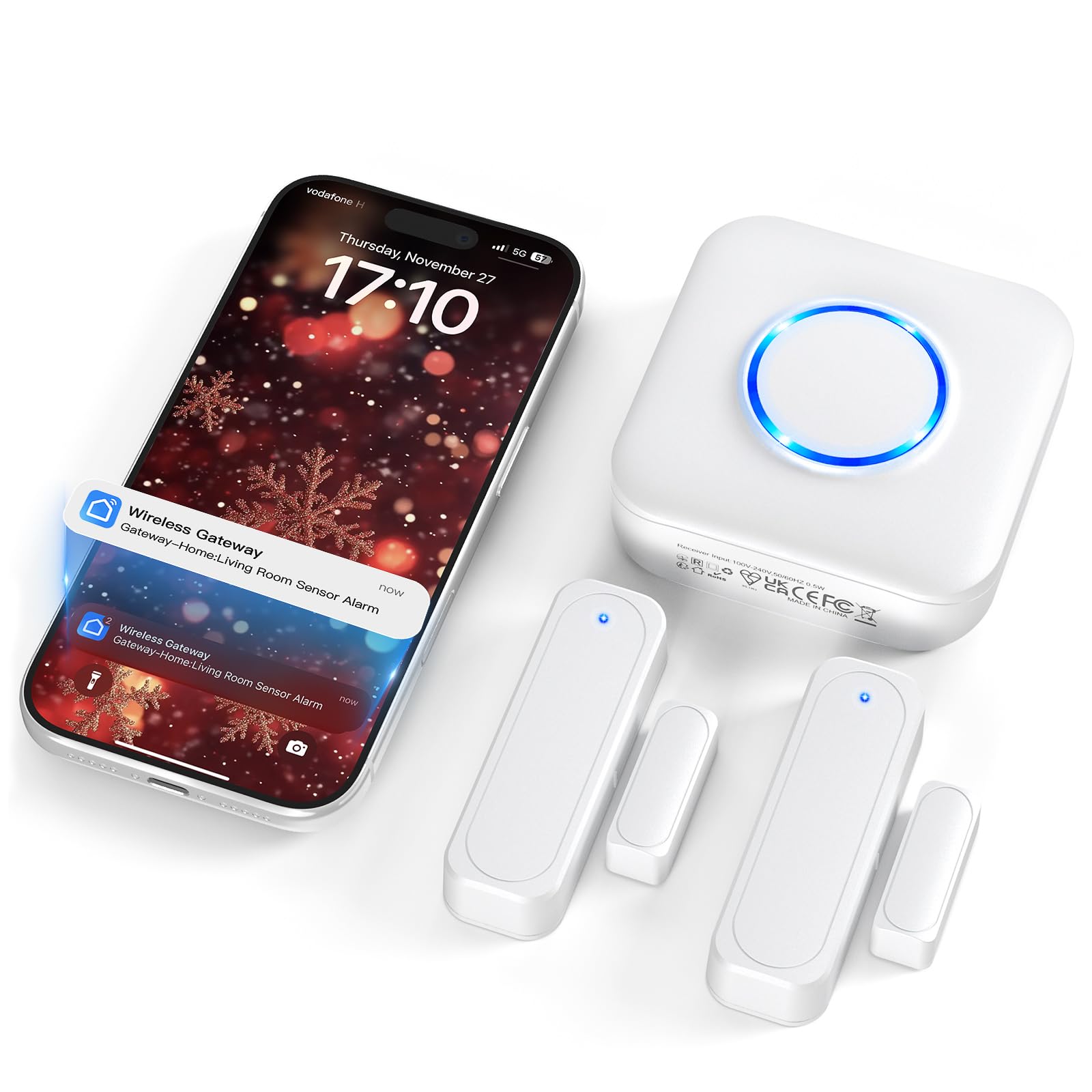
Smart WiFi Door Sensor Chime Window Sensor Alarm with Free Phone App Notifications
This is the simplest device here and the one that answers a question families ask constantly: did they leave, or is someone at the door? A sensor on a door or window triggers a chime on the receiver and a free notification on a phone, with a long 500 ft range that covers most houses and a choice of 32 ringtones across five volume levels. The adjustable volume matters in a home with a hard-of-hearing resident, where a quiet default chime would go unnoticed. It also works as a gentle wandering alert if a relative with memory issues opens an exterior door.
It suits a household that wants awareness at the entrances without a full security system or a subscription. Mounting is straightforward and the sensor is unobtrusive, which helps in a home where the resident resists visible technology. Trade-off: It reports that a door or window opened, not who opened it or why, so it is an awareness tool rather than a complete safety plan.
Before You Buy
- Connectivity: Confirm the home network is 2.4GHz where a device specifies it; several call systems here will not join a 5GHz-only network.
- Coverage: Count the rooms a senior actually uses before choosing between a two-button kit and a four-button system.
- Wearability: Fixed buttons protect one spot, wrist buttons travel with the person — the ideal setup often combines both.
- Interface: Match the device to what the relative already uses daily, whether that is a TV, a wall panel or a simple chime.
- Fees: Check whether alerts require a subscription; the pager and sensor picks here advertise no monthly fee.
- Installation: Prefer plug-and-play and wall-mount designs if no one is available to run wiring or configure complex automations.
- Hearing and vision: Adjustable volume, a large touchscreen or voice control can decide whether a device gets used at all.
Frequently Asked Questions
-
What is the best smart home setup for an older relative living alone?
A combination works best: a call-button system for emergencies and a door or window sensor for awareness. A hub can tie other devices together once the basics are in place. -
Do these devices require a monthly subscription?
The caregiver pager and the door sensor chime both advertise no monthly fee and free app notifications. Always confirm the terms on the product page before ordering. -
Can a family member check in without visiting?
Yes. The JubileeTV system supports video calls and monitoring through the TV, and the call-button kits send app alerts to a caregiver’s phone. -
What if the home has a 5GHz WiFi network?
The emergency button kit specifies 2.4GHz only, so the router may need a 2.4GHz band enabled. Check each device’s requirements before purchase. -
Is a smart hub necessary if the relative only needs a call button?
No. A standalone call-button system works without a hub, and adding one later is easy if more devices are introduced. -
How much technical setup should be expected?
The pager and sensor picks are plug-and-play, while the hub and TV system need an app session to configure. Plan for one setup visit before handing anything over.
Bottom Line
For most families, the fastest win is the Emergency Button for Seniors with App Alert, because it covers the bedroom and bathroom, adds a wearable button and alerts a phone without a subscription. Pair it with the Smart WiFi Door Sensor Chime for entrance awareness, and add the Amazon Echo Hub once the household wants one screen to run everything else. That combination delivers the best smart home for older relatives: simple enough to use daily, connected enough to keep family close.
