Why there are Amazon links here: Brave Review is paid a commission for qualifying Amazon purchases made through the links below. Your price does not change, and using our links is entirely optional. How this works
Best Smart Lighting Remote and Button for Fast, App-Free Control
The best smart lighting remote and button solves one problem: getting light without opening an app or talking to a speaker. This roundup covers five picks that each suit a different setup — a WiZ household that wants simple dimming, an Alexa user who wants a handheld remote, a renter who needs plug-in switching, a GoveeLife owner who wants a wall-free button, and a Zigbee tinkerer building scenes. The overview below puts every pick side by side so a reader can choose in under a minute.
The Picks at a Glance
| Product | Key Spec | Best Use | Price Tier |
|---|---|---|---|
| Philips Smart Lighting Smart Home Remote Control | 50 ft range, works without Wi-Fi | WiZ bulb households wanting a simple dimmer | Mid |
| Amazon Basics Smart Dimmer Switch and Remote | Alexa only, no wiring required | Echo owners who want voice plus a handheld | Budget |
| BN-LINK Wireless Remote Control Outlet | 100 ft range, 1200W/10A, ETL & FCC | Lamps, fans, and holiday lights on a plug | Budget |
| GoveeLife Smart Mini Double Button Switch | 180 ft Bluetooth, battery powered | GoveeLife setups needing a group-control button | Mid |
| Tuya Zigbee 4-Way Remote and Scene Controller | Zigbee, hub required, 4-way control | Home Assistant and Hubitat users building scenes | Mid |
1. Philips Smart Lighting Smart Home Remote Control
Type: Handheld smart remote
Range: 50 ft
Network: Works without Wi-Fi, connected by WiZ
Controls: Dimming, customizable buttons
Pack Size: 1 pack
Power Source: Battery

Philips Smart Lighting Smart Home Remote Control
Check the current price on Amazon
This is the remote for a household already running WiZ bulbs or fixtures. It talks to the lights directly over the local network rather than through Wi-Fi, so it keeps working when the router is busy or the internet is down. The buttons can be assigned to scenes and favorites, and the dimming control handles brightness without a trip to the phone. The 50 ft range covers a normal room and the hallway outside it.
It earns its place because it is the least fussy option for anyone inside the WiZ ecosystem — pairing is handled by the same app that runs the bulbs, and there is no hub to buy. The trade-off is ecosystem lock-in: this remote is only useful to a WiZ household, so a buyer with another brand’s bulbs should look elsewhere.
2. Amazon Basics Smart Dimmer Switch and Remote for Music and Routines
Type: Handheld dimmer switch and remote
Compatibility: Works with Alexa only, Echo device required
Setup: No wiring required
Controls: Dimming, music, routines
Mounting: Handheld
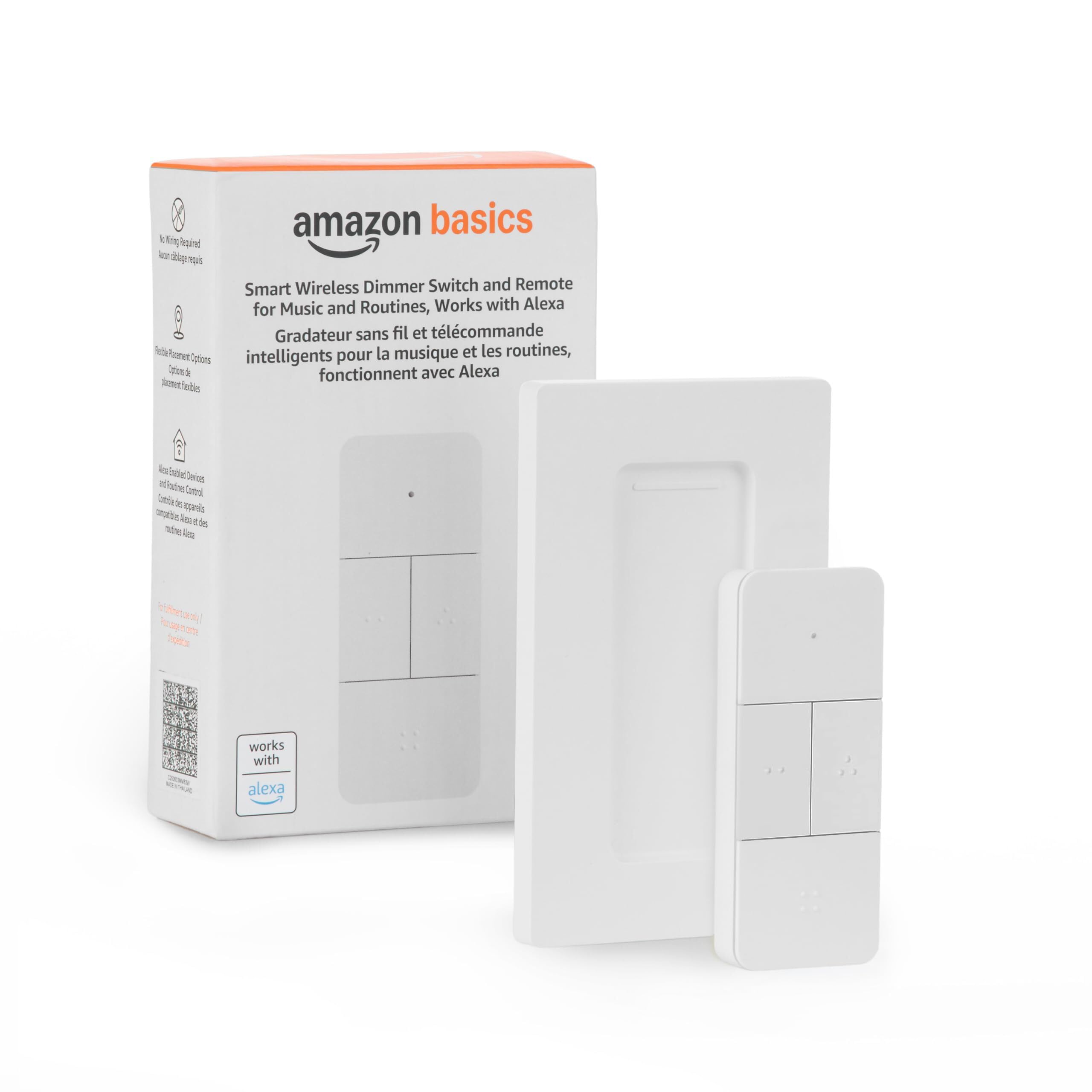
Amazon Basics Smart Dimmer Switch and Remote for Music and Routines
Check the current price on Amazon
This one skips the wall entirely. It is a handheld switch that pairs through an Echo device, so there is no wiring, no electrician, and no neutral wire to worry about — a real advantage for renters. Beyond dimming lights, the buttons reach music playback and Alexa routines, which makes it a small physical control panel for a smart home rather than just a light switch.
It suits an Alexa-first household that wants a button on the coffee table and already owns an Echo. The trade-off is total dependence on Alexa: without a compatible Echo device in the home, the remote has nothing to talk to, and households standardized on Google or Apple should skip it.
3. BN-LINK Wireless Remote Control Outlet Electrical Switch
Type: Plug-in wireless outlet switch
Range: 100 ft
Capacity: 1200W/10A
Certification: ETL & FCC certified
Coding: Learning code
Pack: 5 receivers, 2 transmitters
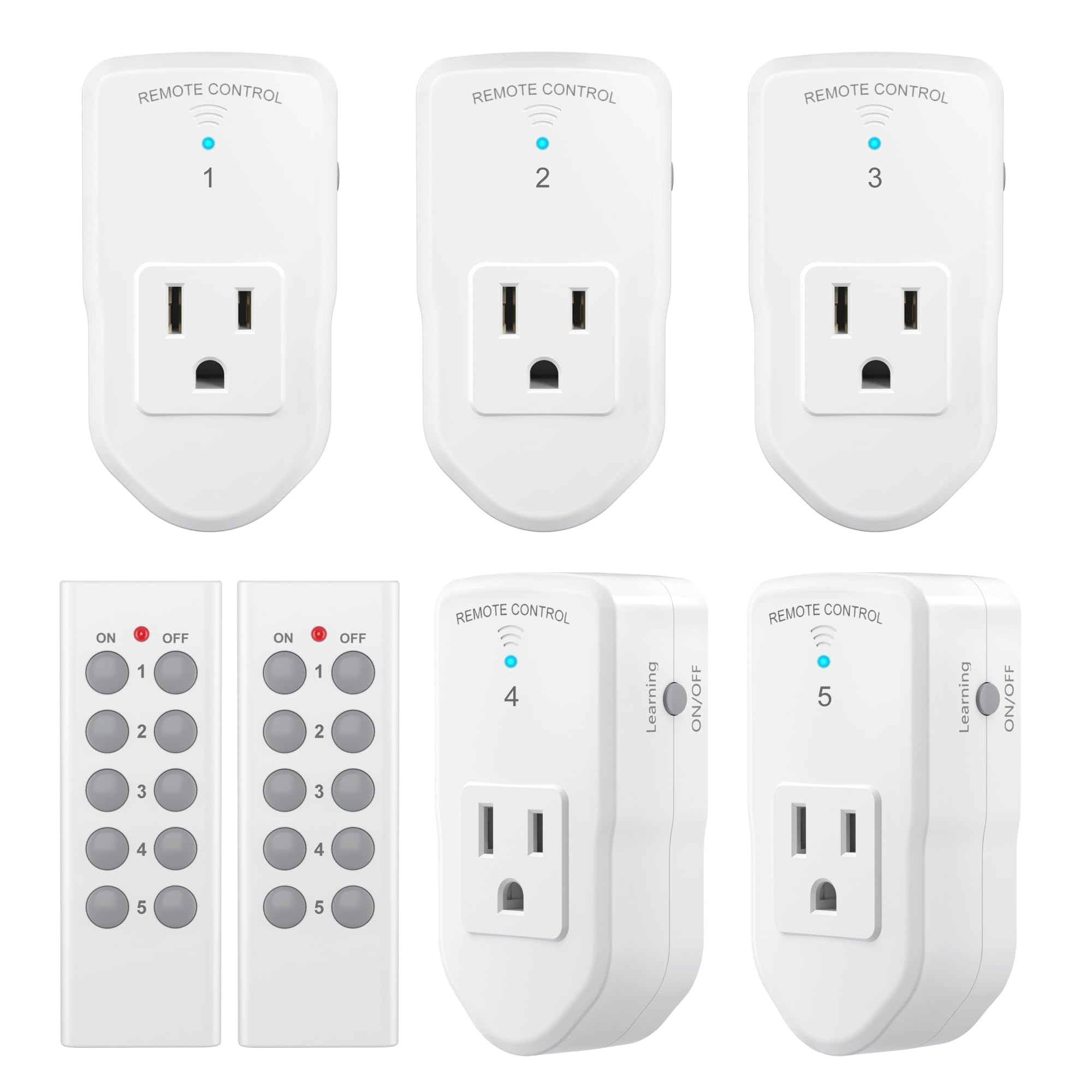
Check the current price on Amazon
This is the practical answer for lamps, box fans, and holiday lights that are not smart themselves. The receivers plug into a standard outlet and the appliance plugs into the receiver, so any dumb device becomes remotely switchable. The learning-code design lets extra transmitters be paired to the same receivers, and the 100 ft range reaches across a house or out to a yard display.
It suits buyers who want remote switching without committing to a smart home platform, and the multi-receiver pack covers several lamps at once. The trade-off is that it is on/off only — there is no dimming and no app, so anyone wanting schedules or voice control needs a different category of product.
4. GoveeLife Smart Mini Double Button Switch
Type: Wireless smart button switch
Range: 180 ft Bluetooth
Power Source: Battery
Controls: Double button, group control
Compatibility: Most GoveeLife smart products
Mounting: Wall-free
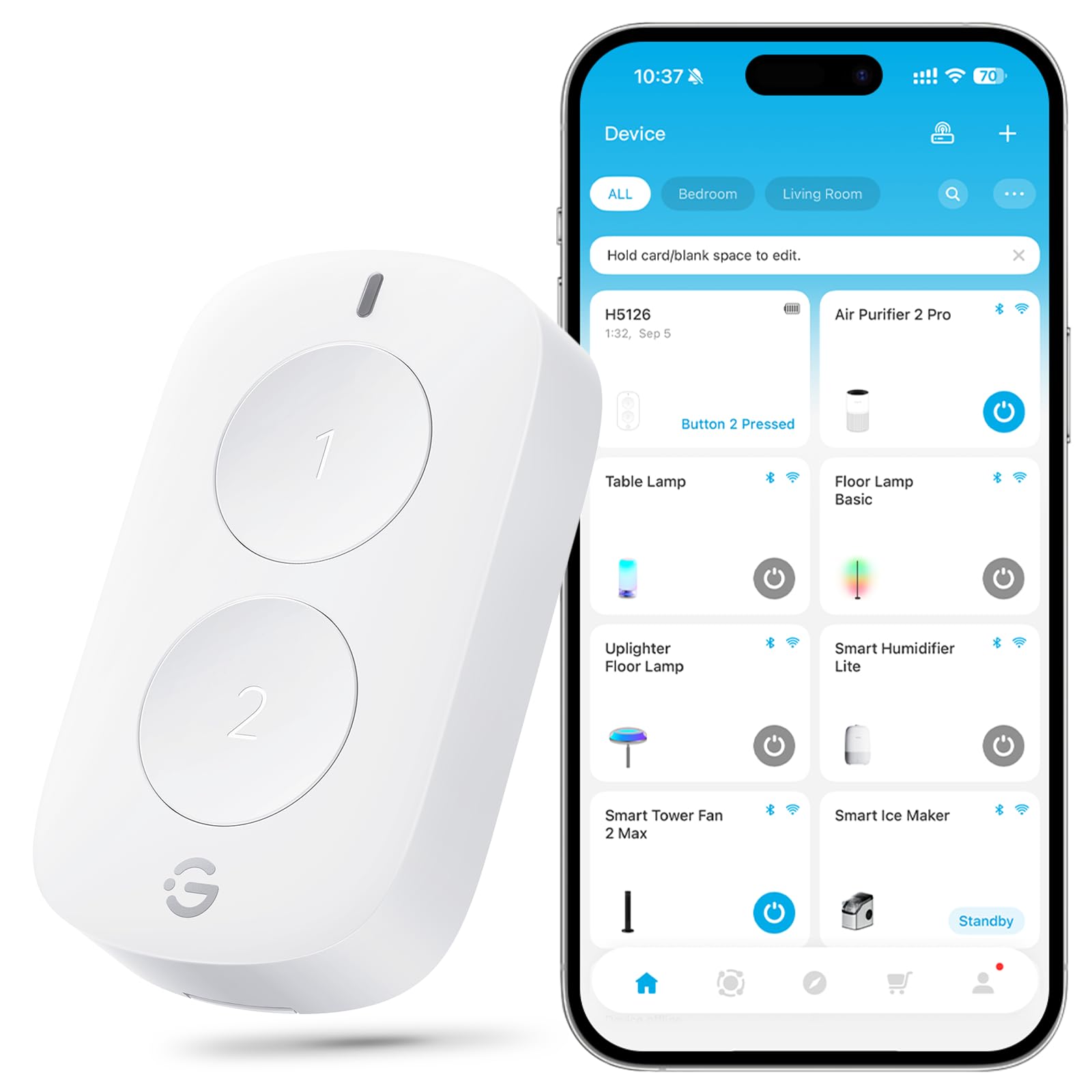
Check the current price on Amazon
The Mini Double Button is built for GoveeLife owners who want a physical control point without rewiring anything. It runs on battery and mounts anywhere, and the two buttons can be set to trigger groups of devices rather than a single light — useful for switching a whole room’s GoveeLife lighting at once. The Bluetooth range is generous enough to cover a large room or a floor of a house.
It suits a GoveeLife household that wants a bedside or doorway button for grouped scenes. The trade-off is narrow compatibility: it supports GoveeLife products, so it will not control bulbs or plugs from other brands, and buyers outside that ecosystem get nothing from it.
5. Tuya Zigbee 4-Way Remote and Scene Controller
Type: Wireless Zigbee remote and scene controller
Controls: 4-way control
Hub: Tuya Zigbee hub required
Platforms: Home Assistant, Homey, Hubitat
Power Source: Battery

Check the current price on Amazon
This is the pick for the buyer who already runs a Zigbee hub and wants a small scene controller on the wall or the nightstand. The four-way layout gives each button its own job — a scene, a group, a routine — and the remote integrates with Home Assistant, Homey, and Hubitat rather than locking to one app. It is battery powered and mounts without wiring.
It earns its place because it is the most flexible option here for building custom lighting scenes across brands. The trade-off is the setup burden: a Tuya Zigbee hub is mandatory, and the remote is not a plug-and-play device for someone without an existing Zigbee network.
Before You Buy
- Compatibility: Match the remote to the bulbs or platform already in the home — WiZ, Alexa, GoveeLife, or Zigbee. A remote from the wrong ecosystem will not control anything.
- Hub requirement: Check whether the remote needs a hub or Echo device before ordering; the Zigbee pick will not work standalone.
- Range: Confirm the stated range covers the distance from the remote’s usual spot to the lights, especially across floors or through walls.
- Control type: Decide between dimming, on/off switching, and scene control — a plug-in outlet switch cannot dim, and a scene controller needs programming.
- Power and mounting: Battery-powered remotes mount anywhere; plug-in receivers need an outlet per device, which limits placement.
- Pack size: Multi-receiver packs suit several lamps at once, while single remotes are better for one room or one group of lights.
Frequently Asked Questions
-
Does a smart lighting remote need Wi-Fi?
Not always. The Philips WiZ remote works without Wi-Fi, and Bluetooth and Zigbee remotes also operate locally, though Zigbee models still need a hub. -
Can a smart button control lights from different brands?
Only within one ecosystem or through a hub-based platform. GoveeLife buttons control GoveeLife products, while the Zigbee controller can reach multiple brands once paired to a compatible hub. -
Is a remote better than an app for everyday lighting?
For quick dimming and scene changes, a physical button is faster than unlocking a phone. Apps remain better for scheduling and detailed setup. -
Can a plug-in outlet switch dim a lamp?
No. The BN-LINK outlet switch is on/off only, so a dimmable lamp needs a dimming remote or smart bulb instead. -
What does a Zigbee scene controller require to work?
A Tuya Zigbee hub plus a platform such as Home Assistant, Homey, or Hubitat for programming the buttons. -
Are these remotes suitable for renters?
Yes — the handheld Alexa remote, the plug-in outlet switch, and the battery buttons all avoid wall wiring, which suits rental homes.
Bottom Line
For most households, the Philips Smart Lighting Smart Home Remote Control is the best smart lighting remote and button here: it dims, it takes custom buttons, and it keeps working without Wi-Fi for anyone already on WiZ. Buyers outside that ecosystem should pick by platform instead — Alexa homes get the Amazon Basics remote, and Zigbee tinkerers get the four-way controller. Check the Philips remote’s current price on Amazon before deciding.