Why there are Amazon links here: Brave Review is paid a commission for qualifying Amazon purchases made through the links below. Your price does not change, and using our links is entirely optional. How this works
Best Smart Lock for a Back Door: 5 Keyless Picks That Fit
A back door smart lock has to do two jobs at once: keep the house secure and stay convenient for daily coming and going. This roundup covers five keyless deadbolts that suit renters upgrading a single door, families who want hands-free entry with groceries in hand, and budget-minded buyers who still want app control. Each pick below is judged on how it fits a rear or side entry, and the overview table shows the differences at a glance.
Overview of the Picks
| Product | Key Spec | Best Use | Price Tier |
|---|---|---|---|
| Philips WiFi Keypad Deadbolt with Handle | Built-in Wi-Fi, fingerprint, voice unlock | Full handle-and-lock replacement | Mid-range |
| eufy Security Smart Lock C220 | IP53 waterproof, 8-month battery | Covered outdoor back doors | Mid-range |
| Philips Wi-Fi Smart Deadbolt Lock | Backlit touchscreen, auto-lock | Simple retrofit deadbolt swap | Budget |
| Veise VE017 Fingerprint Smart Door Lock | 8-in-1 entry, USB-C port | First smart lock on a budget | Budget |
| U68 Fingerprint Keypad Deadbolt with Knob Set | Anti-peep codes, one-touch lock | Knob-set doors and shared entries | Budget |
1. Philips WiFi Keypad Deadbolt with Handle

Type: Keypad deadbolt with door lever
Unlock Methods: Voice, fingerprint, flexible codes, app
Connectivity: Built-in Wi-Fi
Convenience: Auto-lock, backlit keypad
Control: App remote control
This is the only pick in the group that ships with a door lever, which makes it a complete hardware swap rather than a deadbolt-only retrofit. The built-in Wi-Fi means remote control works without a separate hub, and the fingerprint reader plus flexible codes cover the everyday cases — a quick thumb press for residents, temporary codes for guests or a dog walker. Voice unlock adds a hands-free option for anyone carrying laundry or groceries through a rear entry. It suits homeowners replacing mismatched hardware on a back door and wanting one coherent look.
The trade-off is installation scope: fitting a lever alongside the deadbolt means more work and a door that has to accept the handle’s backset and bore, so older or non-standard rear doors may need extra prep.
Check the current price on Amazon
2. eufy Security Smart Lock C220
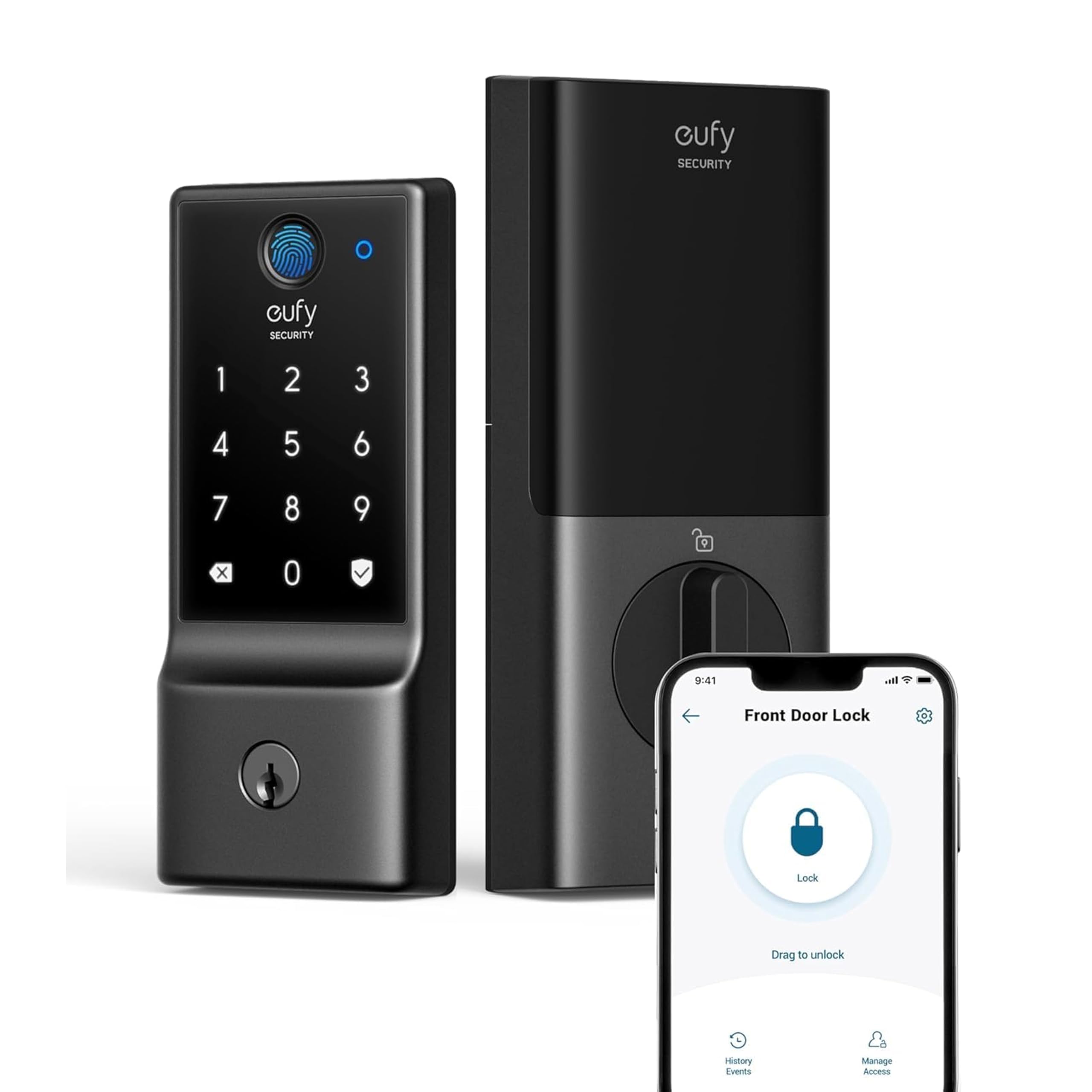
Type: Fingerprint keyless deadbolt
Connectivity: Built-in Wi-Fi
Control: App remote control
Battery Life: Up to 8 months
Weather Rating: IP53 waterproof
Durability Rating: BHMA Grade 3
The C220 is the pick built with outdoor exposure in mind. Its IP53 rating means it tolerates dust and rain spray, which matters on a back door that sits under an eave or takes weather from one direction. The claimed battery life of up to eight months keeps recharging off the chore list, and built-in Wi-Fi gives app control and remote access without extra hardware. The fingerprint reader handles fast, phone-free entry, and the BHMA Grade 3 rating signals a residential-duty deadbolt rather than a light-duty gadget. It suits households that want a dependable rear-door lock and don’t need a handle included.
The trade-off is that IP53 protects against spray, not full rain exposure or standing water, so a completely unsheltered gate or door may still call for a more heavily sealed lock.
Check the current price on Amazon
3. Philips Wi-Fi Smart Deadbolt Lock

Type: Wi-Fi smart deadbolt
Unlock Methods: Code, fingerprint, app
Voice Control: Alexa and Google voice unlock
Connectivity: Built-in Wi-Fi
Convenience: Auto-lock, backlit touchscreen
Control: Remote access
This Philips model is a straightforward deadbolt swap for a back door that already has a deadbolt and a separate handle. The backlit touchscreen stays readable at night, which helps on a dark rear entry where a keypad would otherwise need a phone flashlight. Auto-lock closes the door behind the household without anyone thinking about it, and Alexa and Google voice unlock add a hands-free route. Fingerprint, code, and app entry cover the full range of daily users, from family to a cleaner with a temporary code. It suits buyers who want smart features without replacing the whole handle set.
The trade-off is that the touchscreen and electronics are the lock’s whole interface, so a dead battery or glitchy screen leaves keypad entry as the fallback rather than a familiar key turn.
Check the current price on Amazon
4. Veise VE017 Fingerprint Smart Door Lock

Type: Fingerprint smart deadbolt
Unlock Methods: 8-in-1 keyless entry
Keypad: Electronic touchscreen
Charging: USB-C port
Convenience: Auto-lock
Control: App control, smart user management
The VE017 is the entry point into smart locking, and its 8-in-1 entry covers the methods most households actually use: fingerprint, code, app, and key. Smart user management makes it practical to add and remove people over time, which suits a shared rental or a home with rotating visitors. The USB-C port is a sensible touch for recharging the lock without hunting for a proprietary cable, and auto-lock keeps the back door from being left open after a rushed exit. The matte black finish fits modern door hardware and hides fingerprints better than polished metal. It suits first-time smart lock buyers who want app control without paying mid-range prices.
The trade-off is the budget tier: expect a lighter-duty feel in the keypad and housing than premium locks, and less weather hardening for a fully exposed back door.
Check the current price on Amazon
5. U68 Fingerprint Keypad Deadbolt with Knob Set
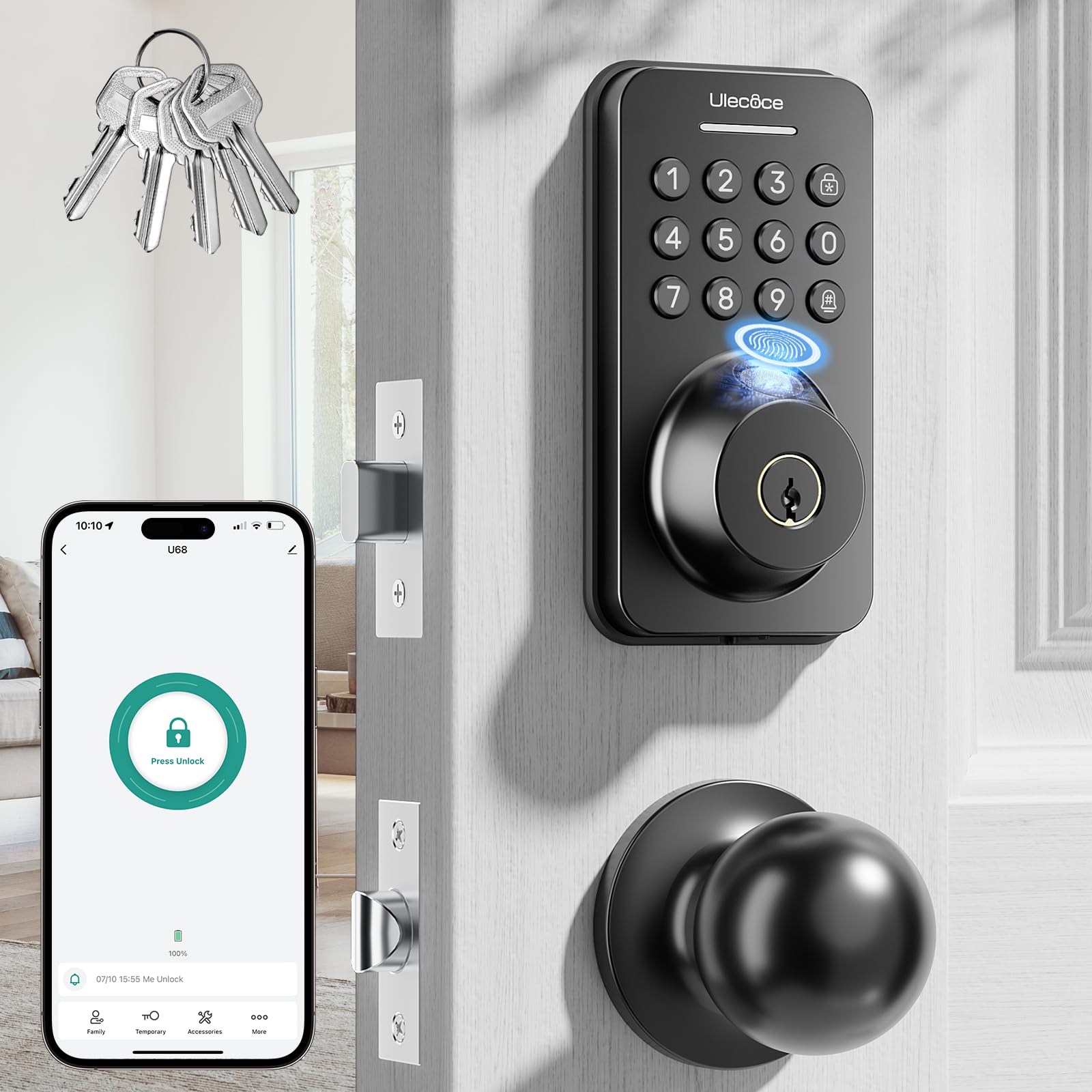
Type: Fingerprint keypad deadbolt with knob set
Unlock Methods: Fingerprint, keypad code, app, key
Convenience: Auto-lock, one-touch lock
Security Feature: Anti-peep codes
Included: 5 keys
Control: App control
The U68 bundles a knob set with the deadbolt, so it can refresh a back door’s entire hardware in one purchase. Anti-peep codes let a user add extra digits around the real code, which is useful on a door where someone might be standing nearby. One-touch lock gives a fast manual exit lock without digging into an app, and auto-lock covers the forgetful cases. Five keys are included for anyone who still wants a physical fallback, and app control adds remote management. It suits households with a standard knob-and-deadbolt rear door that want matching matte black hardware on a tight budget.
The trade-off is that the knob set adds installation steps and must match the door’s existing bore spacing, so a door with unusual prep may not accept the supplied hardware cleanly.
Check the current price on Amazon
Before You Buy
- Door prep: Confirm the back door already has a deadbolt bore and, if the lock includes a handle or knob, that the door’s bore spacing matches the supplied hardware.
- Weather exposure: A covered rear entry tolerates most locks; a fully exposed door calls for a model with an explicit water-resistance rating.
- Connectivity: Built-in Wi-Fi means no hub, but check that the door is within reliable Wi-Fi range before relying on app or voice control.
- Power source: Battery-powered locks need a recharge or swap schedule; a USB-C port or long battery claim reduces the hassle.
- Entry methods: Fingerprint is fastest for residents, codes suit guests and sitters, and a physical key remains the fallback when electronics fail.
- Door thickness and material: Wood, metal, and composite doors differ in how they accept deadbolt hardware, so check compatibility before ordering.
- Shared access: Smart user management and temporary codes matter for rentals or homes with regular visitors.
Frequently Asked Questions
-
Can a smart lock be used on a back door?
Yes. Back doors use the same deadbolt prep as front doors, so most smart deadbolts fit, though an exposed rear entry benefits from a model with a weather rating. -
Does a back door smart lock need Wi-Fi?
Not for keypad or fingerprint entry. Wi-Fi is only needed for app control, remote access, and voice unlock, and the picks here build it in rather than requiring a hub. -
What happens when the batteries die?
Most models warn before the battery runs down and keep a physical key or external power option as a fallback, so a dead battery doesn’t lock the household out permanently. -
Is fingerprint entry reliable outdoors?
Fingerprint readers work well in most conditions, but wet or very cold fingers can slow recognition, so keeping a code as a backup entry method is sensible. -
Can temporary codes be issued to guests?
Yes. The app-controlled models here support flexible codes and smart user management, which lets a homeowner add and revoke access for sitters, cleaners, or short-term guests. -
Do these locks fit standard doors?
Most fit standard residential deadbolt prep, but locks that include a handle or knob set also need the door’s bore spacing to match the supplied hardware.
Bottom Line
For a back door, the eufy Security Smart Lock C220 is the safest all-round choice: its IP53 water resistance, up to 8-month battery life, and BHMA Grade 3 rating are built for a rear entry that sees weather and daily use, and built-in Wi-Fi keeps app control simple. Buyers replacing the whole handle set should look at the Philips WiFi Keypad Deadbolt with Handle instead, while budget-first shoppers can start with the Veise VE017.