Why there are Amazon links here: Brave Review is paid a commission for qualifying Amazon purchases made through the links below. Your price does not change, and using our links is entirely optional. How this works
Best Smart Lock for a Door with a Thumbturn and No Keyhole
A door with a thumbturn on the inside and no keyhole on the outside is a common setup — and it confuses a lot of shoppers. The good news is that most keyless deadbolts and handle sets are built for exactly this situation: nothing to insert a key into, just a keypad, a fingerprint reader, or an app. This guide covers five locks that suit renters who want a quick install, homeowners who want app and voice control, and budget buyers who just want a code on the door. The overview table below lets a reader pick in under a minute, and each review explains who the lock fits and where it falls short.
The Picks at a Glance
| Product | Key Spec | Best Use | Price Tier |
|---|---|---|---|
| Philips WiFi Keypad Deadbolt with Handle | Fingerprint, voice, built-in WiFi | Full-feature front door | Premium |
| Yamiry Fingerprint Keyless Entry Handle Lock | Fingerprint knob, easy install | Renters and quick swaps | Budget |
| Veise DK01-B Keyless Entry Deadbolt with Handle Set | 21 user codes, 2 backup keys | Large households | Budget |
| Veise KS01C Keyless Entry Deadbolt with Knobs | Backlit keypad, IP54 | Simple code-only entry | Budget |
| Philips Wi-Fi Smart Deadbolt Lock | Code, fingerprint, app, voice | App-controlled entry | Mid-range |
1. Philips WiFi Keypad Deadbolt with Handle — Best Overall

Unlock Methods: Voice, fingerprint, flexible codes, app
Connectivity: Built-in WiFi
Hardware: Keypad deadbolt with door lever handle
Extras: Auto-lock, backlit keypad
Price Tier: Premium
This is the most capable lock in the group, and it is the one to beat for a main front door. The built-in WiFi means no separate hub is needed for remote control, and the combination of fingerprint, voice, codes, and app gives every member of a household a way in. The included lever handle replaces the whole exterior hardware set, so the door ends up looking finished rather than half-upgraded. The backlit keypad and auto-lock round out the everyday conveniences.
Buyers who want one lock to handle guests, family, and remote access will find the most here. It earned the top spot because it covers every entry method in this roundup in a single box. The caution is the price and the complexity — this is the most expensive pick, and a lock with WiFi, voice, and fingerprint has more setup steps and more to go wrong than a plain keypad.
Check the current price on Amazon
Trade-off: The most features also means the most setup and the highest cost in this group.
2. Yamiry Fingerprint Keyless Entry Handle Lock — Best for Renters

Unlock Methods: Fingerprint, digital codes
Hardware: Electronic knob handle
Install: Easy installation
Extras: Passage mode, auto-lock
Price Tier: Budget
This lock takes the place of the door knob rather than the deadbolt, which makes it the friendliest option for a rental or a door that already has a working deadbolt. The fingerprint reader and code pad sit right on the knob, so entry is one motion. Passage mode is a nice touch for moving day or a party, and auto-lock keeps the door secure after it closes. It works alongside an existing deadbolt keypad rather than replacing it.
Renters and anyone who wants to keep the existing deadbolt will get the most from this pick. It earned its place as the cheapest way to add fingerprint entry to a door. The drawback is that a knob-mounted lock is a lighter-duty piece of hardware than a full deadbolt set, so a household that wants maximum security on an exterior door should look at the deadbolt options instead.
Check the current price on Amazon
Trade-off: A knob-style lock is a lighter-duty build than a full deadbolt set.
3. Veise DK01-B Keyless Entry Deadbolt with Handle Set — Best for Big Households
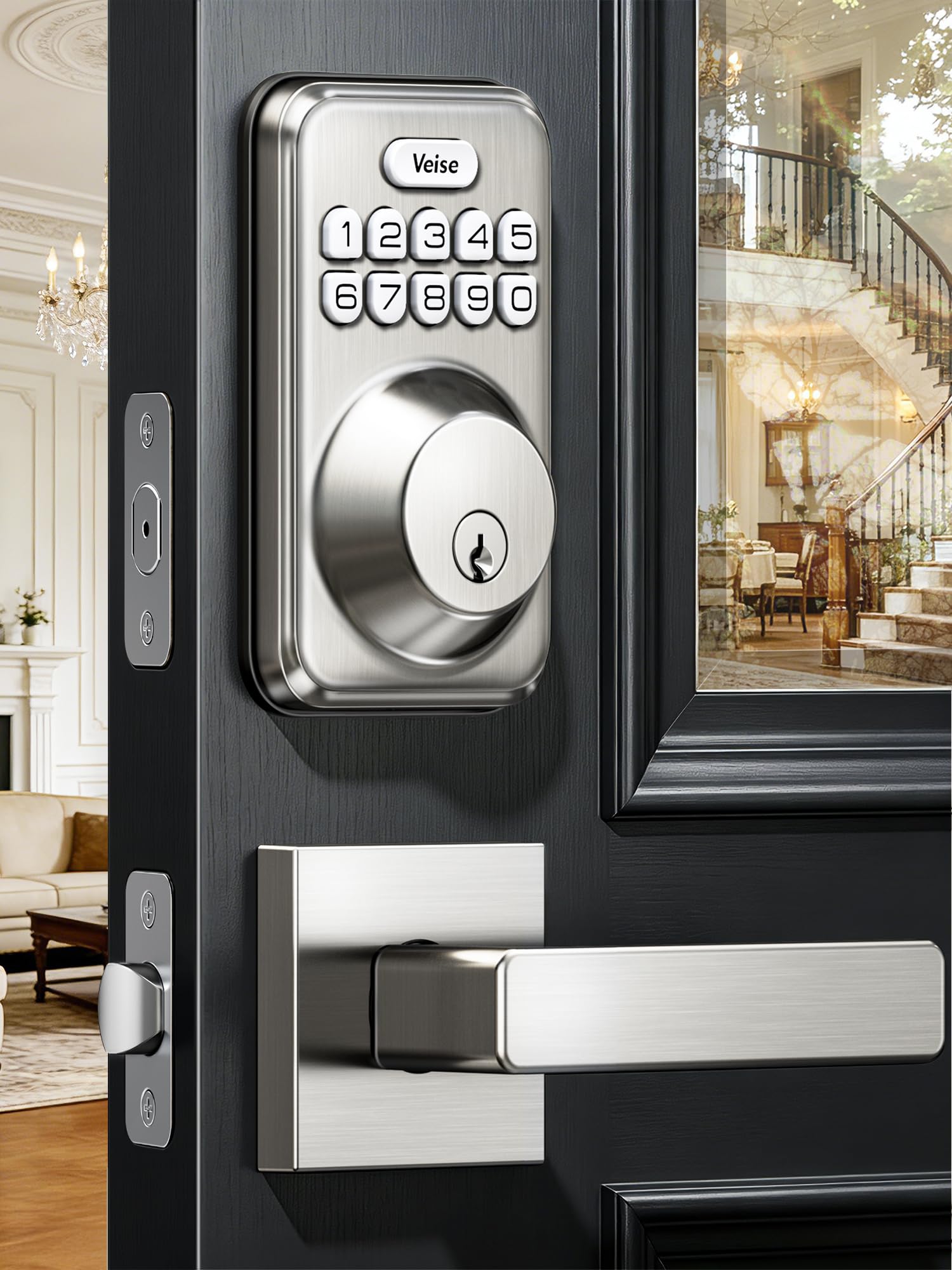
Unlock Methods: Keypad codes, 2 backup keys
Capacity: 21 user passwords
Weather Rating: IP54 waterproof
Extras: Anti-peeping and one-time codes, auto-lock, backlit keypad
Finish: Satin nickel
Price Tier: Budget
The standout number here is 21 user passwords, which is far more than most households will ever need and makes this a strong fit for a busy home, a small office, or a rental with frequent turnover. The anti-peeping code feature obscures digits as they are entered, and one-time codes are handy for a delivery or a one-off visitor. IP54 waterproofing means it is built to handle rain and splashes on an exterior door, and the included handle set finishes the install. Two backup keys are included as a fallback.
Large families, landlords, and anyone who hands out codes regularly will appreciate the capacity. It earned its place as the best value for high-traffic doors. The caution is that this is a keypad-first lock — there is no fingerprint or app control, so buyers who want phone access need to step up to one of the WiFi picks.
Check the current price on Amazon
Trade-off: No fingerprint or app access — this is a code-and-key lock only.
4. Veise KS01C Keyless Entry Deadbolt with Knobs — Simplest Install

Unlock Methods: Keypad codes
Hardware: Deadbolt with knob handle set
Weather Rating: IP54 waterproof
Extras: Anti-peep and one-time codes, auto-lock, backlit keypad
Finish: Matte black
Price Tier: Budget
This is the straightforward code-only option, and it is the cheapest full deadbolt-and-knob set in the roundup. Easy install is the headline, and the matte black finish gives a door a clean, modern look. The backlit keypad is readable at night, anti-peep and one-time codes cover the security basics, and IP54 waterproofing means it is rated for outdoor use. Auto-lock keeps the door from being left open by accident.
Buyers who want a simple code lock with no app, no WiFi, and no fingerprint reader will find this the easiest choice. It earned its place as the budget deadbolt pick for a door that just needs a code. The caution is the same as its sibling: no remote access and no fingerprint, so a household that wants phone control should look elsewhere.
Check the current price on Amazon
Trade-off: Code-only entry with no app or fingerprint option.
5. Philips Wi-Fi Smart Deadbolt Lock — Best for App Control

Unlock Methods: Code, fingerprint, app, Alexa and Google voice
Connectivity: Built-in WiFi
Hardware: Deadbolt with backlit touchscreen
Extras: Remote access, auto-lock
Price Tier: Mid-range
This is the smart-home pick for a buyer who wants app and voice control but does not need the full handle set. The built-in WiFi handles remote access without a hub, and the touchscreen keypad is backlit for night entry. Fingerprint unlock is there for fast everyday use, and Alexa and Google voice unlock covers hands-free entry. Auto-lock and remote access round out the package.
Buyers who already run Alexa or Google and want to check or unlock the door from a phone will get the most from this one. It earned its place as the mid-range app-control option. The caution is that it is a deadbolt only — no handle or knob is included — so a door that needs the full hardware set should look at the handle-set picks instead.
Check the current price on Amazon
Trade-off: Deadbolt only — no handle or knob in the box.
Before You Buy
- Compatibility: Confirm the door has a standard deadbolt bore and that the existing thumbturn is a single-cylinder setup with no exterior keyhole.
- Door thickness: Check the door thickness against the lock’s stated range before ordering, since a lock sized for a thin door will not fit a thick one.
- Entry method: Decide up front whether the household needs a code only, a fingerprint reader, or full app and voice control — that choice narrows the list fast.
- Power: Keypad and fingerprint locks run on batteries, so plan for a backup key or a jump-start option and a battery check routine.
- Weather: For an exterior door, look for an IP rating on the product name — IP54 is the common outdoor baseline in this group.
- Backup access: Keep the included backup keys somewhere off-site, since a keyless lock with a dead battery still needs a way in.
Frequently Asked Questions
-
Will a smart lock work on a door with no keyhole?
Yes. Keyless deadbolts and handle sets are designed for exactly this setup — entry is by keypad, fingerprint, or app, and there is nothing to insert a key into. -
Do these locks need a hub?
Only the WiFi models in this list connect directly without one. The code-only and knob-style locks work standalone. -
What happens when the batteries die?
Most keyless locks warn before the battery runs down, and the models here include backup keys or a jump-start option so a dead battery does not lock anyone out. -
Can a renter install one without damaging the door?
The knob-style Yamiry lock is the friendliest for renters because it swaps the knob rather than the deadbolt, and the original hardware can be put back. -
Are these locks weatherproof?
The Veise models carry an IP54 rating, which covers rain and splashes. The WiFi picks are built for covered exterior doors. -
Can codes be shared and revoked?
Yes. The Veise DK01-B supports many user codes plus one-time codes, and the WiFi models allow remote code management through the app.
Bottom Line
For most buyers, the Philips WiFi Keypad Deadbolt with Handle is the best smart lock for a door with a thumbturn and no keyhole — it covers fingerprint, voice, code, and app entry in one box and includes the handle set. Renters should look at the Yamiry knob lock, and budget buyers who just want a code should pick the Veise KS01C. Compare current prices on Amazon before ordering, since the price tiers in this guide move.
