Why there are Amazon links here: Brave Review is paid a commission for qualifying Amazon purchases made through the links below. Your price does not change, and using our links is entirely optional. How this works
Best Smart Lock for a Renter Who Moves Often: 5 Picks That Travel Well
Renting and relocating every year or two changes what matters in a smart lock: the install has to be reversible, the hardware has to come back off without a trace, and the lock has to fit whatever deadbolt the next apartment happens to have. The five picks below cover three renter profiles — the tool-averse tenant who wants no drilling, the tech-forward renter who wants Apple Home and Matter, and the frequent mover who wants a lock that survives being taken down and put back up. The overview table sorts them by key spec and best use; the reviews follow.
The Picks at a Glance
| Product | Key Spec | Best Use | Price Tier |
|---|---|---|---|
| ULTRALOQ Bolt SE Wifi Smart Deadbolt | Built-in WiFi, Apple Home/Alexa/Google, Matter | Renters building a full smart-home setup | Mid |
| Wyze Auto-Lock Bolt v2 | AI learning fingerprint scanner, 8-month battery | Hands-free entry on a budget | Budget |
| eufy Security Smart Lock C220 | Built-in WiFi, IP53, BHMA Grade 3 | Set-and-forget daily use | Mid |
| Fingerprint Smart Door Lock with Handle & Keypad | Handle + keypad combo, Alexa & Google | Doors that need a full handle replacement | Mid |
| Silver Retrofit Smart Lock | No drill, keeps original keys, 10-month battery | Lease-safe installs with zero modifications | Premium |
ULTRALOQ Bolt SE Wifi Smart Deadbolt Lock
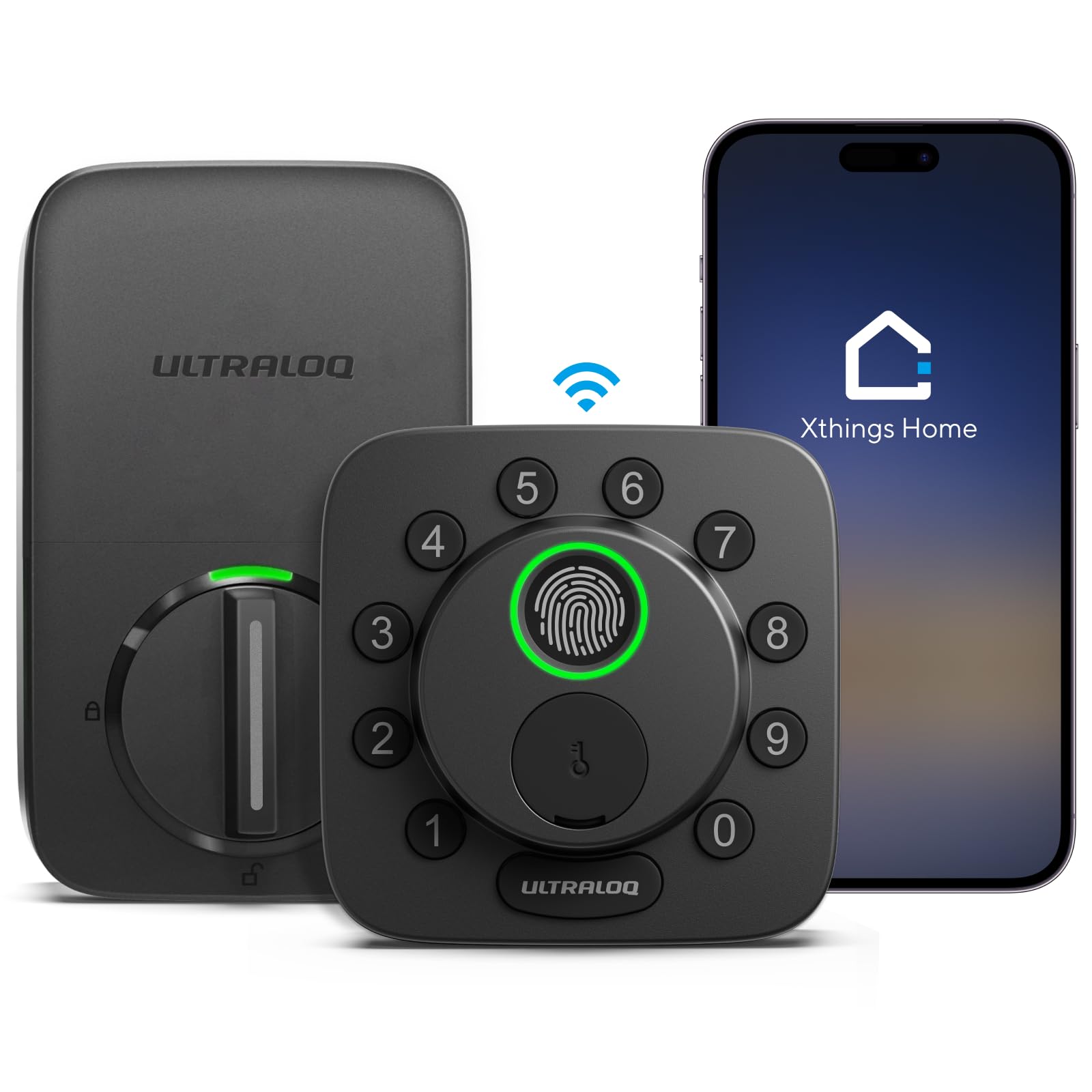
Connectivity: Built-in WiFi, no hub needed
Ecosystems: Apple Home, Alexa, Google, Matter
Entry methods: Fingerprint, app, code, key
Material: Solid zinc alloy
Extras: Auto lock, remote control
Check the current price on Amazon
The zinc alloy body is the standout here — it feels heavier and more substantial than the plastic-shelled locks that dominate this price bracket, which matters for a device that will be unscrewed and re-hung at least once. Built-in WiFi means no separate bridge to pack and lose, and Matter support keeps the lock useful if the renter’s next place runs on a different platform. Fingerprint, code, and app entry cover the usual cases: a quick thumb on the way out, a temporary code for a dog walker, and remote unlocking for a delivery.
This is the pick for a renter who is already building a smart home and does not want to re-buy hardware after every move. The trade-off is that a full-featured WiFi deadbolt draws more power than a Bluetooth-only model, so battery swaps will come around more often than the manufacturer’s best-case estimate suggests.
Wyze Auto-Lock Bolt v2

Connectivity: Built-in WiFi
Entry methods: Fingerprint, keypad, backup keys
Battery life: Up to 8 months
Ratings: BHMA2, IP53
Keypad: Anti-peep
Extras: Auto-lock
Check the current price on Amazon
The AI learning fingerprint scanner is the headline: it refines its read of a print over time, which cuts down on the failed-swipe annoyance common to cheaper sensors. The anti-peep keypad lets a user add random digits around the real code, a small but genuinely useful feature in a shared hallway. IP53 and BHMA2 ratings put it in the same durability class as locks costing noticeably more, and the 8-month battery figure is realistic for a WiFi lock used a few times a day.
Frequent movers on a tight budget should start here — it delivers the core renter needs without premium pricing. The trade-off is that Wyze’s ecosystem is narrower than Apple Home or Matter, so a renter who later standardizes on Apple’s platform will be leaving this lock behind.
eufy Security Smart Lock C220
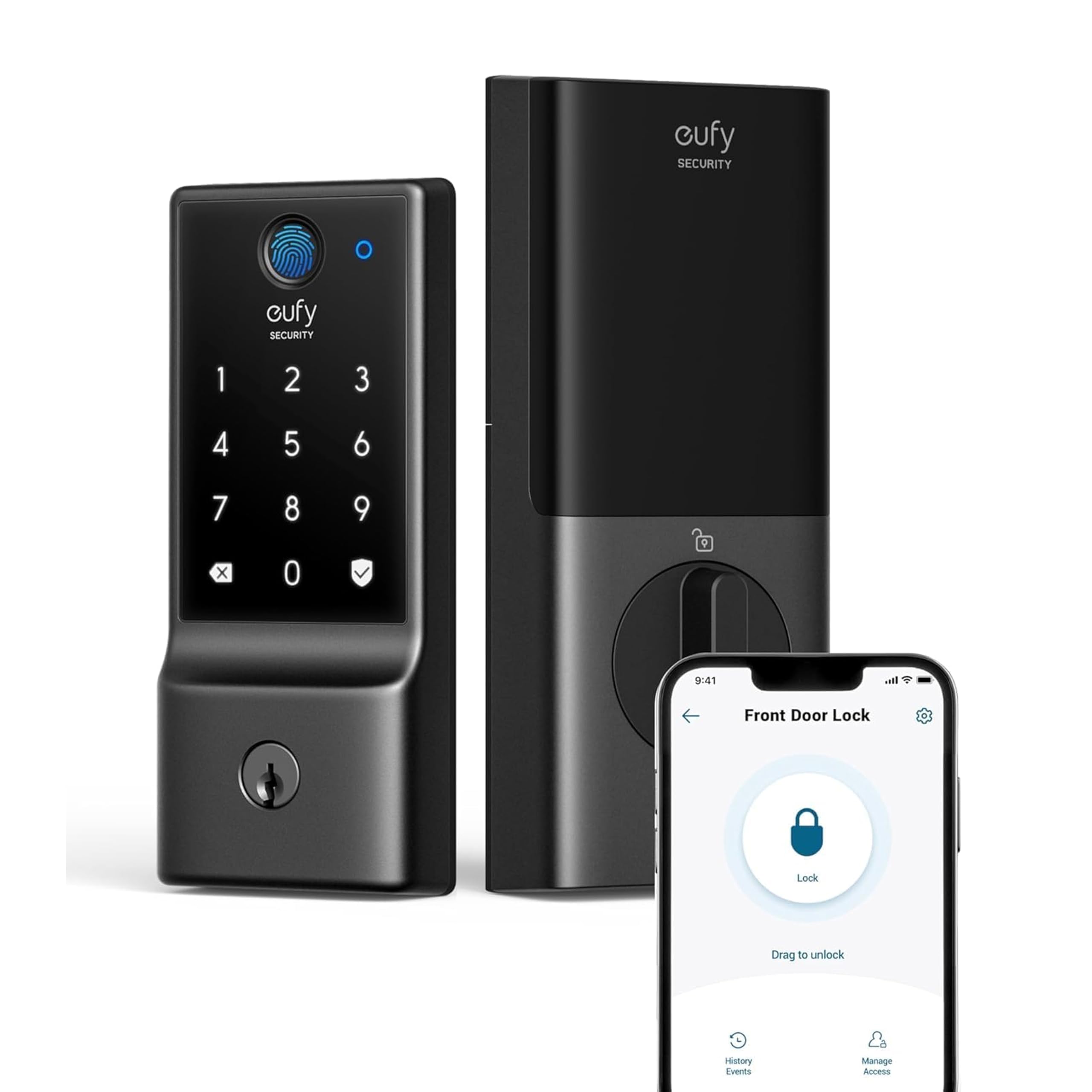
Connectivity: Built-in WiFi
Control: App remote control
Battery life: Up to 8 months
Weather rating: IP53 waterproof
Durability rating: BHMA Grade 3
Entry: Fingerprint keyless entry
Check the current price on Amazon
The C220 is the low-maintenance option: built-in WiFi for remote control, a fingerprint reader for everyday entry, and an IP53 rating that shrugs off rain and splashes on an exposed front door. BHMA Grade 3 is the entry-level tier of the standard deadbolt grading system, which is appropriate for residential use and tells a renter the lock has been tested to a recognized benchmark rather than sold on claims alone. The 8-month battery window keeps maintenance to roughly twice a year.
It suits a renter who wants to install once, forget it, and not think about the lock again until the battery chirps. The trade-off is that the C220 is a straightforward deadbolt with no Matter support, so it will not slot into a cross-platform smart home as cleanly as the ULTRALOQ.
Fingerprint Smart Door Lock with Handle & Keypad

Type: Handle and keypad combo lock
Entry methods: Fingerprint, keypad, keyless
Compatibility: Alexa and Google
Access: Remote access
Install: DIY
Suited to: Homes, rentals, Airbnb
Check the current price on Amazon
This is the odd one out in a good way: it replaces the entire handle set, not just the deadbolt cylinder, which makes it the right answer for a rental whose front door has a worn lever or a handle that no longer latches cleanly. Fingerprint and keypad entry cover the daily cases, and Alexa and Google compatibility adds voice control without a hub. DIY install is the stated design goal, and the handle-plus-keypad format is familiar to anyone who has swapped a lockset before.
It earns its place for renters whose door hardware is the problem, not just the key. The trade-off is that a full handle replacement touches more of the door than a deadbolt swap, so a renter should confirm the lease allows hardware changes and keep every original part bagged and labeled for move-out.
Silver Retrofit Smart Lock for Existing Deadbolt
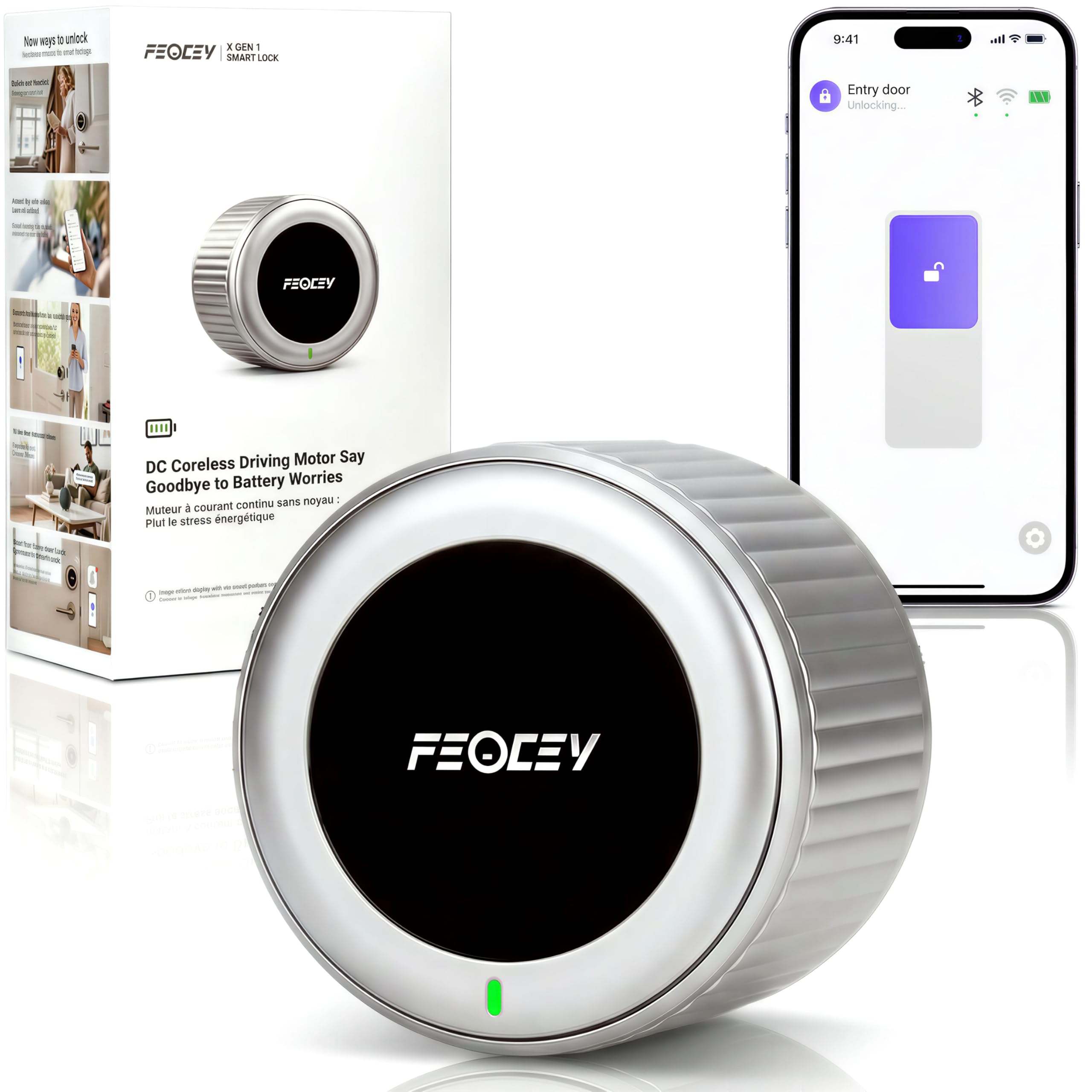
Install: No drill, retrofit over existing deadbolt
Original keys: Still work
Battery life: Up to 10 months
Connectivity: Built-in WiFi
Features: Keyless entry, auto-lock, door ajar alert
Voice: Works with Alexa
Check the current price on Amazon
The retrofit design is the whole point: it mounts over the existing deadbolt without drilling, and the original keys keep working, so the landlord’s copy still opens the door and nothing about the door is permanently altered. A door-ajar alert is a genuinely useful addition for renters in buildings where a propped door is a security concern, and the 10-month battery claim is the longest in this group. Auto-lock removes the "did I lock it?" second-guess on the way out.
This is the safest pick for a renter on a strict lease or one who moves every year and wants a five-minute install and removal. The trade-off is price — the convenience and lease-safety of a no-drill retrofit carry a premium over a standard deadbolt replacement.
Before You Buy
- Install method: No-drill retrofit models are the safest for leases; full deadbolt or handle replacements need landlord sign-off and original parts kept for move-out.
- Compatibility: Check the door’s deadbolt bore and backset before ordering, and confirm the lock works with the renter’s phone platform — Matter and Apple Home support are not universal.
- Connectivity: Built-in WiFi avoids a hub to pack and lose, but it drains batteries faster than Bluetooth-only models.
- Battery life: Expect real-world runtime below the stated maximum, especially with WiFi and auto-lock enabled; keep backup keys somewhere outside the apartment.
- Weather rating: An IP53 rating matters for exposed front doors; interior or covered doors are less demanding.
- Move-out plan: Keep the original hardware, screws, and keys in a labeled bag so the door can be returned to stock condition.
- Access backup: Every smart lock should have a physical key or keypad backup in case the battery dies or the app fails.
Frequently Asked Questions
-
Can a renter install a smart lock without permission?
A no-drill retrofit that leaves the original deadbolt and keys intact is the lowest-risk option. Any lock that replaces the deadbolt or handle should be cleared with the landlord first. -
Do smart locks work on any apartment door?
Most fit standard deadbolt preparations, but bore size and backset vary. Measure before ordering, and check whether the door is metal, wood, or a fire-rated assembly with its own rules. -
What happens when the battery dies?
Every lock here supports a backup entry method — a physical key or a keypad — so a dead battery locks a renter out only if the backup was never set up. Keep a key off-site. -
Is built-in WiFi better than a hub for renters?
Built-in WiFi means one less device to move and reconfigure. A hub-based lock can be cheaper and gentler on batteries, but it adds a box that has to be packed and re-paired at the next address. -
Can a smart lock be moved to a new apartment?
Yes, provided the new door has a compatible deadbolt preparation. Retrofit and standard deadbolt models travel best; handle-replacement locks may not fit a different door style. -
Do renters need a lock with Matter or Apple Home?
Only if the rest of the smart home runs on those platforms. A renter who uses Alexa or Google alone can skip the premium that Matter support adds.
Bottom Line
For most renters who move often, the ULTRALOQ Bolt SE is the best smart lock for a renter who moves often: solid zinc alloy construction, built-in WiFi, and Matter support mean it installs once and stays useful across platforms and addresses. A renter on a strict lease who wants zero door modifications should pay the premium for the Silver Retrofit model instead, and a budget-focused mover can start with the Wyze Auto-Lock Bolt v2. Check the ULTRALOQ Bolt SE price on Amazon before the next lease signing.
