Why there are Amazon links here: Brave Review is paid a commission for qualifying Amazon purchases made through the links below. Your price does not change, and using our links is entirely optional. How this works
Best Smart Radiator Valve for a Single Room: 5 Picks Compared
Heating one room shouldn’t mean rewiring a whole house, and it doesn’t. This roundup covers five smart radiator valves that fit an existing radiator and add app, schedule or voice control to a single zone — no boiler replacement, no plumber. The picks split into three buyer types: renters and tinkerers who want a cheap standalone valve, Zigbee users who already run a Tuya or Home Assistant setup, and anyone who wants the simplest possible plug-and-play path. The overview below ranks all five at a glance; detailed reviews and a buyer’s checklist follow.
Overview of the Picks
| Product | Key Spec | Best Use | Price Tier |
|---|---|---|---|
| Smart Thermostat Radiator Valve (Black) | Zigbee, Tuya hub required, Alexa/Google | Zigbee households wanting app + voice | Mid |
| Shelly Blu TRV & Blu Gateway Gen3 | Bluetooth, Home Assistant ready | Home Assistant and local-control users | Premium |
| LiebeWH Smart Thermostatic Radiator Valve | LCD display, app and voice control | Visual readout at the radiator | Budget |
| Smart Radiator Valve with Digital Display | WiFi controller, scheduling | Standalone WiFi, no hub | Mid |
| Smart Radiator Thermostat Valve (White) | Zigbee, Tuya app, ABS body | Rentals, hotels, simple remote control | Budget |
1. Smart Thermostat Radiator Valve (Black) — Best Overall for Zigbee Households
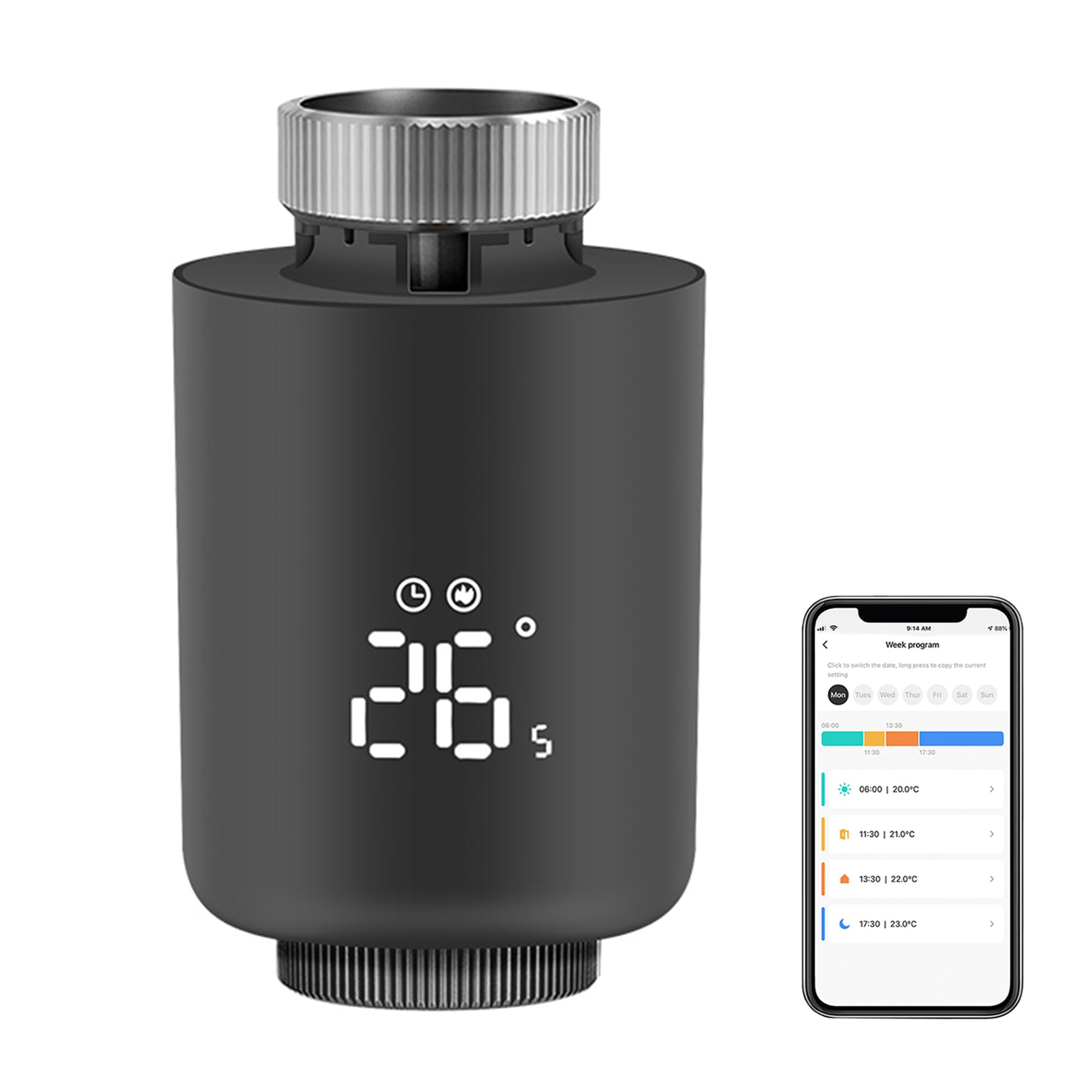
Connectivity: Zigbee
Hub Requirement: Tuya Zigbee hub required
Control: App control, voice control
Voice Assistants: Alexa, Google Home
Finish: Black
Type: Programmable thermostatic radiator valve
The black finish is the first thing that separates this valve from the white plastic crowd, and it suits darker radiators and modern interiors where a white head looks stuck on. It runs on Zigbee rather than WiFi, which is the right call for a single room: Zigbee devices respond quickly, sip battery, and mesh through each other instead of loading the router. The Tuya requirement means a hub is mandatory — this valve will not talk to a phone on its own. Voice control through Alexa and Google Home works once the valve is registered in the Tuya app, and schedules live in that app.
This is the pick for a household that already owns a Tuya Zigbee hub or plans to buy one, because the valve then joins a system that can grow to other rooms later. Buyers with no hub and no intention of buying one should skip it — a WiFi valve is less hassle. The plastic collar and thread adapters are the usual weak point on valves at this level, so gentle hand-tightening matters.
Trade-off: The mandatory Tuya hub adds cost and one more device to set up, so the valve is only good value if that hub already exists or will serve other rooms.
2. Shelly Blu TRV & Blu Gateway Gen3 — Best for Home Assistant and Local Control
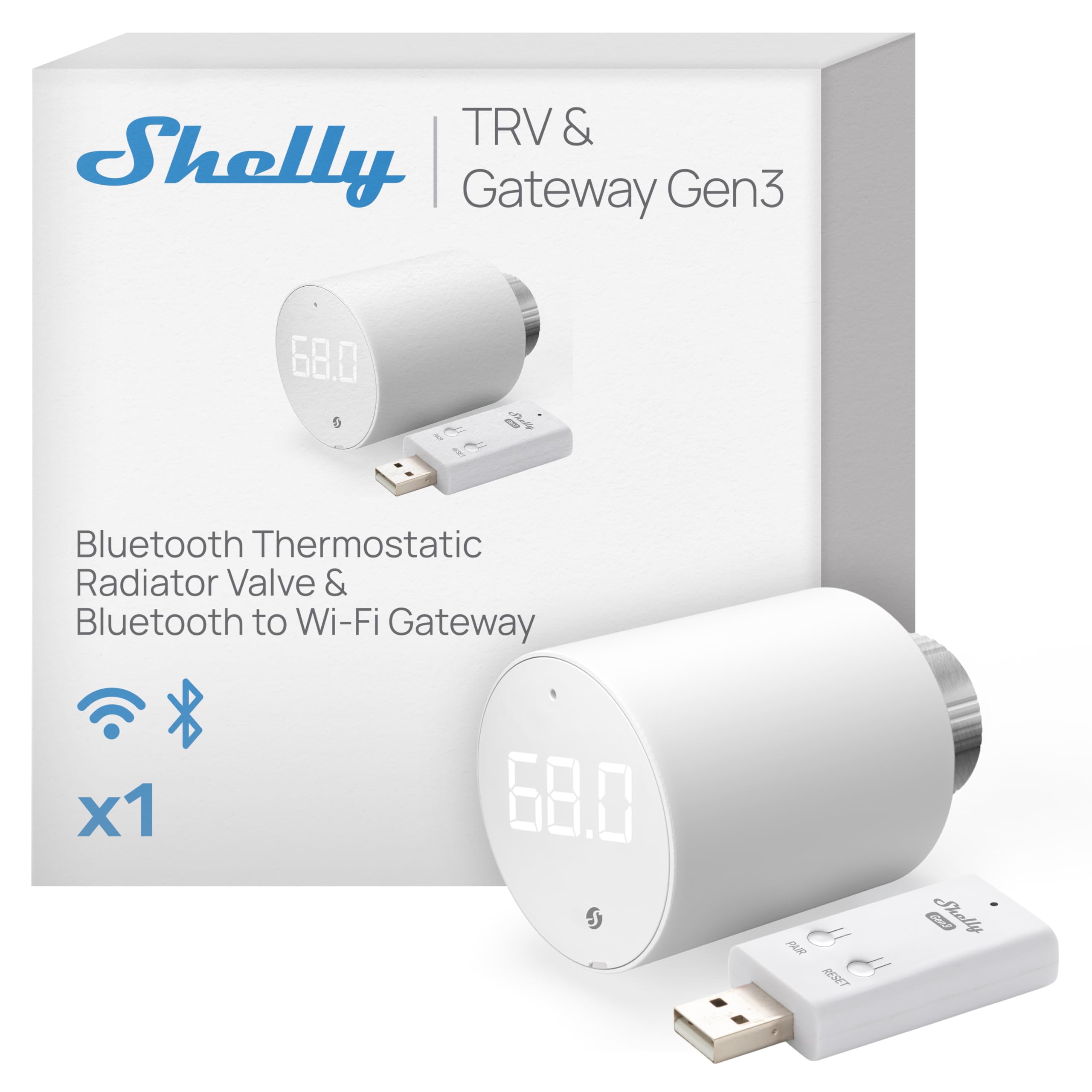
Connectivity: Bluetooth
Included: Blu TRV and Blu Gateway Gen3
Ecosystem: Home Assistant, Alexa, Google
Type: Smart thermostatic radiator valve
Use Case: Home automation and temperature control
Control: App and voice via gateway
Shelly’s bundle pairs the valve with its own gateway, which answers the biggest Bluetooth complaint before it starts: without a bridge, a Bluetooth valve is only reachable from a few meters away. The gateway puts the valve on the network and hands it to Home Assistant, Alexa or Google, and Shelly’s ecosystem is known for local control that keeps working when the cloud doesn’t. The two-piece kit also means one box, one setup flow, and no hunting for a compatible hub.
This is the premium pick and the one for buyers who already run Home Assistant or care about keeping automation off someone else’s server. It is overkill for a single rental room where a cheap Zigbee head would do the same job. The Bluetooth link between valve and gateway is shorter-range than Zigbee or WiFi, so the gateway needs to sit reasonably close to the radiator.
Trade-off: The highest-priced option here, and the gateway’s placement near the radiator limits where it can live.
3. LiebeWH Smart Thermostatic Radiator Valve — Best Budget Pick with a Display
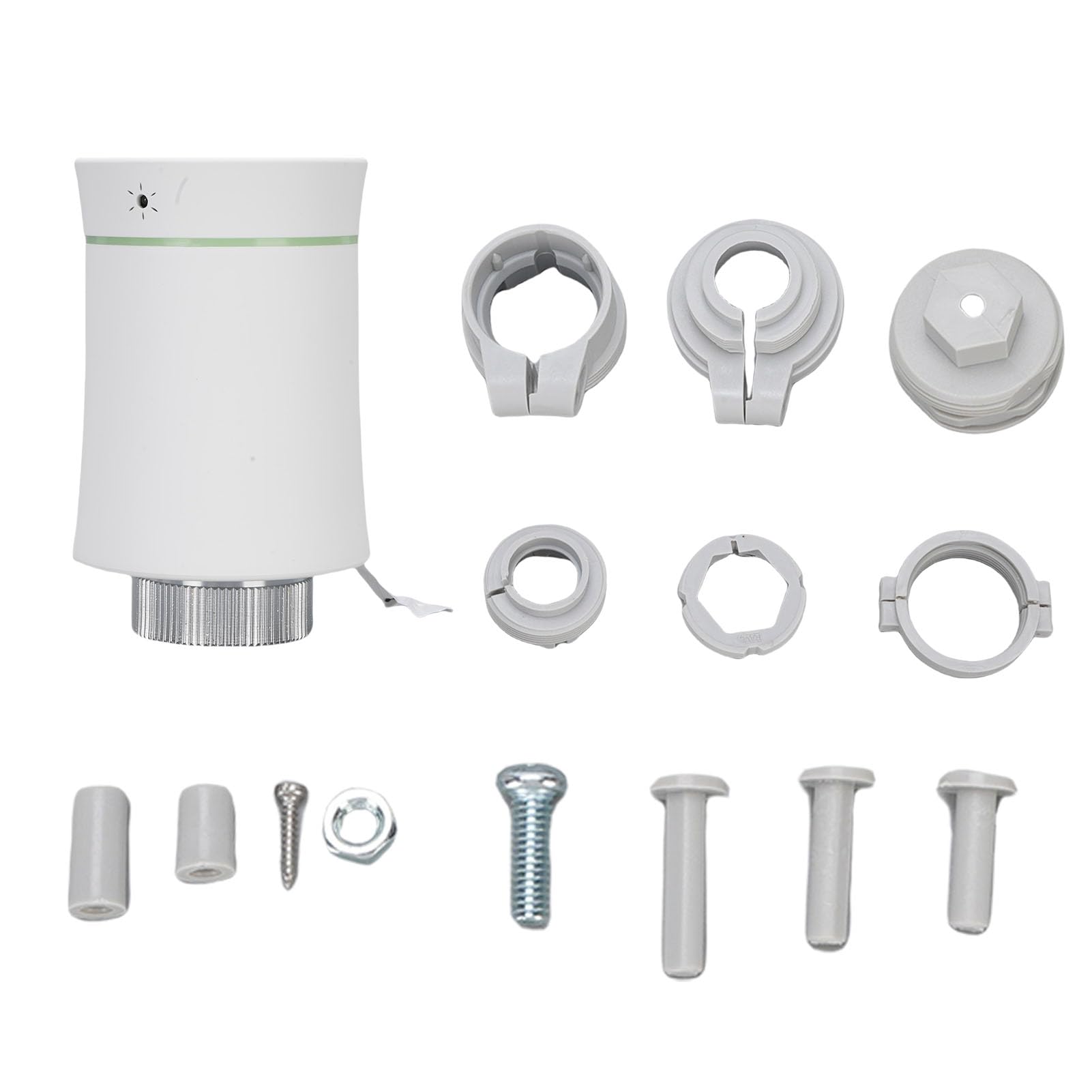
Display: LCD
Control: App and voice control
Type: Programmable thermostatic radiator valve
Finish: White
Use Case: Room heating
Programmability: Yes, via app
The LCD screen is the feature that earns this valve its place: it shows the setpoint and current reading at the radiator itself, so anyone in the room can check or nudge the temperature without reaching for a phone. App and voice control sit on top of that, and the programmable scheduling covers the usual weekday and weekend patterns. The white housing blends with standard radiators and the price tier is the lowest of the five.
Buyers who want a screen on the device, or who share the room with people who won’t install an app, get the most from it. It is not the pick for someone building a multi-room system around one ecosystem — the listing doesn’t name a hub standard, so it’s best treated as a standalone single-room valve. The plastic body and LCD window are the parts to handle carefully during fitting.
Trade-off: No named hub ecosystem means this valve is best kept as a standalone unit rather than a building block for a larger smart home.
4. Smart Radiator Valve with Digital Display — Best Standalone WiFi Option

Connectivity: WiFi
Display: Digital display
Control: Scheduling and app control
Type: Programmable radiator thermostat valve
Use Case: Home heating
Hub Requirement: None stated
WiFi on board means no hub, no gateway and no bridge — the valve joins the home router directly, which is the shortest setup path of any pick here. The digital display gives an at-a-glance reading, and scheduling runs through the companion app. For a single room in a house with decent WiFi coverage, that combination is hard to argue with.
This suits the buyer who wants one smart radiator and no smart-home hobby: a spare room, a home office, a bedroom that runs cold. It is not the right choice for anyone planning to add five or six valves later, because each WiFi device loads the router and the app becomes a list rather than a system. WiFi radios also draw more battery than Zigbee or Bluetooth, so expect more frequent cell changes.
Trade-off: WiFi costs battery life compared with Zigbee or Bluetooth, and there is no mesh to extend range if the radiator sits far from the router.
5. Smart Radiator Thermostat Valve (White) — Best Cheap Zigbee Valve for Rentals
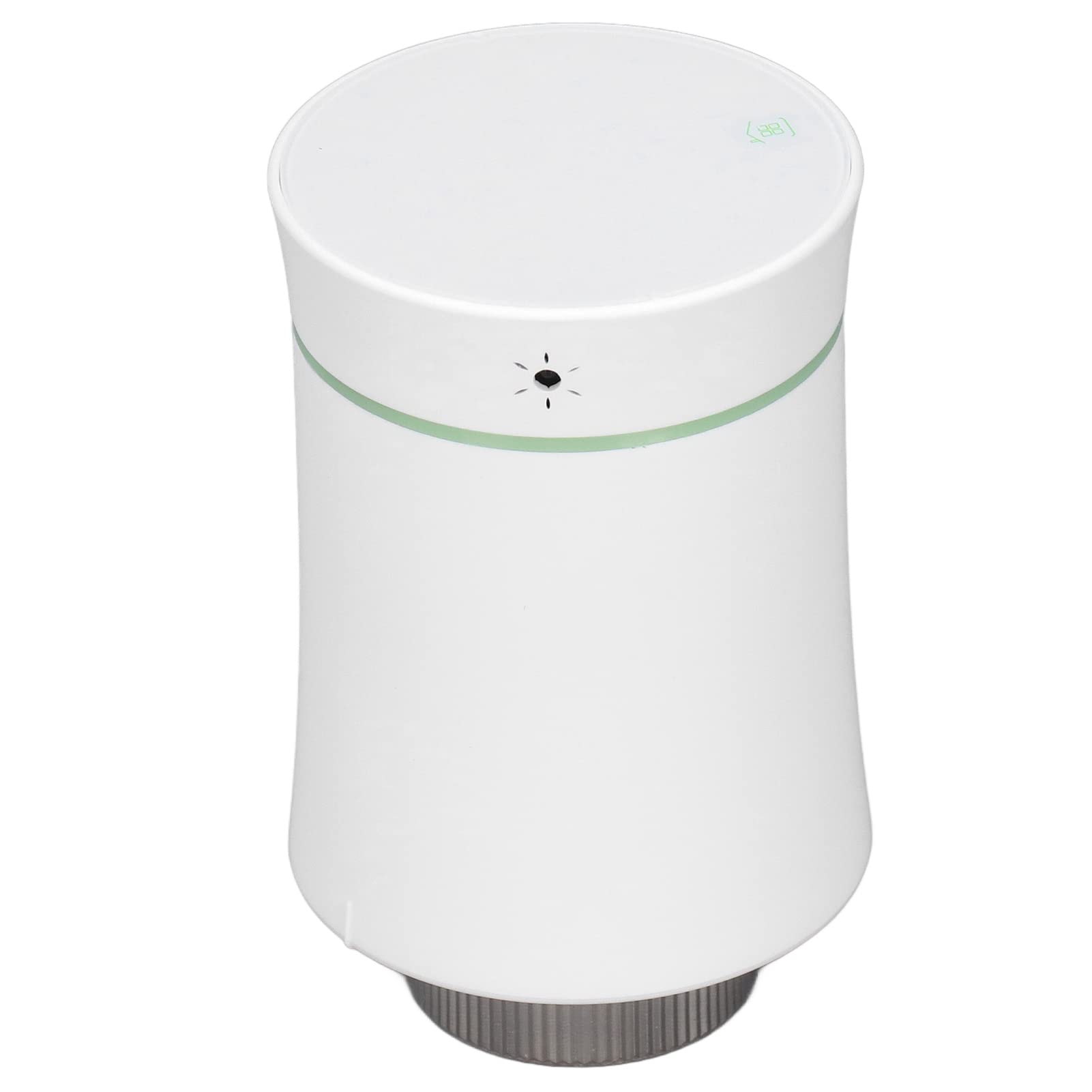
Connectivity: Zigbee
App: Tuya
Material: ABS
Control: Wireless remote control
Use Case: Residential buildings and hotels
Finish: White
The ABS body keeps this valve light and cheap, and Zigbee keeps it battery-friendly — a sensible pairing for a device that sits on a hot radiator all winter. Tuya app control covers schedules and remote adjustment, and the listing’s framing toward residential buildings and hotels points at the real use case: several identical rooms that need the same simple control. White is the safe finish for standard radiators.
This is the budget Zigbee pick for landlords, rental hosts and anyone fitting more than one room on a tight budget. Like the first pick, it needs a Tuya Zigbee hub to reach the app, so it is not a standalone device. ABS is lighter and less premium-feeling than metal-bodied valves, which matters if the valve is handled often.
Trade-off: Requires a Tuya Zigbee hub and uses a plastic ABS body, so it trades a little durability for its low price.
Before You Buy
- Compatibility: Check the radiator’s valve thread and whether the valve is TRV-ready; most smart heads replace an existing thermostatic head, not a manual wheel valve.
- Hub requirement: Zigbee valves need a Zigbee hub (Tuya for two picks here), Bluetooth needs the Shelly gateway, and only the WiFi pick connects directly.
- Ecosystem: Match the valve to the app already in use — Tuya, Home Assistant, Alexa or Google — rather than adding a second app for one radiator.
- Power: All five run on batteries; WiFi drains faster than Zigbee or Bluetooth, so budget for cells each heating season.
- Placement: Signal matters more than spec sheets — a radiator in a back bedroom may need a gateway or hub closer than the router.
- Fitting: Most heads screw onto the valve body by hand; adapters cover common thread sizes, and no plumbing work is normally required.
- Room size: One valve controls one radiator, not one room’s whole heat load — a large or open-plan space may need more than one.
Frequently Asked Questions
-
Do I need a hub for a smart radiator valve?
It depends on the radio. Zigbee valves here need a Tuya hub, the Shelly Bluetooth kit includes its own gateway, and the WiFi valve connects straight to the router. -
Can one smart valve heat a whole room?
One valve regulates one radiator. In a single small room that is usually enough; in a large or open-plan space, fit a valve to each radiator. -
Will a smart radiator valve work in a rental?
Yes, as long as the existing valve head can be swapped. Keep the original head so it can be refitted at move-out. -
Which is better, Zigbee or WiFi, for a single room?
Zigbee is kinder to batteries and meshes well, but needs a hub. WiFi skips the hub and suits one-room setups where the router is close. -
Does voice control work with all five?
The two Zigbee picks list Alexa and Google support, and the Shelly kit covers Alexa, Google and Home Assistant. The other two rely mainly on their apps. -
How often do the batteries need changing?
Expect at least one change per heating season. WiFi models and cold rooms shorten that interval.
Bottom Line
For most single-room buyers, the Smart Thermostat Radiator Valve (Black) is the best smart radiator valve here: Zigbee efficiency, app and voice control, and a finish that looks deliberate rather than default. Buyers already living in Home Assistant should pay the premium for the Shelly Blu TRV & Blu Gateway Gen3 instead, and anyone without a hub who wants the shortest setup should take the WiFi model.
