Why there are Amazon links here: Brave Review is paid a commission for qualifying Amazon purchases made through the links below. Your price does not change, and using our links is entirely optional. How this works
Best Smart Switch for a Light with No Neutral in a Flat: 5 Picks That Work Without a Neutral Wire
Flats and older homes often run the switch loop without a neutral wire, which rules out most standard smart switches. The five picks here all work in that wiring situation, but they split into three buyer profiles: renters and old-home owners who want a simple no-hub kit, smart-home users already invested in Zigbee or Wi-Fi ecosystems, and Leviton owners who want app control and dimming. The overview table below shows each pick’s key spec, best use, and price tier so a decision can be made in under a minute.
Overview of the Picks
| Product | Key Spec | Best Use | Price Tier |
|---|---|---|---|
| Upgraded Antenna No-Neutral Wireless Switch Kit | 100FT interference-free range, 2A 100W LED | Long-distance retrofits in thick-walled flats | Budget |
| Aqara Zigbee Light Switch (No Neutral) | Zigbee, HomeKit/Google/Alexa/SmartThings, requires Aqara hub | Apple Home and multi-ecosystem setups | Mid |
| Leviton No-Neutral Decora Smart Switch (DN15S) | Wire-free 3-way, requires MLWSB Wi-Fi Bridge | Leviton homes needing a 3-way without wiring | Mid |
| Leviton Decora Smart No-Neutral Dimmer & Bridge Kit | Dimmer plus Wi-Fi bridge included | Dimming in older homes without a neutral | Premium |
| MOES Wi-Fi Smart Light Switch (No Neutral) | 2.4GHz single pole, requires capacitors | Cheap Wi-Fi control with Alexa and Google | Budget |
Upgraded Antenna No-Neutral Wireless Switch Kit
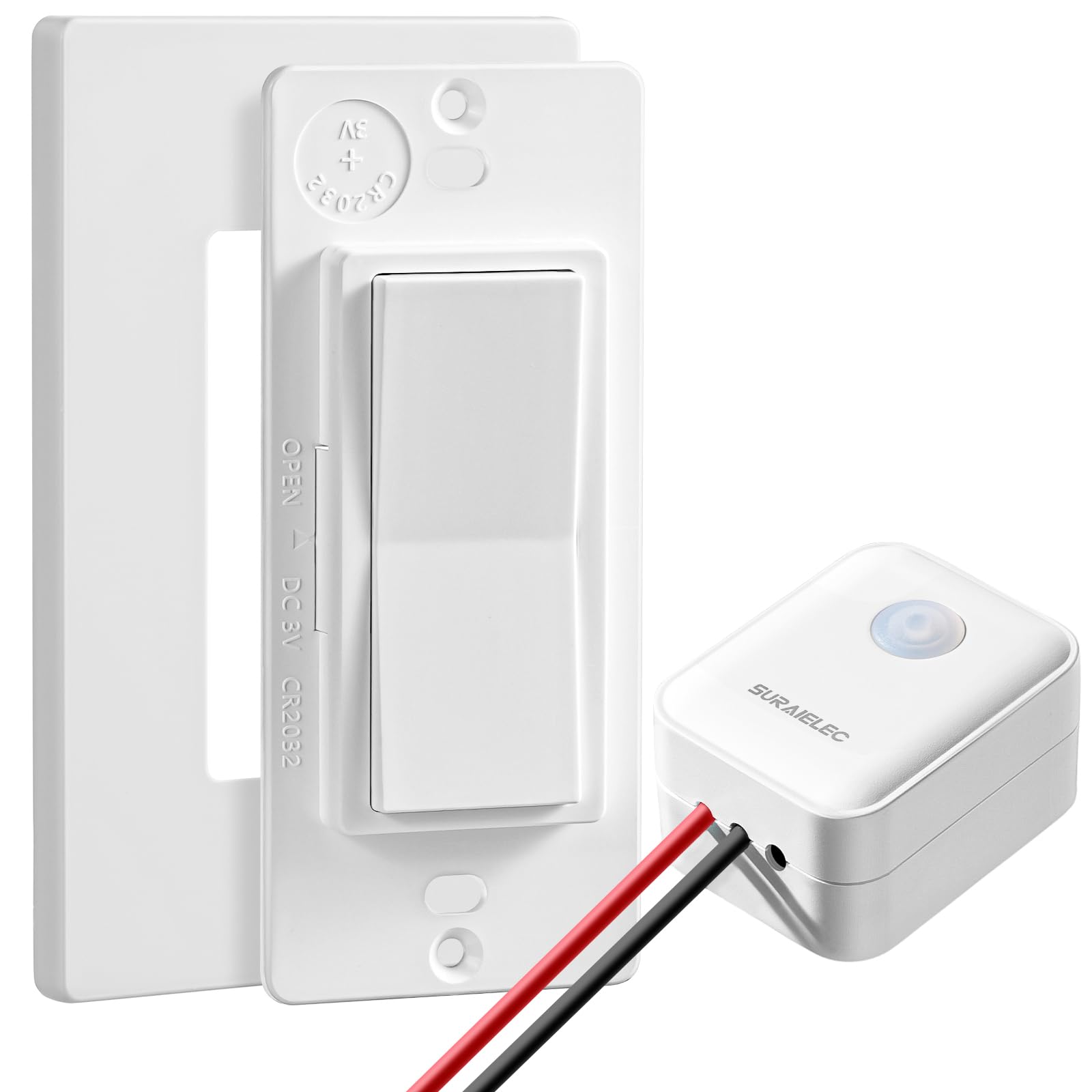
Type: Wireless remote wall switch with receiver kit
Neutral Wire: Not required
Signal Range: 100FT interference-free
Load Rating: 2A, 100W LED
Switch Style: Decorator rocker
Best For: Old homes and metal-box installations
This is a receiver-and-remote kit rather than a true wired smart switch. The receiver sits at the light fixture, where line and neutral are available, and the rocker switch mounts on the wall as a battery-free or paired remote. The upgraded antenna is aimed at metal back boxes, which normally choke wireless signal, and the 100FT rating covers long runs in a flat. The 2A, 100W LED ceiling means it suits a single lighting circuit, not a bank of high-draw fixtures.
It earned its place as the simplest retrofit for anyone who cannot pull a neutral to the switch box and does not want a hub. Buyers with a metal back box or a switch on a far wall get the most from it. The trade-off is load headroom: a 2A rating limits this to ordinary lighting circuits and rules out heavy fixture banks.
Aqara Zigbee Light Switch (No Neutral, Single Rocker)

Type: Zigbee smart light switch
Neutral Wire: Not required
Protocol: Zigbee
Ecosystems: HomeKit, Google, Alexa, SmartThings
Switch Style: Single rocker
Hub: Requires Aqara Hub
Aqara’s single-rocker switch is the pick for anyone who already runs a smart-home platform and wants the switch to join it natively. Zigbee is a low-power mesh protocol, so the switch relays through other powered Zigbee devices instead of leaning on Wi-Fi. HomeKit support is the standout here, since Apple-compatible no-neutral switches are thin on the ground. The catch is the hub requirement: without an Aqara Hub, the switch is a dumb rocker.
It suits buyers building an Apple Home or mixed-ecosystem setup who accept one hub as the price of entry. The build is a standard decorator rocker, so it blends with ordinary flat wiring plates. The trade-off is that hub dependency, which adds cost and one more device to keep online.
Leviton No-Neutral Decora Smart Switch (DN15S-1RW)

Type: No-neutral Decora smart switch
Neutral Wire: Not required
Wiring: Wire-free 3-way capable
Bridge: Requires MLWSB Wi-Fi Bridge
Ecosystems: My Leviton, Alexa, Google Assistant, Apple Home/Siri
Color: White
This is Leviton’s no-neutral entry in its Decora Smart line, and the wire-free 3-way capability is the reason to consider it. In a flat with a light controlled from two places, a 3-way setup without a traveler wire is normally a non-starter; this switch handles it wire-free. The Decora form factor is the familiar paddle design, so it matches standard plates. It needs the MLWSB Wi-Fi Bridge to reach My Leviton and the voice assistants.
It suits Leviton households that want one app for everything and have at least one 3-way circuit to solve. The trade-off is that the bridge is sold separately here, so the real cost sits above the switch itself, and buyers without a bridge get a switch that cannot talk to anything.
Leviton Decora Smart No-Neutral Dimmer & Wi-Fi Bridge Kit

Type: No-neutral smart dimmer kit
Neutral Wire: Not required
Included: Dimmer and Wi-Fi bridge
App: My Leviton
Intended Use: Older homes without a neutral wire
Color: White
This kit bundles the two things the previous pick splits apart: a no-neutral dimmer and the Wi-Fi bridge it needs. Dimming is the feature that matters most in a flat, where a single overhead light often has to cover a whole room, and no-neutral dimmers are harder to find than plain switches. The kit is aimed squarely at older homes, and the My Leviton app handles schedules and control. Because the bridge is in the box, setup is one purchase rather than two.
It suits buyers who want dimming and app control without hunting down a separate bridge, and it is the strongest fit for a living room or bedroom circuit. The trade-off is price tier: as the premium pick here, it costs more than a plain no-neutral switch, and the dimming payoff only lands if the fixtures are actually dimmable.
MOES Wi-Fi Smart Light Switch (No Neutral)

Type: Wi-Fi smart light switch
Neutral Wire: Not required
Frequency: 2.4GHz
Pole: Single pole
Ecosystems: Alexa, Google Assistant
Included: Requires capacitors
MOES takes the budget Wi-Fi route: no hub, direct 2.4GHz connection to the router, and voice control through Alexa or Google Assistant. The no-neutral design relies on capacitors, which are part of the install and keep a small current flowing through the fixture so the switch stays powered. It is single pole only, so one switch per light. For a renter or a first smart switch, the appeal is the low entry cost and the absence of extra hardware.
It suits buyers on a tight budget who use Alexa or Google and have a simple one-switch circuit. The trade-off is the capacitor requirement: install is fussier than a plain swap, and the capacitor has to sit at the fixture, which is more work than the price suggests.
Before You Buy
- Neutral wire: Confirm the switch box truly lacks a neutral before ordering; all five picks assume it does, and a switch with a neutral available opens up cheaper options.
- Hub or bridge: Aqara needs its hub, both Leviton picks need the MLWSB bridge, and the Upgraded Antenna and MOES kits work without one.
- Load rating: Check the fixture’s draw against the switch rating, especially the 2A, 100W LED ceiling on the Upgraded Antenna kit.
- Pole count: The MOES switch is single pole; the Leviton DN15S handles wire-free 3-way, which matters for hallways and stairs.
- Dimming: Only the Leviton kit dims, and only fixtures that are themselves dimmable will respond.
- Capacitors: The MOES install includes capacitors at the fixture, so budget the extra fitting time.
- Ecosystem: Match the switch to the platform already in the flat — HomeKit points to Aqara, My Leviton points to the Leviton picks.
Frequently Asked Questions
-
Can a smart switch work without a neutral wire?
Yes. The picks here either steal a small current through the fixture, use a receiver at the light, or run as a wireless remote, so none needs a neutral at the switch box. -
Which pick is best for Apple HomeKit?
The Aqara Zigbee switch, since it lists HomeKit support and runs on Zigbee. The Leviton DN15S also lists Apple Home/Siri, but only through the MLWSB bridge. -
Do any of these need a hub?
The Aqara switch needs an Aqara Hub, and both Leviton products need the MLWSB Wi-Fi Bridge. The Upgraded Antenna kit and the MOES switch connect without one. -
Can a no-neutral switch dim lights?
The Leviton Decora Smart No-Neutral Dimmer & Wi-Fi Bridge Kit is the dimming option here. The other four are on/off switches. -
What is the cheapest way to start?
The MOES Wi-Fi switch and the Upgraded Antenna kit sit in the budget tier. MOES suits Alexa and Google users; the Upgraded Antenna kit suits long cable runs and metal back boxes. -
Will these work in a 3-way circuit?
The Leviton DN15S is the one rated for wire-free 3-way use. The MOES switch is single pole, so it covers one switch per light only.
Bottom Line
For most flats without a neutral, the Aqara Zigbee Light Switch is the best smart switch for a light with no neutral in a flat: it covers HomeKit, Google, Alexa, and SmartThings, installs as a normal rocker, and only asks for an Aqara Hub in return. Buyers who want dimming should step up to the Leviton kit, and anyone avoiding a hub entirely should start with the Upgraded Antenna kit or the MOES switch.
