Why there are Amazon links here: Brave Review is paid a commission for qualifying Amazon purchases made through the links below. Your price does not change, and using our links is entirely optional. How this works
Best WiFi Extender for a House With a Conservatory Dead Spot
A conservatory often sits at the far end of the house, past thick walls and a garden door, which is why the signal dies right where the family gathers. The picks below cover five ways to push reliable WiFi into that room, from a cheap plug-in booster to a mesh add-on and a WiFi 6 extender. Budget buyers, renters who cannot run cable, and households with a lot of connected devices will each find a match. The overview table gives a fast read; the reviews explain the trade-offs.
The Picks at a Glance
| Product | Key Spec | Best Use | Price Tier |
|---|---|---|---|
| TP-Link AC1200 WiFi Extender (RE315) | Dual-band AC1200, 1,600 sq. ft., 32 devices | Small homes, tight budget | Budget |
| TP-Link AC1900 WiFi Range Extender (RE550) | Dual-band AC1900, 2,200 sq. ft., gigabit port | Medium homes, wired devices | Mid-range |
| Amazon eero 6 mesh wifi extender | WiFi 6 add-on, 1,500 sq. ft. | Existing eero households | Mid-range |
| TP-Link AX3000 WiFi 6 Range Extender (RE715X) | Dual-band AX3000, 2,400 sq. ft., 64 devices | Large homes, many devices | Premium |
| WiFi Extender Signal Booster (8470 Sq. Ft.) | Whole-home coverage claim, compact body | Very tight budgets | Budget |
1. TP-Link AC1200 WiFi Extender (RE315)

Type: Dual-band wall-plug extender
Speed Class: AC1200 (5GHz and 2.4GHz)
Coverage Claim: Up to 1,600 sq. ft.
Device Load: Up to 32 devices
Ports: One Ethernet port
Mesh: EasyMesh compatible
TP-Link AC1200 WiFi Extender (RE315)
This is the sensible first stop for a conservatory dead spot. The unit plugs straight into a wall socket between the router and the conservatory, repeats the existing dual-band signal, and adds a single Ethernet port for a smart TV or console in the far room. EasyMesh compatibility means it can join a compatible mesh network rather than running as a lone repeater. The AC1200 speed class suits streaming and browsing rather than heavy simultaneous transfers.
The RE315 earns its place on price and simplicity. A household that just needs the conservatory to hold a video call and stream a show will not notice the ceiling that a faster class would raise. The caution is the one that applies to every plug-in repeater: it rebroadcasts the signal it receives, so it needs to sit in a spot where the router signal is still decent, and throughput in the far room will trail the main network.
Trade-off: The single Ethernet port and AC1200 ceiling limit wired devices and heavy multi-user loads, so it is not the pick for a conservatory used as a home office with several screens.
2. TP-Link AC1900 WiFi Range Extender (RE550)

Type: Dual-band wall-plug extender
Speed Class: AC1900 (5GHz and 2.4GHz)
Coverage Claim: Up to 2,200 sq. ft.
Device Load: Up to 32 devices
Ports: Gigabit Ethernet port
Mesh: EasyMesh compatible
TP-Link AC1900 WiFi Range Extender (RE550)
The RE550 steps up the speed class and swaps in a gigabit Ethernet port, which matters if the conservatory holds a TV, a games console, or a desktop that benefits from a wired link. The higher coverage claim suits a mid-sized house where the router sits at one end and the conservatory at the other. App setup keeps configuration away from browser menus, and EasyMesh support lets it fold into a compatible mesh.
This is the pick for a household that wants a bit of headroom over the entry-level option without paying mesh-system money. The gigabit port is the real differentiator here: it turns the extender into a wired access point for one device in the dead zone. The caution is that a single extender still has to be placed well, and a conservatory with thick glazing and a garden door can blunt the signal more than an open-plan room would.
Trade-off: It remains a repeater, so the far-room speed depends heavily on placement and on how strong the router signal is at the halfway point.
3. Amazon eero 6 Mesh WiFi Add-On Extender

Type: Mesh WiFi 6 add-on node
Speed Class: WiFi 6
Coverage Claim: Up to 1,500 sq. ft. added
System Requirement: Existing eero mesh system required
Setup: Managed through the eero app
Amazon eero 6 mesh wifi add-on extender
This is not a standalone extender, and that is the first thing to understand. It only works if the home already runs an eero mesh system; adding it extends that network by up to 1,500 sq. ft. of WiFi 6 coverage and lets the conservatory join the same network name with proper roaming between nodes. For an eero household, that is a cleaner fix than bolting a third-party repeater onto the system.
The pick is for homes already invested in eero hardware. WiFi 6 helps when many devices share the network, and a mesh node hands devices off between rooms more gracefully than a plain repeater. The caution is the requirement itself: a buyer without an eero system cannot use this at all, and it costs more than a basic extender before the base system is even counted.
Trade-off: It is useless without an existing eero mesh system, so it only suits households already on that platform.
4. TP-Link AX3000 WiFi 6 Range Extender (RE715X)
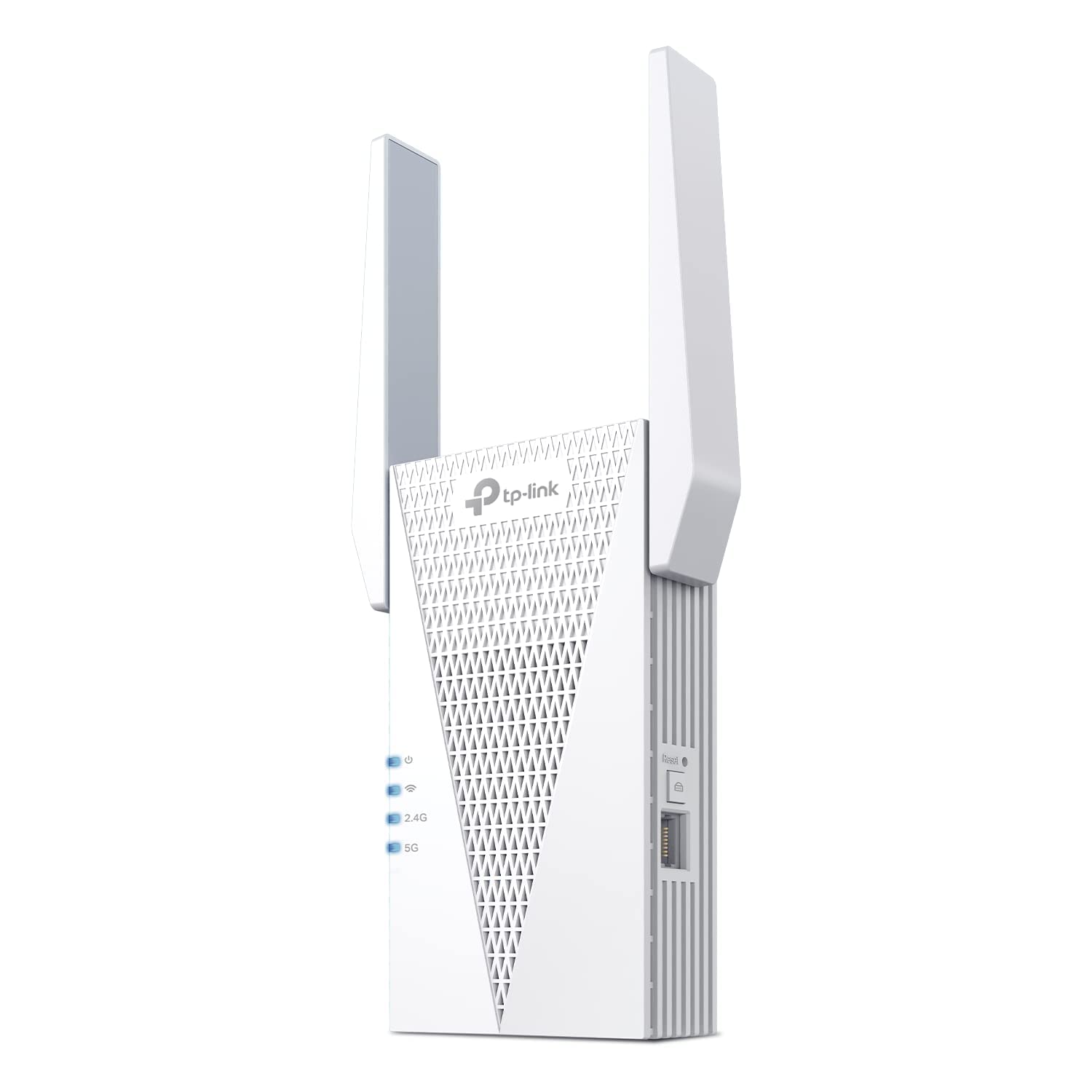
Type: Dual-band wall-plug extender
Speed Class: AX3000 (WiFi 6, 5GHz and 2.4GHz)
Coverage Claim: Up to 2,400 sq. ft.
Device Load: Up to 64 devices
Ports: Ethernet port
Mesh: EasyMesh compatible
TP-Link AX3000 WiFi 6 Range Extender (RE715X)
The RE715X is the heavy-lift option. WiFi 6 with an AX3000 speed class, a coverage claim of up to 2,400 sq. ft., and support for up to 64 devices make it the pick for a large house where the conservatory is one dead spot among several. EasyMesh compatibility keeps it flexible, and app setup handles configuration.
It suits busy households with phones, tablets, smart speakers, and a TV all pulling on the network at once. The higher device ceiling is the real reason to pay for it: a conservatory full of guests will not choke the extender the way a 32-device unit might. The caution is price and placement sensitivity — a premium extender still cannot conjure signal from a spot the router never reaches, and it costs several times the budget pick.
Trade-off: The premium price only pays off in a large, device-heavy home; a small flat would see little benefit over a cheaper class.
5. WiFi Extender Signal Booster (8470 Sq. Ft.)

Type: Wall-plug WiFi repeater
Coverage Claim: Up to 8,470 sq. ft. (manufacturer claim)
Intended Use: Whole-home coverage
Setup: Standard repeater pairing
WiFi Extender Signal Booster (8470 Sq. Ft.)
This is the budget wildcard, and the coverage figure in the name deserves a raised eyebrow. A compact plug-in repeater at the entry price point rarely delivers the whole-home reach the marketing claims, so treat the 8,470 sq. ft. figure as an optimistic ceiling rather than a promise. What it does offer is a low-cost way to get some signal into a conservatory without committing much money.
It suits a buyer who wants to test whether a repeater helps at all before spending more, or a spare-room setup where perfect speed is not the goal. The caution is twofold: the coverage claim is likely to fall short in a real house with walls and glazing, and the low price tier usually means fewer features and a simpler radio than the branded picks. It is a stopgap, not a long-term fix for a demanding household.
Trade-off: The headline coverage figure is a marketing claim that a budget repeater is unlikely to match in a real home, so expectations should stay modest.
Before You Buy
- Placement: A repeater must sit roughly halfway between router and conservatory, in a spot where the router signal is still usable.
- Compatibility: Mesh add-ons such as the eero 6 node only work with their own system; standalone extenders work with most routers.
- Speed class: AC1200 covers streaming and browsing; AX3000 and WiFi 6 suit many devices at once.
- Ports: An Ethernet port turns the extender into a wired access point for a TV or console in the dead zone.
- Device load: Check the stated device count if the conservatory fills with phones, tablets, and speakers.
- Construction: Conservatory glazing and garden doors weaken signal more than interior walls, so expect real-world range below the claim.
- Budget: A cheap repeater is a test; a branded extender or mesh node is the durable fix.
Frequently Asked Questions
-
Will a WiFi extender fix a conservatory dead spot?
Usually yes, if the extender is placed where the router signal is still reasonable. A repeater cannot create signal in a spot the router never reaches. -
Do I need a mesh system or a plain extender?
A plain extender is cheaper and works with most routers. A mesh add-on only makes sense if the home already runs that mesh system. -
What speed class suits a conservatory?
AC1200 handles streaming and calls. WiFi 6 and AX3000 classes help when many devices share the network. -
Can an extender improve a wired device in the conservatory?
Yes, if it has an Ethernet port. The RE550 and RE715X both include one for a TV or console. -
Why is the cheap extender’s coverage claim so high?
Budget models often quote an optimistic maximum. Real range in a house with walls and glazing is usually lower. -
Does the eero 6 add-on work with any router?
No. It requires an existing eero mesh system and will not function as a standalone extender.
Bottom Line
For most homes chasing a conservatory dead spot, the TP-Link AC1900 WiFi Range Extender (RE550) is the best balance of price, speed class, and a gigabit port for the far room. Households already on eero should add the eero 6 node instead, and large, device-heavy homes should step up to the RE715X.
