Why there are Amazon links here: Brave Review is paid a commission for qualifying Amazon purchases made through the links below. Your price does not change, and using our links is entirely optional. How this works
Best WiFi Extender for a Multi Storey House
A multi storey house is the hardest place to fix WiFi: signals have to punch through floors, and a single router in the hallway rarely reaches the top landing. This guide covers five picks that solve that problem in different ways — a cheap plug-in booster for one dead room, a mesh system for a whole home, and a mid-range extender for a busy household. Budget buyers, renters who can’t run cable, and families with lots of devices will each find a clear favorite below. The overview table shows the key specs side by side so a decision can be made in under a minute.
Overview of the Picks
| Product | Key Spec | Best Use | Price Tier |
|---|---|---|---|
| TP-Link AC1200 WiFi Extender (RE315) | Up to 1600 Sq.ft, 32 devices | Single dead zone on one floor | Budget |
| TP-Link Deco X55 (3-Pack) | AX3000 WiFi 6, 3-pack mesh | Whole-house coverage across floors | Premium |
| 2026 WiFi Extender Signal Booster | 15000 sq.ft claim, 1-tap setup | Plug-and-play for non-technical buyers | Mid-range |
| TP-Link Deco S4 (3-Pack) | AC1900 mesh, 3-pack | Renting, or a mid-size multi storey home | Mid-range |
| TP-Link AC1900 Range Extender (RE550) | Up to 2200 Sq. Ft, 32 devices | Strong single-floor extension | Budget-plus |
TP-Link AC1200 WiFi Extender (RE315)

Type: Dual-band wall-plug range extender
Speed class: AC1200 (5GHz/2.4GHz)
Coverage: Up to 1600 Sq.ft
Device load: 32 devices
Ports: One Ethernet port
Mesh support: EasyMesh compatible
TP-Link AC1200 WiFi Extender Dual Band 5GHz/2.4GHz (RE315)
The RE315 is a compact wall-plug extender that repeats an existing WiFi signal into one dead area — typically a back bedroom or a landing where the router’s signal gives out. It handles both bands and carries an Ethernet port, so a wired device such as a TV or console can sit at the far end of the house without a cable run back to the router. EasyMesh compatibility means it can join a compatible TP-Link mesh network later instead of being thrown away.
Who It Suits: This is the pick for a home with one problem room, not a whole floor. The low price makes it an easy first attempt before committing to a full mesh system, and the Ethernet port adds value for a single wired device. Trade-off: Coverage is rated at 1600 Sq.ft, so it will struggle to bridge two full floors on its own.
TP-Link Deco X55 AX3000 WiFi 6 Mesh System (3-Pack)

Type: WiFi 6 mesh system, 3 units
Speed class: AX3000
Coverage: Up to 6500 Sq.Ft
Ports: 3 Gigabit ports per unit
Backhaul: Ethernet backhaul supported
Role: Replaces the router and extender
TP-Link Deco X55 AX3000 WiFi 6 Mesh System, Deco X55(3-Pack)
The Deco X55 is a full replacement for a router and extender, using three identical units spread across the house to create one seamless network. WiFi 6 adds capacity for busy homes with many devices streaming at once, and three Gigabit ports per unit make wired backhaul realistic — the fastest way to link floors. Because it replaces the router, the network name stays the same everywhere and devices hand off between units as a person walks upstairs.
Who It Suits: Large multi storey homes where coverage and device count are both problems, and buyers willing to spend more for a permanent fix. It earns its place as the premium pick because it eliminates the weak handoff that plagues single extenders. Trade-off: The upfront cost is the highest here, and setup is more involved than plugging in one booster.
2026 WiFi Extender Signal Booster for Home
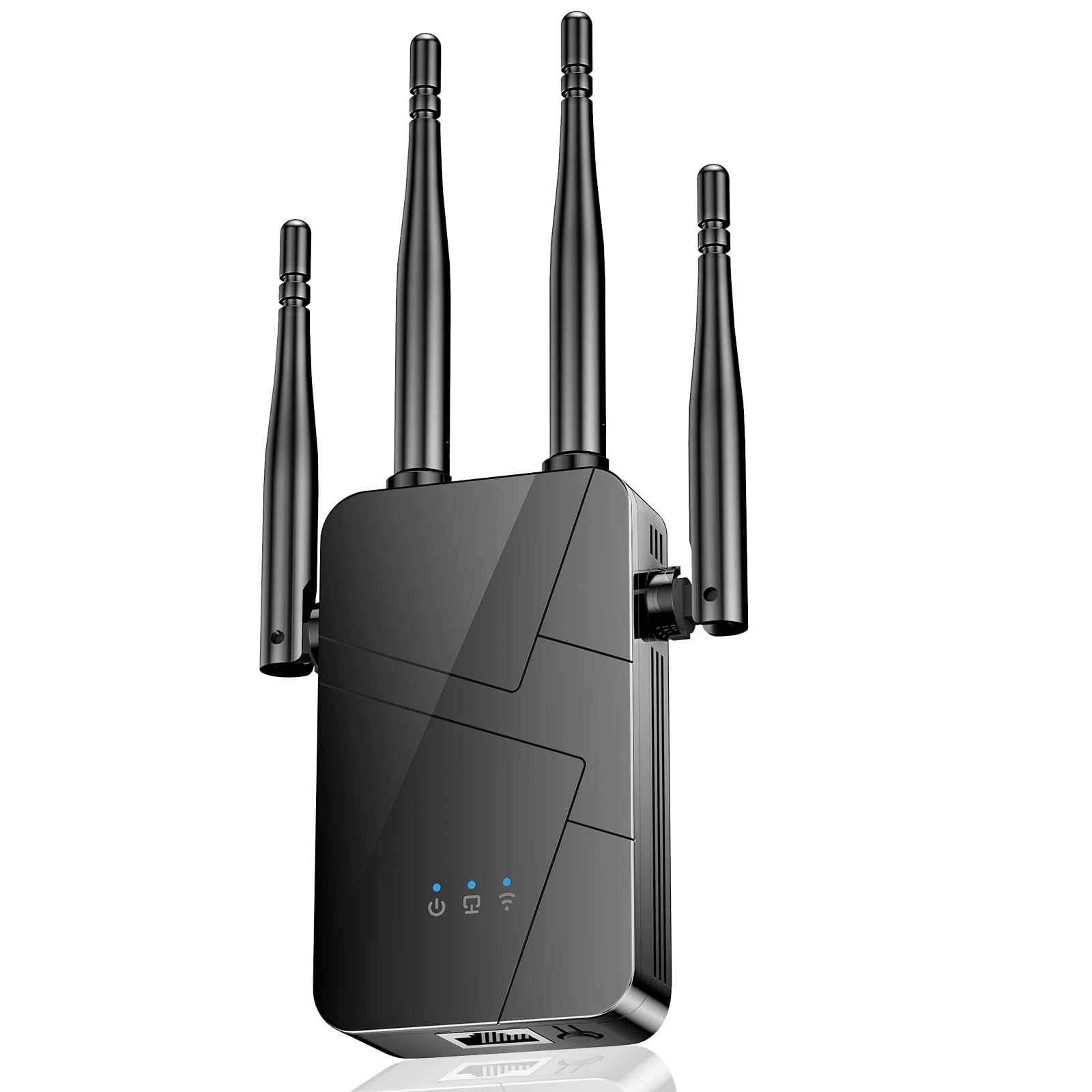
Type: Long-range WiFi repeater
Coverage claim: 15000 sq.ft
Setup: 1-tap
Ports: Ethernet port
Device support: 99% of devices
This is a single-unit repeater aimed at buyers who want the simplest possible setup — the one-tap pairing does the configuration without an app walkthrough. It includes an Ethernet port for a wired device and claims broad device compatibility, which matters in a house with mixed smart-home gear. The 15000 sq.ft coverage figure is a marketing claim for an open space; in a multi storey home with walls and floors, real reach will be far smaller.
Who It Suits: Non-technical buyers who want one device, one button, and a quick improvement in a far room. Trade-off: A single repeater cannot create a seamless multi-floor network, and the headline coverage number should not be read as whole-house performance.
TP-Link Deco S4 Mesh AC1900 WiFi System (3-Pack)

Type: AC1900 mesh system, 3 units
Coverage: Up to 5,500 Sq.ft
Ports: Gigabit ports
Role: Replaces router and extender
Voice control: Works with Alexa
TP-Link Deco S4 Mesh AC1900 WiFi System, Deco S4(3-Pack)
The Deco S4 is the middle path: a three-unit mesh system that replaces the router and spreads one network across up to 5,500 Sq.ft. It is not WiFi 6, so it suits homes where the priority is coverage rather than maximum throughput, and the Gigabit ports still allow wired backhaul between floors. Alexa support adds voice control on top of the standard app management.
Who It Suits: Mid-size multi storey homes and renters who want mesh coverage without the premium price of WiFi 6 hardware. It earns its place as the value mesh option. Trade-off: The older AC1900 standard will feel limiting for households pushing heavy 4K streaming and large file transfers at the same time.
TP-Link AC1900 WiFi Range Extender (RE550)

Type: Dual-band wall-plug range extender
Speed class: AC1900
Coverage: Up to 2200 Sq. Ft
Device load: 32 devices
Ports: Gigabit Ethernet port
Setup: App setup, EasyMesh
TP-Link AC1900 WiFi Range Extender RE550 | Dual-Band Wireless Repeater
The RE550 is a step up from the budget extender: a faster AC1900 dual-band repeater with a Gigabit Ethernet port, app setup, and EasyMesh support. The higher speed class and 2200 Sq. Ft rating make it better suited to extending a strong signal across one floor or into an adjoining room than the entry-level model. The Gigabit port means a wired device at the far end gets full speed rather than a bottleneck.
Who It Suits: Buyers who want a stronger single extender than the budget pick but are not ready for a full mesh system. Trade-off: Like any single repeater, it halves throughput on the repeated band and cannot deliver seamless roaming across floors.
Before You Buy
- Floors vs. square footage: A coverage rating assumes open space. In a multi storey house, count floors and walls first — a mesh system handles vertical spread better than a single extender.
- Mesh or extender: Extenders repeat one signal and are cheap; mesh systems replace the router and hand off cleanly between units. The more floors, the stronger the case for mesh.
- Device count: Busy homes with phones, TVs, and smart devices need a higher device load. The budget and budget-plus extenders here both list 32 devices.
- Wired backhaul: Gigabit ports on the mesh units and the RE550 allow a cable between floors, which is the most reliable way to keep speed high.
- Setup method: App setup and one-tap pairing suit different buyers. Non-technical users should favor the simplest option.
- Compatibility: EasyMesh support lets a TP-Link extender join a compatible mesh network later, protecting the purchase.
- Placement: An extender must sit within range of the router, roughly halfway to the dead zone — not in the dead zone itself.
Frequently Asked Questions
-
Is one WiFi extender enough for a multi storey house?
Usually not. A single extender fixes one dead area; covering several floors reliably calls for a mesh system with one unit per floor. -
Do mesh systems really beat extenders?
For multi-floor coverage, yes. Mesh units share one network name and hand off between each other, while a repeater creates a second network and halves speed on the repeated band. -
Where should an extender be placed in a multi storey home?
Halfway between the router and the weak spot, ideally on the same floor or on the landing. Placing it in the dead zone repeats a weak signal. -
Does an extender slow down WiFi?
A wireless repeater typically halves throughput on the repeated band. A wired backhaul or a mesh system avoids that penalty. -
Can a WiFi extender work across floors?
It can, but floors and walls weaken the signal. A mesh system with a unit per floor is the more dependable choice. -
Is WiFi 6 necessary for a multi storey house?
Not strictly, but WiFi 6 handles many devices at once better, which matters in busy homes. The Deco S4 shows that AC hardware still covers a mid-size home well.
Bottom Line
For a multi storey house, the TP-Link Deco X55 (3-Pack) is the top pick: WiFi 6 capacity, 6500 Sq.ft coverage across three units, and Gigabit ports for wired backhaul between floors make it the most dependable whole-house fix. Buyers with a single dead room should start with the budget RE315 instead, and those wanting mesh coverage at a lower price should look at the Deco S4.
