Why there are Amazon links here: Brave Review is paid a commission for qualifying Amazon purchases made through the links below. Your price does not change, and using our links is entirely optional. How this works
Best WiFi Extender for Video Calls in a Bedroom
A bedroom that sits far from the router is the classic cause of frozen video, dropped audio and the dreaded "reconnecting" banner mid-meeting. This roundup covers five extenders that can fix that, ordered so a reader can decide fast: a budget pick, a WiFi 6 sweet spot, a high-power model and two mid-range options. Buyers who work from a back bedroom, students taking classes at night and anyone whose calls keep cutting out will find a fit below. The overview table sums up the differences; the reviews explain the trade-offs.
The Picks at a Glance
| Product | Key Spec | Best Use | Price Tier |
|---|---|---|---|
| TP-Link RE315 AC1200 | Dual-band AC1200, 32 devices | Cheapest reliable fix for one bedroom | Budget |
| Tenda A18 V4.0 AC1200 | Dual-band AC1200, Ethernet port | Tightest budget, light call use | Budget |
| TP-Link RE550 AC1900 | Dual-band AC1900, 2200 sq. ft. | Mid-range all-rounder for a busy home | Mid-range |
| TP-Link RE615X AX1800 | WiFi 6, 64 devices, EasyMesh | Best for video calls and many devices | Mid-range |
| Generic WiFi Extender Booster | 5 working modes, access point mode | Large homes and long-range coverage | Premium |
1. TP-Link AC1200 WiFi Extender (RE315) — Best Budget Pick
Type: Dual-band wall-plug range extender
Speed Class: AC1200 (5GHz and 2.4GHz)
Coverage: Up to 1600 sq. ft.
Device Load: Up to 32 devices
Ports: One Ethernet port
Mesh: EasyMesh compatible

The TP-Link AC1200 WiFi Extender (RE315) is the sensible first stop for a single bedroom with a weak signal. It is a compact wall-plug unit, so it takes up an outlet rather than shelf space, and the dual-band radio lets a phone or laptop connect on the cleaner 5GHz band while older gear stays on 2.4GHz. The Ethernet port is the useful part for call quality: a laptop can be wired straight into the extender and skip WiFi interference entirely. EasyMesh compatibility means it can join a mesh network later instead of becoming e-waste.
This pick earns its place on price and simplicity. Buyers who need one room fixed and do not want to spend much will get the job done, and the wired option gives a genuine upgrade for video calls. It is not for large homes or households running dozens of devices at once — the 1600 sq. ft. figure describes a best case, and walls and floors cut into it. Trade-off: The low price buys modest throughput, so a household streaming 4K in several rooms at once will feel the ceiling.
Check the current price on Amazon
2. Tenda WiFi Range Extender AC1200 (A18 V4.0) — Cheapest Option
Type: Dual-band wall-plug range extender
Speed Class: AC1200 (867Mbps on 5GHz, 300Mbps on 2.4GHz)
Coverage: Whole-house positioning
Ports: One Ethernet port
Setup: Standard WPS-style pairing
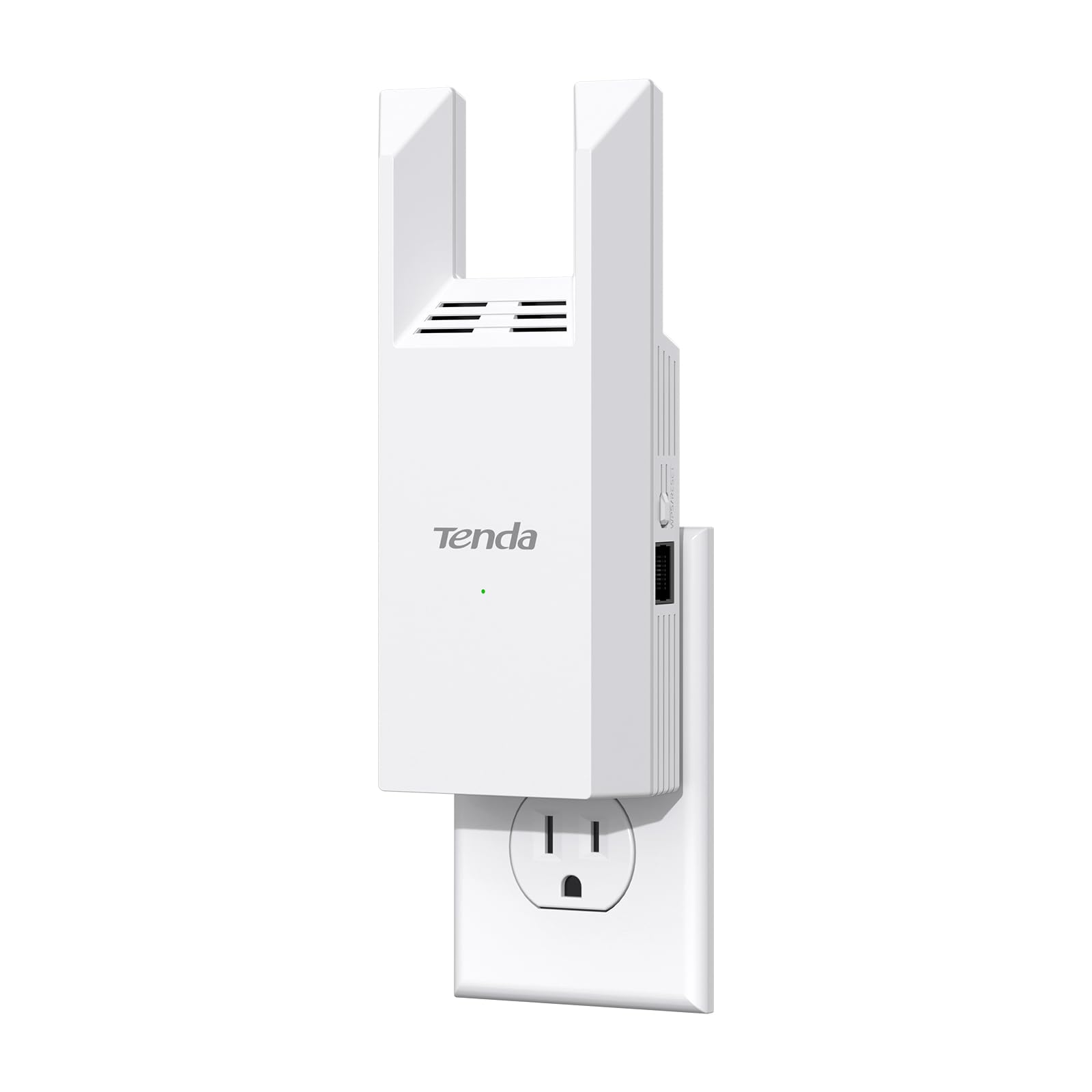
The Tenda WiFi Range Extender AC1200 (A18 V4.0) is the lowest-cost way into this list, and the spec sheet is honest about what that means: 867Mbps on the 5GHz band and 300Mbps on 2.4GHz, which is enough for a single HD video call with headroom to spare. The single Ethernet port mirrors the TP-Link’s most useful feature, letting a work laptop connect by cable for steadier call quality. It is a plain wall-plug design with no mesh support, so it works as a standalone repeater rather than part of a larger system.
This one suits a buyer on a strict budget who needs one bedroom covered and nothing more — a spare room, a dorm, a rental where drilling and cabling are off the table. It is not for anyone planning to expand into a mesh network or cover a whole floor. Trade-off: At this price the build is basic and there is no mesh upgrade path, so it is a one-room solution rather than a foundation.
Check the current price on Amazon
3. TP-Link AC1900 WiFi Range Extender (RE550) — Best Mid-Range All-Rounder
Type: Dual-band wall-plug range extender
Speed Class: AC1900
Coverage: Up to 2200 sq. ft.
Device Load: Up to 32 devices
Ports: Gigabit Ethernet port
Mesh: EasyMesh compatible, app setup

The TP-Link AC1900 WiFi Range Extender (RE550) sits in the middle of this list and is the pick for a household that wants one device to cover a bedroom and the hallway outside it. The step up to a Gigabit Ethernet port matters: a wired laptop gets the full speed the extender can pass through, not a capped link. AC1900 throughput and the 2200 sq. ft. rating give it more headroom than the budget picks, and app-based setup plus EasyMesh compatibility make it easier to manage and to expand.
This is the sensible choice for a home office in a bedroom where calls run alongside streaming and gaming elsewhere in the house. It is not for buyers who want the absolute lowest price, and it is not a WiFi 6 device — a household already on a WiFi 6 router may prefer the next pick. Trade-off: It is a larger wall-plug unit than the budget models, so it can block a second outlet, and the mid-range price buys capacity rather than the newest wireless standard.
Check the current price on Amazon
4. TP-Link AX1800 WiFi 6 Range Extender (RE615X) — Best for Video Calls
Type: Dual-band WiFi 6 wall-plug range extender
Speed Class: AX1800
Coverage: Up to 2100 sq. ft.
Device Load: Up to 64 devices
Ports: Ethernet port
Mesh: EasyMesh compatible, app setup

The TP-Link AX1800 WiFi 6 Range Extender (RE615X) is the strongest technical fit for video calls on this list because WiFi 6 handles many simultaneous connections more gracefully than older standards. A bedroom with a laptop, a phone, a tablet and a smart speaker all active is exactly the scenario it is built for, and the 64-device rating reflects that. EasyMesh support means it can slot into a compatible network, and the Ethernet port gives a wired fallback for the most important calls. App setup keeps configuration out of a browser page.
This pick suits remote workers and students who take calls daily and want the connection to hold up when the rest of the house is online. It is not for buyers on a tight budget, and it is not worth the premium for a household with an older router that cannot take advantage of WiFi 6. Trade-off: The WiFi 6 benefit depends on the router and the devices at both ends, so an older setup will not see the full gain.
Check the current price on Amazon
5. Long-Range WiFi Extender Signal Booster — Best for Large Homes
Type: Multi-mode WiFi repeater and access point
Modes: Five working modes
Coverage: Long-range, whole-home positioning
Ports: Ethernet port
Setup: Easy setup, access point capable
Speed Class: Marketed as 15X faster access point

The Long-Range WiFi Extender Signal Booster is the outlier here: instead of a single repeater role it offers five working modes, including access point mode, which lets it broadcast a fresh network from a wired connection rather than repeating a weak one. That flexibility is the reason to pay more. For a bedroom at the far end of a large house, access point mode with an Ethernet run is the most reliable way to get a call-quality signal, and the Ethernet port supports it. The long-range coverage claim is aimed at whole-home use rather than one room.
This pick suits buyers in a big property, a multi-floor home or an outbuilding where a simple repeater cannot reach. It is not for a small apartment where a budget extender already does the job, and the mode switching adds setup steps that a plug-and-play buyer may not want. Trade-off: Five modes mean more configuration decisions, and the premium price only pays off if access point mode or long-range coverage is actually needed.
Check the current price on Amazon
Before You Buy
- Placement: An extender needs a spot where the router signal is still usable — roughly halfway between router and bedroom, not in the dead zone itself.
- Standard match: A WiFi 6 extender only pays off with a WiFi 6 router and WiFi 6 devices; otherwise an AC model is the better spend.
- Wired fallback: An Ethernet port is the single most useful feature for video calls, since a cable removes interference from the equation.
- Device load: Count phones, laptops, tablets, TVs and smart gear; the 32-device and 64-device ratings are ceilings, not targets.
- Mesh compatibility: EasyMesh support lets an extender join a compatible network later instead of being replaced.
- Coverage claims: Square-footage figures assume open space; walls, floors and appliances reduce real-world range.
- Setup method: App-based setup is quicker for most buyers; multi-mode units reward a reader willing to read the manual.
Frequently Asked Questions
-
Will a WiFi extender fix laggy video calls in a bedroom?
Usually yes, if the extender is placed where the router signal is still decent. It boosts a weak-but-usable signal; it cannot rescue a room with no signal at all. -
Is WiFi 6 worth it for video calls?
WiFi 6 helps most when many devices share the network, which is common in a busy home. With an older router, an AC extender delivers most of the benefit for less money. -
Should a laptop connect by WiFi or Ethernet to the extender?
Ethernet is more stable for important calls. The extenders here with a port let a laptop wire in and bypass wireless interference. -
How many devices can one extender handle?
The models on this list are rated for 32 or 64 devices. Real performance drops as the count climbs, so leave headroom. -
Can an extender be used as an access point instead?
Some can, including the multi-mode model here. Access point mode needs a wired connection to the router but gives the most reliable result. -
Where should the extender be plugged in?
Halfway between the router and the bedroom, in open space. Plugging it into the weak room itself repeats an already poor signal.
Bottom Line
For video calls specifically, the TP-Link AX1800 WiFi 6 Range Extender (RE615X) is the best pick: WiFi 6 handles a busy household, the Ethernet port gives a wired fallback and EasyMesh keeps the door open for expansion. Buyers on a tight budget should take the TP-Link RE315 instead, and anyone covering a large home should look at the multi-mode long-range model.
