Why there are Amazon links here: Brave Review is paid a commission for qualifying Amazon purchases made through the links below. Your price does not change, and using our links is entirely optional. How this works
Honeywell RTH9580WF1005/W1 Smart Wi-Fi Thermostat: The Color Touchscreen That Talks to Alexa
The Honeywell RTH9580WF1005/W1 is a Wi-Fi thermostat built around a full-color touchscreen and seven-day programming, and it is aimed at homeowners who want remote control and voice control without a subscription. This review covers what the unit is, how its scheduling and connectivity actually shape daily use, and where the design asks for patience. Buyers who want a straightforward programmable thermostat with a screen they can read across the room will find the most here; those chasing the newest app-first ecosystem may want to keep looking. The Amazon listing and current price are one click away below.
Features and Specifications
Type: Smart Wi-Fi programmable thermostat
Display: Color touchscreen
Programming: 7-day scheduling
Connectivity: Wi-Fi
Voice Control: Works with Amazon Alexa
Model Designation: RTH9580WF1005/W1
The headline here is the combination of a color touchscreen and Wi-Fi in one unit. That pairing is what separates this Honeywell from the plain programmable thermostats that still dominate hallway walls: buyers get a display that shows temperature, mode, and schedule at a glance, plus the ability to reach the system from a phone when they are away from home.
The seven-day programming is the practical core. Each day can carry its own schedule, which suits households with irregular routines — shift workers, people who work from home part of the week, families with different weekend patterns. A thermostat that only offers a weekday/weekend split forces compromises; this one does not.
Alexa support is the convenience layer on top. Voice control means adjusting temperature without walking to the wall or unlocking a phone, which sounds trivial until a household has lived with it. It is certified to work with Alexa-enabled devices, so the setup path is documented rather than improvised.
Build and Display
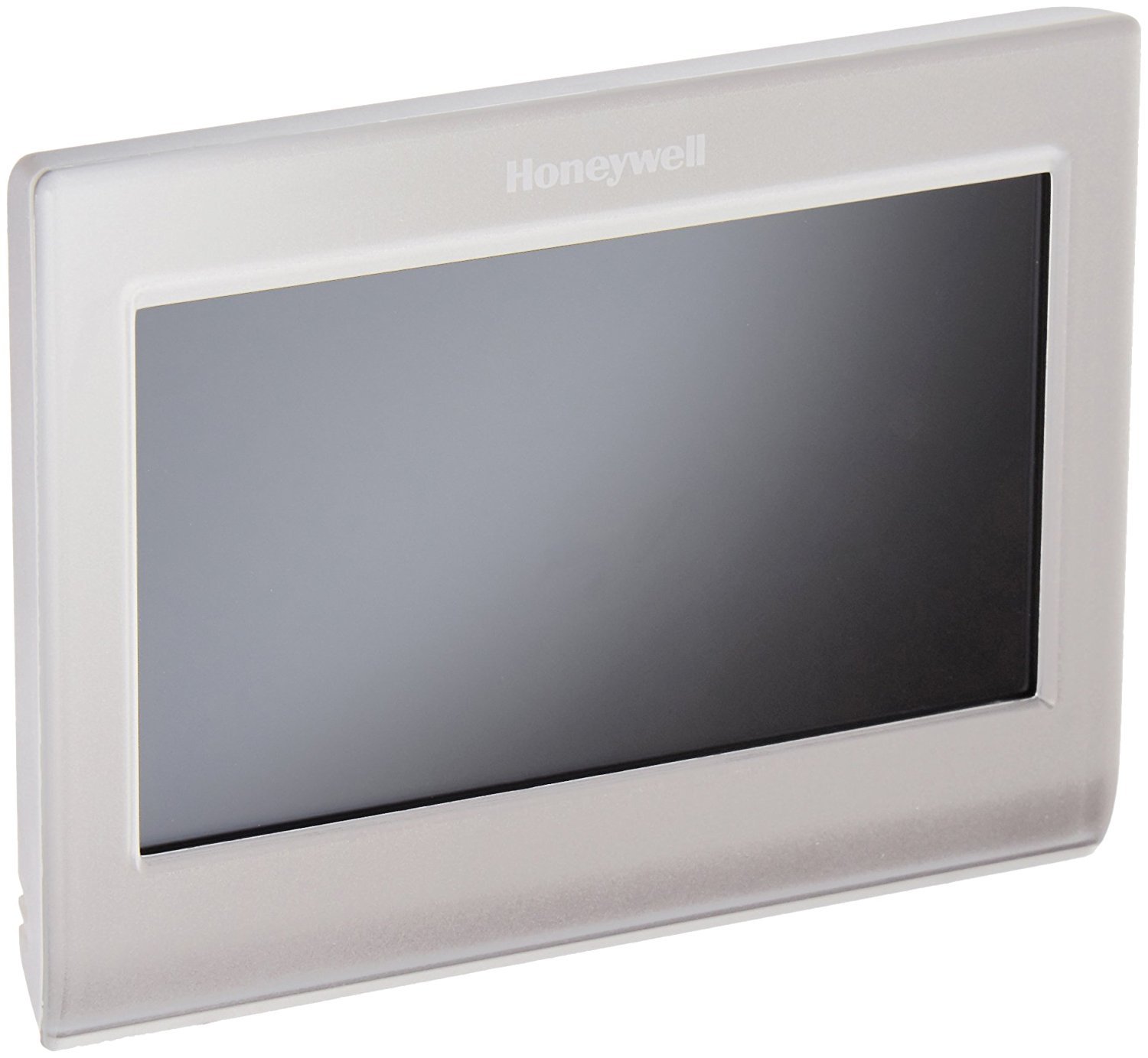
The unit is a wall-mounted thermostat with a color touchscreen as its entire interface. There are no physical dials or buttons to speak of, which gives the faceplate a clean, modern look that reads well in a renovated hallway. The screen is the product — everything from mode changes to schedule edits happens through taps.
That design choice cuts both ways. A color touchscreen is easier to read at a distance than a monochrome LCD, and it makes the thermostat look like a piece of consumer electronics rather than builder-grade hardware. But a touchscreen also means every adjustment requires looking at the panel and hitting the right spot, which is slower than a tactile dial for a quick two-degree bump on the way out the door.
Buyers replacing an old round or rectangular thermostat should expect the wall plate to be larger than what came before. That is normal for smart thermostats with screens, but it is worth checking the paint line before committing.
Scheduling and Programming
Seven-day programming is where this thermostat earns its keep. Each day stands alone, so a household can set a warm morning, an empty midday, an evening comfort window, and a cooler overnight period — and repeat that only on the days it applies. The schedule lives on the device and can be edited from the panel or remotely.
The learning curve is real. Setting a full week of four-period schedules through a touchscreen takes longer than doing it in an app, and the menu structure assumes some patience. Buyers who set the schedule once and leave it alone will be fine; buyers who like to tinker weekly may find the process tedious.
Remote access is the payoff. Adjusting the schedule or overriding it from a phone means the house can be comfortable when someone arrives without heating or cooling an empty home all day. That is the actual energy argument for a connected thermostat, and it holds here.
Connectivity and Voice Control
Wi-Fi connectivity ties the thermostat to the home network and to the companion app, which is how remote control and Alexa integration work. The setup depends on a solid 2.4 GHz signal at the thermostat’s location — a wall in a hallway or interior room is not always a strong spot, and a weak signal shows up as slow app responses rather than an outright failure.
Alexa control is the most frictionless part of the package. Once linked, temperature changes and mode queries become voice commands, which is genuinely useful when hands are full or the panel is across the room. It is not a replacement for the app or the panel — scheduling still lives in those — but it removes the small daily annoyances.
The caution here is ecosystem breadth. This is an Alexa product first; households standardized on other voice assistants should confirm compatibility before buying rather than assuming parity.
Installation and Compatibility
This is a low-voltage thermostat intended for conventional forced-air heating and cooling systems, and it needs a C-wire — the common wire that supplies steady power — to run its screen and Wi-Fi radio. Homes without a C-wire at the thermostat will need one pulled or a power adapter, and that is the single most common surprise in this category.
Installation itself is a wiring job: label the existing wires, match them to the terminals, mount the plate, and snap the unit on. Buyers comfortable with a screwdriver and a breaker switch can handle it; everyone else should budget for an HVAC technician. The unit is not a DIY-friendly plug-in replacement for every wall.
Heat pump systems and multi-stage equipment vary in support, so matching the thermostat to the existing system before purchase is essential rather than optional.
Maintenance and Everyday Use
Day to day, the thermostat asks very little. The touchscreen wipes clean, the schedule runs itself, and the only recurring task is keeping the app and firmware current. Filters and HVAC service remain the homeowner’s job; the thermostat simply reports and controls.
The screen is the part that sees the most wear — fingerprints, kitchen grease in open-plan homes, the occasional cleaning spray overshoot. A microfiber cloth handles it. Buyers should avoid abrasive cleaners on the display.
Long-term, the considerations are the same as any connected device: Wi-Fi credentials change, routers get replaced, and the thermostat needs to be reconnected. That is a five-minute job but worth knowing before it happens in the middle of a cold snap.
Trade-off: The color touchscreen and Wi-Fi radio demand a C-wire and a reliable signal, so homes without that wiring or with weak hallway coverage face extra installation cost and slower app response.
Check the current price on Amazon
FAQ
-
Does the Honeywell RTH9580WF1005/W1 work with Alexa?
Yes. It is certified by Amazon to work with Alexa, so temperature and mode can be controlled by voice through Alexa-enabled devices such as Echo speakers. -
Does this thermostat need a C-wire?
It needs a C-wire to power the screen and Wi-Fi. Homes without one at the thermostat will need a wire pulled or an adapter, which is the main installation variable to check first. -
Is the Honeywell RTH9580WF1005/W1 good for irregular schedules?
Yes. Seven-day programming lets each day carry its own schedule, which suits shift workers, remote workers, and households with different weekend routines. -
Can the thermostat be controlled from a phone?
Yes. Wi-Fi connectivity enables remote control through the companion app, so schedules and overrides can be adjusted away from home. -
Is it hard to install?
It is a low-voltage wiring job. Buyers comfortable labeling wires and matching terminals can do it; others should plan on an HVAC technician. -
Does it work with heat pumps?
Compatibility varies by system, so the existing equipment should be matched to the thermostat’s supported configurations before purchase. -
Does it have a color screen?
Yes. The interface is a full-color touchscreen that shows temperature, mode, and schedule, and it is readable from across a room. -
Is a subscription required?
No subscription is part of the product itself. Remote access and Alexa control work through the standard app and account setup. -
Who is this thermostat not for?
Buyers without a C-wire who want a plug-and-play swap, and households standardized on a non-Alexa voice ecosystem, are better served by other options. -
Can the schedule be edited remotely?
Yes. The seven-day schedule can be adjusted through the app as well as on the touchscreen.
Bottom Line
The Honeywell RTH9580WF1005/W1 is the right pick for homeowners who want a readable color touchscreen, true seven-day scheduling, and Alexa voice control in one wall unit — provided the wiring supports it. The C-wire requirement and the touchscreen-first interface are the honest costs, and buyers who clear those hurdles get a capable, low-maintenance smart thermostat. Check the current price and confirm compatibility before ordering.
