Why there are Amazon links here: Brave Review is paid a commission for qualifying Amazon purchases made through the links below. Your price does not change, and using our links is entirely optional. How this works
Kasa HS220P3 Smart Dimmer Switch: The Budget Dimmer That Just Works
The Kasa HS220P3 smart dimmer switch is the straightforward answer for anyone who wants app and voice control over a single light without paying premium smart-home prices. It installs in place of a standard single-pole switch, needs a neutral wire, and connects directly to Wi-Fi with no hub in between. This review covers what the switch does, how it is built, who it suits, and where it falls short — so the decision takes minutes, not an afternoon of research.
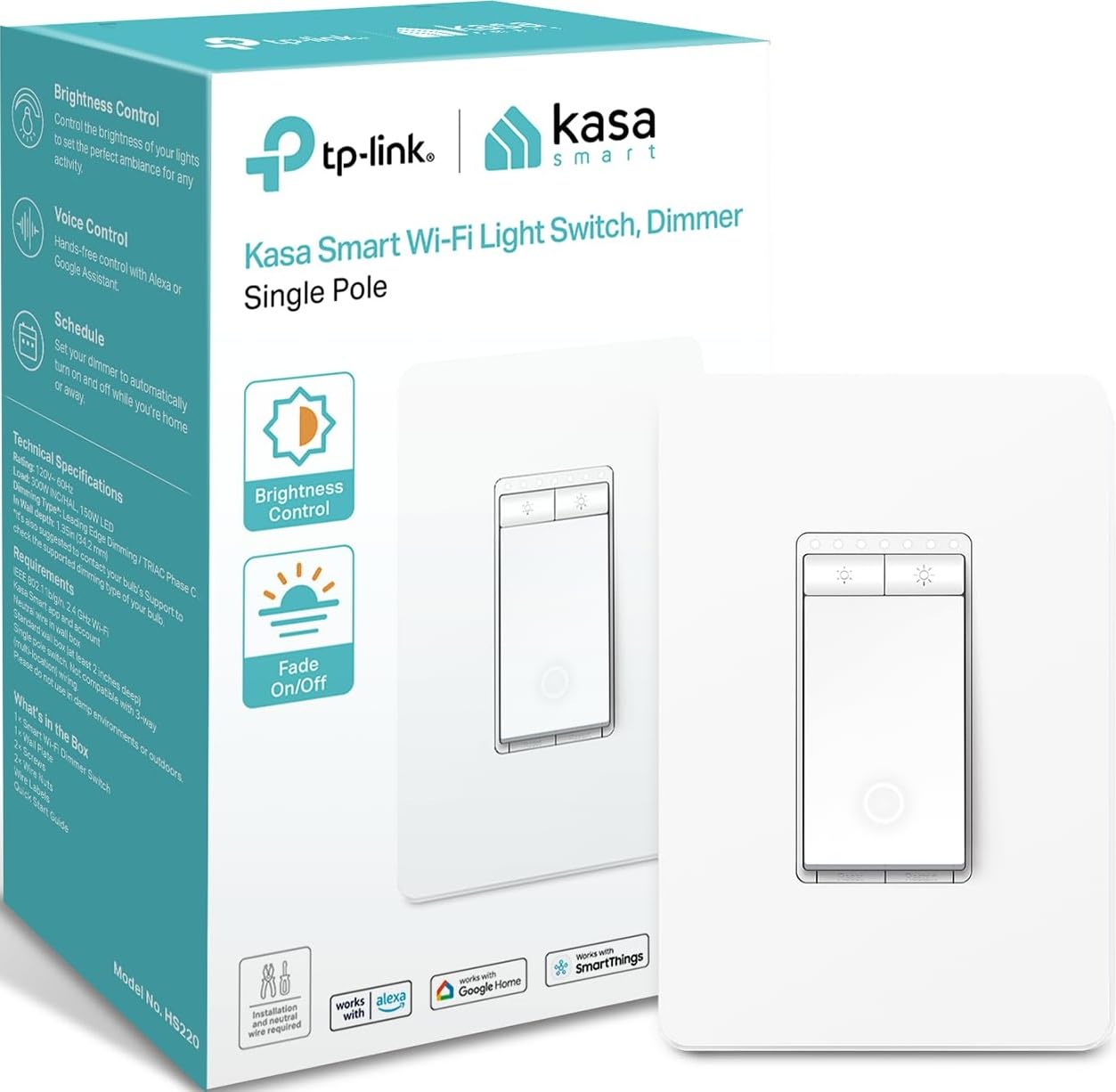
Features and Specifications
Product Type: In-wall smart dimmer switch
Connectivity: 2.4GHz Wi-Fi
Voice Assistants: Amazon Alexa and Google Home
Certification: UL Certified
Hub Required: No
Wiring: Single pole, neutral wire required
Color: White
The headline here is the no-hub design. Most smart switches at the entry level either need a proprietary bridge or lean on a hub the buyer may not own, and the HS220 sidesteps both. It joins the home’s 2.4GHz Wi-Fi network directly, which means one less box on the shelf and one less app to manage.
The rest of the spec sheet reads like a checklist of what a first smart dimmer should have: dimming control, voice commands through the two biggest assistants, and a UL listing that speaks to the electrical safety side of an in-wall device. The single-pole limitation is the one line buyers need to read twice — this switch replaces a light controlled from one location only. Homes with three-way switching at the top and bottom of a staircase need a different model.
Build and Design
The HS220 is a standard white in-wall switch, sized to drop into a conventional wall box and finished to blend with ordinary white plates and trim. It is not a statement piece, and it does not try to be. The face is clean and understated, the kind of fixture that disappears into a hallway wall until someone taps it or asks a voice assistant to dim the lights.
That plainness is a feature for most installations. A switch that matches the rest of the house reads as intentional rather than gadget-like, and it keeps the focus on function. The physical controls handle everyday on, off, and dimming, while the app and voice layers handle schedules, scenes, and remote control. Buyers who want a touch panel with a glowing display will find this model plain by comparison; buyers who want the lights to behave will find it exactly sufficient.
The trade-off of the compact, conventional design is that everything clever lives in software and the home network. There is no local display, no built-in motion sensor, and no physical scene buttons — the switch dims a light and does it well, and anything beyond that runs through the Kasa app.
Power and Dimming Performance
Dimming is the core job, and the HS220 is built around smooth adjustment rather than hard steps. The app and the physical control both move the light level up and down, and the voice assistants can set a level or dim by degrees. For a bedroom, a dining room, or a living room with dimmable LED bulbs, that covers the everyday use case without fuss.
The electrical requirements are where buyers need to pay attention. The switch needs a neutral wire in the box — common in modern construction, less so in older homes — and it is rated for single-pole wiring only. A quick look inside the wall box before ordering saves a return. The 2.4GHz Wi-Fi requirement is the other practical point: the switch will not join a 5GHz-only network, so the router’s 2.4GHz band needs to be available during setup.
Once connected, the switch holds schedules and routines in the app, so lights can come on at dusk or dim at bedtime without anyone touching a wall. That is the quiet payoff of a smart dimmer at this price — the automation does the work, and the switch itself stays out of the way.
Setup and Maintenance
Installation follows the pattern of any in-wall smart switch: cut power at the breaker, swap the old switch for the new one, connect line, load, neutral, and ground, then restore power. Buyers comfortable with basic wiring handle it in a single session; anyone unsure should hire an electrician, because the neutral wire and breaker work are not places to guess.
Setup in the Kasa app is guided and short — join the network, name the switch, and connect the voice assistant. After that, maintenance is essentially nil. There are no batteries, no filters, and no moving parts beyond the switch mechanism. Firmware updates arrive through the app, and the occasional reconnection is the most a buyer should expect from a device that otherwise just sits in the wall.
The limitation worth naming is dependence on the home network and the cloud for remote and voice features. If the Wi-Fi drops, physical control of the light remains, but app schedules and voice commands pause until the connection returns. That is the nature of a hub-free Wi-Fi switch, and it is a reasonable trade for the simplicity.
Who It Suits and Who It Does Not
This switch suits renters-turned-owners, first-time smart-home buyers, and anyone upgrading a single-pole dimmer in a bedroom, dining room, or living area. It also suits households already using Alexa or Google Home, since the switch slots into existing routines without new hardware. The budget positioning makes it easy to try one before committing to a whole-house setup.
It does not suit homes with three-way switching, older wiring without a neutral in the box, or buyers who want local processing with no cloud dependency. Anyone planning a large multi-switch installation should also weigh whether a hub-based system would scale more cleanly, though Kasa’s app handles multiple devices without trouble.
Trade-off: The hub-free convenience comes with a cloud and 2.4GHz Wi-Fi dependency, so remote schedules and voice control pause whenever the network does.
Check the current price on Amazon
FAQ
-
Does the Kasa HS220P3 need a hub?
No. The switch connects directly to a 2.4GHz Wi-Fi network, so no bridge or hub is required. -
Does it work with Alexa and Google Home?
Yes. The switch is built for both Amazon Alexa and Google Home, so voice control works after linking the Kasa account. -
Does the Kasa HS220P3 require a neutral wire?
Yes. A neutral wire is required in the wall box, which is standard in most modern homes but not in some older wiring. -
Can it be used in a three-way switch setup?
No. This model is single pole, meaning it controls a light from one location only. -
Does it work on 5GHz Wi-Fi?
No. The switch connects on the 2.4GHz band, so that band must be available on the router during setup. -
Can the light still be controlled without Wi-Fi?
Yes. Physical control at the switch continues to work; app schedules and voice commands need the network. -
Is the Kasa HS220P3 UL certified?
Yes. The switch carries a UL certification, which covers the electrical safety of the in-wall device. -
What color is the switch?
White, which matches standard wall plates and trim. -
Does it dim LED bulbs?
Yes, it dims the connected light load, though results depend on the bulbs being dimmable, as with any dimmer. -
Is professional installation required?
Not necessarily. Buyers comfortable with basic electrical work can install it, but an electrician is the safer choice for anyone unsure about the wiring.
Bottom Line
The Kasa HS220P3 smart dimmer switch is the sensible first step into smart lighting: app and voice control, smooth dimming, no hub, and a price that makes trying one low-risk. It is not for three-way circuits or homes without a neutral wire, and it leans on Wi-Fi and the cloud for its smarter features. For a single-pole dimmer in a bedroom or living room, few options deliver this much for this little.
