Why there are Amazon links here: Brave Review is paid a commission for qualifying Amazon purchases made through the links below. Your price does not change, and using our links is entirely optional. How this works
Best Power Outage Detection Devices for Keeping Detection Running in an Outage
A power outage is exactly when home monitoring matters most — and exactly when most gear goes dark. The five devices below solve that problem from different angles: backup battery power that keeps a router alive, standalone sensors that text when the grid drops, and cellular monitors that report without any Wi-Fi at all.
The picks suit three kinds of buyers: homeowners who want a text the moment power fails, remote property and RV owners who need alerts from another location, and anyone running a router, NAS, or server room that must stay monitored through the blackout. The overview table below ranks all five by role and price tier so a decision can be made in under a minute.
Overview of the Picks
| Product | Key Spec | Best Use | Price Tier |
|---|---|---|---|
| Router Wi-Fi Reset Device | Automatic rebooter with SMS on reset | Restoring a router after it hangs | Budget |
| APC BE600M1 UPS | 600VA/330W, 490 J surge protection | Keeping router and NAS powered | Mid-range |
| Power Failure Detector | SMS and email alerts to two phones | Simple outage notification | Budget |
| Power Pal Power Monitoring Device | Smart plug with outage texts or emails | Monitoring power at one outlet | Budget |
| Cellular Temperature Monitor | No Wi-Fi required, real-time app alerts | Remote sites, RVs, server rooms | Premium |
1. Router Wi-Fi Reset Device, Automatic Router Rebooter

Type: Automatic router rebooter
Alert method: Text message on each reset
Setup: Phone number entered by the user
Intended use: Restoring a stalled router connection
Power source: Mains outlet
This is a watchdog for the router rather than a battery. It sits between the router and its power supply and reboots the router when the connection stops responding, so a hung modem or router recovers without anyone physically cycling the plug. Once a phone number is programmed in, it sends a text each time a reset fires — a simple way to learn that the network needed a kick. The build is a small inline module, the kind that lives behind a desk or on a shelf near the networking gear.
It suits households and small offices where the router occasionally locks up and the fix has always been "unplug it and plug it back in." It does not suit anyone expecting it to carry the router through a blackout; a dead outlet means a dead rebooter, and the alerts stop with it. The trade-off is that it restores connectivity, not power — pairing it with a UPS is the honest way to cover both failure modes.
Check the current price on Amazon
Trade-off: A mains-powered rebooter goes silent in an outage, so it cannot alert anyone once the wall power is gone.
2. APC BE600M1 UPS Battery Backup & Surge Protector

Type: Battery backup UPS with surge protection
Capacity: 600VA / 330W
Runtime: 23 minutes at 100W
Surge rating: 490 J
Extras: USB charging
Intended use: Computer, router, NAS
The BE600M1 is the pick that actually keeps detection running during an outage. With 600VA/330W of capacity and a stated 23 minutes at 100W, it holds a router — and often a modem or small NAS alongside it — online long enough for alerts to go out and for a graceful shutdown to happen. The 490 J surge rating guards the same gear against spikes when power returns, and the USB charging port is a useful extra for a phone.
It suits anyone whose monitoring depends on the internet: smart-home hubs, IP cameras, and NAS boxes all stay reachable while the UPS drains. It is less suited to high-draw equipment — a desktop gaming rig or a large NAS will chew through 330W quickly, and the runtime figure is measured at a modest 100W load. The trade-off is capacity versus price: this is a modest unit sized for networking gear, not whole-room backup.
Check the current price on Amazon
Trade-off: The 330W ceiling and short runtime at higher loads mean it protects small networking gear well and larger equipment poorly.
3. Power Failure Detector with Text Message and Email Alerts

Type: Power failure detector
Alert method: SMS text and email
Recipients: Two phone numbers
Alert types: Outage and restoration
Intended use: Standalone outage notification
This is the simplest answer to the keyword: a small sensor that reports the grid itself. It sends an SMS and an email when power drops, and a second message when it comes back, to as many as two phones. That restoration alert is the detail that matters — it confirms the fridge, the sump pump, or the heating system is live again without a drive home to check. The unit is compact and plugs in where the power being watched is supplied.
It suits second-home owners, landlords, and anyone responsible for a property they are not standing in. It also suits a homeowner who wants a plain text rather than an app. It is not a substitute for a UPS: it tells the reader the power is out, but it cannot keep a router or camera alive. The trade-off is that the alert depends on the cellular network staying up — fine in a local outage, less certain in a wide-area event.
Check the current price on Amazon
Trade-off: It reports an outage but cannot power anything through it, and delivery relies on the mobile network remaining available.
4. Power Pal Power Monitoring Device, Smart Plug with Outage Notifications

Type: Smart plug with power monitoring
Alert method: Text or email notifications
Monitoring scope: Power within the location, with or without connected devices
Intended use: Outlet-level power and outage tracking
The Power Pal combines two jobs in one plug: it watches the power at its location and it sends outage notifications by text or email. The name notes it monitors power with or without a device plugged into it, which makes it a flexible option — it can report on a circuit without dedicating an appliance to it. Because it is a smart plug, it fits a standard outlet and takes up about the space of one.
It suits renters and homeowners who want outage alerts plus a general sense of what a circuit is doing, without buying a dedicated detector. It is a reasonable first step for someone building a small monitoring setup. It is not for anyone who needs the monitored equipment to stay powered — the plug reports the outage, it does not ride it out. The trade-off is dependence on the home network and cloud service: if the internet is down, the notification path may be too.
Check the current price on Amazon
Trade-off: Notifications travel over the home internet, so a broadband failure alongside the outage can delay or block the alert.
5. Cellular Temperature Monitor with Power Outage Alarm
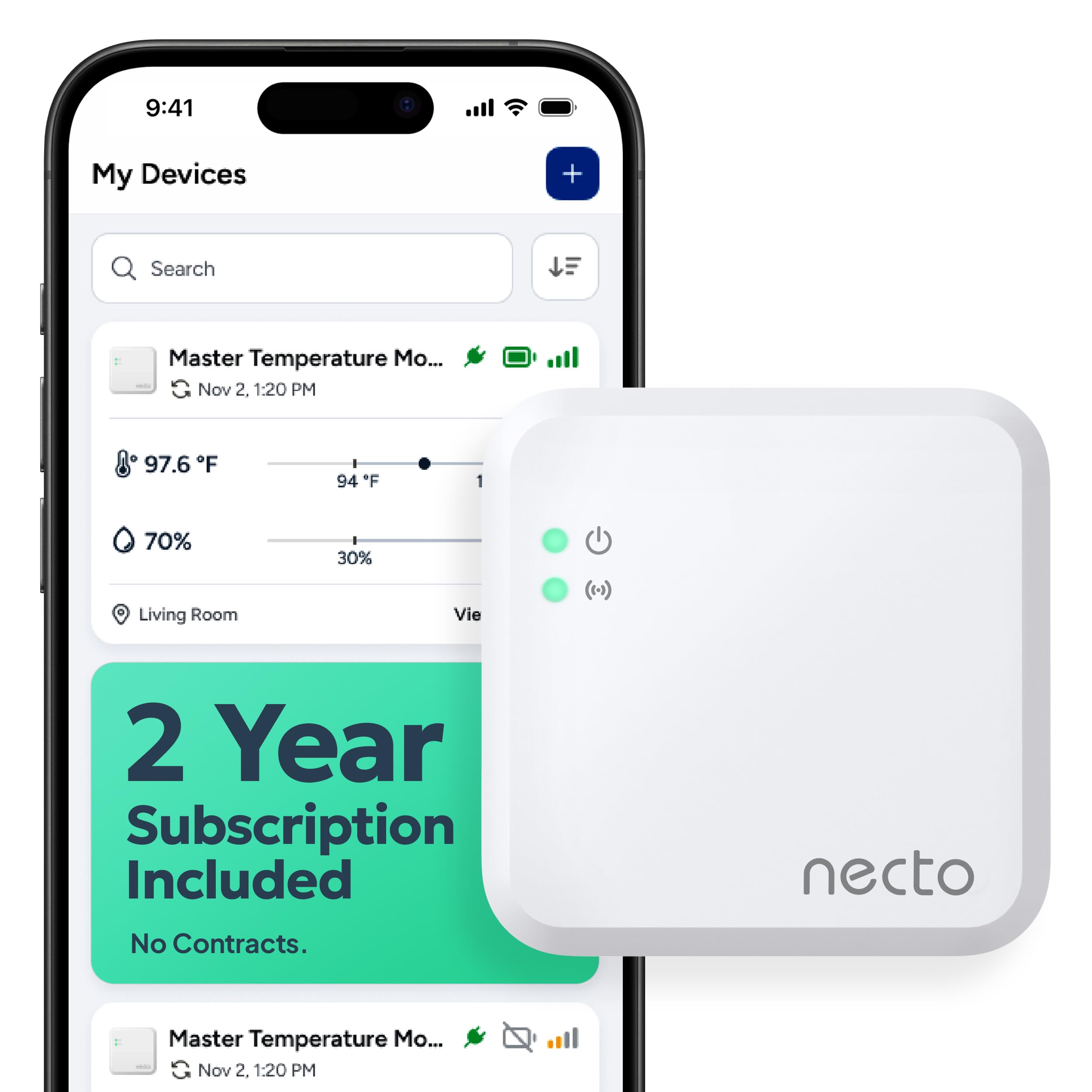
Type: Cellular remote monitoring system
Connectivity: Cellular, no Wi-Fi required
Alerts: Real-time app notifications
Sensors: Temperature, humidity, power outage
Intended use: RV, pet, car, vacation home, server room
This is the premium pick and the one built for the hardest case: no Wi-Fi at the location. It reports over a cellular connection to an app in real time, and it watches temperature, humidity, and power status together. That combination is what makes it useful in an RV, a vacation home, a server room, or a car where a pet is waiting — a power cut and a temperature spike are often the same event, and this device reports both.
It suits owners of remote or unstaffed spaces, and anyone who needs environmental data rather than a single outage ping. It is overkill for a suburban house with reliable broadband and a spare phone. The trade-off is ongoing cost and coverage: a cellular monitor typically needs a service plan, and its reliability depends on signal strength at the install point.
Check the current price on Amazon
Trade-off: Cellular monitoring generally carries a subscription and only works where the mobile signal reaches the unit.
Before You Buy
- Power path: Decide whether the goal is riding out an outage (a UPS) or being told about one (a detector) — they are different purchases.
- Connectivity: Wi-Fi-based alerts fail when broadband fails; cellular models keep reporting but usually need a plan.
- Runtime load: Match UPS capacity to the actual wattage of the router, modem, and NAS, not to the outlet count.
- Recipients: Check how many phone numbers or email addresses a detector can alert, since a second contact is the backup.
- Install location: Place sensors where the signal is strong and where the power being watched is actually supplied.
- Restoration alerts: Confirm the device reports when power returns, not only when it drops.
- Ongoing cost: Factor subscriptions and replacement batteries into the total, not just the purchase price.
Frequently Asked Questions
- What keeps a router running during a power outage? A UPS with a battery, such as the APC BE600M1, holds the router and modem online for a short window so alerts and remote access keep working.
- Can a power failure detector work without internet? Detectors that report over cellular can, but Wi-Fi and smart-plug models depend on the home network and cloud service to deliver their messages.
- Is a UPS or a detector the better first purchase? A UPS protects the equipment and the connection; a detector simply reports the outage. Buyers who need monitoring to continue should start with the UPS.
- Will a router rebooter help in an outage? No — it restarts a stalled router but has no battery, so it stops working when the outlet does.
- Do cellular monitors require a subscription? Typically yes, since the unit needs a data plan to send app notifications, and coverage depends on signal at the location.
- How long will a 600VA UPS keep a router alive? The stated runtime is 23 minutes at a 100W load; lighter networking gear draws less and lasts longer, heavier gear drains faster.
Bottom Line
For keeping detection running in an outage, the APC BE600M1 UPS is the top pick: it is the only device here that powers the router and NAS through the blackout rather than merely reporting it, and its surge protection covers the gear when power returns. Pair it with the Power Failure Detector for a plain text confirmation, and choose the cellular monitor instead if the site has no Wi-Fi at all. Check the APC BE600M1 price on Amazon to confirm current availability.
