Why there are Amazon links here: Brave Review is paid a commission for qualifying Amazon purchases made through the links below. Your price does not change, and using our links is entirely optional. How this works
Best MasterSwitch Strip for a Media Unit: 5 Picks for Clean Cabinet Power
A media unit concentrates a router, modem, switch, streaming box, TV and a nest of wall warts into one small enclosure, and the power strip inside it decides whether that space stays serviceable. The five picks below cover three buyer profiles: the structured-cabinet installer who needs a half-width strip that bolts into an On-Q enclosure, the rack owner who wants a switch per device, and the garage or workbench user who just needs outlets on a wall. The overview table gives the short answer; the reviews explain the fit and the trade-offs.
Overview of the Picks
| Product | Key Spec | Best Use | Price Tier |
|---|---|---|---|
| ADJ PC100A Power Strip | 8 lighted toggle switches, 15A breaker, 1U rack | Rack-mounted AV and network gear | Mid |
| Half Width Rack Mount PDU | 6 outlets, IEC C13 and C7 adapters, 125V 15A | On-Q and structured media cabinets | Mid |
| Media Cabinet Power Strip | 5 outlets, half width, IEC adapters | Smaller media enclosures | Mid |
| Wall Mount Heavy Duty Power Strip | 8 outlets, individual switches, 1200J, 10FT cord | Garage, office and workbench | Budget |
| KCG-7MVR Surge Protector | 7 outlets, autoswitching technology | Always-on device clusters | Budget |
ADJ PC100A Power Strip Single Rack Space Unit
Type: Rack-mount power strip
Format: Single rack space (1U)
Outlets: 8
Switching: On/off lighted toggle switches
Protection: 15 amp breaker
Price Tier: Mid

This is the pick for a media unit built around a real equipment rack rather than a cabinet shelf. The single-rack-space chassis mounts with standard rack hardware, and the eight outlets are each controlled by a lighted toggle switch, so a device can be killed without pulling a plug in a dark enclosure. The 15 amp breaker sits on the strip itself, which matters when a receiver and a powered sub share the same circuit. The lighted switches also double as a quick visual check that a device is live.
It suits the buyer with a rack, an AV closet or a wall-mounted equipment frame who wants per-device control at the front panel. It is not the right choice for an On-Q style cabinet, where the rack ears and the chassis depth will not line up with the enclosure’s mounting points. The trade-off is bulk: a full-width rack unit takes space a half-width strip would leave free.
Trade-off: The full rack-width chassis and rack-only mounting mean this strip will not fit a structured media cabinet or a tight shelf.
Half Width Rack Mount PDU
Type: Half-width rack mount PDU
Outlets: 6
Adapters: 3 IEC C13 and 1 IEC C7
Electrical: 125V, 15A
Compatibility: On-Q cabinet fit
Price Tier: Mid
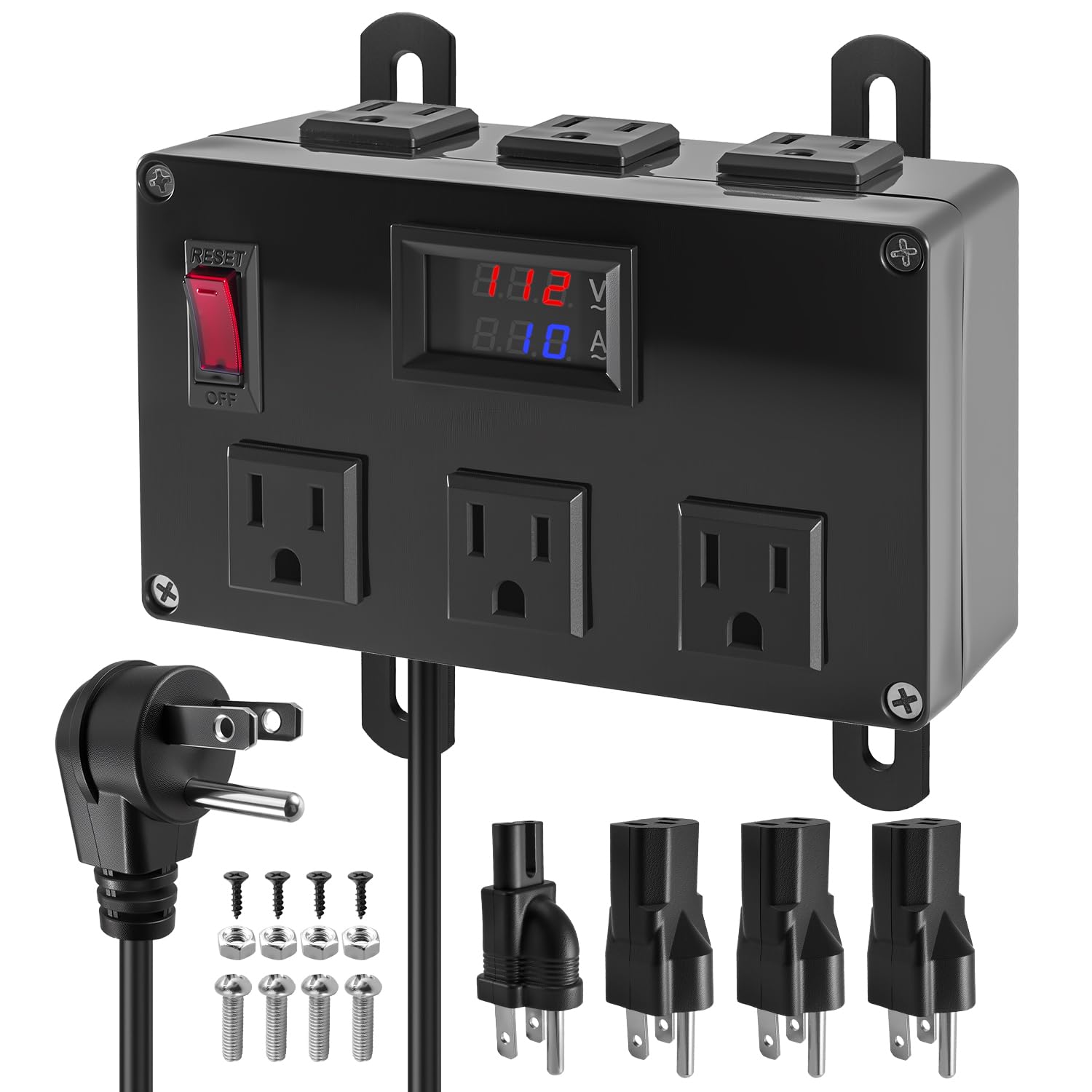
This is the purpose-built option for a structured wiring can. The half-width body is sized to sit inside an On-Q style media enclosure, and the six outlets split between standard receptacles and IEC connectors, with three C13 and one C7 adapter included for gear that ships with a removable cord. The 125V 15A rating covers the usual router, modem, switch and small NVR load without strain. Build is distribution-unit grade: a metal housing meant to be screwed down rather than set on a shelf.
It suits the homeowner or low-voltage installer finishing a structured media cabinet who wants outlets facing the right direction and adapters in the box. It is a poor fit for anyone without an enclosure, since the half-width format and adapter set are wasted on a desk or floor. The trade-off is that the IEC-first layout rewards buyers who already own C13 and C7 cords and frustrates those with a drawer full of molded wall warts.
Trade-off: The adapter-heavy outlet layout assumes IEC cords, so buyers with ordinary molded plugs may find fewer usable sockets than the count suggests.
Media Cabinet Power Strip, 5 Outlets, Half Width
Type: Media cabinet power strip
Format: Half width
Outlets: 5
Adapters: 3 IEC C13 and 1 IEC C7
Compatibility: On-Q media cabinets
Price Tier: Mid
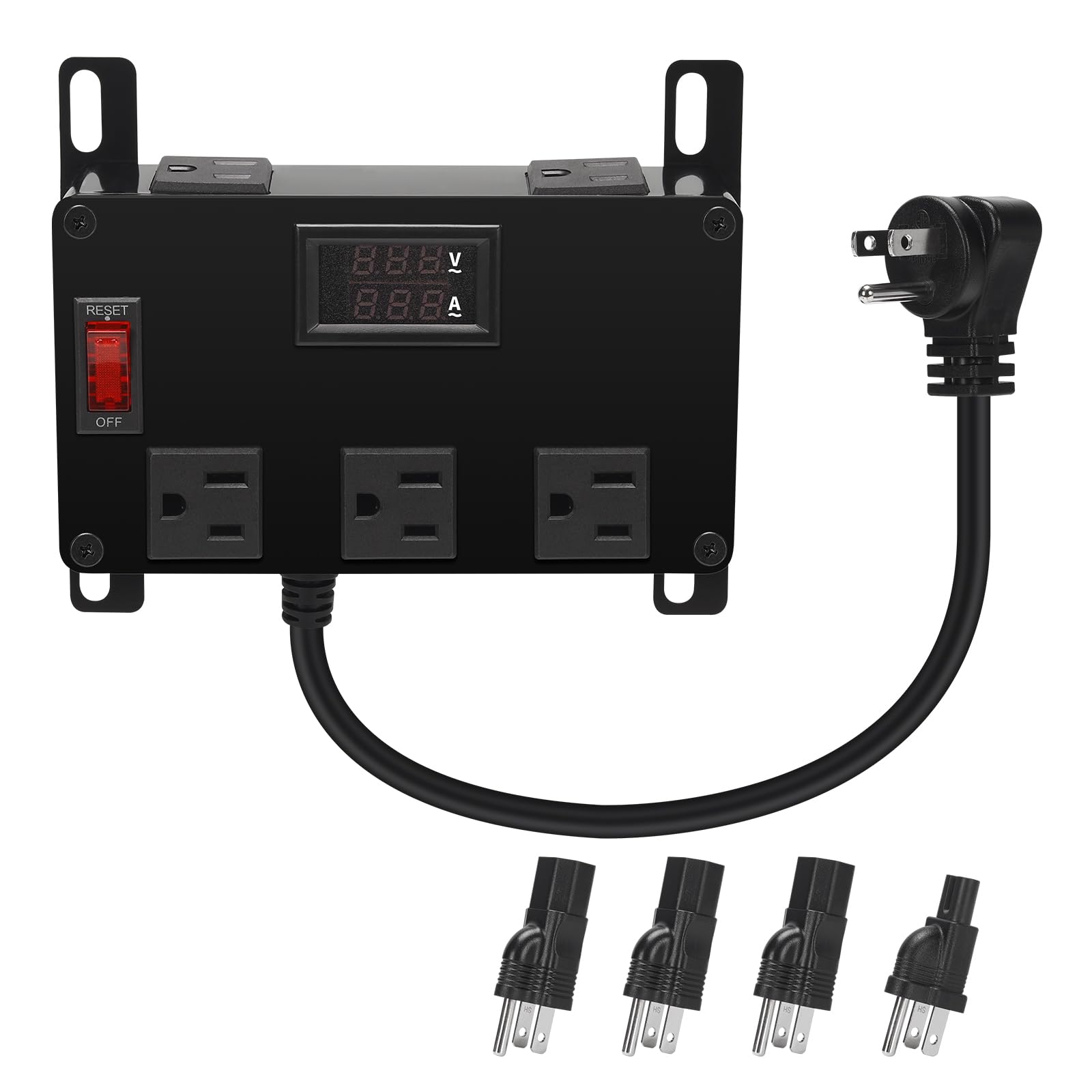
A close sibling of the PDU above, aimed at smaller enclosures where five outlets is enough. The half-width housing is built for On-Q media cabinets, and the same three C13 plus one C7 adapter set handles gear with detachable cords. Five outlets covers a modem, router, managed switch, a small NVR and one spare, which is the realistic load in a residential wiring can. The narrower outlet count keeps the strip shorter, which helps in shallow cabinets where a longer unit fouls the door or the cable bundle.
It suits the buyer with a compact structured media enclosure who does not need six or eight sockets, and who wants the strip to sit flush rather than bridge the can. It is not for a buyer with a full-size rack, a floor-standing AV cabinet or a growing stack of devices. The trade-off is headroom: five outlets leaves little room for expansion, and adding a device later may mean adding a second strip.
Trade-off: Five outlets is a tight budget for a media cabinet that will gain devices, so plan the load before committing.
Wall Mount Heavy Duty Power Strip
Type: Wall mount power strip
Outlets: 8
Switching: Individual switches
Surge Rating: 1200J
Cord: 10FT
Intended Use: Home office, garage, industrial workbench
Price Tier: Budget

This is the pick for a media unit that lives against a wall rather than inside a can. The housing is built for wall mounting, the 1200J surge rating adds a layer of protection the plain rack strips do not advertise, and the 10FT cord reaches an outlet across a room. Eight outlets each carry an individual switch, so a workbench or an open media shelf can isolate one device without unplugging anything. A cord manager keeps the run tidy where the strip is visible.
It suits the garage, home office and workbench buyer, and also the media-unit owner with an open back and no enclosure. It is not for a structured media cabinet, where the wall-mount bracket and the long cord are liabilities rather than features. The trade-off is that this is a general-purpose strip dressed for heavy duty, so a buyer who needs rack ears or IEC adapters is looking at the wrong product.
Trade-off: The wall-mount format and long cord suit open walls and workbenches, not enclosed cabinets where space and cord routing are tight.
KCG-7MVR Energy Saving Surge Protector
Type: Surge protector
Outlets: 7
Feature: Autoswitching technology
Intended Use: Energy saving on device clusters
Price Tier: Budget
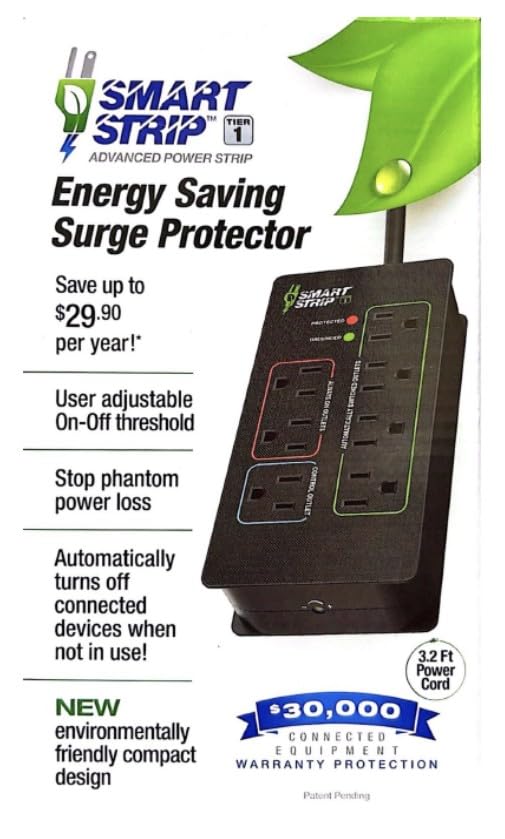
KCG-7MVR Energy Saving Surge Protector with Autoswitching Technology, 7 Outlet
The budget pick leans on autoswitching: the strip senses a master device and cuts power to the switched outlets when that device goes idle, which trims standby draw from a TV, console or streaming box cluster. Seven outlets is enough for a small media unit, and the surge protection covers the usual spikes. It is the cheapest way into a master-switch setup, and the simplest for a buyer who does not want to think about per-outlet toggles.
It suits the media-unit owner with a clear master device, such as a TV or receiver, and a handful of accessories that should sleep with it. It is not for a buyer with always-on gear in the same strip, since a router or modem on a switched outlet will drop offline every time the master sleeps. The trade-off is control: autoswitching decides for the buyer, and there is no rack, cabinet or wall-mount hardware in the box.
Trade-off: Autoswitching is only as good as the master device choice, and putting a router or modem on a switched outlet will cut the network.
Before You Buy
- Format: A rack unit, a half-width cabinet strip, a wall-mount bar and a freestanding surge protector are not interchangeable — measure the enclosure before choosing.
- Compatibility: On-Q and structured media cabinets need half-width strips with the right mounting points; standard rack gear needs rack ears.
- Outlet count: Count every device plus one spare; five outlets fills fast in a media can, eight is safer for a growing stack.
- Switching: Per-outlet toggle switches, individual switches and autoswitching solve different problems — pick the one that matches how the devices are used.
- Cord and connector types: IEC C13 and C7 adapters only help if the devices use detachable cords; molded wall warts need standard receptacles.
- Load: Check the strip’s amperage rating against the combined draw of the receiver, sub and network gear on the same circuit.
- Mounting hardware: Confirm the strip includes or accepts the brackets the cabinet or rack requires.
Frequently Asked Questions
-
What is a master switch strip for a media unit?
It is a power strip that lets one switch or one master device control several outlets, so a media cabinet can be shut down cleanly instead of unplugging each device. -
Will a half-width strip fit a standard rack?
Not directly. Half-width strips are sized for structured media cabinets and need adapter brackets or a shelf to sit in a full rack. -
Can a router go on a switched outlet?
It can, but it should not if the switch is tied to a TV or receiver, since the network will drop every time the master device sleeps. -
Does a rack strip need a separate surge protector?
The ADJ unit carries a 15 amp breaker rather than a surge rating, so a buyer in a storm-prone area may want additional protection upstream. -
How many outlets does a media unit need?
A modem, router, switch, NVR and one spare is five; add a streaming box, a smart hub or a small NAS and eight becomes the safer target. -
Is autoswitching worth it over manual switches?
It saves standby power without any effort, but manual per-outlet switches give more control over which devices stay live.
Bottom Line
For a structured media cabinet, the Half Width Rack Mount PDU is the best master switch strip for a media unit because it fits an On-Q can, covers six devices and ships with the IEC adapters most network gear needs. Rack owners should take the ADJ PC100A for its per-device lighted switches, while wall-mount and workbench setups are better served by the heavy duty strip. Buyers who want set-and-forget energy savings on a small cluster can start with the KCG-7MVR.
