Why there are Amazon links here: Brave Review is paid a commission for qualifying Amazon purchases made through the links below. Your price does not change, and using our links is entirely optional. How this works
Best Mini PC for a Home Automation Server: 5 Picks for Proxmox, Home Assistant and Home Lab Duty
A home automation server has to run around the clock, stay quiet, and survive the occasional reboot without taking the lights and thermostats down with it. The five mini PCs below cover that job from three angles: a budget starter, dual-LAN firewall-capable boxes, and a pre-assembled home lab unit. Buyers setting up a first Home Assistant instance, buyers virtualizing several services on Proxmox, and buyers who want a small always-on box for a rack shelf will each find a match here. The overview table below puts the key differences side by side before the individual reviews.
Overview of the Picks
| Product | Key Spec | Best Use | Price Tier |
|---|---|---|---|
| BOSGAME E5 11 Pro | Ryzen 5300U, 8GB DDR4, 256GB SSD, dual 2.5GbE | Budget starter with room to upgrade | Budget |
| BOSGAME E5 | Ryzen 3 5300U, 16GB DDR4, 512GB NVMe, dual 2.5GbE | Firewall and multi-service server | Mid-range |
| TK Node Mini PC | AMD R2514, 16GB RAM, 512GB SSD, Proxmox + Home Assistant | Plug-and-play home lab | Premium |
| Beelink Mini S12 | Intel N95, 8GB DDR4, 480GB SATA SSD, 2.5G LAN | Lowest-power always-on node | Budget |
| GMKtec G10 | Ryzen 5 3500U, 16GB RAM, 512GB SSD, triple 4K | Versatile office and HTPC crossover | Mid-range |
BOSGAME E5 11 Pro Mini PC
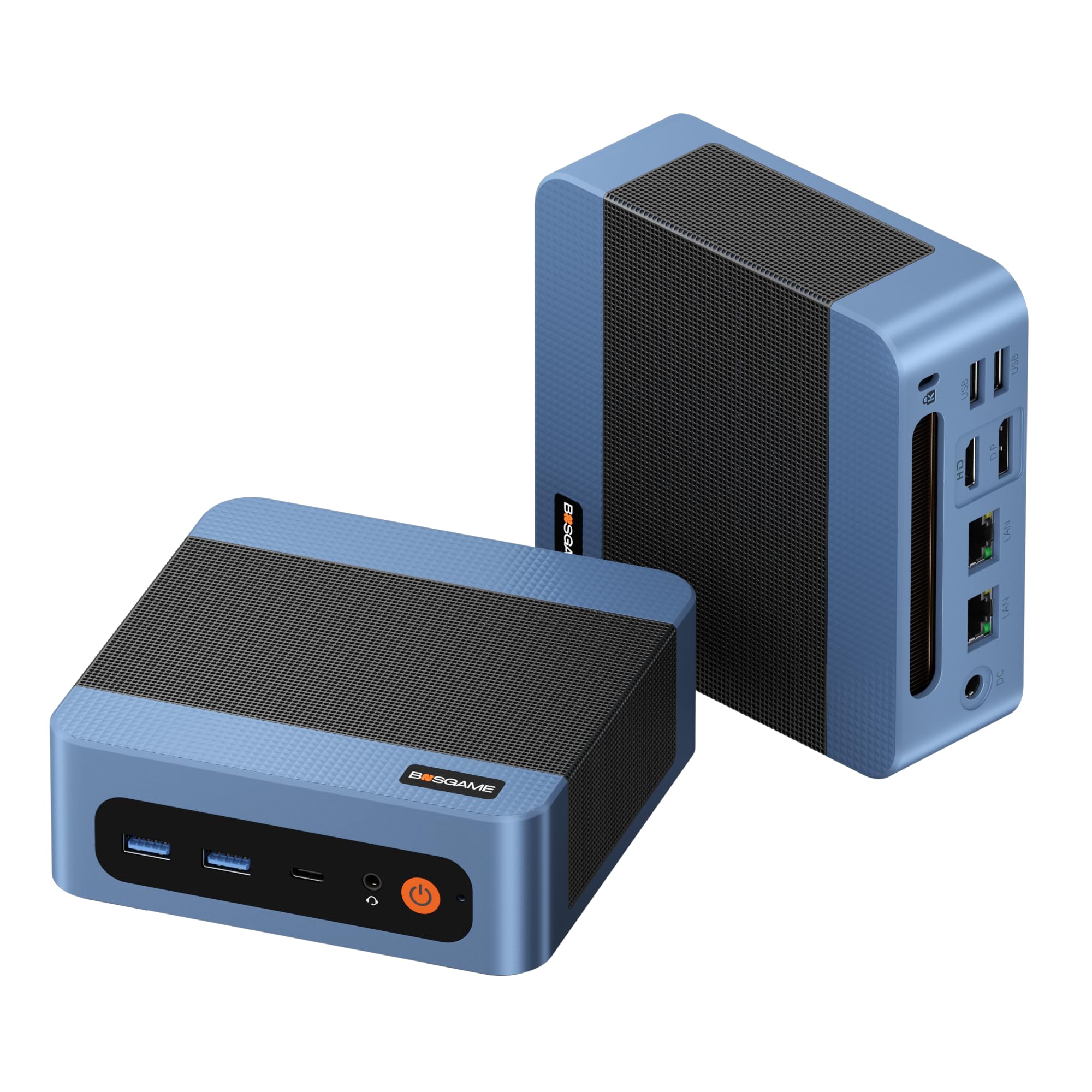
Processor: AMD Ryzen 5300U, 4 cores / 8 threads
Memory: 8GB DDR4
Storage: 256GB M.2 2280 SSD
Networking: Dual 2.5GbE LAN, Wi-Fi 5, Bluetooth 5.0
Display Output: Triple displays at 4K 60Hz
Software Support: Linux, SSH
The E5 11 Pro is the entry point into this list, and it is built for the job: a Ryzen 5300U with eight threads handles Home Assistant, a small MQTT broker, and a few lightweight containers without strain. The dual 2.5GbE ports are the standout feature at this tier, since that is exactly what a home router or firewall build needs. The 256GB M.2 2280 drive is user-replaceable in most builds of this type, which matters because automation databases and log files grow quietly over time. Linux and SSH support are called out in the name, and that is the right signal for anyone who plans to run the box headless.
This pick suits buyers starting a first automation server who want capable networking hardware without paying for a premium badge. It earns its place because the dual-LAN layout is unusual at the budget end and gives the box a second life as a firewall later. The caution is memory and storage headroom: 8GB and 256GB fill up fast once several virtual machines and a growing history database share the same drive, so a RAM or SSD upgrade should be budgeted from the start.
Trade-off: The 8GB memory and 256GB drive leave little slack for a large Proxmox stack, so buyers should plan an upgrade path rather than expect years of headroom.
BOSGAME E5 Mini PC
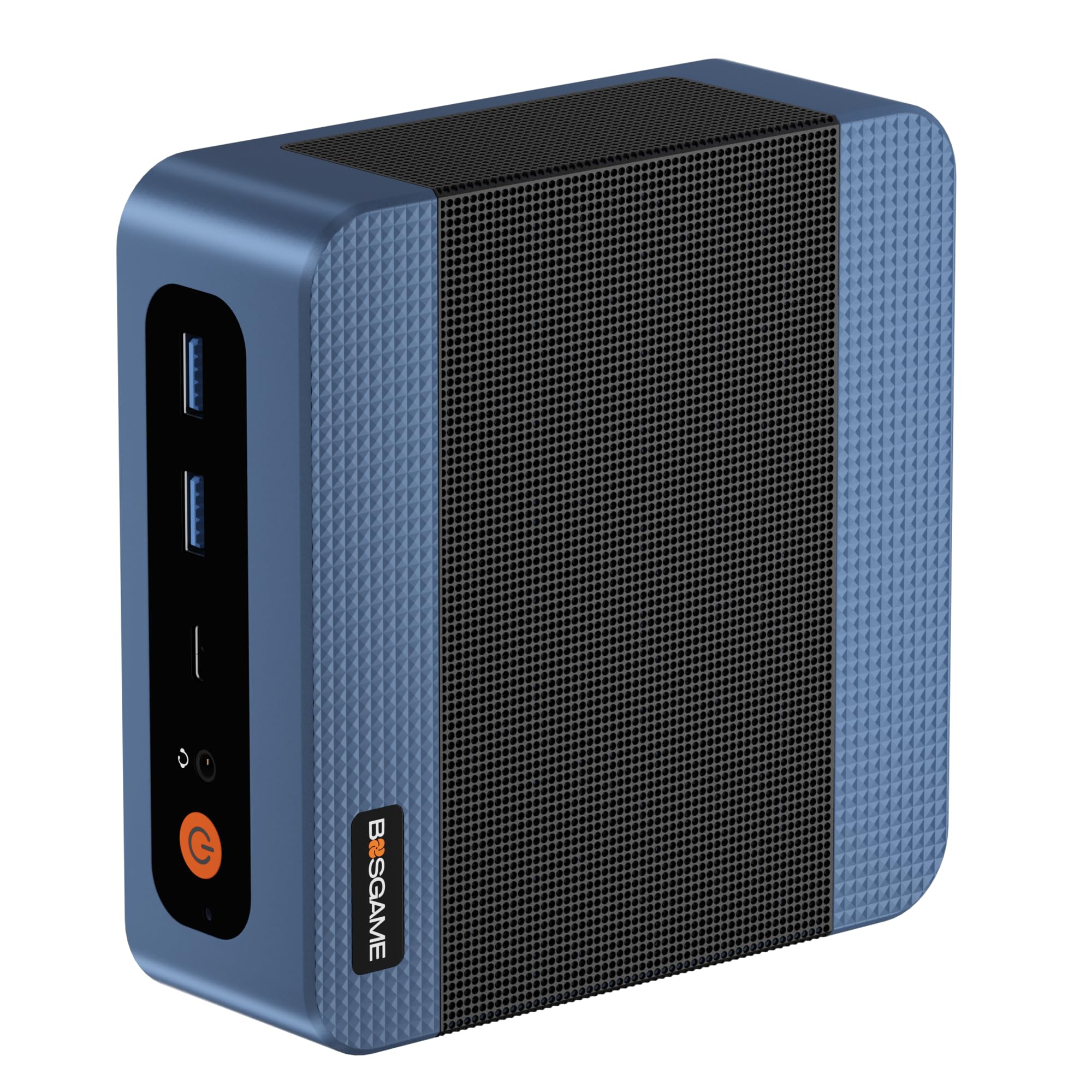
Processor: AMD Ryzen 3 5300U
Memory: 16GB DDR4
Storage: 512GB NVMe SSD
Networking: Dual 2.5G LAN
Display Output: Triple 4K display support
Intended Use: Home server, firewall, business office
This is the same chassis family as the budget pick, but with the memory and storage doubled to 16GB and a 512GB NVMe drive. That combination is the sweet spot for a virtualization host: enough RAM to keep several guests resident, and NVMe storage that keeps database writes and container restarts snappy. The dual 2.5G LAN ports again open the door to router, firewall, or VLAN-heavy network layouts, and the triple 4K output means the box can double as a desktop when it is not buried in a closet.
The pick suits buyers who know they will run more than Home Assistant alone — a reverse proxy, a media manager, a DNS filter, and a monitoring stack all at once. It earns its place as the most balanced unit here for pure server duty. The caution is thermal: a compact fan-cooled case running 24/7 will collect dust, and sustained loads push fan noise up, so buyers should plan a spot with airflow and a periodic cleaning routine.
Trade-off: The compact chassis leaves little thermal margin under sustained virtualization loads, so fan noise and dust buildup deserve attention in a closed cabinet.
TK Node Mini PC
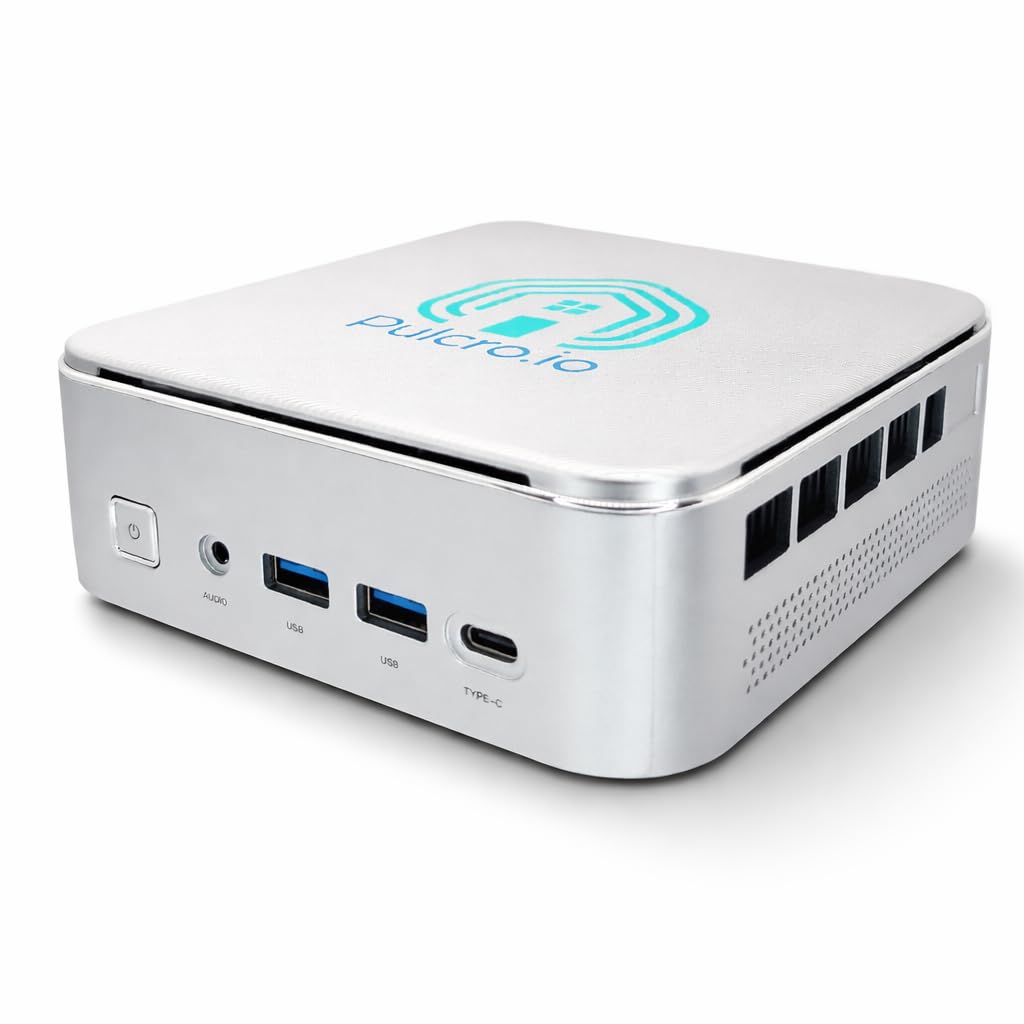
Processor: AMD R2514
Memory: 16GB RAM
Storage: 512GB SSD
Software: Proxmox + Home Assistant pre-installed
Assembly: Assembled in the USA
Intended Use: Smart home to home lab
The TK Node is the only pick here that arrives with the software stack already in place: Proxmox and Home Assistant are installed, which removes the most intimidating step for a first-time home lab buyer. The AMD R2514 with 16GB RAM and a 512GB SSD is a sensible server configuration, and the assembly is done in the USA, which appeals to buyers who prefer a small-business product over a mass-market box. It is aimed squarely at the person who wants a working smart home hub this weekend rather than a project.
This pick suits buyers who value setup time over tinkering and want a documented starting point they can extend later. It earns its place as the premium, convenience-first option on the list. The caution is price and flexibility: a pre-configured unit costs more than the equivalent bare hardware, and buyers who want a very specific partition layout or a different hypervisor will be paying for software they may replace.
Trade-off: The pre-installed stack adds cost over bare hardware, and buyers with strong opinions about their own hypervisor setup may end up reimaging the drive anyway.
Beelink Mini S12 Mini PC

Processor: Intel N95, 4 cores / 4 threads, up to 3.4GHz
Memory: 8GB DDR4
Storage: 480GB SATA3 SSD
Networking: 2.5G LAN, Wi-Fi 5, Bluetooth 4.2
Display Output: Dual display, 4K
Power Character: Low power mini computer
The Mini S12 is the lowest-power option on this list, built around an Intel N95 and explicitly marketed as a low-power mini computer. For an always-on automation server, that efficiency is the whole argument: a box that sips power costs less to run every month and generates less heat in a small space. The single 2.5G LAN port covers a standard home network, the 480GB SATA SSD is roomy for a starter setup, and dual 4K output leaves the option of using it as a light desktop too.
This pick suits buyers running Home Assistant on its own, or a handful of containers, where low running cost matters more than raw throughput. It earns its place as the quiet, economical node for a shelf or utility closet. The caution is expansion and CPU ceiling: a single network port rules out router or firewall duty, and the four-thread N95 will feel tight once several virtual machines compete for time.
Trade-off: One LAN port and a modest four-thread CPU cap this box at single-purpose duty, so buyers planning a firewall or a dense VM stack should look elsewhere.
GMKtec G10 Mini PC

Processor: AMD Ryzen 5 3500U
Memory: 16GB RAM
Storage: 512GB SSD
Networking: 2.5GbE LAN, Wi-Fi, Bluetooth
Ports: USB-C, DisplayPort, HDMI 2.1
Display Output: Triple 4K display
The G10 pairs a Ryzen 5 3500U with 16GB RAM and a 512GB SSD, and it is the most port-rich unit here: USB-C, DisplayPort, and HDMI 2.1 alongside the 2.5GbE LAN. That makes it a genuine dual-role machine — a Proxmox host for the automation stack during the week, and an HTPC or light office desktop when a display is attached. The triple 4K output is generous for a box this size and gives buyers room to run a dashboard screen next to a TV.
This pick suits buyers who want one small computer to serve the smart home and the living room, and who may want to repurpose it later. It earns its place as the most flexible all-rounder on the list. The caution is that a single 2.5GbE port limits it compared with the dual-LAN BOSGAME units, and the combination of server duty plus media playback means storage will fill faster than on a dedicated node.
Trade-off: A single network port and shared server-plus-HTPC duty mean this box is more versatile than specialized, and storage growth will come sooner.
Before You Buy
- Networking: Count the Ethernet ports before choosing. Dual 2.5GbE is essential for firewall or router duty; a single port is fine for a plain Home Assistant node.
- Memory: 8GB runs a basic automation server; 16GB is the safer floor once several virtual machines or containers share the host.
- Storage: Automation databases and logs grow steadily. Prefer NVMe over SATA where the budget allows, and check that the drive can be replaced.
- Power and heat: An always-on box in a closet needs airflow. Low-power processors run cooler and cheaper, but compact fan-cooled cases still collect dust.
- Software: A pre-installed Proxmox and Home Assistant setup saves hours, but buyers with a preferred hypervisor should factor in reimaging time.
- Form factor: Measure the shelf or rack slot first. These units are small, but clearance for the power brick and cable bends matters just as much.
Frequently Asked Questions
- How much RAM does a home automation server need? 8GB is workable for Home Assistant alone, while 16GB gives comfortable room for Proxmox with several guests running at once.
- Is dual LAN necessary for a mini PC server? Only if the box will act as a router or firewall. For a standard automation node on an existing network, one 2.5GbE port is enough.
- Can these mini PCs run Home Assistant and Proxmox together? Yes. The 16GB models on this list are the natural fit, and the TK Node ships with both already installed.
- Do mini PCs run too hot for 24/7 use? They are designed for continuous operation, but a ventilated spot and occasional dust cleaning keep temperatures and fan noise in check.
- Which pick is best for a first-time home lab buyer? The TK Node removes the setup barrier, while the BOSGAME E5 balances cost against capability for buyers willing to install software themselves.
- Can a mini PC double as an HTPC? The GMKtec G10 is the strongest fit for that, with triple 4K output and a full set of display ports.
Bottom Line
For most buyers building a home automation server, the BOSGAME E5 Mini PC is the pick to beat: 16GB of RAM, a 512GB NVMe drive, and dual 2.5G LAN ports cover Home Assistant, a virtualization stack, and future firewall duty without an immediate upgrade. Buyers who want the software already installed should step up to the TK Node, and buyers on a tight budget can start with the E5 11 Pro and add memory later.