Why there are Amazon links here: Brave Review is paid a commission for qualifying Amazon purchases made through the links below. Your price does not change, and using our links is entirely optional. How this works
NETGEAR RBE360 Orbi 360 Series WiFi 7 Mesh System: The Add-On Satellite That Extends an Orbi 360 Network
The NETGEAR RBE360 is not a standalone router. It is an add-on satellite for the Orbi 360 Series WiFi 7 mesh system, sold to people who already own an RBE362 or RBE363 and need more coverage. This review explains what the satellite adds, how it fits into an existing mesh, and who should skip it. Buyers who want a complete system should look at the main Orbi 360 kit instead.
Check the Current Price on Amazon
Features and Specifications
Type: Add-on mesh satellite (requires an RBE362 or RBE363 main unit)
Coverage: Adds up to 2,000 sq ft
Speed: Up to 5 Gbps
Device Capacity: Up to 70 devices
Wireless Bands: Dual-band
Setup: Easy set up
Compatibility: Orbi 360 Series WiFi 7 mesh system
The satellite is an expansion node, not a router. It joins an existing Orbi 360 network and extends that network’s reach into rooms the main unit cannot cover well. NETGEAR builds it for the same WiFi 7 platform as the RBE362 and RBE363, so it speaks the same language as the rest of the mesh.
The headline numbers are coverage and device load. Two thousand square feet per satellite is a meaningful jump for a large home, and a 70-device ceiling covers a modern household with phones, laptops, TVs, smart speakers and appliances all connected at once. The 5 Gbps figure describes the satellite’s wireless capability, and the dual-band design keeps the radio package simpler than tri-band mesh nodes.
Build and Design
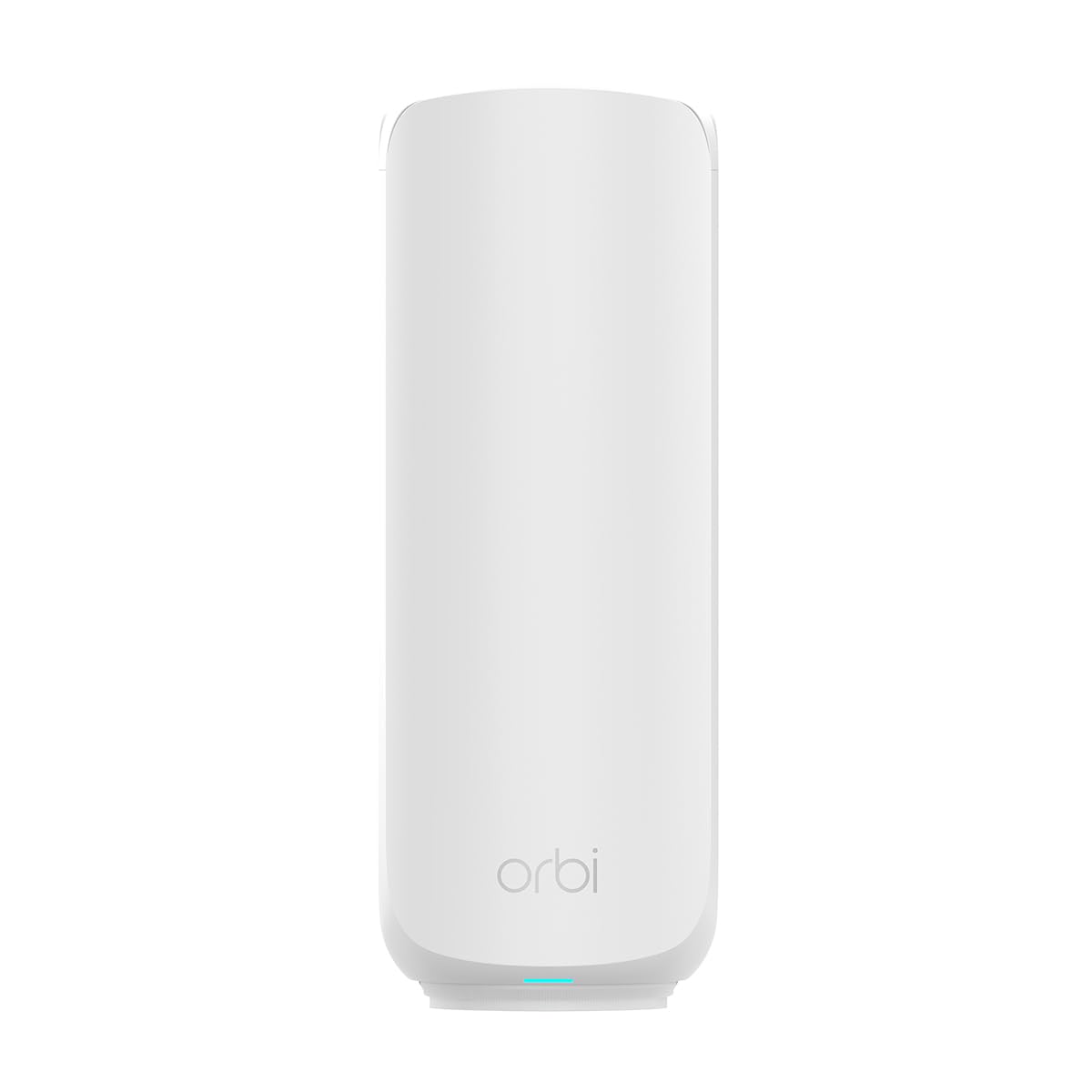
Orbi satellites follow the same tall, tower-like silhouette as the main units, with a clean exterior meant to sit on a shelf or side table rather than hide in a closet. The RBE360 is built to blend into a living space, which matters because a satellite works best when it is placed out in the open, not tucked behind furniture.
Placement is the real design story. A satellite only earns its coverage claim when it sits roughly halfway between the main router and the dead zone, with a clear path between them. Buyers who plan to bury it in a cabinet or mount it in a garage corner should expect less than the advertised reach.
The satellite is also a paperweight without a compatible main unit. It pairs with the RBE362 and RBE363, and it does not function as a standalone router or as a satellite for a different Orbi generation.
Coverage and Capacity
The 2,000 sq ft figure is the reason most buyers look at this unit. It is the difference between a network that reaches the back bedroom and one that does not, and it is the cheapest way to fix a weak spot without replacing the whole system.
Capacity is the second number that matters. Seventy devices is generous for a family home, and it means the satellite can absorb the load from a home office, a media room or a garage full of connected gear without pushing the main unit past its limits.
The dual-band radio package is where buyers should think carefully. Dual-band mesh nodes typically dedicate less wireless capacity to backhaul than tri-band designs, so throughput at the far edge of the network depends heavily on signal quality between the satellite and the main unit. In a home with thick walls or a long distance between nodes, the satellite delivers coverage but not always the full speed its spec sheet implies.
Speed and WiFi 7
The 5 Gbps rating puts the satellite in WiFi 7 territory, and that matters for buyers with multi-gig internet or heavy local traffic. It is headroom for future devices as much as it is a number for today’s phones and laptops.
Real-world speed at a satellite is always a fraction of the link rate, because the node has to talk to the main unit and to the client at the same time. Buyers should treat 5 Gbps as the ceiling of the radio, not a promise for every corner of the house.
The practical benefit is steadiness rather than raw peaks. A satellite that holds a strong connection to the main unit keeps video calls, streaming and game downloads stable in rooms that previously dropped. That reliability is the real reason to add a node.
Setup and Maintenance
Setup is designed to be simple: power the satellite on, place it within range of the main unit, and add it through the Orbi app. The system handles pairing and pushes the network name and password to the new node automatically.
Maintenance is minimal. Firmware updates arrive through the app alongside the rest of the mesh, and there are no separate logins or settings to manage per satellite. The main ongoing task is placement — moving the node a few feet can change the experience more than any setting.
Buyers should keep the satellite on the same firmware track as the main unit. A node that falls behind on updates can cause roaming quirks, and the app is the place to check.
Trade-off: The RBE360 only makes sense for households that already own an RBE362 or RBE363; anyone starting from scratch pays satellite money for a device that cannot run a network on its own.
Who It Suits and Who It Does Not
The RBE360 suits existing Orbi 360 owners with a coverage gap: a far bedroom, a garage office, a backyard patio or a floor that the main unit cannot reach. It also suits buyers who added devices faster than expected and want more capacity without replacing the router.
It does not suit anyone without a compatible main unit, and it does not suit buyers who want a tri-band mesh or a system from a different brand. Households with very long runs between nodes, or walls that block wireless backhaul, may get more from a wired access point or a powerline setup than from another satellite.
Buyers comparing the RBE360 against a full Orbi 360 kit should weigh the total cost. One satellite is the cheaper fix when the main unit is already in place; a kit is the right call when the network is being built from zero.
FAQ
-
Is the NETGEAR RBE360 a standalone router?
No. It is an add-on satellite that requires an RBE362 or RBE363 main unit to form a network. -
How much coverage does the RBE360 add?
NETGEAR rates it at up to 2,000 square feet per satellite, though real coverage depends on walls, placement and interference. -
How many devices can the RBE360 handle?
The satellite is rated for up to 70 devices, which covers a typical family home with phones, laptops, TVs and smart home gear. -
Does the RBE360 support WiFi 7?
Yes. It is part of the Orbi 360 Series WiFi 7 mesh system and uses the same platform as the RBE362 and RBE363. -
What is the top speed of the RBE360?
NETGEAR rates the satellite at up to 5 Gbps, which is radio capability rather than a guaranteed speed at every location. -
Is the RBE360 dual-band or tri-band?
It is dual-band, which keeps the design simple but means backhaul shares radio capacity with client traffic. -
How hard is it to set up the RBE360?
Setup runs through the Orbi app: power on the satellite, place it within range of the main unit, and add it to the existing network. -
Can the RBE360 work with a different Orbi model?
It is built for the RBE362 and RBE363. Buyers with an older Orbi generation should check compatibility before ordering. -
Where should the satellite be placed?
Roughly halfway between the main unit and the weak spot, in open air, with as few walls as possible between the two nodes. -
Does the RBE360 come with the main router?
No. The listing is for the add-on satellite only, and the main unit is sold separately.
Bottom Line
The NETGEAR RBE360 is the right purchase for one specific buyer: an Orbi 360 owner who needs more reach and more device capacity without replacing the system. It extends coverage by up to 2,000 square feet, carries up to 70 devices and fits the WiFi 7 platform already in place. Everyone else — especially buyers without an RBE362 or RBE363 — should put the money toward a complete Orbi 360 kit instead.
