Why there are Amazon links here: Brave Review is paid a commission for qualifying Amazon purchases made through the links below. Your price does not change, and using our links is entirely optional. How this works
Omada EAP650 vs Netgear Orbi RBK13: Business AP or Whole-Home Mesh
The Omada EAP650 and the Netgear Orbi RBK13 solve the same problem from opposite ends. One is a single ceiling-mount access point built for managed business networks; the other is a three-piece mesh kit that replaces a home router and spreads WiFi through a house.
The decision comes down to who installs and runs the network. Buyers who want a controller, PoE wiring and central management land on the EAP650. Buyers who want to unbox three units, plug them in and forget about it land on the Orbi. The comparison below sorts out the rest.
Omada EAP650 vs Netgear Orbi RBK13 at a Glance
| Product | Key Spec | Best Use | Price Tier |
|---|---|---|---|
| Omada EAP650 | AX3000 dual-band access point, PoE powered, Omada managed | Single-room or multi-AP business WiFi with a controller | Budget |
| Netgear Orbi RBK13 | Whole-home mesh system, 1 router + 2 satellites, 4,500 sq. ft. coverage | Plug-and-play coverage across a house | Mid-range |
Omada EAP650: The Managed Access Point

Type: Wireless access point
WiFi Standard: WiFi 6, dual band
Class: AX3000
Management: Omada managed, mesh and roaming capable
Power: PoE (PoE160S, PoE4824G) or included DC adapter
Security: WPA3
Warranty: 5 years
The EAP650 is not a router. It is a single access point that broadcasts WiFi and hands clients off to the rest of an Omada network, and it expects something upstream to route and manage traffic. Buyers who already run an Omada controller get central visibility, roaming between units and mesh backhaul from one dashboard.
Power is where this unit separates itself from consumer gear. It draws from a PoE switch or injector, so a single Ethernet cable carries both data and power to a ceiling or wall mount, and the included DC adapter covers setups without PoE. The five-year warranty is a business-grade commitment that home mesh kits rarely match.
Trade-off: The EAP650 is only one radio in one location, so a large home or office needs several units plus a controller and PoE infrastructure before it delivers whole-space coverage.
Check the price of the Omada EAP650 on Amazon
Netgear Orbi RBK13: The Whole-Home Mesh Kit
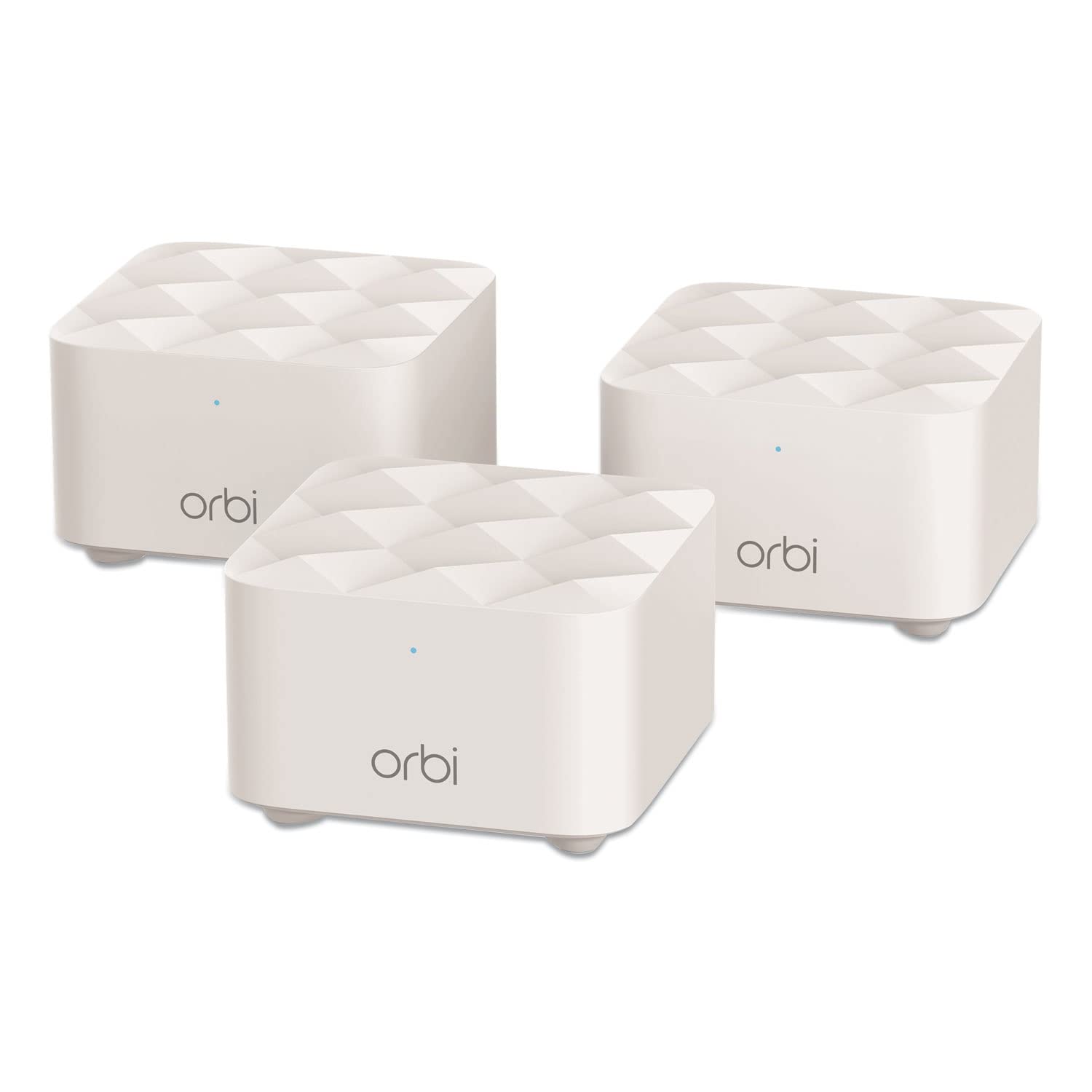
Type: Whole-home mesh WiFi system
Components: 1 router + 2 satellites
Coverage: Up to 4,500 sq. ft.
Role: Router replacement
Setup: App-guided, plug-in placement
Mounting: Desktop or shelf
The RBK13 is a complete kit, not a component. The router replaces the existing home router outright, and the two satellites extend the same network name across the stated 4,500 square feet. Buyers get three boxes that work together out of the box, with no separate controller and no wiring beyond power.
Placement is flexible in the way mesh kits usually are: the units sit on a shelf or desk and talk to each other over WiFi, so a house without Ethernet runs can still get coverage into far rooms. The trade is that this is a consumer system with consumer management — an app, not a controller dashboard with per-AP tuning.
Trade-off: The RBK13 is a closed, app-managed kit with no PoE and no controller layer, so buyers who want VLANs, central multi-site management or ceiling-mounted hardware will find it limited.
Check the price of the Netgear Orbi RBK13 on Amazon
Side-by-Side: Where They Actually Differ
| Dimension | Omada EAP650 | Netgear Orbi RBK13 |
|---|---|---|
| What it is | Single access point | Router + 2 satellites |
| WiFi generation | WiFi 6 | Mesh system, consumer grade |
| Coverage model | One radio per unit; add APs as needed | Up to 4,500 sq. ft. from the kit |
| Power | PoE or DC adapter | Standard wall power |
| Mounting | Ceiling or wall | Desktop or shelf |
| Management | Omada controller, central dashboard | Vendor app |
| Security | WPA3 | Standard home WiFi security |
| Warranty | 5 years | Consumer warranty terms |
| Best fit | Managed business or prosumer networks | Plug-and-play home coverage |
The first real difference is architecture. The EAP650 is a building block: one unit covers one area well, and coverage grows by adding more APs under the same Omada controller. The Orbi kit is a finished package: three units, one network name, coverage stated up front.
The second is power and placement. PoE lets the EAP650 go on a ceiling where the signal actually belongs, with one cable doing everything. The Orbi units need a power outlet at each location, which constrains where the satellites can sit.
The third is management depth. Omada gives a controller with roaming, mesh and per-device visibility — the kind of control that matters when someone else’s WiFi has to stay up. Orbi gives an app that a household can run without training.
The fourth is the warranty and support posture. Five years on the EAP650 signals a product meant to be installed and left alone in a business setting. The Orbi kit is priced and supported as a home purchase.
Which Should You Buy?
Choose the Omada EAP650 if the network will be managed, the space can take ceiling or wall mounting, and PoE is available or can be added. It suits small offices, shops, rental properties and prosumer homes where a controller dashboard and WPA3 matter more than unboxing speed. It is also the better pick when coverage will grow one access point at a time.
Choose the Netgear Orbi RBK13 if the goal is coverage across a house with no wiring, no controller and no networking background. The three-piece kit replaces the router and extends one network name across the stated square footage, and setup is app-guided.
Buyers who want a single strong radio and central control should not buy the Orbi. Buyers who want to plug in three boxes and stop thinking about WiFi should not buy the EAP650.
FAQ
-
Is the Omada EAP650 a router?
No. It is an access point. It broadcasts WiFi and joins an Omada network, but routing and management come from separate hardware. -
Does the Netgear Orbi RBK13 replace an existing router?
Yes. The kit is sold as a router replacement, with one router unit and two satellites working as a single mesh system. -
Which one is easier to set up?
The Orbi RBK13. Three units, an app and wall power are the whole install. The EAP650 needs mounting, a PoE source or its DC adapter, and an Omada controller to unlock management features. -
Can the EAP650 cover a whole house on its own?
One unit covers one area. Whole-home coverage comes from adding access points under the same controller, not from a single EAP650. -
Does the Orbi RBK13 support PoE?
No. The units run on standard wall power, which limits where satellites can be placed compared with a PoE access point. -
Which is better for a small business?
The Omada EAP650, because central management, WPA3, PoE mounting and the five-year warranty fit a managed deployment better than a consumer mesh kit. -
Which is better for renters?
The Orbi RBK13. It needs no ceiling drilling, no PoE wiring and no controller, and it can move with the tenant. -
Do both support WiFi 6?
The EAP650 is explicitly WiFi 6 and AX3000 class. The RBK13 is a whole-home mesh system; buyers who need WiFi 6 specifically should confirm the specification on the listing before buying.
Bottom Line
The Omada EAP650 is the pick for anyone building a managed network with PoE, a controller and room to add access points; the Netgear Orbi RBK13 is the pick for a house that needs coverage without wiring or configuration. Buyers who want control choose the EAP650, buyers who want simplicity choose the Orbi.
