Why there are Amazon links here: Brave Review is paid a commission for qualifying Amazon purchases made through the links below. Your price does not change, and using our links is entirely optional. How this works
Philips Hue Wireless Smart Light Switch Button: No-Wire Control for Hue Homes
The Philips Hue Wireless Smart Light Switch Button is a small, battery-powered remote that gives a Hue household a physical control point without cutting into a wall or pulling a cable. It suits renters, older homes, and anyone who has Hue bulbs but keeps reaching for a switch that no longer does anything useful. This review covers what the button is, how it fits into a Hue setup, what it does well, and where it falls short, so a buyer can decide quickly whether it earns a place on the wall or the nightstand.
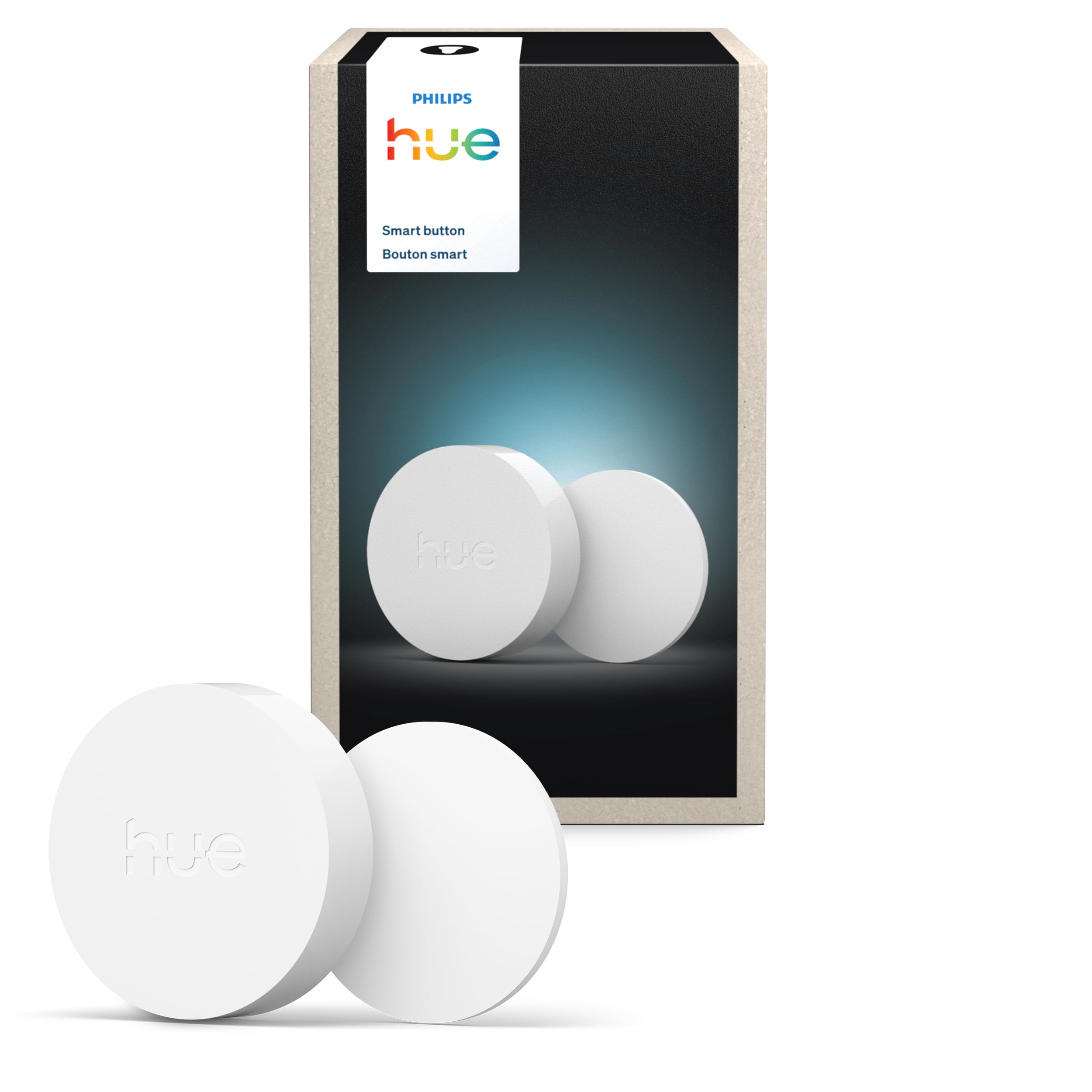
Features and Specifications
Product: Philips Hue Wireless Smart Light Switch Button
Color: White
Pack Size: 1 pack
Power Source: Battery powered
Installation: No-wire, easy installation
Mobility: Portable
System Requirement: Requires Hue Bridge
Category: Smart home control
The button is a compact, self-contained remote. Because it runs on a battery and needs no wiring, it can sit on a shelf, stick to a wall, or travel between rooms without an electrician anywhere in the picture. The one hard requirement is the Hue Bridge: this is not a standalone switch and it will not talk to a phone or a bulb on its own.
That dependency shapes the entire purchase. A buyer already running a Hue Bridge gets a simple add-on that extends control to a bedside table or a hallway. A buyer with no Bridge is looking at the wrong product and should sort out the hub first.
Build and Design: What the Button Is Made For
The design brief here is minimalism. It is a white, portable unit meant to be unobtrusive, which is why it reads as a blank canvas rather than a feature-heavy gadget. The lack of wires is the headline: no back box, no neutral wire, no drilling through plaster to reach a lighting circuit.
That makes it a natural fit for places where permanent wiring is awkward or forbidden. Renters can mount one and take it down at the end of a lease. Owners of older properties can add a second control point to a room without opening a wall. Anyone who has swapped a room over to Hue bulbs and then found the original wall switch either dead or permanently on has a clear use case.
The trade-off is that a battery-powered remote is a consumable, not a fixture. Buyers should expect to replace the battery eventually, and the unit will never feel as permanently anchored as a wired switch.
Power and Placement: Where the Button Works Best
Battery power and portability combine into the button’s real strength: placement freedom. It can live on a nightstand, sit by a front door, or move to whichever room needs a second control point that week. No outlet, no circuit, no installation cost.
The natural jobs are the ones a phone app handles badly. Killing the lights at bedtime without unlocking a phone. A quick tap on the way out of the house. A control point in a hallway or guest room where nobody wants to install the app. Physical buttons are faster than voice commands and far faster than digging through a menu.
Portability also means the button can go missing. A remote that lives loose on a table is a remote that ends up under a sofa, and there is no wired anchor to fall back on. Buyers who want a fixed control point should plan on mounting it rather than leaving it loose.
System Requirements and Hue Bridge Compatibility
The Hue Bridge requirement is the single most important fact about this product. The button is an accessory to a Hue system, not an entry point into one. Without the Bridge, it has nothing to pair with and nothing to command.
For households already on the Bridge, setup is the easy part: add the button in the Hue app, then assign it to scenes, rooms, or individual lights. That assignment step is where the button earns its keep, because a button mapped to a favorite scene is far more useful than one mapped to a single lamp.
The caution is straightforward. A shopper who has Hue bulbs but runs them through Bluetooth alone, with no Bridge, cannot use this button. It is worth confirming the hub situation before ordering, because this is a purchase that only makes sense as an addition to an existing Bridge-based setup.
Maintenance and Everyday Use
Maintenance is close to nil beyond the battery. There is no firmware fiddling to do by hand, no wiring to inspect, and no mounting hardware to redo. The white finish is easy to wipe down, and there are no crevices or seams that collect dust the way a multi-button panel would.
Everyday use is a single-tap interaction. That simplicity is the point: guests, family members, and anyone who does not want to learn an app can use it immediately. It is also why the button suits households with mixed technical comfort levels, where one person manages the Hue system and everyone else just wants the lights to respond.
The limitation is scope. One button means one assignment, or a small set of tap patterns, depending on how the app is configured. A buyer who wants separate controls for four rooms should be looking at a multi-button scene controller instead of a single portable button.
Trade-off: The button is a single-purpose accessory that only works with an existing Hue Bridge, so it adds convenience to a Hue home but does nothing for anyone outside that ecosystem.
Check the current price on Amazon
Who It Suits and Who It Does Not
The button suits Hue Bridge owners who want a physical control point without an electrician, particularly renters, people in older homes, and anyone tired of reaching for a phone at bedtime. It also suits households where guests or family members need a control method that requires no explanation.
It does not suit shoppers without a Hue Bridge, buyers who want a switch that directly replaces a wired wall switch for the whole room’s lighting circuit, or anyone expecting a multi-zone control panel. Those buyers need a different category of product entirely.
FAQ
-
Does the Philips Hue Wireless Smart Light Switch Button need a Hue Bridge?
Yes. The product name states it requires the Hue Bridge, so it is an add-on for an existing Hue setup rather than a standalone switch. -
Can it be installed without wiring?
Yes. It is battery powered and designed for no-wire installation, so no electrician and no wall cutting are needed. -
Is it portable, or does it have to be mounted?
It is portable. It can sit on a surface or be mounted, which gives buyers a choice between a fixed control point and one that moves around the home. -
Does it work with Hue bulbs that are set up over Bluetooth only?
No. The Bridge requirement means a Bluetooth-only Hue setup is not enough; the hub has to be part of the system. -
Can one button control more than one light?
The button can be assigned in the Hue app, so a single press can trigger a scene or a group of lights rather than only one bulb. -
Is it a replacement for a regular wall light switch?
No. It is a wireless control accessory for Hue lighting, not a wired switch that controls a room’s mains circuit. -
Does the battery need regular attention?
It is battery powered, so the battery will need replacing at some point. Beyond that, there is no routine maintenance. -
Is it a good choice for renters?
Yes. No-wire installation means it can be added and removed without altering the property. -
Can guests use it without the app?
Yes. A physical button is a straightforward control method for anyone in the home, regardless of app familiarity. -
Is one button enough for a whole house?
Not usually. A single button covers one control point well; larger homes typically need several, or a multi-button controller.
Bottom Line
The Philips Hue Wireless Smart Light Switch Button is the right buy for a Hue Bridge household that wants a physical control point without wiring work. It is portable, battery powered, and simple to place, and it solves the everyday annoyance of reaching for a phone to kill the lights. Buyers without a Bridge should skip it, but for everyone already in the Hue ecosystem, it is a low-effort upgrade that earns its spot on the nightstand or the wall.