Why there are Amazon links here: Brave Review is paid a commission for qualifying Amazon purchases made through the links below. Your price does not change, and using our links is entirely optional. How this works
Best Repeater Coverage for Sensor Networks for Reliable Whole-Home Signal
Repeater coverage for sensor networks is the difference between a smart home that responds instantly and one that drops commands at the far end of the house. This roundup covers five repeaters that push signal to garages, sheds, basements, and back bedrooms where sensors and hubs tend to lose contact. The picks split into three buyer profiles: budget shoppers covering a small apartment, mesh users who want Wi-Fi 6 throughput, and Zigbee owners who need a dedicated network extender rather than a Wi-Fi booster. The overview table below sorts all five by key spec and best use so a decision can be made in under a minute.
Overview of the Picks
| Product | Key Spec | Best Use | Price Tier |
|---|---|---|---|
| WiFi Extender, WiFi Extenders Signal Booster for Home Up to 5000 sq.ft and 50 Devices | 5000 sq.ft, 50 devices, Ethernet port | Tight budgets, small homes | Budget |
| Aeotec Range Extender Zi | Zigbee network extender | Zigbee sensor mesh stability | Mid |
| TP-Link AX3000 WiFi 6 Dual-Band Range Extender (RE715X) | Wi-Fi 6, 2400 sq.ft, 64 devices, EasyMesh | Large homes, mesh upgrades | Premium |
| TP-Link RE615X AX1800 WiFi 6 Range Extender | Wi-Fi 6, 2100 sq.ft, 64 devices, EasyMesh | Mid-size homes, Wi-Fi 6 on a budget | Mid |
| Jancane WiFi Extender Signal Booster Up to 11999 sq.ft and 90+ Devices | 11999 sq.ft claim, 90+ devices, access point mode | Very large spaces, many devices | Budget |
The two TP-Link units are the strongest fit for households running Wi-Fi-based sensors and cameras, since Wi-Fi 6 handles dense device counts better than older radios. The Aeotec is the odd one out and the right answer for Zigbee sensor networks specifically, because it extends the Zigbee mesh itself instead of rebroadcasting Wi-Fi. The two budget boosters trade polish and real-world throughput for a very low entry price, which suits renters and small footprints.
WiFi Extender, WiFi Extenders Signal Booster for Home Up to 5000 sq.ft and 50 Devices

Type: Wall-plug Wi-Fi range extender
Coverage Claim: Up to 5000 sq.ft
Device Load: Up to 50 devices
Ports: Ethernet port
Setup: 1-tap setup
Voice Control: Alexa compatible
WiFi Extender, WiFi Extenders Signal Booster for Home Up to 5000 sq.ft and 50 Devices is a plug-in repeater built for the simplest possible job: catch a weak Wi-Fi signal and rebroadcast it into a dead zone. The plastic housing is compact enough to sit in a wall outlet without blocking the neighboring socket, and the Ethernet port allows a wired device such as a hub or camera to connect directly. One-tap setup and Alexa compatibility keep configuration short, and the device load figure covers a typical apartment’s worth of sensors, phones, and streaming gear.
This pick earns its place on price and simplicity. Buyers furnishing a first sensor setup, renters who cannot run cable, or anyone covering a single weak room will find it does the basic job without an app maze.
Trade-off: The low price and inflated coverage claim mean real-world throughput at the far edge will be modest, and a dual-band handoff between router and repeater can leave older sensors clinging to the weaker signal.
Aeotec Range Extender Zi – Zigbee Network Extender

Type: Zigbee network extender
Protocol: Zigbee
Function: Range and stability improvement
Form Factor: Plug-in repeater
Placement: Between hub and distant sensors
Aeotec Range Extender Zi – Zigbee Network Extender – Improves Range and Stability of Zigbee Network solves a problem Wi-Fi boosters cannot touch. Zigbee sensors form their own mesh, and a Wi-Fi repeater does nothing for them; this device joins that mesh and relays traffic between the hub and outlying nodes. It is a small plug-in unit that sits in the gap between controller and the far end of the house, stabilizing contact with door sensors, motion detectors, and buttons.
This is the specialist pick. Households running Zigbee-based sensors on a hub, especially in long or multi-floor homes where the mesh thins out, get the most from it.
Trade-off: It only helps Zigbee devices, so a home standardized on Wi-Fi or Z-Wave sensors gains nothing from it, and each extender needs a free outlet roughly midway along the weak link.
TP-Link AX3000 WiFi 6 Dual-Band Range Extender (RE715X)
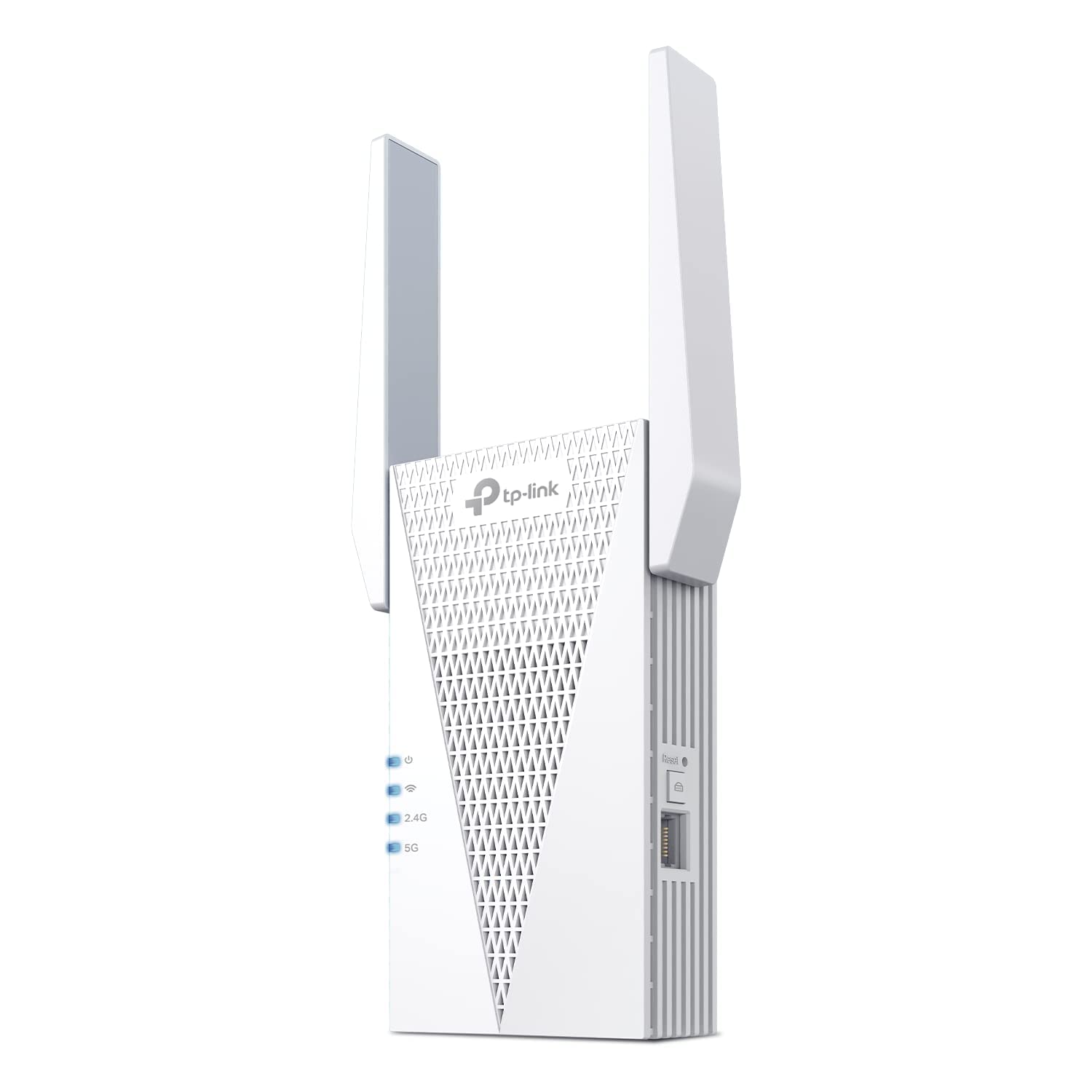
Type: Wi-Fi 6 dual-band range extender
Standard: Wi-Fi 6 (AX3000)
Coverage Claim: Up to 2400 sq.ft
Device Load: Up to 64 devices
Mesh: EasyMesh compatible
Ports: Ethernet port
Setup: App setup
Wireless Repeater w/Ethernet Port | Up to 2400 Sq. Ft., 64 Devices | Internet Signal Booster | APP Setup | EasyMesh (RE715X) TP-Link AX3000 WiFi 6 Dual-Band Range Extender PCMag Editor’s Choice is the premium option and the one built for dense device populations. Wi-Fi 6 radios handle many simultaneous low-bandwidth clients — exactly the traffic pattern of a sensor-heavy home — more gracefully than older standards. EasyMesh support means it can join a compatible mesh network as a node rather than running as a standalone repeater, and the Ethernet port allows a wired backhaul or a direct connection for a hub.
This pick suits larger homes, buyers already inside the TP-Link ecosystem, and anyone planning for dozens of connected devices rather than a handful.
Trade-off: The premium price only pays off if the router is also Wi-Fi 6 and mesh-capable; paired with an older router, much of the capability goes unused.
TP-Link RE615X AX1800 WiFi 6 Range Extender

Type: Wi-Fi 6 dual-band range extender
Standard: Wi-Fi 6 (AX1800)
Coverage Claim: Up to 2100 sq.ft
Device Load: Up to 64 devices
Mesh: EasyMesh compatible
Ports: Ethernet port
Setup: App setup
1.8G Dual-Band Wireless Repeater Amplifier | Up to 2100 Sq. Ft., 64 Devices | Internet Signal Booster | APP Setup | EasyMesh TP-Link RE615X AX1800 WiFi 6 Range Extender w/Ethernet Port is the middle child of the TP-Link pair and the sensible default for most buyers. It keeps the Wi-Fi 6 radio, the EasyMesh support, the 64-device load, and the Ethernet port, while trimming coverage and peak throughput to hit a mid-range price. App setup walks through placement, and mesh pairing works with a compatible TP-Link router.
This is the pick for mid-size homes that want modern Wi-Fi without paying for the flagship. Buyers with a Wi-Fi 6 router and a moderate device count get most of the benefit for less.
Trade-off: The reduced coverage and throughput show up at the edges of a large floor plan, where a single unit may need a second extender to finish the job.
Jancane WiFi Extender Signal Booster Up to 11999 sq.ft and 90+ Devices
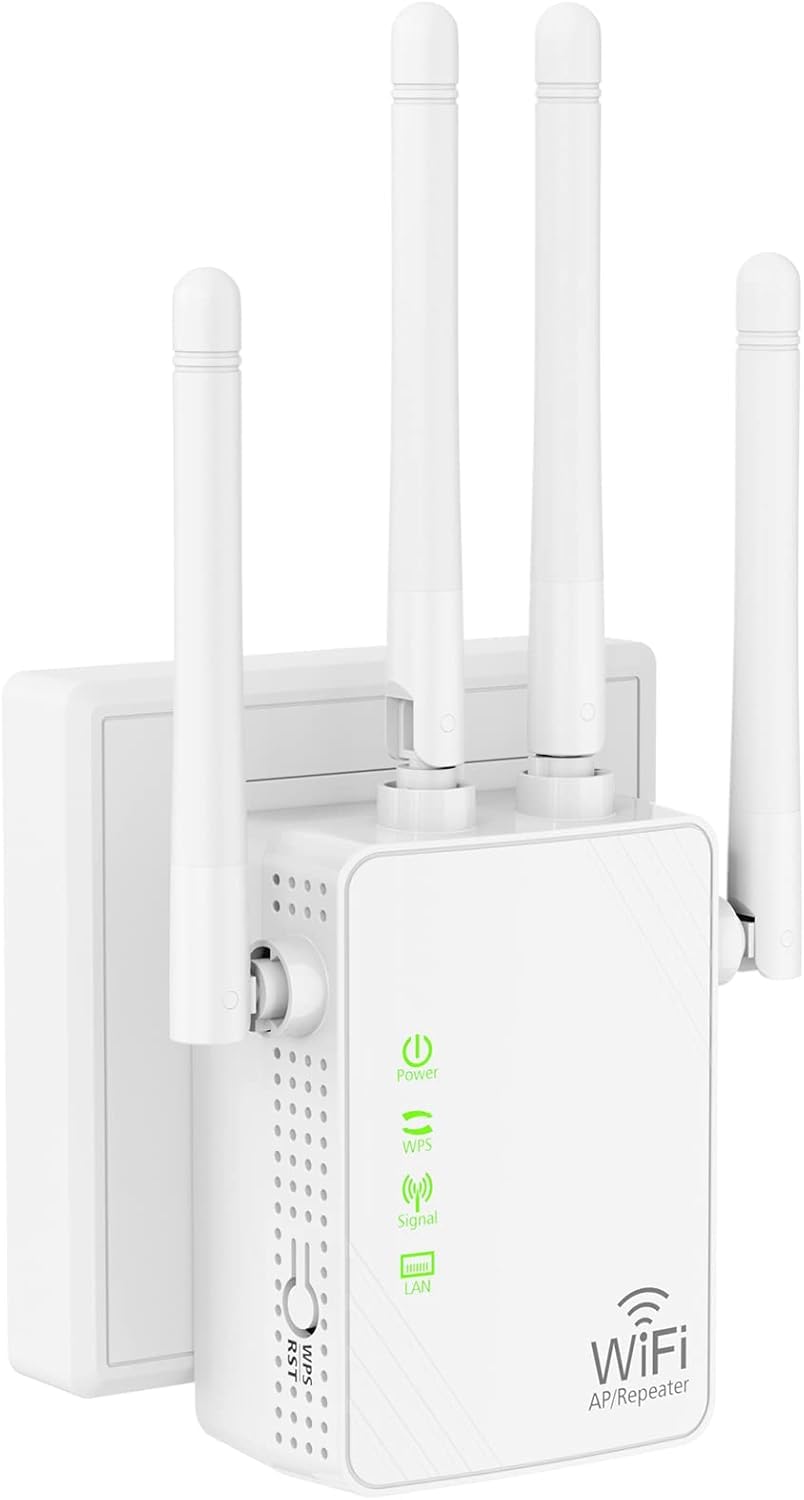
Type: Wall-plug Wi-Fi range extender
Coverage Claim: Up to 11999 sq.ft
Device Load: 90+ devices
Modes: Repeater, access point
Ports: Ethernet port
Setup: 1-key setup
Voice Control: Alexa compatible
Wireless Internet Repeater, Long Range Amplifier with Ethernet Port, 1-Key Setup, Access Point, Alexa Compatible Jancane WiFi Extender Signal Booster Up to 11999 sq.ft and 90+ Devices is the second budget entry and the more flexible of the two, adding an access point mode for wired-to-wireless setups. One-key setup keeps installation quick, and the Ethernet port supports either a wired client or a wired backhaul in access point mode. The device load figure is generous on paper, aimed at homes with many small connected gadgets.
This pick suits buyers who want a cheap second unit for a garage or outbuilding and value the access point mode as a fallback, or anyone covering a large open space on a tight budget.
Trade-off: The coverage number is marketing arithmetic rather than measured performance, and the low price points to a basic radio that will struggle once a large number of devices compete for airtime.
Before You Buy
- Protocol: Wi-Fi boosters do nothing for Zigbee or Z-Wave sensors; match the repeater to the network the sensors actually use.
- Placement: A repeater must sit where the existing signal is still usable, roughly midway between router and dead zone, not at the dead zone itself.
- Router standard: Wi-Fi 6 extenders only deliver their advantage when paired with a Wi-Fi 6 router.
- Device load: Sensor networks generate many small packets; a higher device rating matters more than peak throughput.
- Mesh compatibility: EasyMesh support turns an extender into a proper node with cleaner roaming than a standalone repeater.
- Ethernet port: A port enables wired backhaul or a direct connection for a hub, which is often more stable than wireless relaying.
- Coverage claims: Treat square-footage figures as upper bounds in open space, not guarantees through walls and floors.
Frequently Asked Questions
-
Does a Wi-Fi repeater improve Zigbee sensor coverage?
No. Zigbee devices form a separate mesh and need a Zigbee extender such as the Aeotec unit to relay their traffic. -
How many repeaters does a sensor network need?
Start with one placed midway between hub and the weakest node, then add a second only if the far end still drops out. -
Is Wi-Fi 6 worth it for sensor-heavy homes?
Yes. Wi-Fi 6 handles many simultaneous low-bandwidth clients more efficiently, which is precisely the sensor traffic pattern. -
Can a repeater be used as a wired access point?
Some models, including the Jancane unit, include an access point mode that converts a wired connection into a new Wi-Fi zone. -
Where should a repeater be plugged in?
In a location with a strong existing signal, ideally in a hallway or central room between the router and the area that needs coverage. -
Do extenders slow down the network?
A wireless repeater halves throughput at the relayed edge, which is why Ethernet backhaul or a mesh node is preferable when available.
Bottom Line
For most sensor-heavy homes the TP-Link RE615X AX1800 is the best balance of Wi-Fi 6 capability, mesh support, and price, while the Aeotec Range Extender Zi is the correct choice for Zigbee networks that a Wi-Fi booster cannot help. Buyers should confirm their router standard and sensor protocol before ordering, then place the unit midway to the dead zone rather than at its far edge. Check the current price on the TP-Link RE615X to start there.
