Why there are Amazon links here: Brave Review is paid a commission for qualifying Amazon purchases made through the links below. Your price does not change, and using our links is entirely optional. How this works
Sifely G2 Gateway vs Aqara G410 Doorbell: Hub or Doorbell First
The Sifely G2 Gateway and the Aqara G410 Doorbell solve two different problems, and the choice comes down to what the home is missing. The Sifely G2 is a small bridge that puts a Sifely smart lock online for remote access; the Aqara G410 is a full doorbell camera that also doubles as a Matter hub. Buyers adding remote control to an existing Sifely lock need the gateway, while buyers starting fresh at the front door with a camera and smart-home ambitions need the doorbell.
Sifely G2 Gateway
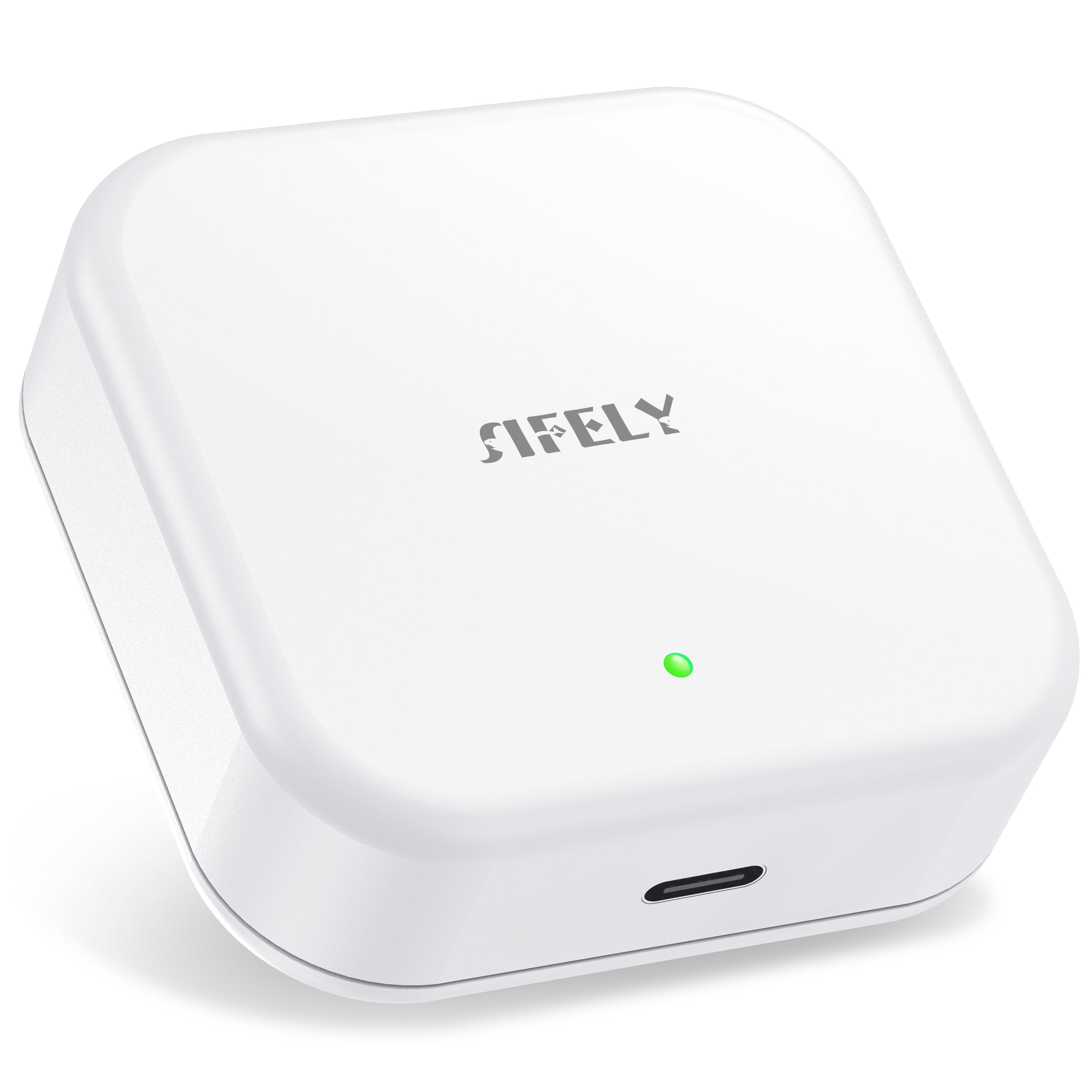
Type: Smart lock Wi-Fi gateway
Compatible Lock System: Sifely smart door locks
Connectivity: 2.4 GHz Wi-Fi only
App Control: Sifely app
Voice Control: Works with Alexa
Model: G2
The Sifely G2 is a bridge, not a lock. It sits between a Sifely smart door lock and the home Wi-Fi network, so the lock can be reached from the Sifely app when nobody is standing at the door. Without a gateway, a Bluetooth-based lock only responds at close range; the G2 removes that range limit and adds Alexa voice control on top.
This is a narrow, single-purpose device, and that is the point. Buyers who already own a Sifely lock get remote locking, remote unlocking and app-based status checks without replacing the lock itself. The 2.4 GHz-only radio is the main constraint: it will not join a 5 GHz-only network, so the router needs a 2.4 GHz band running during setup.
Trade-off: The G2 is only useful to households already inside the Sifely ecosystem, and its 2.4 GHz-only radio means a dual-band router has to expose the older band before pairing works.
Check the Sifely G2 Gateway price on Amazon
Aqara G410 Doorbell
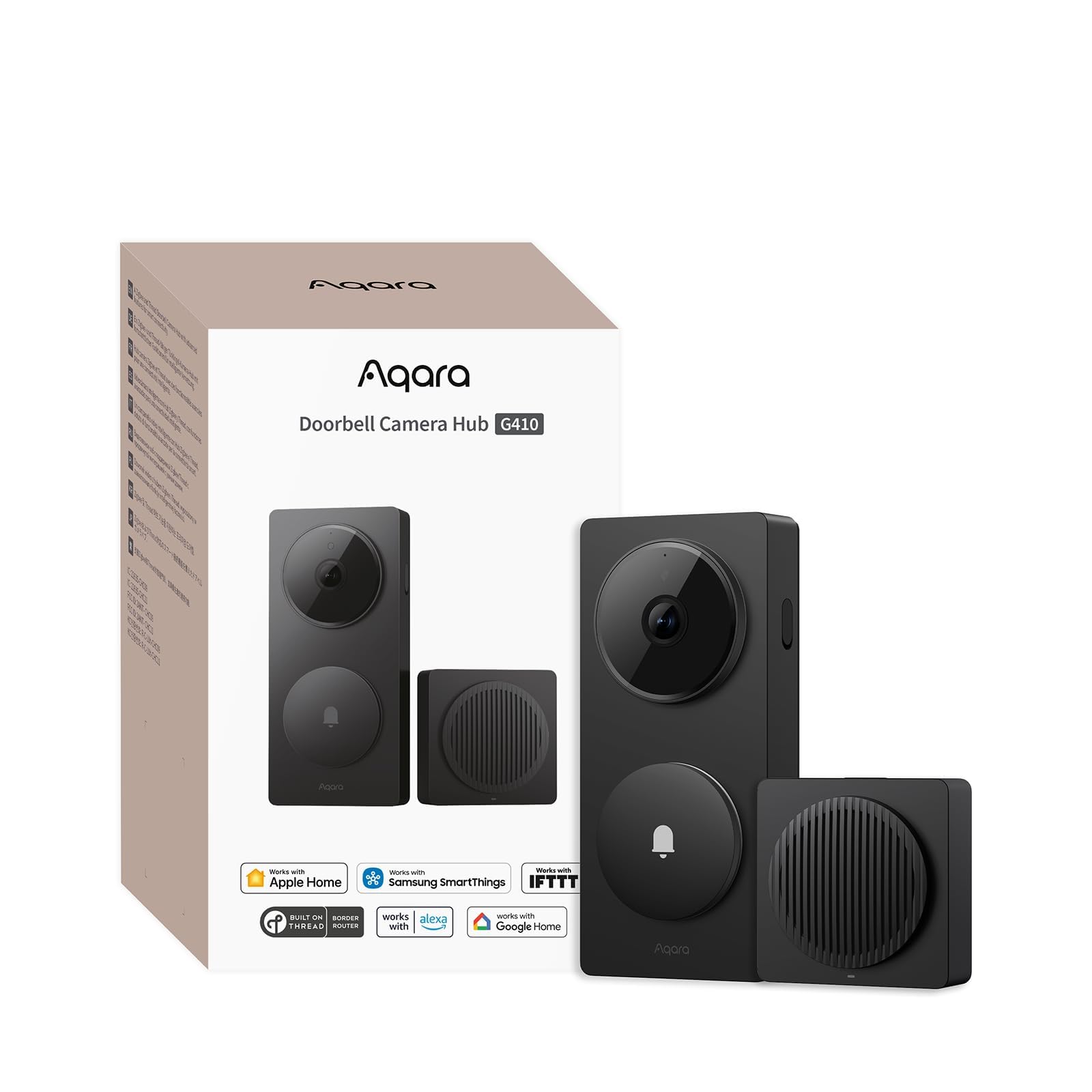
Type: Smart doorbell camera with chime
Resolution: 2K
Audio: 2-way
Hub: Built-in Matter hub
Power: Wireless or wired
Platforms: Apple Home, Alexa, Google, Home Assistant
Wi-Fi: 2.4 GHz and 5 GHz
Extras: HomeKit Secure Video, included chime
Color: Black
The Aqara G410 is the more ambitious product by a wide margin. It is a 2K doorbell camera with two-way audio, and it ships with its own chime so the doorbell can be heard indoors without extra hardware. Because it runs on either batteries or existing doorbell wiring, buyers are not forced into an electrician visit to get it mounted.
The built-in Matter hub is the detail that changes a smart home. Matter is the cross-platform standard that lets Apple Home, Alexa, Google and Home Assistant speak to the same devices, and a hub inside the doorbell means the G410 can act as a bridge for other Matter-compatible gear rather than sitting at the edge of the network alone. HomeKit Secure Video support matters to Apple households that want footage handled inside Apple’s ecosystem.
Trade-off: The G410 packs a camera, a chime and a Matter hub into one box, so buyers who only want remote lock control are paying for a lot of hardware they will never switch on.
Check the Aqara G410 Doorbell price on Amazon
Sifely G2 Gateway vs Aqara G410 Doorbell: Side-by-Side
| Specification | Sifely G2 Gateway | Aqara G410 Doorbell |
|---|---|---|
| Type | Smart lock Wi-Fi gateway | Smart doorbell camera with chime |
| Primary job | Remote access to a Sifely lock | Video, audio and smart-home bridging |
| Camera | None | 2K |
| Two-way audio | None | Yes |
| Built-in hub | None | Matter hub |
| Wi-Fi bands | 2.4 GHz only | 2.4 GHz and 5 GHz |
| Power | Not a powered camera; bridges the lock | Wireless or wired |
| Voice and platform support | Works with Alexa | Apple Home, Alexa, Google, Home Assistant |
| HomeKit Secure Video | No | Yes |
| Included chime | No | Yes |
| Best Use | Adding remote access to an existing Sifely lock | Covering the front door with video and a hub |
| Price Tier | Budget | Premium |
The Differences That Decide It
The first dimension is purpose. The Sifely G2 does exactly one thing: it puts a Sifely smart lock on the network so the lock can be controlled remotely. There is no camera, no audio and no sensor inside it. A buyer with a Sifely lock and no interest in doorbell video gets precisely what was needed and nothing more, which is why the G2 sits in the budget tier.
The second dimension is ecosystem reach. The Aqara G410 speaks to Apple Home, Alexa, Google and Home Assistant, supports HomeKit Secure Video, and carries a Matter hub that can tie other compatible devices together. The Sifely G2 works with the Sifely app and Alexa. For a household standardized on Apple Home or Home Assistant, the G410 is the only one of the two that fits at all.
The third dimension is installation reality. The G410 can run on batteries or on existing doorbell wiring, so it fits both renters and owners. The Sifely G2 is a small bridge that pairs with a lock already on the door, and its 2.4 GHz-only radio is the one setup hurdle. Neither requires professional work, but they attach to very different parts of the entryway.
The fourth dimension is what happens to the front door. The G410 sees and speaks to visitors, records 2K footage and rings an included chime indoors. The Sifely G2 does none of that; it unlocks a door for a delivery driver or a family member without anyone walking to the door. One product watches the threshold, the other opens it.
Which Should You Buy?
Choose the Sifely G2 Gateway if a Sifely smart lock is already mounted and the goal is remote locking, remote unlocking and Alexa control without buying a camera. It is the cheaper, simpler fix for a single known gap.
Choose the Aqara G410 Doorbell if the front door has no camera yet, the household uses Apple Home, Alexa, Google or Home Assistant, and a Matter hub has value for future devices. It covers video, audio, chimes and bridging in one install.
Buyers who own neither product should start with the doorbell, because it delivers a visible upgrade on day one. Buyers who already own a Sifely lock should not replace anything; the gateway finishes the job the lock started.
FAQ
- Can the Sifely G2 Gateway work with a doorbell camera? No. The G2 is built to connect Sifely smart door locks to Wi-Fi for app and Alexa access. It has no camera or audio hardware.
- Does the Aqara G410 need existing doorbell wiring? No. The G410 supports wireless or wired power, so it can be mounted with batteries where no wiring exists and switched to wired power later.
- Which one works with Apple Home? The Aqara G410 supports Apple Home, along with Alexa, Google and Home Assistant. The Sifely G2 is listed for the Sifely app and Alexa.
- Is a Matter hub necessary for a smart doorbell? Not strictly, but the G410’s built-in Matter hub lets it bridge other compatible devices across platforms, which reduces the number of separate hubs in a home.
- Does the Sifely G2 support 5 GHz Wi-Fi? No. It is a 2.4 GHz-only device, so the network must broadcast a 2.4 GHz band during setup.
- What does HomeKit Secure Video add on the G410? It lets Apple households keep doorbell footage within Apple’s ecosystem and review clips through the Home app.
- Can both products be used in the same home? Yes. They serve separate jobs, and a household with a Sifely lock and an Aqara doorbell can run both without conflict.
Bottom Line
For most buyers the Aqara G410 Doorbell is the stronger purchase, because it covers the front door with 2K video, two-way audio, an included chime and a Matter hub that works across all four major platforms. The Sifely G2 Gateway remains the right and cheaper answer for one specific case: a Sifely lock already on the door that needs remote access. Match the product to the gap, and the decision takes a minute.
