Why there are Amazon links here: Brave Review is paid a commission for qualifying Amazon purchases made through the links below. Your price does not change, and using our links is entirely optional. How this works
SONOFF SNZB-02DR2 AirGuard TH: Zigbee Climate Sensor With a Screen
The SONOFF SNZB-02DR2 AirGuard TH is a Zigbee temperature and humidity sensor built for households that already run a Zigbee hub and want climate readings on a display as well as in an app. It suits buyers who check a dashboard or want alerts when a room drifts out of range, and it makes little sense for anyone without a Zigbee coordinator. This review covers what the sensor does, how the display and app split the work, and where the design asks for patience.
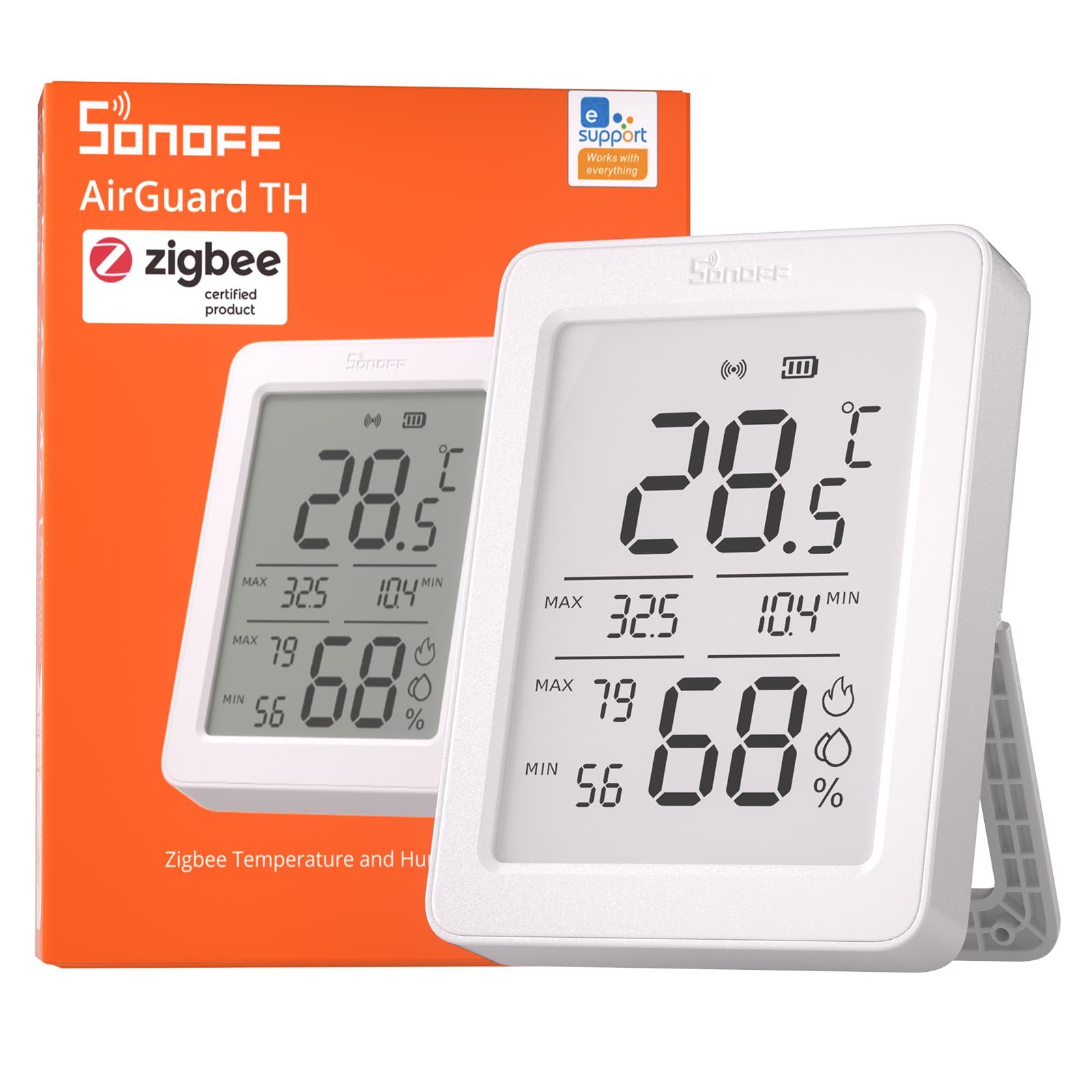
Features and Specifications
- Type: Indoor smart temperature and humidity sensor
- Connectivity: Zigbee
- Display: 3.6” LCD
- App features: Monitoring, charts, notification alerts, data export, remote data display
- Form factor: Standalone indoor unit
- Pack size: 1-pack
The headline feature is the 3.6” LCD. That is a large panel for a sensor in this class, big enough that the current temperature and humidity can be read across a room rather than squinted at from arm’s length. It changes the product’s role: instead of a hidden puck that only reports to an app, the AirGuard TH works as a small wall or shelf display that happens to be networked.
The Zigbee radio is the second thing that matters. Zigbee sensors are frugal with power and slot into an existing mesh, so the unit can sit far from the router as long as the mesh reaches it. The cost is a hard dependency — this sensor talks to a hub, and the hub talks to the app.
Specifications at a glance:
| Attribute | Detail |
|---|---|
| Sensor type | Temperature and humidity |
| Protocol | Zigbee |
| Display | 3.6” LCD |
| App functions | Charts, alerts, data export, remote display |
| Placement | Indoor |
| Pack size | 1-pack |
Build and Design: A Display First
The 3.6” LCD sets the physical character of the unit. A screen that size needs a housing wide enough to frame it and a stand or mount sturdy enough to hold it at a readable angle, so the AirGuard TH is a piece of desk or shelf furniture rather than something that disappears into a corner. Buyers who want a sensor they can glance at while walking past a hallway or kitchen counter get exactly that.
The trade-off is placement flexibility. Small Zigbee sensors hide behind furniture or tuck onto a door frame; a display unit wants to be seen, which narrows where it can go without looking like clutter. In a rental or a shared space, that visibility is either the point or a nuisance.
Power and Zigbee Connectivity
Zigbee is the right protocol for a sensor that reports continuously. The mesh handles the radio work, messages are small, and the sensor’s job is to wake, read, transmit and sleep. That is a mature pattern, and a device in this price tier is built around it rather than around constant screen updates.
The dependency is worth stating plainly. Without a Zigbee coordinator — a hub, a bridge or a compatible smart home system — the AirGuard TH has no path to the app, no charts, no alerts and no remote data display. Buyers who have never set up a Zigbee network should treat the hub as part of the purchase, not an optional extra.
App Monitoring, Charts and Alerts
The app side of the AirGuard TH is where the sensor earns its keep over a plain thermometer. Charts turn a single reading into a trend, which is what actually matters for climate questions: whether a bedroom cools overnight, whether a basement creeps upward in humidity, whether a room swings when the heating cycles.
Notification alerts extend that to the moments nobody is watching. A threshold on temperature or humidity can flag a problem while it is still small. Data export matters for buyers who want to keep their own records rather than trust a vendor’s cloud indefinitely, and remote data display means the readings follow the owner out of the house — a useful check on a home office, a plant room or a holiday property.
The caveat is that all of this lives behind the app and the hub. The sensor’s own screen shows the present; the history, the alert rules and the export sit one layer up, and that layer is only as good as the platform it runs on.
Remote Data Display and Multi-Room Use
Remote data display is the feature that separates this unit from a basic sensor. A reading that can be pulled up from anywhere turns the AirGuard TH into a monitoring point rather than a local gauge, which suits anyone keeping an eye on a second property, a garage conversion or a room that is rarely entered.
The practical limit is that one unit covers one location. A household that wants whole-home coverage is buying several sensors and, in most cases, a hub that can handle them. The 1-pack format is a starting point, not a complete system.
Trade-off: The AirGuard TH needs a Zigbee hub to deliver its app features, and its large display makes it more conspicuous and less placeable than a bare sensor puck — buyers without a coordinator should budget for one before ordering.
Check the current price of the SONOFF SNZB-02DR2 AirGuard TH on Amazon
Who Should Buy It
The AirGuard TH fits households already running Zigbee that want climate data visible at a glance and logged in an app. It also suits buyers monitoring a specific room’s conditions over time — a nursery, a cellar, a conservatory — where a trend line and an alert are more useful than a number on a wall.
It is not for buyers without a Zigbee hub, and it is not for anyone who wants a sensor that vanishes into the background. A household that just wants a cheap local thermometer will pay for features it cannot use.
FAQ
-
Does the SONOFF SNZB-02DR2 AirGuard TH need a hub?
Yes. The sensor communicates over Zigbee, so a Zigbee coordinator is required to connect it to the app and unlock charts, alerts, data export and remote display. -
What is the 3.6” LCD for?
It shows the current temperature and humidity readings directly on the device, so the numbers can be read without opening an app. -
Can the AirGuard TH export its data?
Yes. Data export is one of the listed app features, which allows readings to be kept outside the app for personal record-keeping. -
Will it send alerts when conditions change?
Yes. Notification alerts are part of the app feature set, so thresholds on temperature or humidity can trigger a message. -
What does remote data display mean?
It means the sensor’s readings can be viewed from somewhere other than the home network, through the app, rather than only on the device’s own screen. -
Can it be used outdoors?
No. The AirGuard TH is described as an indoor sensor, and its display housing is intended for indoor placement. -
How many sensors come in the box?
One. The listing is a 1-pack, so covering several rooms means buying multiple units. -
Is it a good fit for a smart home beginner?
Only if a Zigbee hub is already in place or planned. Buyers starting from nothing should set up the coordinator first, then add sensors. -
Does the display replace the app?
No. The screen shows current conditions; history, charts, alerts and export all live in the app. -
What is the main limitation to know before buying?
The hub requirement. Without Zigbee infrastructure, the AirGuard TH cannot deliver the features that justify its display and app layer.
Bottom Line
The SONOFF SNZB-02DR2 AirGuard TH is a sensible pick for Zigbee households that want climate readings both on a large, readable display and in an app with charts, alerts and export. Its value depends entirely on the hub already being there — buyers with a coordinator get a capable, visible sensor, and buyers without one should factor that cost in before ordering.
