Why there are Amazon links here: Brave Review is paid a commission for qualifying Amazon purchases made through the links below. Your price does not change, and using our links is entirely optional. How this works
Best Staging Area for Configuring Devices for a Tidy, Cable-Free Setup
A staging area for configuring devices keeps routers, modems, power strips, and charging cables contained instead of sprawling across a desk or floor. This roundup covers five enclosures and racks suited to three buyer types: home-office users hiding networking gear, IT staff charging laptops and tablets in bulk, and anyone tired of cable clutter in a living space. The overview table below compares all five at a glance, and each review explains who a pick fits and where it falls short.
Overview of the Picks
| Product | Key Spec | Best Use | Price Tier |
|---|---|---|---|
| Large 16-Device Laptop Charging Station | 12-outlet strip, 16-device capacity, USB-A & USB-C | Classrooms and offices charging many laptops | Premium |
| Modem Power Strip and Cable Management Hider | Adjustable shelves, floor-standing router box | Home office with a router and modem | Mid-range |
| WiFi Router Storage Box (White, Large) | 20-inch floor-standing cabinet | Network gear in a white-toned room | Mid-range |
| Multi-Functional Router Storage Box (Gray) | Floor-standing, power strip and cable hider | Living room, office, or bedroom | Mid-range |
| Laptop Storage Rack with Cable Management | 10-device open station with sockets | Hospitals, classrooms, shared offices | Upper mid-range |
1. Large 16-Device Laptop Charging Station
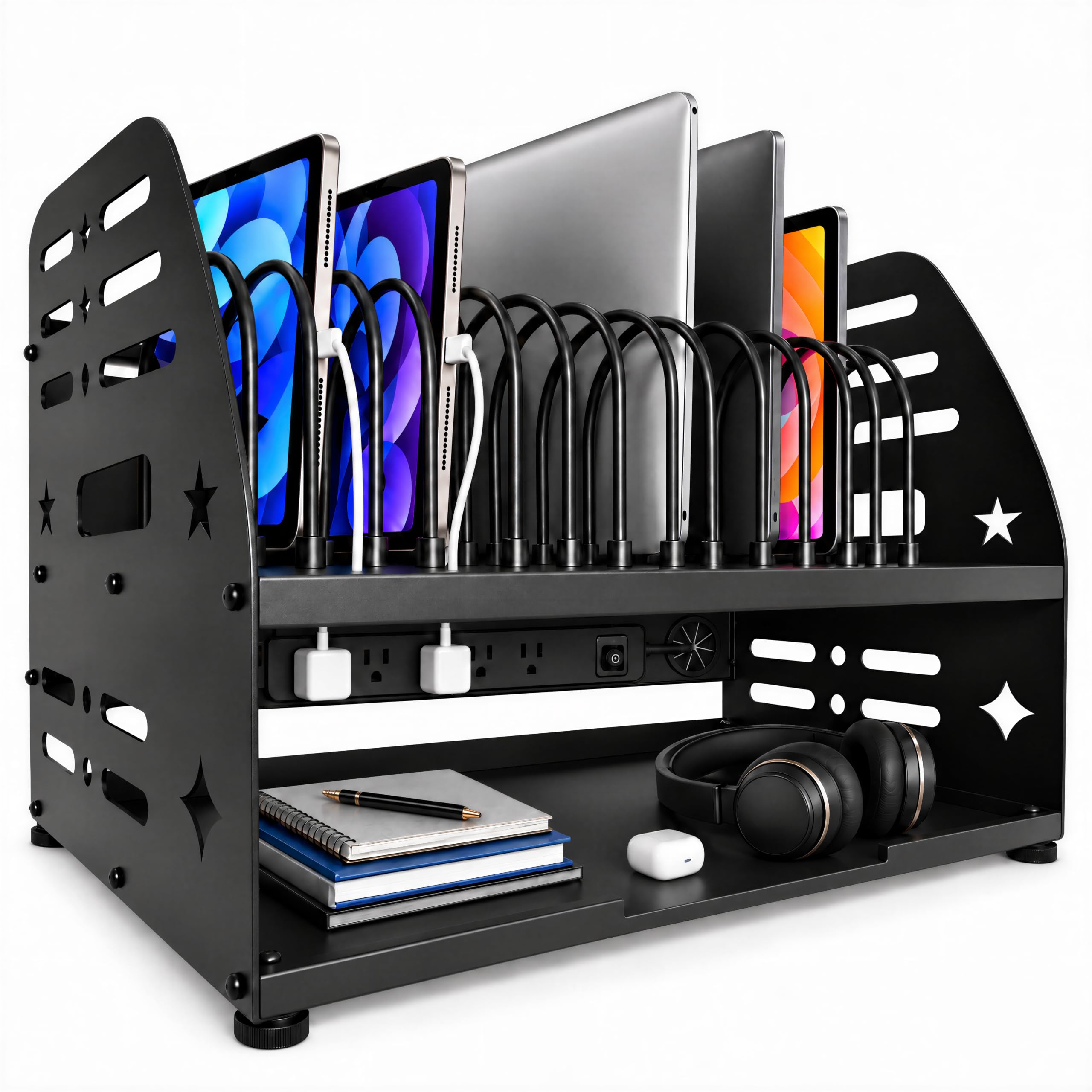
Type: Laptop charging rack and tablet storage organizer
Capacity: 16 devices
Dimensions: 20.5" W x 14" D x 16.2" H
Power: 12-outlet power strip
Ports: USB-A and USB-C
Intended use: Classroom, school, and office
Large 16-Device Laptop Charging Station
This is the heavy-duty option in the group, built as a rack that holds laptops and tablets upright while a built-in 12-outlet strip feeds them power. The 20.5-inch width and 14-inch depth give it a footprint closer to a small cart than a desktop box, so it wants dedicated floor or table space. USB-A and USB-C ports add flexibility for smaller devices that do not use a standard laptop brick. It is the pick for a classroom, a computer lab, or an office that issues Chromebooks and tablets to a group.
Who it suits: Buyers managing a fleet of devices who need charging and storage in one unit. It earns its place because the outlet count and device capacity scale to a whole classroom rather than a single desk.
Trade-off: The large footprint and premium price make it overkill for a home office with one or two laptops, and the open rack design does not hide cables the way a closed cabinet does.
Check the current price on Amazon
2. Modem Power Strip and Cable Management Hider

Type: Floor-standing router storage cabinet
Shelving: Adjustable shelves
Function: Power strip and cable management hider
Intended use: Home office WiFi router and modem storage
Placement: Floor
Modem Power Strip and Cable Management Hider
This cabinet is designed to swallow the router, modem, and the power strip feeding them, with adjustable shelves that let the interior be reorganized as gear changes. The cable management hider routes cords out of sight so the box reads as furniture rather than networking equipment. Floor placement keeps it out of the way in a home office corner. It is a sensible middle-ground pick for a household that wants the WiFi gear accessible but not visible.
Who it suits: Home-office users with a router, modem, and a power strip to hide. It fits because the adjustable shelves handle gear of different heights without a custom build.
Trade-off: A closed cabinet can trap heat around always-on networking equipment, so buyers running hot-running routers should leave ventilation room and check the interior temperature after setup.
Check the current price on Amazon
3. WiFi Router Storage Box (White, Large)
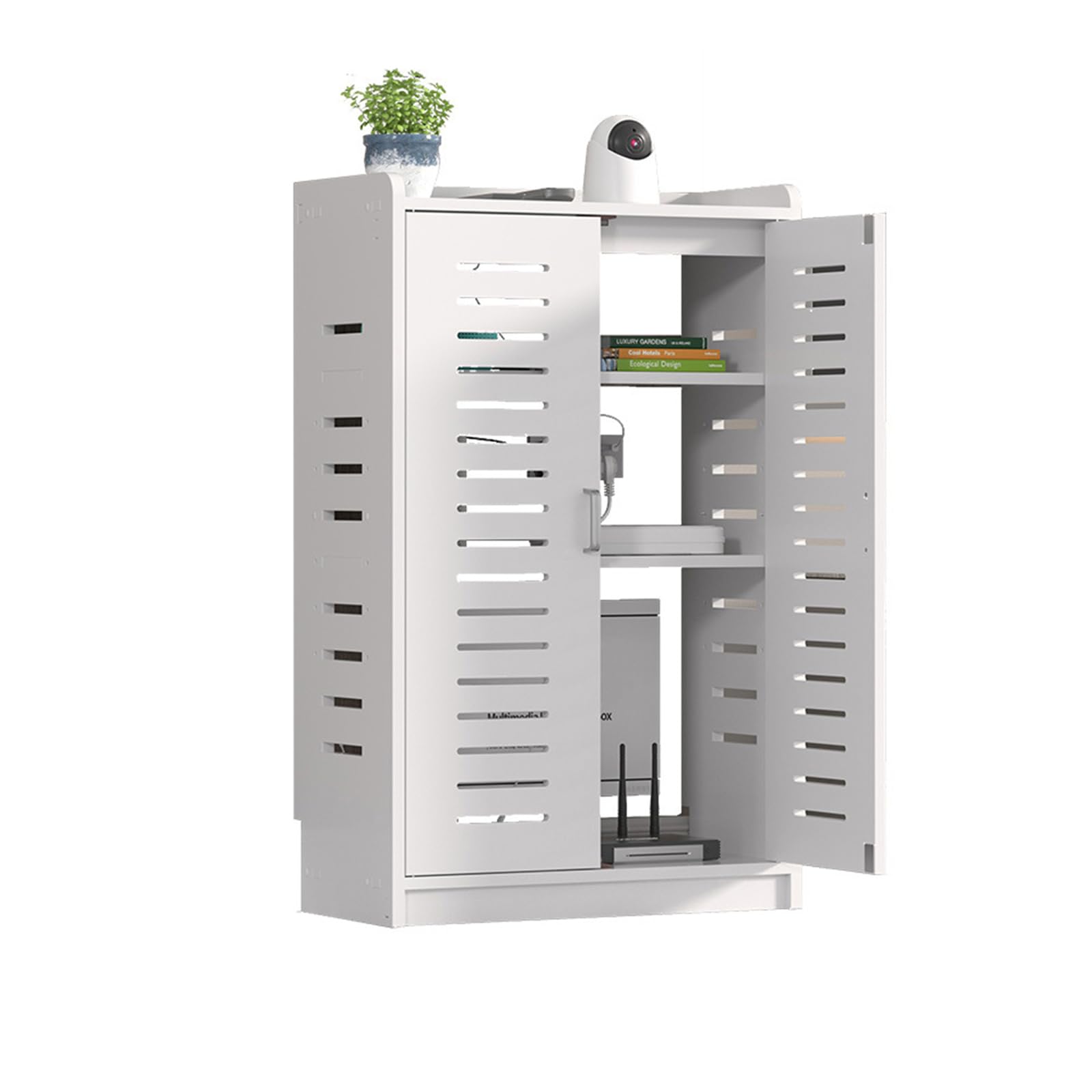
Type: WiFi router storage cabinet and electronics enclosure
Color: White
Size: Large, 20-inch
Function: Power strip and network cable management
Placement: Floor standing
WiFi Router Storage Box Cable Management Organizer
This is the largest of the router cabinets, a 20-inch floor-standing enclosure in white that houses power strips and network gear together. The enclosure format is meant to contain the whole tangle — router, strip, and the cords between them — behind a single clean panel. The white finish suits light-colored rooms where a dark box would stand out. It is the pick for a buyer who wants networking equipment to disappear into a bright home office or living space.
Who it suits: Buyers who want maximum interior room and a white finish that blends into pale decor. It earns its spot on size and appearance rather than extra features.
Trade-off: The larger cabinet costs more than the compact alternatives and still offers no active cooling, so a buyer with high-heat equipment gets space but not ventilation.
Check the current price on Amazon
4. Multi-Functional Router Storage Box (Gray)
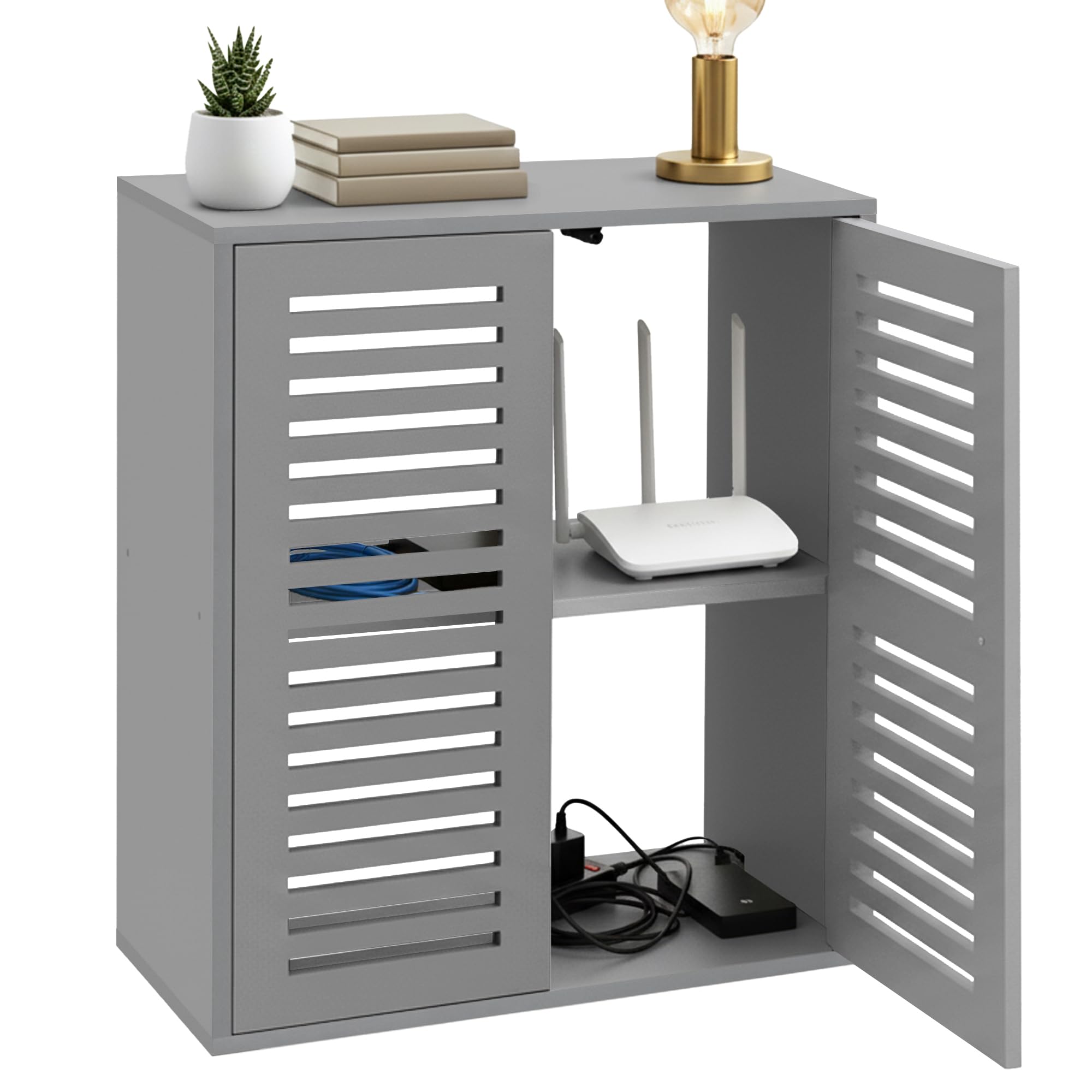
Type: Floor-standing router storage box
Color: Gray
Function: Power strip and cable management hider
Intended use: Living room, office, bedroom
Placement: Floor standing
Multi-Functional Router Storage Box
This gray cabinet takes the same basic approach — hide the router, modem, and power strip in a floor-standing box — but markets itself for living spaces as much as offices. The neutral gray finish is the least conspicuous of the three cabinets here, which matters in a bedroom or living room where the box sits in view. It handles a power strip and the associated cabling without extra shelving complexity. It is the flexible, all-room pick for buyers who are not sure where the gear will end up.
Who it suits: Renters and homeowners who want one cabinet that works in a bedroom, living room, or office. Its place comes from versatility and a discreet color rather than capacity.
Trade-off: Without adjustable shelving, taller routers or stacked gear may not fit as neatly as in the shelf-equipped model, and the closed design limits airflow.
Check the current price on Amazon
5. Laptop Storage Rack with Cable Management
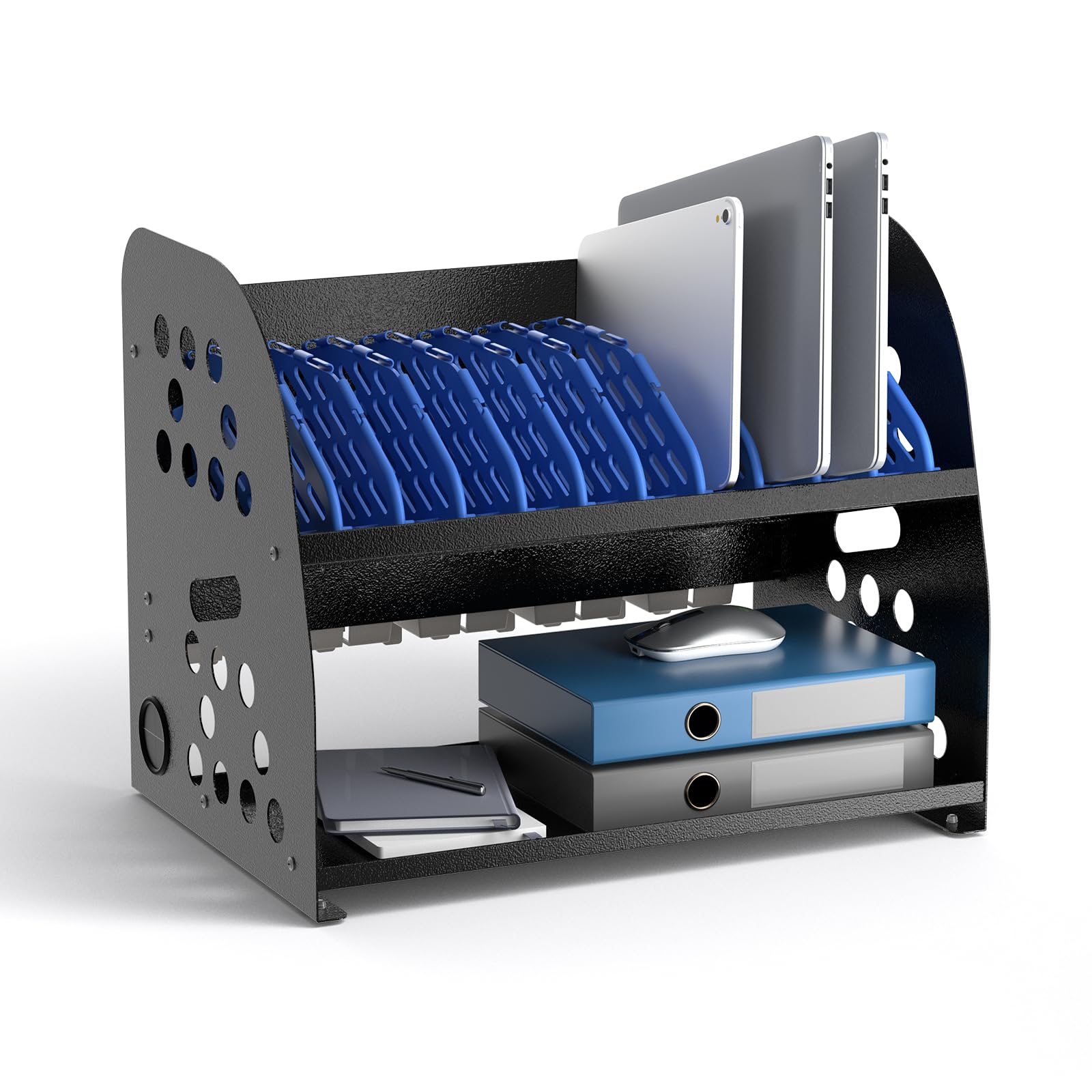
Type: Open multi-device charging station
Capacity: 10 devices
Function: Laptop storage rack with cable management and storage space
Power: Built-in sockets
Intended use: Classroom, office, hospital
Device support: Chromebooks and tablets
Laptop Storage Rack with Cable Management & Storage Space
This is the smaller sibling of the first pick: an open rack that holds up to 10 Chromebooks or tablets and routes charging cables through built-in management. The open design keeps devices visible and reachable, which suits shared environments where staff hand out and collect hardware throughout the day. Built-in sockets mean one cord to the wall instead of ten. It is a strong fit for a hospital ward, a small classroom, or an office with a shared device pool.
Who it suits: Buyers with around ten devices to charge and store who want quick access rather than hidden storage. It earns its place on organization and a smaller footprint than the 16-device unit.
Trade-off: The open rack leaves devices and cables on display, so it will not deliver the clean, furniture-like look of a closed cabinet, and the capacity caps out well below the larger station.
Check the current price on Amazon
Before You Buy
- Capacity: Count devices first — a 10-device rack will not absorb a 16-laptop classroom, and a single-router cabinet wastes space in a lab.
- Placement: All five are floor-standing or rack-style units, so measure the floor or table footprint before ordering.
- Ventilation: Closed cabinets hide gear well but trap heat; always-on routers and modems need breathing room or periodic temperature checks.
- Power needs: Match the outlet count on the built-in strip to the number of devices that charge at once, not the total number owned.
- Cable routing: Confirm the enclosure has pass-throughs for incoming network and power cables, or the "hidden" setup will still show a cord.
- Room style: White and gray finishes read very differently in a bedroom versus a utility corner; pick the color for where the box will actually sit.
- Access: Open racks suit shared handing-out workflows, while closed cabinets suit gear that is configured once and left alone.
Frequently Asked Questions
-
What is a staging area for configuring devices?
It is a dedicated spot — a cabinet, rack, or charging station — where networking gear or multiple devices are powered, charged, and organized together instead of scattered across a desk. -
Should a router cabinet be open or closed?
Closed cabinets look cleaner and hide cables, while open racks ventilate better and give quicker access. Always-on networking gear generally benefits from airflow. -
Can a charging station handle both laptops and tablets?
Yes. The larger stations here include USB-A and USB-C ports alongside standard outlets, which covers tablets and phones as well as laptop bricks. -
How many outlets does a multi-device setup need?
Match the strip to the number of devices charging simultaneously. A 12-outlet strip suits a full classroom, while a home office with a router and modem needs far fewer. -
Where should a router storage box go?
Floor-standing cabinets work best in a corner near the incoming cable and a wall outlet, ideally where the WiFi signal is not boxed in by metal or thick walls. -
Do these cabinets come with the power strip?
The charging stations and router cabinets here are described as including power strips or built-in sockets, but buyers should confirm the exact included accessories on the product page before ordering.
Bottom Line
For most buyers hiding home networking gear, the Modem Power Strip and Cable Management Hider is the safest pick thanks to its adjustable shelves and reasonable mid-range price. Buyers charging a fleet of laptops or tablets should step up to the Large 16-Device Laptop Charging Station, which turns a chaotic charging pile into one organized, powered rack.
