Why there are Amazon links here: Brave Review is paid a commission for qualifying Amazon purchases made through the links below. Your price does not change, and using our links is entirely optional. How this works
SwitchBot Universal Remote vs Google Nest Mini: Hub or Helper
SwitchBot Universal Remote vs Google Nest Mini is not a fair fight in the usual sense — these two devices solve different problems that happen to overlap in a living room. The SwitchBot bundle is a command center for infrared and Bluetooth gear; the Nest Mini is a voice assistant and small speaker. A reader who wants one remote to rule a TV, an AC and a fan should lean SwitchBot. A reader who wants hands-free voice control, music and smart-home questions answered should lean Nest Mini. The comparison below lays out the differences, then the Which Should You Buy section settles it.
SwitchBot Universal Remote Control with Hub 3
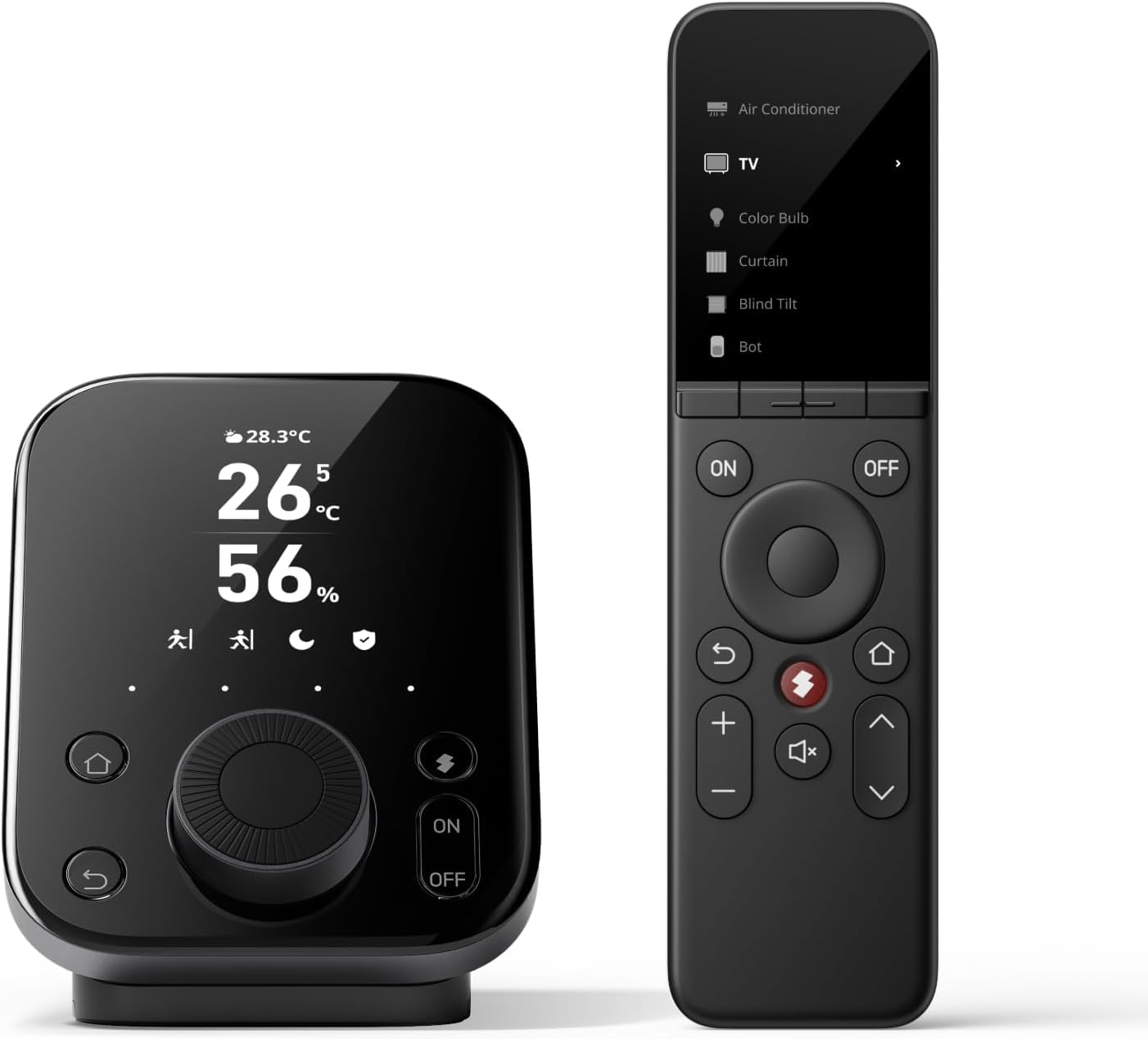
Type: Universal remote with hub
Device Capacity: 25 IR/Bluetooth devices
Scene Capacity: 10 scenes
App Control: Customize app included
Compatibility: TV, AC, SwitchBot BLE devices
Connectivity: Infrared and Bluetooth
The SwitchBot package pairs a handheld remote with the Hub 3, which is what makes it more than a pile of buttons. The remote handles infrared gear like TVs and air conditioners, and it also talks to SwitchBot’s own Bluetooth devices, so a single controller can cover a room’s worth of hardware. Scenes add another layer: one press can trigger a sequence rather than a single command.
The 25-device ceiling is generous for a normal home, and the 10-scene limit is enough for most routines — movie night, bedtime, away mode. The app is where the customization lives, so buyers who dislike phone setup should expect some initial fiddling. The hub is the part that earns the price; without it, this would be an ordinary IR remote.
Trade-off: This is a premium-priced bundle, and the hub plus app setup is more machinery than a household with one TV and one remote actually needs.
Check the current price on Amazon
Google Nest Mini 2nd Generation Smart Speaker

Type: Smart speaker with voice assistant
Assistant: Google Assistant
Color: Charcoal
Form Factor: Compact, wall-mountable
Audio Role: Small-room speaker
Control Style: Voice-first
The Nest Mini is a small speaker with Google Assistant built in, and its job is conversation rather than button-pressing. It answers questions, sets timers, plays music and controls smart devices that work with Google’s ecosystem — all by voice. The charcoal finish is neutral enough to disappear on a shelf or a kitchen counter.
The compact size is the point: it fits where a bigger speaker would not, and it can be mounted on a wall. The trade-off is audio — a speaker this small is for background listening, podcasts and assistant replies, not for filling a room with sound. It also has no infrared emitter, so it cannot press the buttons on an older TV or AC by itself.
Trade-off: The Nest Mini depends entirely on a Google account and a Wi-Fi connection, and its sound is sized for a bedside table rather than a living room.
Check the current price on Amazon
Side-by-Side Specs
| Feature | SwitchBot Universal Remote | Google Nest Mini |
|---|---|---|
| Type | Universal remote with hub | Smart speaker |
| Main job | Control IR and Bluetooth devices | Voice assistant and audio |
| Control method | Buttons plus app | Voice |
| Device capacity | 25 IR/Bluetooth devices | Google-compatible devices |
| Scene support | 10 scenes | Routines via Assistant |
| Infrared support | Yes | No |
| Hub included | Yes (Hub 3) | No |
| Best room | Living room with AV gear | Kitchen, bedroom, hallway |
| Price tier | Premium | Budget |
Reading the Differences
The first dimension is what each device actually controls. The SwitchBot remote speaks infrared, which is the language of televisions, air conditioners and fans that predate smart-home apps. The Nest Mini speaks to Google-compatible devices over Wi-Fi and to the person in the room. A buyer with an older TV and a split-system AC gets more practical control from the SwitchBot; a buyer with Wi-Fi bulbs and a Spotify habit gets more from the Nest Mini.
The second dimension is how control happens. Buttons are fast, precise and silent, and they work without a network once the remote is paired. Voice is hands-free and works from across the room, but it depends on a stable connection and on phrasing the command the way the assistant expects. Neither approach is better in the abstract — they suit different moments, which is why some households end up with both.
The third dimension is cost and complexity. The SwitchBot bundle sits in a premium tier because a hub is part of the package, and setup involves an app, device discovery and scene programming. The Nest Mini sits in a budget tier and setup is mostly signing in and speaking. A reader who wants the shortest path from box to working device should weigh that gap honestly.
The fourth dimension is what happens when the internet drops. The SwitchBot remote keeps working as a handheld controller for paired infrared gear, which matters for everyday TV use. The Nest Mini is a cloud-dependent device and loses most of its usefulness offline. That single difference settles the question for households with unreliable connections.
Which Should You Buy?
Choose the SwitchBot Universal Remote if the goal is to tame a stack of infrared remotes — TV, AC, fan, soundbar — and to fold SwitchBot’s own Bluetooth devices into the same controller. It also suits buyers who want physical buttons, scenes and offline reliability, and who are willing to spend a few minutes in an app to get there.
Choose the Google Nest Mini if the goal is voice: hands-free questions, timers, music and control of Google-compatible smart devices in a small room. It suits kitchens, bedrooms and hallways, and it suits buyers who already live in Google’s ecosystem and want a cheap, unobtrusive speaker to extend it.
Choose neither, or both, if the household already has a voice assistant and only lacks infrared control — in that case the SwitchBot adds a capability rather than replacing anything. The two devices are complementary far more than they are rivals.
FAQ
-
Is the SwitchBot Universal Remote a replacement for a Google Nest Mini?
No. The SwitchBot handles infrared and Bluetooth device control; the Nest Mini handles voice assistance and audio. They overlap only where Google-compatible devices are concerned. -
Can the Nest Mini control a TV or air conditioner?
Only indirectly, and only if those devices are already smart and work with Google Assistant. The Nest Mini has no infrared emitter, so it cannot imitate a traditional remote. -
Does the SwitchBot remote need the hub?
The bundle includes the Hub 3, and the hub is what enables app control, scenes and Bluetooth device support. The remote is the handheld interface; the hub does the connecting. -
Which one is better for a bedroom?
The Nest Mini fits a bedside table better — it is small, voice-first and useful for alarms and music. The SwitchBot is more at home in a living room with a cluster of AV gear. -
Do either of these work without Wi-Fi?
The SwitchBot remote keeps working as a handheld controller for paired infrared devices. The Nest Mini relies on a connection for nearly everything it does. -
Which is the better first smart-home purchase?
The Nest Mini, for most people — it is the cheaper entry point and demonstrates voice control immediately. The SwitchBot makes more sense as a second purchase once a household knows it needs infrared control. -
Can both be used in the same home?
Yes, and many households do exactly that: the Nest Mini for voice and audio, the SwitchBot for the devices voice cannot reach.
Bottom Line
For a reader deciding between the two, the SwitchBot Universal Remote Control with Hub 3 is the stronger pick when the real problem is too many remotes and too many infrared-only gadgets — it is the more capable control layer, and the hub earns its premium tier. The Google Nest Mini remains the better budget entry into voice control and small-room audio, and it is the one to buy first if the household has no assistant yet. Buyers who want both capabilities should treat them as a pair rather than a contest.
