Why there are Amazon links here: Brave Review is paid a commission for qualifying Amazon purchases made through the links below. Your price does not change, and using our links is entirely optional. How this works
Best Wall Mount for a Control Tablet for Smart Homes, Retail Counters, and Front Desks
A wall mount for a control tablet has to do one job well: hold a tablet at a readable angle, all day, without sagging or walking off the wall. This guide covers five mounts that solve that problem at very different levels of security and finish, from a ten-dollar adhesive cradle to a flush in-wall charging panel. It suits three kinds of buyer — the home user running a smart-home dashboard, the retailer or office manager who needs a tamper-resistant kiosk, and the front-desk operator who wants a clean, permanently powered display. The overview table below shows the differences at a glance, and each review explains who a pick is not for.
Overview of the Picks
| Product | Key Spec | Best Use | Price Tier |
|---|---|---|---|
| OHLPRO Universal Tablet Wall Mount Holder | 4.7–13 in, 360° adjustment, drilled screw mounting | General home and office use across mixed devices | Budget |
| RUKUHOT Universal Wall Mount | Adhesive or screw installation, tablet/phone/eReader/remote | Renters and quick no-drill setups | Budget |
| Tablet Wall Mount with Anti-Theft Lock (BSW101BJ) | All metal, lockable, tiltable, Galaxy Tab A11+/A9+ | Retail and public-facing Samsung kiosks | Mid-range |
| Wall Mount for Galaxy Tab A9 & A11 | 8.7 in, in-wall magnetic charging, no drill flush panel | Permanent, always-powered wall displays | Premium |
| Mount-It! Anti-Theft Tablet Wall Mount | Lockable adjustable clamps, 7.9–11 in, full motion, VESA 75×75 | Flexible anti-theft mounting in retail, office, hotels | Mid-range |
OHLPRO Universal Tablet Wall Mount Holder
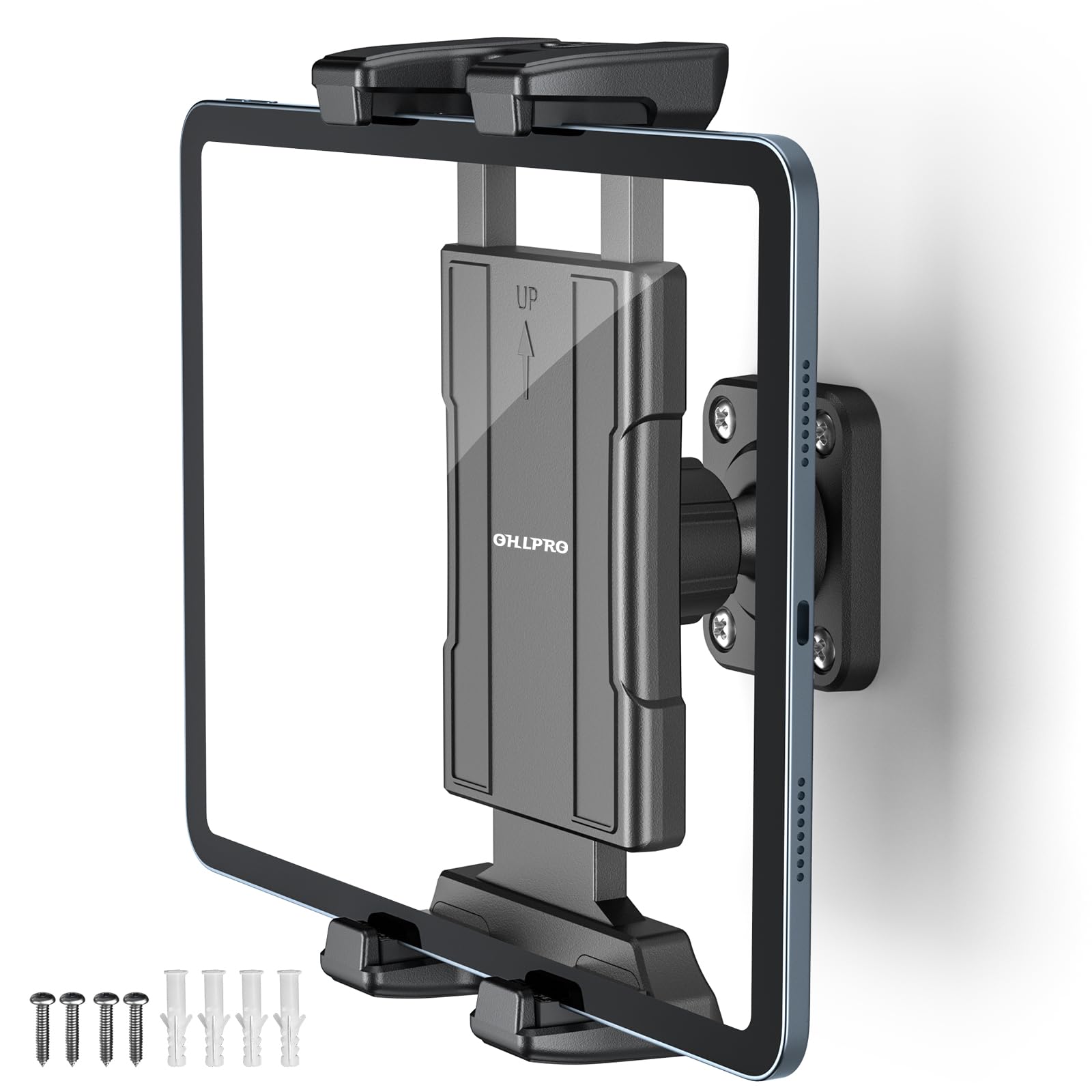
Device Range: 4.7–13 inches
Adjustment: 360°
Mounting: Drilled screw mounting
Compatibility: iPad, iPhone, Kindle Fire HD, Galaxy Tab, Switch
Type: Universal holder
The OHLPRO holder is the broadest-fit option here: one bracket spans small phones up to large 13-inch tablets, so a household with mixed hardware does not need a different mount per device. The 360° joint allows portrait or landscape orientation and a tilt toward the viewer, which matters for a wall-mounted dashboard read from a standing position. Screw mounting into studs or drywall anchors gives a firmer hold than adhesive, and the clamp-style cradle grips the tablet’s edges rather than covering the screen. It is the pick for a hallway control panel, a kitchen dashboard, or a shop-floor tablet that stays put.
It earns its place on versatility and price rather than security. There is no lock, so the tablet lifts out of the cradle by hand — fine at home, wrong for a public counter. Buyers who want a permanent, tamper-resistant install should look at the locking picks below.
Trade-off: The open cradle releases the tablet without a key, so it is unsuitable anywhere the device could be walked off with.
RUKUHOT Universal Wall Mount
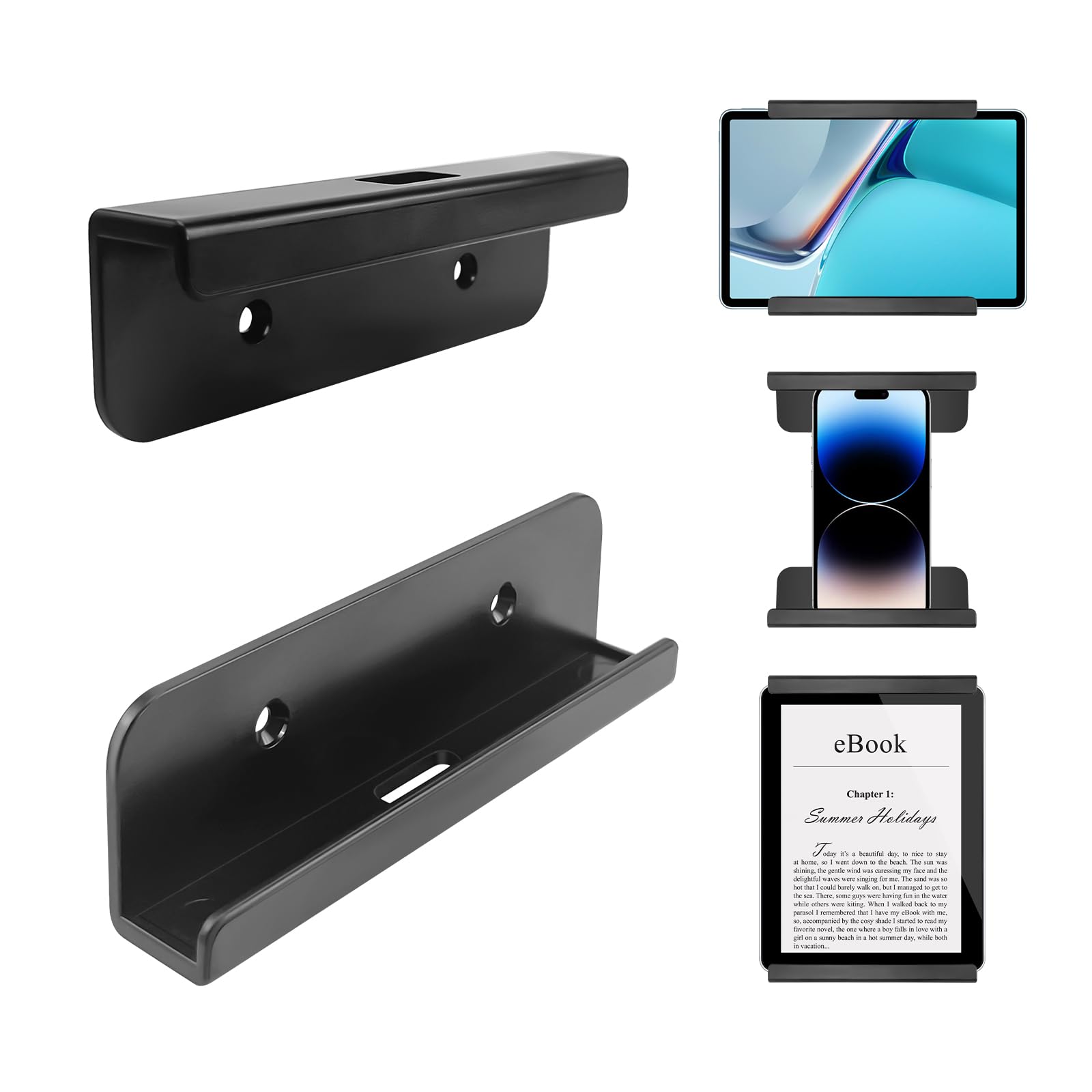
Device Range: Tablet, phone, eReader, remote control
Mounting: Adhesive or screw installation
Compatibility: iPad, iPhone, Samsung, Surface, Huawei, Xiaomi, Lenovo
Type: Stick-on universal holder
The RUKUHOT is the no-drill option: an adhesive backing lets it stick to tile, glass, or painted wall without tools, and screws are included for anyone who wants a more permanent fix. The slot design holds a tablet, phone, eReader, or even a remote, making it the most flexible small-item holder of the group. It suits renters, dorm rooms, and anyone setting up a temporary control tablet beside a bed or couch. At this price it is a low-risk way to test a wall-mounted dashboard before committing to a drilled install.
The trade-off is holding strength. Adhesive mounts depend on a clean, flat surface and cure time, and a heavy tablet in a warm room is a real risk over months. Buyers mounting anything larger than a small tablet should use the screw option.
Trade-off: Adhesive on a warm wall can creep under a heavy tablet, so the screw fixings are the safer choice for anything beyond a phone or small eReader.
Tablet Wall Mount Compatible with Samsung Galaxy Tab A11+, Tab A9+
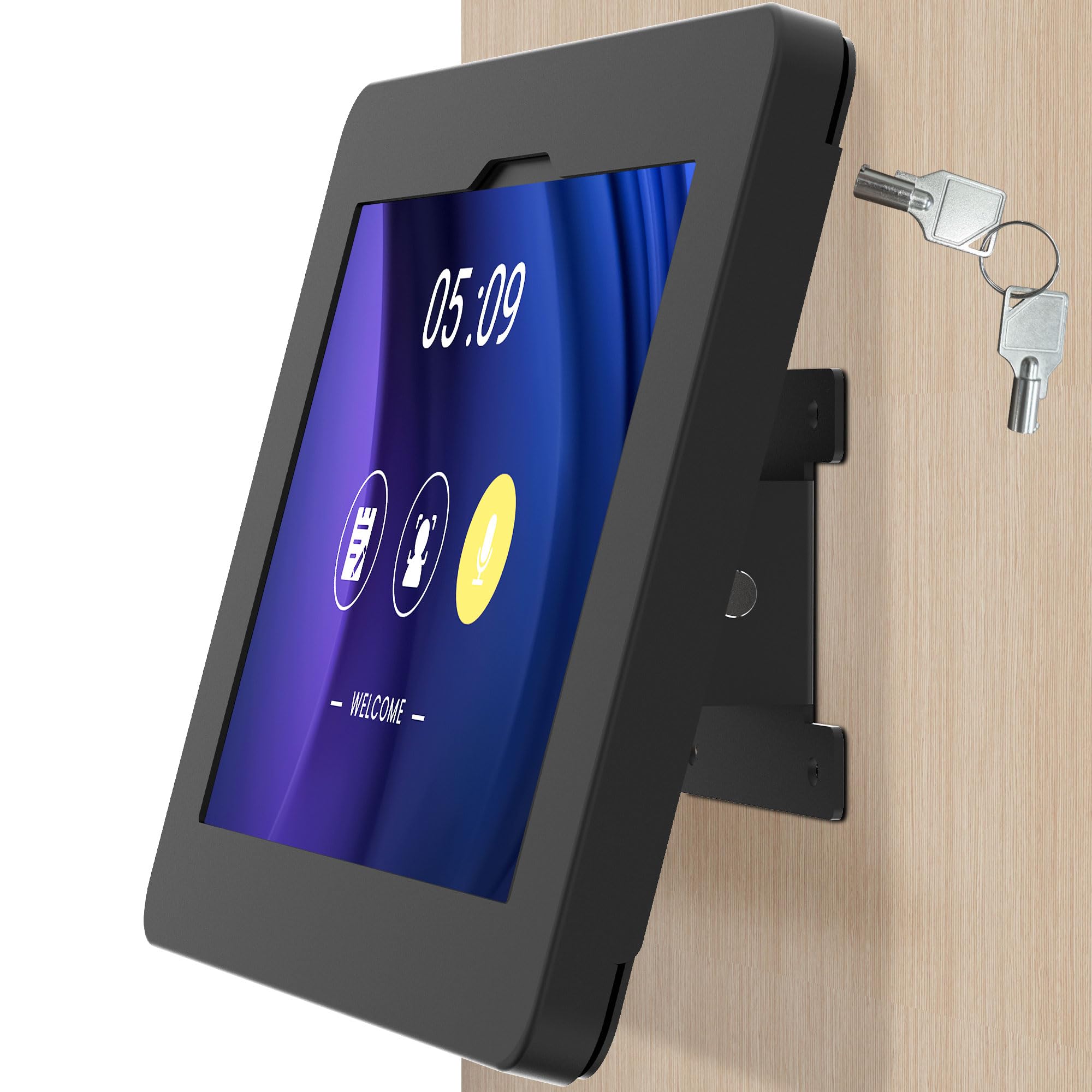
Compatibility: Samsung Galaxy Tab A11+, Tab A9+
Security: Anti-theft with lock
Material: All metal
Adjustment: Tiltable
Model: BSW101BJ
This is the first genuine security mount in the list. The all-metal body and keyed lock mean the tablet is held in a fixed frame that cannot be lifted out without the key — the right setup for a retail counter, a clinic check-in station, or a meeting-room booking panel on a Galaxy Tab A11+ or A9+. The tiltable head angles the screen toward a standing user, and the metal construction resists the flex that plastic cradles show after months of use. It is a single-purpose mount built around Samsung’s Tab A line.
It is deliberately narrow: the frame is cut for the Galaxy Tab A11+ and A9+, so it is not the mount for an iPad or a Surface. Buyers with mixed device fleets should look at the Mount-It! below instead.
Trade-off: The fixed Samsung-specific frame rules out other tablets, so it only makes sense for a fleet that is already all Galaxy Tab A.
Wall Mount for Galaxy Tab A9 & A11
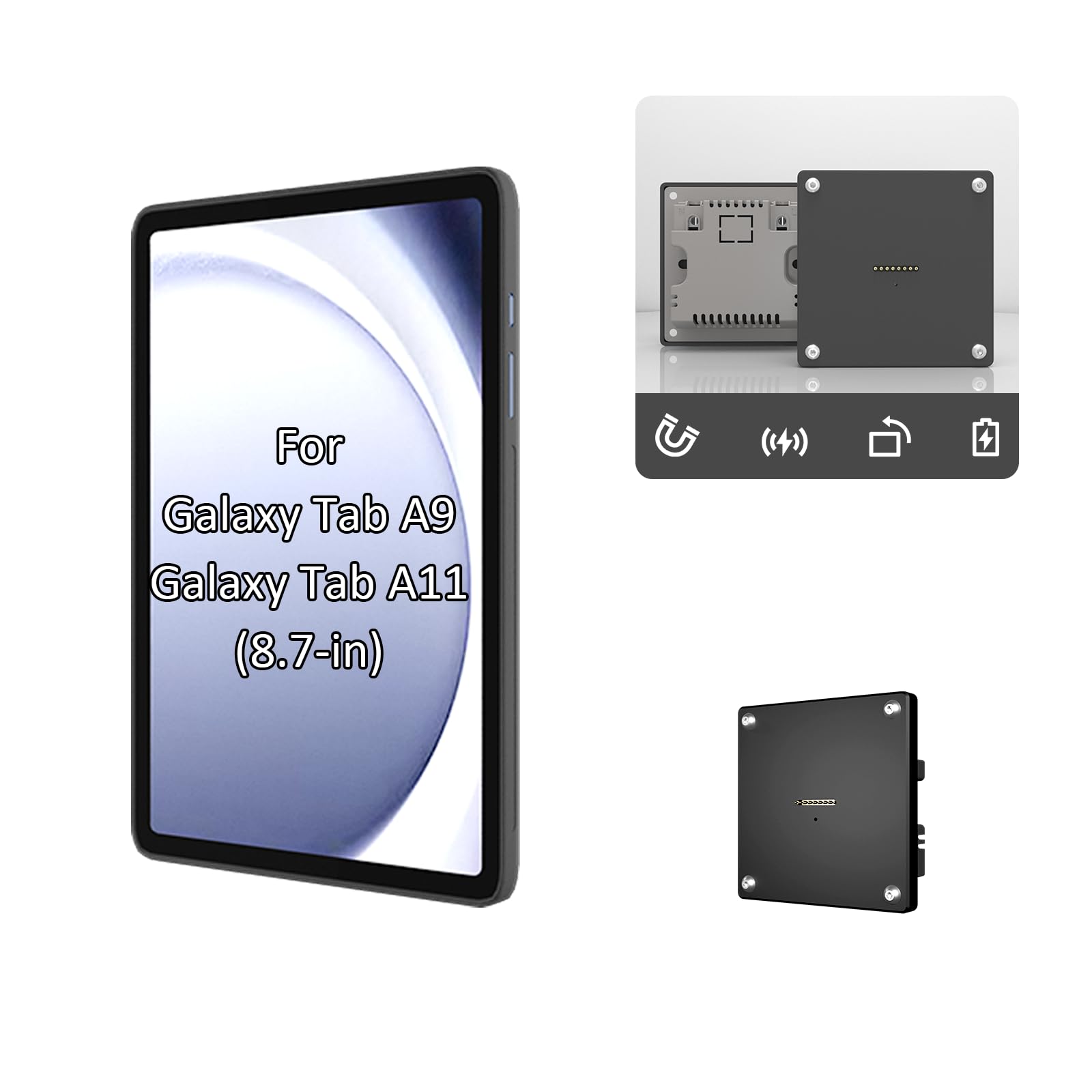
Compatibility: Galaxy Tab A9 & A11
Screen Size: 8.7 in
Power: In-wall magnetic charging
Mounting: No drill, flush wall panel
Type: Continuous power kiosk display
The premium pick is a flush wall panel rather than a bracket: the tablet sits nearly level with the wall, held by magnets, and charges continuously through the panel so the display never runs down. No drilling is required, and the result looks like a built-in control panel rather than an accessory bolted to drywall. It is built for a Galaxy Tab A9 or A11 in the 8.7-inch class, and it is the cleanest solution here for a permanent smart-home hub or a lobby display that has to look finished.
That finish comes at a price several times the budget mounts, and it is single-device by design. Buyers who might swap tablets later, or who need to move the mount, should weigh that before committing.
Trade-off: The flush, device-specific panel is the most expensive option here and leaves no room to change tablet models later.
Mount-It! Anti-Theft Tablet Wall Mount
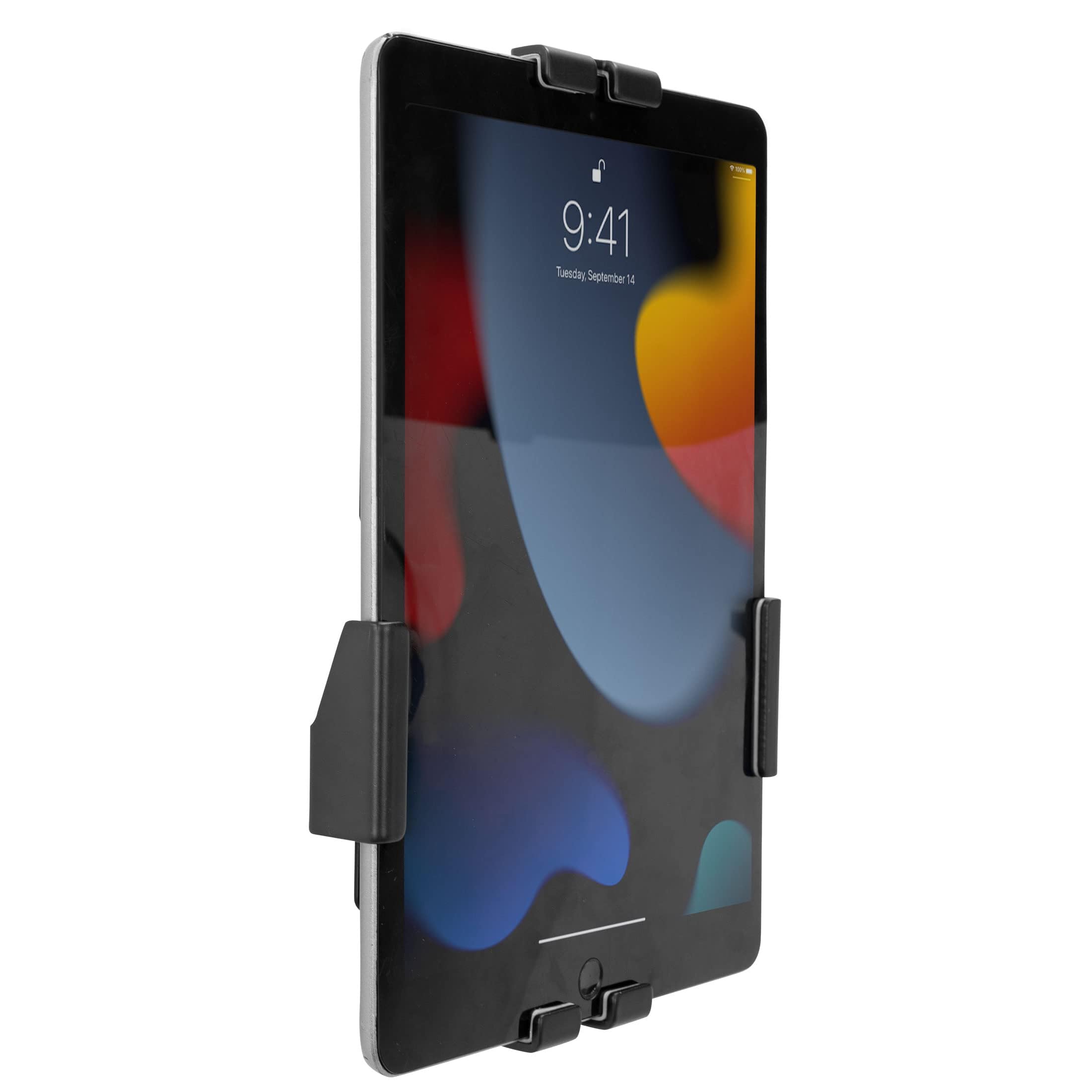
Device Range: 7.9–11 inches
Security: Lockable adjustable clamps
Adjustment: Full motion — tilt, swivel, rotation
Mounting: VESA 75×75
Best For: Retail, office, hotels
The Mount-It! is the flexible security mount: adjustable lockable clamps grip any tablet between 7.9 and 11 inches, so one bracket covers iPads, Galaxy Tabs, and Surfaces alike. Full-motion articulation — tilt, swivel, and rotation — lets the screen be aimed at a seated customer or turned to portrait for a menu or sign-in app. The VESA 75×75 pattern also allows it to be fitted to an existing arm or stand rather than only a wall. It is the pick for a business that wants anti-theft protection without locking itself into one tablet brand.
Clamps that adjust to fit many sizes are a compromise: they grip firmly, but they are bulkier than a flush panel and less elegant on a visible wall. Buyers prioritizing looks over flexibility should consider the in-wall option.
Trade-off: The clamp frame is visibly industrial, so it suits back-of-house and retail use better than a finished living room.
Before You Buy
- Security: A lockable frame is essential anywhere the public can reach the tablet; an open cradle is fine only in a private home or office.
- Compatibility: Check the mount’s stated device range against the tablet’s size — Samsung-specific frames will not fit an iPad, and universal clamps will not fit a 13-inch tablet.
- Mounting method: Adhesive suits renters and smooth surfaces; drilled screws or VESA mounting give a firmer, longer-lasting hold for heavy tablets.
- Power: A control tablet that runs a dashboard all day needs continuous charging, which only the in-wall panel here provides out of the box.
- Adjustment: Tilt matters for a standing viewer, rotation matters for portrait apps, and full-motion arms suit counters where the screen is shared.
- Finish: A flush panel looks built-in; clamp mounts look like hardware. Match the mount to how visible the wall is.
Frequently Asked Questions
-
What is the best wall mount for a control tablet at home?
The OHLPRO universal holder suits most homes because it fits tablets from 4.7 to 13 inches and allows 360° adjustment, while the RUKUHOT is the no-drill option for renters. -
Do I need a lockable mount?
Only if the tablet is reachable by the public. For a private smart-home dashboard, an open cradle is simpler and cheaper. -
Can a wall mount keep the tablet charged?
The in-wall Galaxy Tab panel charges continuously through magnetic contacts. Other mounts here hold the tablet but do not supply power, so a charging cable is still needed. -
Will a universal mount fit a 13-inch tablet?
The OHLPRO holder is rated to 13 inches. The Mount-It! clamps stop at 11 inches, and the Samsung-specific frames fit only the Tab A9 and A11. -
Can these mounts be removed without damage?
Screw-mounted and in-wall options leave holes. The RUKUHOT’s adhesive option is the most removable, though adhesive can still lift paint. -
Which mount suits a retail counter?
The Mount-It! for mixed tablet brands, or the BSW101BJ metal lock mount for an all-Samsung fleet.
Bottom Line
For most buyers, the OHLPRO Universal Tablet Wall Mount Holder is the best wall mount for a control tablet: it fits the widest range of devices, adjusts in every direction, and screws firmly to the wall for a fraction of the cost of the security options. Buyers who need tamper resistance should step up to the Mount-It! for mixed fleets or the BSW101BJ for Samsung-only installs, and anyone wanting a permanent, always-charged flush display should choose the in-wall Galaxy Tab panel.