Why there are Amazon links here: Brave Review is paid a commission for qualifying Amazon purchases made through the links below. Your price does not change, and using our links is entirely optional. How this works
Best Wireless Only Automation Options for a Hub-Free Smart Home
Wireless only automation options let a home add smart control without cutting into walls or pulling neutral wires. The picks below are battery-powered buttons, remotes and scene controllers that mount with adhesive or sit on a table, so renters, apartment dwellers and anyone renting out a property can automate lighting and routines without an electrician. Each one still needs its own bridge or hub to talk to the rest of a smart home, and that requirement is the single biggest thing to check before buying. The overview table below sorts all five by key spec and best use, and each review follows with the trade-off worth knowing.
Overview of the Picks
| Product | Key Spec | Best Use | Price Tier |
|---|---|---|---|
| Amazon Basics Smart Dimmer Switch and Remote | Works with Alexa only, no wiring | Echo households wanting a simple handheld remote | Budget |
| MOES Wireless Smart Scene Switch | 4-gang, 12 scenes, Zigbee hub required | Multi-scene control on a Tuya or Home Assistant setup | Mid-range |
| SONOFF Zigbee Switch SNZB-01P | 2-pack, three control options, Zigbee bridge required | Covering two rooms with one purchase | Mid-range |
| 4-Way Wireless Zigbee Remote | 4-way control, Tuya hub required | Home Assistant, Homey and Hubitat users wanting a multi-button remote | Mid-range |
| Aqara Zigbee Wireless Mini Switch | Works with HomeKit, Google Home and Alexa | Apple Home users wanting the smallest possible button | Budget |
Amazon Basics Smart Dimmer Switch and Remote for Music and Routines
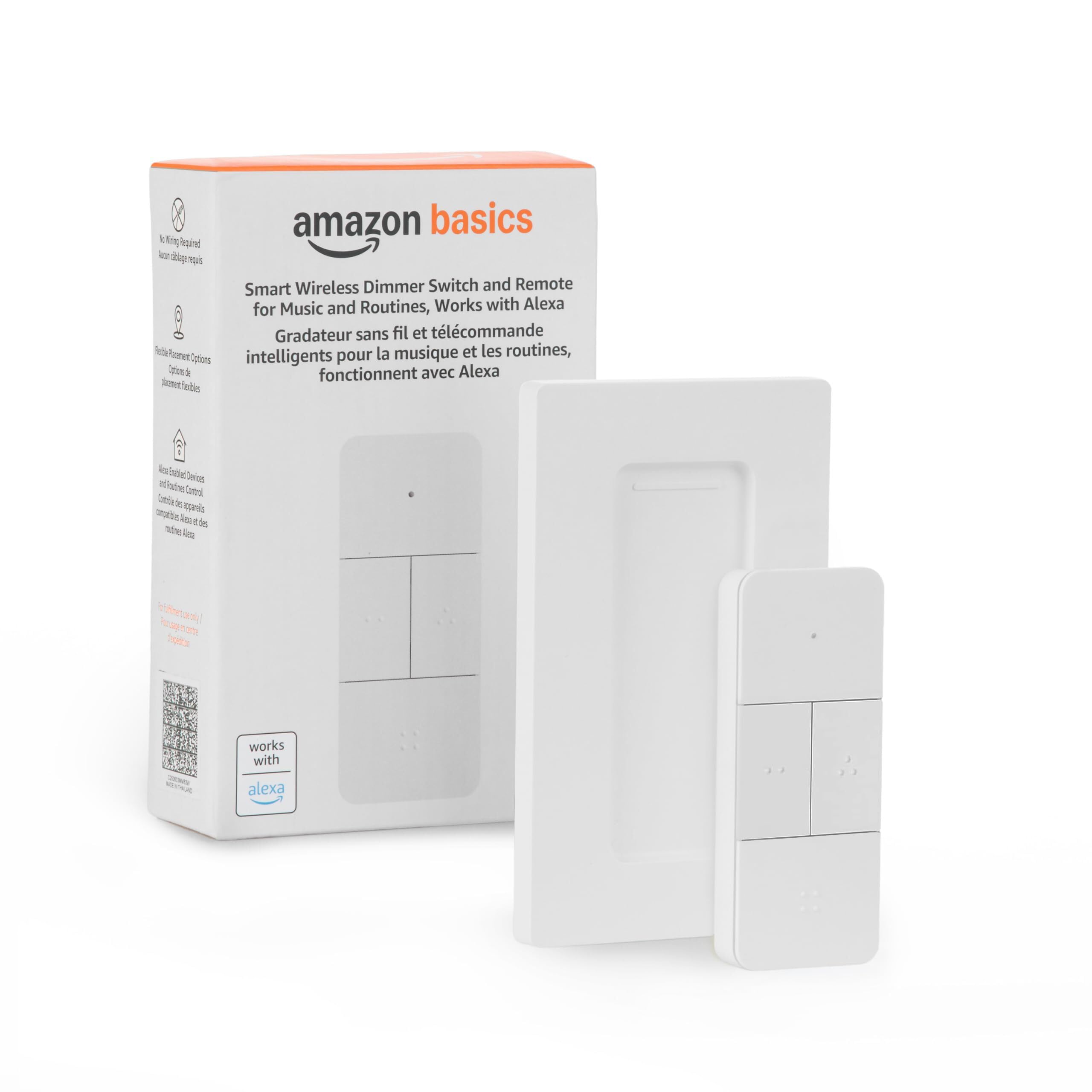
Type: Handheld smart dimmer switch and remote
Ecosystem: Alexa only
Hub requirement: Compatible Echo devices required
Setup: No wiring required
Power source: Battery-powered handheld remote
Best for: Echo households that want a remote without an electrician
Amazon Basics Smart Dimmer Switch and Remote for Music and Routines is the simplest entry point in this list. It is a handheld remote rather than an in-wall switch, so installation means pairing it to an Echo device and putting it where it is handy — no neutral wire, no breaker panel, no drywall work. The dimming control and music and routine triggers make it a natural fit for a bedside table or a living room couch arm.
This pick suits Alexa households that already own an Echo and want one physical control for lamps and routines. It earned its place because it removes the wiring barrier entirely at the lowest price in the group. The trade-off is ecosystem lock-in: it works with Alexa only, so a home built on Google Home, Apple Home or SmartThings should look elsewhere.
Trade-off: The Alexa-only requirement makes it a poor fit for mixed-ecosystem homes, and a handheld remote can be misplaced more easily than a wall-mounted switch.
MOES Wireless Smart Scene Switch, 4 Gang

Type: Battery-powered 4-gang scene controller
Scenes: 12 scene controller functions
Protocol: Zigbee
Hub requirement: MOES Zigbee hub required
Integration: Support for Home Assistant and Zigbee2MQTT
Best for: Tuya and Home Assistant users who want many scenes on one panel
MOES Wireless Smart Scene Switch, 4 Gang packs the most control into one faceplate of any pick here. Four buttons with twelve scene functions mean a single wall plate can trigger lighting moods, routines and device groups without a phone in hand. The stated support for Home Assistant and Zigbee2MQTT is the headline feature for tinkerers who run a local hub.
This controller suits smart home users already invested in a Tuya or Home Assistant setup who want fast physical access to scenes. It earned its place as the most capable multi-scene option in the group. The trade-off is dependency: it requires a MOES Zigbee hub, so the total cost is higher than the sticker suggests and a buyer without that hub gets nothing from it.
Trade-off: The mandatory MOES Zigbee hub adds cost and complexity, and a twelve-scene panel rewards planning — a buyer who wants one simple button will find it overkill.
SONOFF Zigbee Switch SNZB-01P, 2-Pack
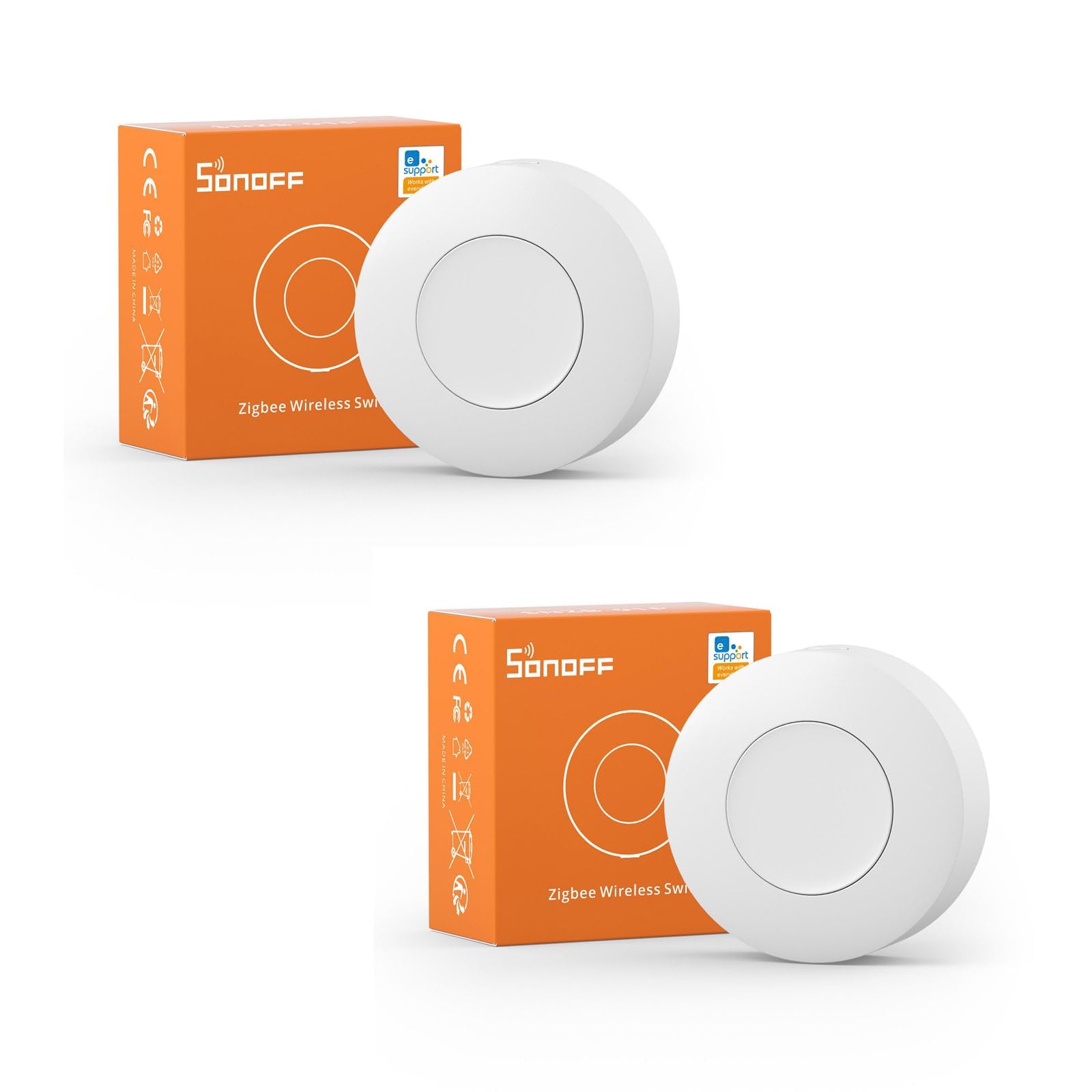
Type: Wireless push button, two-pack
Protocol: Zigbee
Hub requirement: SONOFF ZigBee Bridge required
App: eWelink
Control options: Three control options
Best for: Covering two locations with matching buttons
SONOFF Zigbee Switch SNZB-01P, 2-Pack is the value play for anyone who needs more than one button. The two-pack means a single purchase can put a trigger in the hallway and another on a nightstand, and the three control options on each button cover the usual single press, double press and long press patterns for scenes. Pairing runs through the eWelink app once a SONOFF ZigBee Bridge is in place.
This pick suits households that want several small triggers rather than one big panel, and it is popular for good reason at this price per button. It earned its place as the best per-unit value in the group. The trade-off is that each button is a single control point, so a buyer who wants four distinct scenes under one finger should look at the multi-gang options instead.
Trade-off: The SONOFF ZigBee Bridge is sold separately and is mandatory, and the tiny form factor means the buttons are easy to lose track of if not mounted.
4-Way Wireless Zigbee Smart Button and Scene Controller

Type: 4-way wireless remote and scene controller
Protocol: Zigbee
Hub requirement: Tuya Zigbee hub required
Integration: Home Assistant, Homey and Hubitat
Control layout: Four-way control
Best for: Multi-platform users who want one remote across ecosystems
4-Way Wireless Zigbee Smart Button and Scene Controller is aimed squarely at the advanced hobbyist. Four-way control in a single remote gives each direction its own scene or device trigger, and the stated compatibility with Home Assistant, Homey and Hubitat covers the three biggest local-control platforms. That breadth is unusual at this price and makes it the most flexible pick for a mixed setup.
This remote suits buyers who run a Tuya Zigbee hub but want the flexibility to move the device into Home Assistant, Homey or Hubitat later. It earned its place as the most platform-agnostic option here. The trade-off is that the hub requirement still applies, and four-way control rewards a buyer who will actually plan out four scenes — an unplanned setup ends up with buttons nobody remembers.
Trade-off: It needs a Tuya Zigbee hub to work at all, and the four-button layout is more complicated than a single-button switch for casual users.
Aqara Zigbee Wireless Mini Switch

Type: Wireless mini switch
Protocol: Zigbee
Hub requirement: Aqara hub required
Ecosystems: HomeKit, Google Home, Alexa
Integration: Works with IFTTT
Control: Versatile 3-way control
Best for: Apple Home households wanting the smallest button
Aqara Zigbee Wireless Mini Switch is the smallest and cheapest button in the group, and the only one that lists HomeKit support alongside Google Home and Alexa. Three-way control covers the common press patterns, and IFTTT support opens up applets for buyers who want cross-service routines. At this size it disappears onto a wall or inside a drawer pull.
This switch suits Apple Home users in particular, since HomeKit-compatible buttons are thin on the ground at this price. It earned its place as the budget pick for mixed-ecosystem homes. The trade-off is the Aqara hub requirement and the small footprint: the button is easy to misplace unmounted, and the single-button design limits how many scenes one unit can trigger.
Trade-off: The Aqara hub is mandatory and sold separately, and the single-button format means adding scenes means adding buttons.
Before You Buy
- Hub Compatibility: Every pick here needs a bridge or hub — Echo devices for the Amazon Basics remote, a MOES Zigbee hub, a SONOFF ZigBee Bridge, a Tuya Zigbee hub or an Aqara hub. Confirm the household already owns the matching bridge before ordering.
- Ecosystem: The Amazon Basics remote is Alexa only, the Aqara switch covers HomeKit, Google Home and Alexa, and the Zigbee controllers list Home Assistant, Homey and Hubitat support. Match the button to the platform already in use.
- Power Source: All five are battery-powered, so budget for replacements and pick a model whose battery door is reachable after mounting.
- Mounting: Adhesive mounting keeps walls intact, which matters for renters. Check the mounting method suits the surface — painted drywall, tile and furniture all behave differently.
- Control Count: A single button triggers one scene per press pattern; a four-gang panel triggers many. Count the routines the household actually uses before choosing.
- Included Accessories: Some picks ship as multi-packs and some as singles. Compare the per-button cost rather than the listing price alone.
Frequently Asked Questions
-
Do wireless only automation options need a hub?
Yes. Every pick in this list requires a bridge or hub — Echo devices, a MOES Zigbee hub, a SONOFF ZigBee Bridge, a Tuya Zigbee hub or an Aqara hub — to connect the button to the rest of the smart home. -
Can these be used in a rental without an electrician?
Yes. All five are battery-powered and mount without wiring, so no breaker work or wall cutting is involved. Adhesive mounting keeps the deposit safe. -
Which pick works with Apple HomeKit?
The Aqara Zigbee Wireless Mini Switch lists HomeKit support alongside Google Home and Alexa, making it the pick for Apple households. -
What is the difference between a scene controller and a smart button?
A smart button typically triggers one device or routine per press pattern. A scene controller such as the MOES 4-gang panel triggers many scenes from one faceplate. -
Can these control music as well as lights?
The Amazon Basics remote explicitly covers music and routines in addition to dimming, while the Zigbee controllers focus on scenes and connected devices. -
How many buttons does a household need?
One per room or per routine is a reasonable starting point. The SONOFF two-pack covers two locations in one purchase, while the 4-gang panel concentrates control in one spot.
Bottom Line
For most Alexa households, the Amazon Basics Smart Dimmer Switch and Remote is the fastest route to wireless only automation options — no wiring, no separate bridge beyond the Echo already on the shelf, and the lowest entry price. Buyers already running a Zigbee hub should step up to the MOES 4-gang scene controller for the most control per faceplate, while Apple Home users are best served by the Aqara Mini Switch. Start with the pick that matches the hub already in the house, then check the current price before ordering.
