Why there are Amazon links here: Brave Review is paid a commission for qualifying Amazon purchases made through the links below. Your price does not change, and using our links is entirely optional. How this works
Yale Assure Lock Touchscreen Deadbolt: Keyless Entry Without the Smart Home
The Yale Assure Lock Touchscreen Deadbolt is a standalone electronic deadbolt for the front door of a household that wants keypad entry without committing to a smart home platform. It replaces an existing deadbolt, runs on batteries, opens with a code or the included backup key, and stays off Wi-Fi and off Bluetooth by design. This review covers what the lock is built to do, where a non-connected keypad lock makes sense, and the compromises a buyer should accept before ordering.
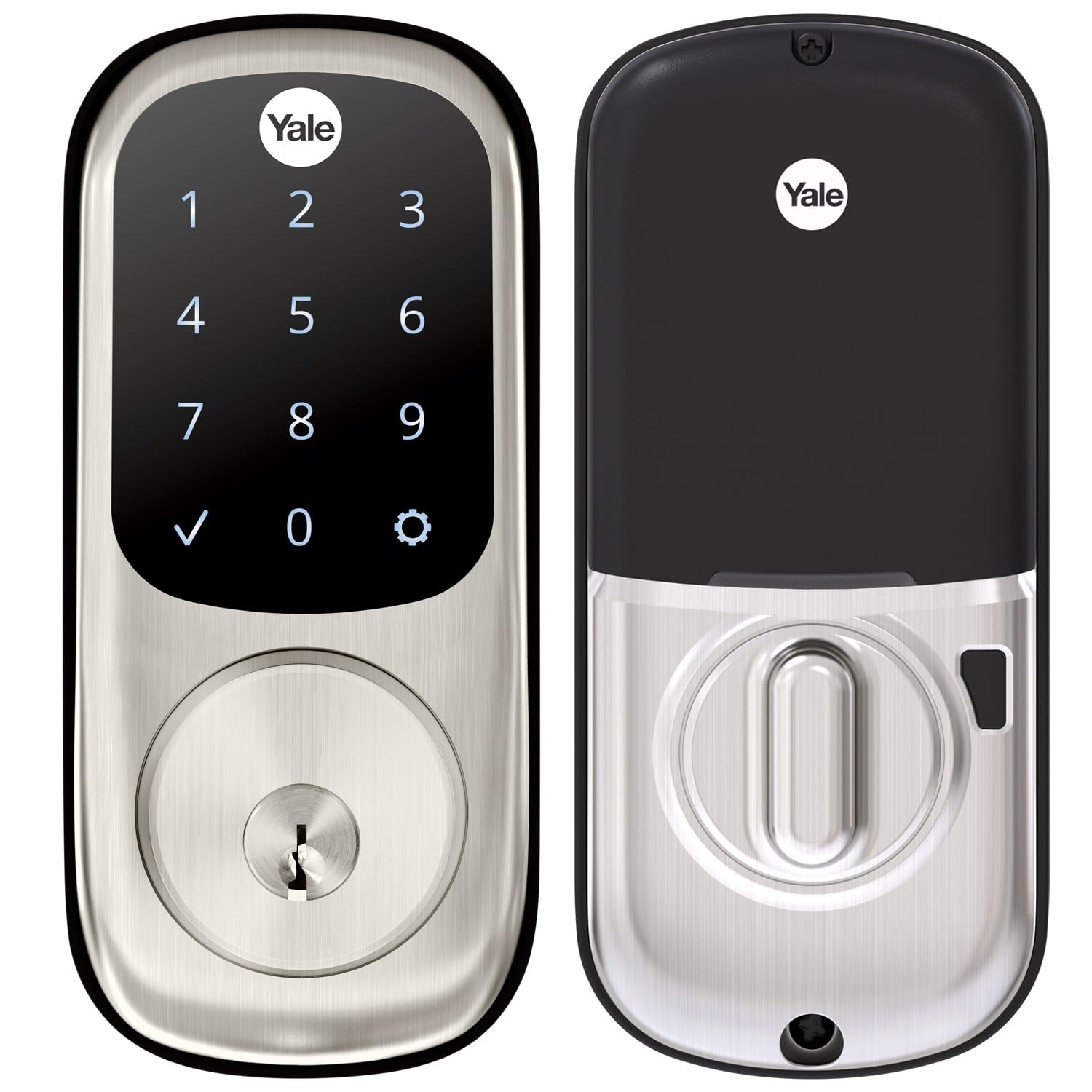
Features and Specifications
Product: Yale Assure Deadbolt Lock with Touchscreen, Satin Nickel Digital Non-Connected Entry Door Lock with Electronic Keypad and Back-Up Key, YRD226NR619
Type: Electronic deadbolt with touchscreen keypad
Connectivity: Non-connected — no app, no hub, no Wi-Fi or Bluetooth
Finish: Satin Nickel
Entry Methods: Touchscreen keypad code and mechanical backup key
Power Source: Battery-powered (no hardwiring)
Intended Use: Residential entry doors
The specification list is short, and that is the point. This is a lock whose feature set is deliberately bounded: a keypad on the outside, a motorized deadbolt, a key cylinder for the day the batteries quit, and nothing that talks to a router.
The non-connected label is the single most important line in that list. Buyers who arrive from a search for smart locks will find no app, no remote unlock, no guest codes issued from a phone, and no integration with voice assistants or home automation routines. What remains is the core convenience most people actually wanted in the first place — walking up with groceries and pressing four digits instead of fishing for a key.
Build and Finish
The satin nickel finish is a brushed, low-gloss metallic tone that reads as neutral against most door hardware, which is why it shows up on so many residential entries. It pairs cleanly with brushed nickel handles and hides fingerprints better than a polished finish would.
The touchscreen is the part that defines daily use. A capacitive-style keypad lights up on contact, so the lock presents its numbers only when a hand reaches for it rather than glowing all night. That keeps the entry looking like ordinary hardware from the street.
The deadbolt itself is a motorized throw, meaning the lock extends and retracts the bolt on its own once a valid code is entered. Buyers should expect the usual installation footprint of a standard deadbolt replacement — the lock is designed to go into the same door prep as the hardware it replaces, which keeps the job within reach of a confident DIYer with a screwdriver.
Trade-off: The touchscreen is a wear surface on the outside of the door, and a glossy glass panel on a satin nickel body will show smudges and the occasional scratch over years of daily contact.
Capacity and Code Handling
The lock stores multiple user codes, which is the feature that makes a keypad deadbolt worth owning for a household rather than a single person. A family can give each member a code, and a homeowner can set a temporary code for a dog sitter or a contractor and remove it afterward without rekeying anything.
Code management happens at the lock itself, through the keypad and the programming sequence in the manual. There is no dashboard, no history log, and no way to see from a phone who came and went. Buyers who want an audit trail of every unlock are shopping in the wrong category.
This is also where the non-connected design shows its upside. Nothing to configure on a network means nothing to break when the router is replaced, the Wi-Fi password changes, or a cloud service shuts down. The lock keeps working the same way in year five as it did in week one.
Trade-off: Managing codes at the keypad is slower and clunkier than tapping through an app, and a household that changes codes often will feel that friction.
Power and Battery Life
The lock runs on batteries, and battery life is the specification that matters most in a device nobody thinks about until it stops responding. Yale builds these locks to run for a long stretch on a set of cells, and the lock signals when power is getting low so the batteries can be swapped before the door refuses a code.
The backup key is the real safety net. The cylinder accepts a mechanical key, so a dead battery never means a locked-out homeowner standing on the porch. That combination — battery power plus a physical key override — is the arrangement that makes a keypad deadbolt trustworthy for a primary entry rather than a novelty.
Buyers should still plan for it. Keep the backup key somewhere other than inside the house, and treat the low-battery warning as a same-week task rather than a someday task.
Trade-off: A battery-powered lock puts the homeowner in charge of maintenance, and a household that ignores the low-battery alert will eventually be using the key.
Maintenance and Everyday Upkeep
Upkeep is minimal by design: swap the batteries when warned, wipe the touchscreen occasionally, and leave the keyway alone. There is no firmware to update, no hub to reboot, and no account to keep alive.
The satin nickel surface tolerates normal weather exposure on a sheltered entry, and the finish is the low-maintenance kind — no polishing routine required. Buyers on a fully exposed door in a harsh climate should expect any exterior hardware to age, and this lock is no exception.
The key cylinder deserves a thought at installation. Leaving the backup key untested until an emergency is the most common way this kind of lock fails its owner, so the key should be tried once right after install and then stored off-site.
Trade-off: Because the lock is non-connected, there is no remote diagnostic — when something misbehaves, the homeowner troubleshoots at the door rather than reading a status screen.
Who It Suits and Who It Does Not
This lock suits a homeowner who wants keyless entry for a family, a rental with rotating occupants, or a primary entry where the appeal is not carrying a key — and who has no interest in apps, hubs, or voice control. It also suits buyers who have watched smart-home platforms come and go and would rather own hardware that cannot be orphaned by a software decision.
It does not suit the buyer who wants to unlock the door remotely for a delivery, issue a code from a phone, check a log of who arrived, or tie the lock into a broader automation setup. Those buyers need a connected model, and this one will feel like a step backward.
It also is not the pick for someone who wants zero maintenance. A mechanical deadbolt never needs batteries; this one does.
FAQ
-
Does the Yale Assure Lock Touchscreen Deadbolt work with an app?
No. This is the non-connected version, so there is no app, no Bluetooth pairing, and no Wi-Fi. Codes are managed at the keypad. -
What happens when the batteries die?
The lock includes a mechanical backup key that opens the deadbolt, so a dead battery does not lock anyone out. The lock warns before power runs out. -
Can the lock be rekeyed or codes removed?
User codes can be added and deleted at the keypad, which is how a temporary code for a sitter or contractor gets revoked. The key cylinder uses a standard mechanical key. -
Is this a smart lock?
It is an electronic keypad deadbolt, not a smart lock. It has no network connection and no smart-home integration. -
Will it fit an existing deadbolt hole?
The lock is built as a replacement for a standard residential deadbolt and is designed to use the existing door prep. Buyers should confirm their door thickness and backset against the installation guide before ordering. -
Does the touchscreen light up at night?
The keypad illuminates on contact, so the numbers appear when a hand reaches for the lock rather than staying lit continuously. -
How many codes can be stored?
The lock supports multiple user codes, which is what makes it practical for a whole household rather than a single occupant. -
Is satin nickel durable outdoors?
Satin nickel is a brushed finish that holds up well on a sheltered entry. A fully exposed door in a harsh climate will age any exterior hardware, so expectations should match the exposure. -
Can it be used on a rental property?
Yes. Rotating codes between tenants is the main appeal, and the backup key gives the owner a way in without a code. -
Does it need a hub or bridge?
No. There is nothing to pair and nothing to bridge, which is the entire premise of the non-connected model.
Bottom Line
The Yale Assure Lock Touchscreen Deadbolt is the right buy for a household that wants keypad entry, multiple user codes, and a key backup without dragging a smart-home platform into the front door. It is a focused product: no app, no remote access, no integrations, and in exchange, nothing to break, update, or lose support. Buyers who need remote unlock or entry logs should look at a connected lock instead.
