Why there are Amazon links here: Brave Review is paid a commission for qualifying Amazon purchases made through the links below. Your price does not change, and using our links is entirely optional. How this works
Yale Assure Lock 2 Smart Door Lock: Keyless Entry With App Control
The Yale Assure Lock 2 is a smart deadbolt for households that want to stop carrying keys and start handing out codes. It pairs a touchscreen-style keypad with app control, scheduled access, and a physical backup key for the day the batteries or the Wi-Fi give out. This review covers how it is built, what the app actually adds, where the setup tends to get fiddly, and which buyers should look elsewhere. Readers who want the short version can jump to the trade-off line and the bottom line.
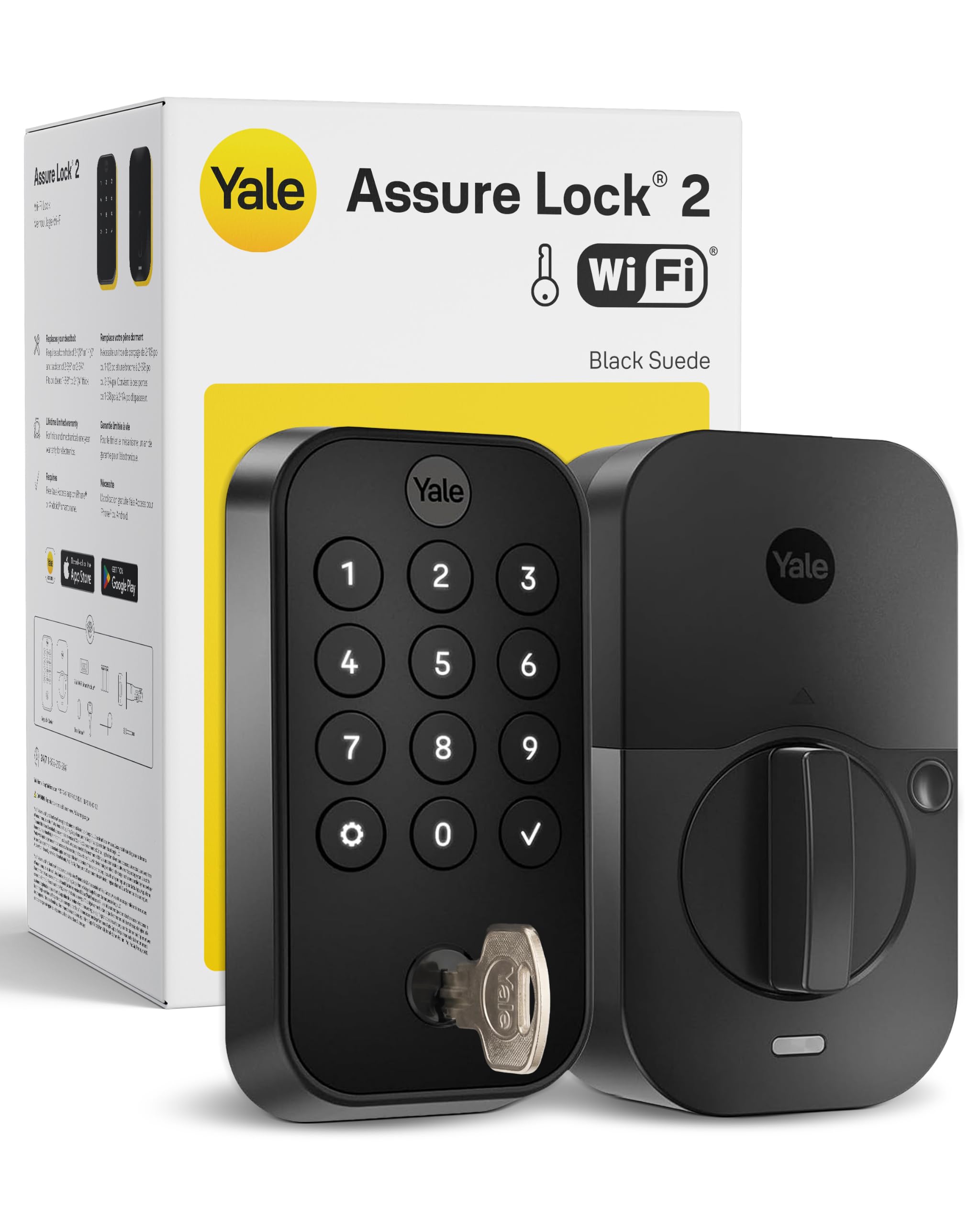
Features and Specifications
Type: Smart deadbolt with keypad and keyless entry
Finish: Black Suede
Connectivity: Wi-Fi for remote app control
Access Methods: Keypad code, smartphone app, physical backup key
Code Management: Scheduled code sharing through the app
Rental Use: Airbnb compatible
Region: US and Canada only
The headline here is the combination of a keypad deadbolt and a Wi-Fi radio in one unit. That means codes can be created, scheduled, and revoked from a phone rather than at the door, which is the feature that separates this lock from a plain electronic deadbolt. The backup key matters more than it sounds: it is the fallback when the battery dies or the network drops, and it keeps the lock usable as an ordinary deadbolt in a worst case.
The Black Suede finish is a matte dark tone, which suits modern doors and hides fingerprints better than polished metal. The US and Canada restriction is a real limitation for anyone outside those markets, and it is worth confirming before ordering rather than after.
Build and Hardware
The lock replaces a standard deadbolt, so the door needs a conventional deadbolt bore rather than a mortise setup. The exterior half carries the keypad and the keyway; the interior half holds the batteries and the thumb turn. Buyers with unusual door prep, thick doors, or a metal frame that interferes with wireless signals should check compatibility before committing, because a smart deadbolt is only as good as the door it sits in.
The finish is a surface treatment on metal, and matte dark finishes tend to show scuffs and scratches more readily than lighter ones over years of key jangling. That is cosmetic rather than functional, but it is worth knowing for anyone who wants the door to look untouched.
Power and Connectivity
The lock runs on batteries, and the app is the main way to check their status before they fail. Wi-Fi is built in, which means no separate hub is needed — a genuine convenience compared with locks that require a bridge. The trade-off is that Wi-Fi radios are the thirstiest part of a smart lock, so battery life will not match a Bluetooth-only deadbolt.
Remote control depends on the home network reaching the door. A door at the far end of a house, or one set in a metal frame, can produce weak signal and laggy app responses. The keypad and the backup key keep working regardless, which is the right design, but buyers who expect instant remote unlocks should think about where the router sits.
Codes and Rental Use
Scheduled code sharing is the feature that makes this lock interesting for short-term rentals. A host can issue a code that works only for the dates of a booking, then let it expire without touching the door. That removes the lockbox and the key handoff, and it means a lost code is a revoked code rather than a rekeying job.
For a family home, the same feature covers cleaners, dog walkers, and visiting relatives. The caution is administrative: every code is a small piece of access management, and a household that issues many codes needs a habit of pruning them. The app makes that easy, but it does not do it automatically.
Maintenance and Everyday Use
Day to day, the lock is meant to be invisible. A code gets a person in, the app handles the exceptions, and the key handles the failure cases. The maintenance load is batteries, firmware updates through the app, and an occasional wipe of the keypad.
The keypad is the part most likely to age, since it takes repeated contact and weather. Buyers in exposed locations — a door with no porch overhang, a coastal climate — should expect more wear than a sheltered entry. That is true of every keypad lock, not just this one, but it is the reason a physical key backup is not a gimmick.
Trade-off: The Wi-Fi convenience costs battery life and depends on a solid signal at the door, so a home with a weak network at the entry will get less from the remote features than the listing implies.
Check the current price on Amazon
Who the Yale Assure Lock 2 Suits
This lock fits three buyer types well. The first is the household that keeps losing or copying keys and wants codes instead. The second is the short-term rental host who wants scheduled access without a lockbox. The third is the renter-friendly smart-home buyer who wants app control without buying a separate hub.
It suits these buyers because the feature set is broad but the installation is a standard deadbolt swap. The app does the coordination work, and the backup key means a network outage is an inconvenience rather than a lockout.
It does not suit everyone. Buyers outside the US and Canada should look at regional models, since this one is restricted to those markets. Anyone who wants a lock that works entirely offline, with no app and no account, will find the Wi-Fi and app layers unnecessary overhead. And a household with a very weak Wi-Fi signal at the front door should weigh whether the remote features will deliver what the listing promises.
The price tier is mid-to-upper for a smart deadbolt, which reflects the built-in Wi-Fi and the app ecosystem. Buyers who only need keypad entry can spend less; buyers who need remote codes and rental scheduling are paying for exactly the features they will use.
FAQ
-
Does the Yale Assure Lock 2 need a hub?
No. Wi-Fi is built into the lock, so app control works without a separate bridge or hub. -
What happens if the battery dies?
The lock includes a physical backup key, so the door can still be opened mechanically. The app also shows battery status so the failure can be avoided. -
Can it be used for Airbnb or short-term rentals?
Yes. The lock is listed as Airbnb compatible, and scheduled code sharing lets a host issue codes that expire at the end of a booking. -
Does it work outside the US and Canada?
No. The product is specified for US and Canada use only, so buyers elsewhere should look at regional versions. -
Can codes be scheduled in advance?
Yes. The app supports scheduled code sharing, which is the main reason to choose this model over a basic keypad deadbolt. -
Is a key still included?
Yes. A physical backup key is part of the package, alongside keypad and app entry. -
Does it replace an existing deadbolt?
Yes. It is designed as a deadbolt replacement for a standard door prep, rather than a full mortise lock. -
What finish is available?
The version covered here is Black Suede, a matte dark finish. -
Does it need Wi-Fi to unlock?
No. The keypad and the backup key work without a network; Wi-Fi is what enables remote app control and code management. -
Is it suitable for a main front door?
Yes, provided the door has standard deadbolt prep and the entry has reasonable Wi-Fi coverage.
Bottom Line
The Yale Assure Lock 2 is the right pick for a household or rental host who wants keypad entry, scheduled codes, and remote app control without adding a hub. Its built-in Wi-Fi and backup key cover the two failure modes that matter — a dead battery and a dropped network — and the rental scheduling is the feature that justifies the price over a basic electronic deadbolt. Buyers outside the US and Canada, or anyone with a weak signal at the door, should weigh the alternatives before buying.
