Why there are Amazon links here: Brave Review is paid a commission for qualifying Amazon purchases made through the links below. Your price does not change, and using our links is entirely optional. How this works
Best Zigbee Coordinator Stick for a Server
A Zigbee coordinator stick turns a home server into the brain of a smart home. Plug one into a USB port on the machine running Home Assistant, Zigbee2MQTT or ZHA, and every bulb, sensor and switch on the mesh reports back to that box. The five picks below cover budget builds, high-traffic meshes, mixed Zigbee and Z-Wave setups, and everything in between.
This roundup suits three kinds of buyer: the home-lab owner adding Zigbee to an always-on server, the tinkerer moving off a vendor hub, and the renter who wants a small, tidy coordinator that does not need a power outlet of its own. The overview table compares all five at a glance before the individual reviews.
Overview of the Picks
| Product | Key Spec | Best Use | Price Tier |
|---|---|---|---|
| SONOFF Zigbee 3.0 & Thread Dongle Lite | EFR32MG21 chip | Budget starter coordinator | Budget |
| SONOFF Zigbee 3.0 USB Dongle Plus MG24 | EFR32MG24 chip | Busy meshes and Thread | Mid-range |
| AVATTO Zigbee 3.0 USB Dongle | CC2652P chip | Cheap ZHA/Zigbee2MQTT build | Budget |
| Zigbee 3.0 USB Dongle-P Plus Gateway | CC2652P + CP2102N, external antenna | Long-range single-protocol setups | Mid-range |
| Z-Stick 10 Pro | Zigbee 3.0 + Z-Wave 800 | Mixed-protocol servers | Premium |
SONOFF Zigbee 3.0 & Thread Dongle Lite (EFR32MG21)
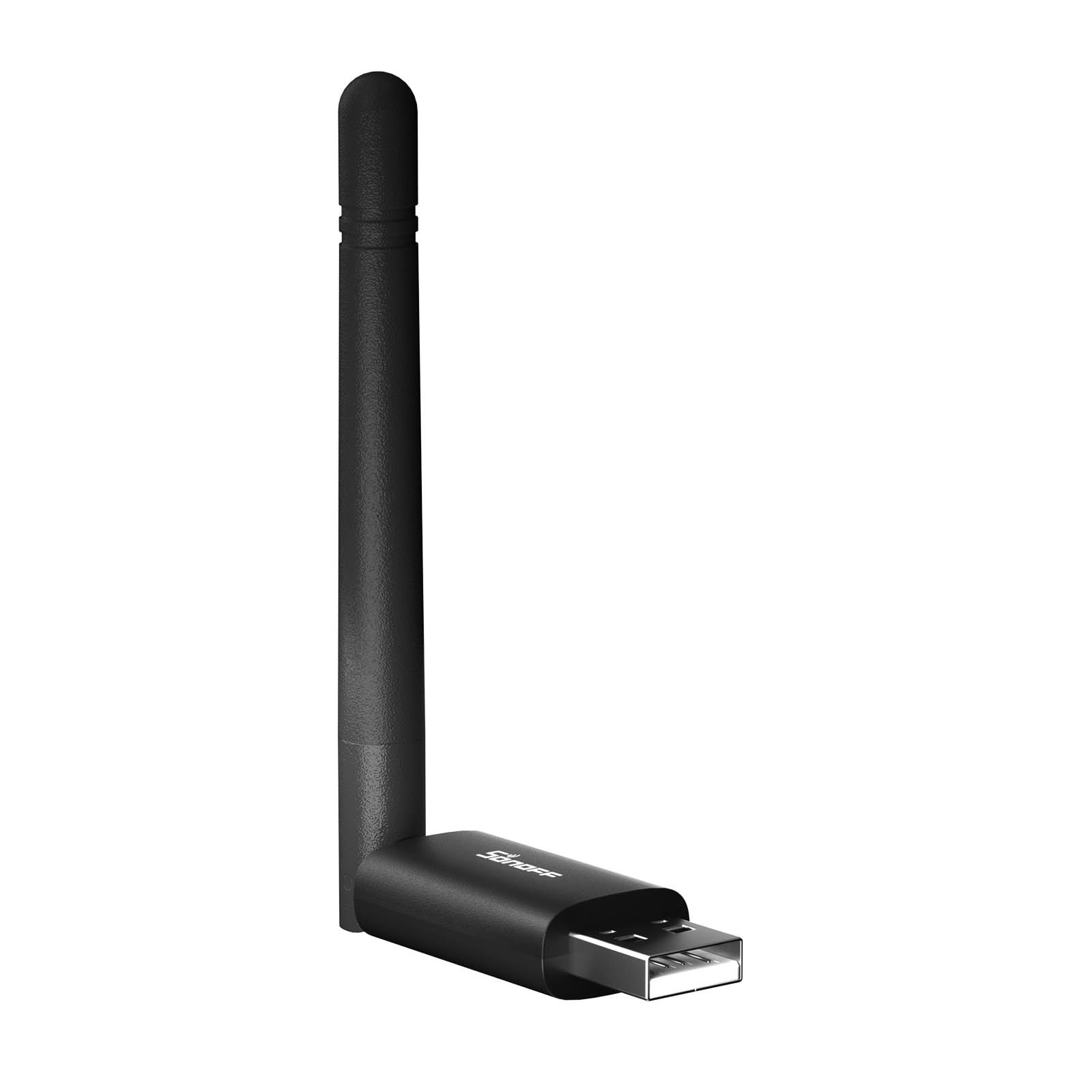
Chip: EFR32MG21
Protocols: Zigbee 3.0 and Thread
Form Factor: Compact USB stick
Firmware: Easy flashing support
Included: Extension cable
SONOFF Zigbee 3.0 & Thread Dongle Lite (EFR32MG21)
This is the entry point into a server-hosted Zigbee network. The EFR32MG21 silicon handles Zigbee 3.0 and Thread from a single stick, and the compact body keeps the server’s USB ports clear of bulky adapters. Firmware flashing is deliberately simple, which matters for anyone who expects to update the coordinator as Home Assistant and Zigbee2MQTT evolve. The bundled extension cable is a practical touch: it lets the stick sit away from the server chassis, where metal and USB noise can hurt the radio.
It suits the home-lab owner building a first Zigbee mesh on a small server, and anyone who wants Thread on the same stick for future Matter devices. The Lite badge signals the trade-off: a smaller, simpler design than the Plus models, so buyers running dozens of devices or a large house should think about a stronger coordinator. The low price also means fewer extras in the box beyond the cable.
Trade-off: The Lite design is built for modest meshes, so a large property with many routers may want a beefier coordinator.
SONOFF Zigbee 3.0 USB Dongle Plus MG24

Chip: EFR32MG24
Protocols: Zigbee 3.0 and Thread
Form Factor: USB dongle
Software: Home Assistant, Zigbee2MQTT
Series: Plus
SONOFF Zigbee 3.0 USB Dongle Plus MG24
The Plus MG24 is the step up from the Lite, and the EFR32MG24 chip is the reason. It is the newer generation of the same silicon family, aimed at coordinators that carry more devices and more traffic without dropping messages. Thread support is included alongside Zigbee 3.0, so the same stick can serve both a Zigbee mesh and a Thread border router role. Home Assistant and Zigbee2MQTT both recognize it, which keeps setup familiar.
This is the pick for a server that already runs a busy smart home: dozens of sensors, a handful of repeaters, and automations that fire all day. It is also the sensible choice for buyers who want one stick to cover Zigbee now and Thread later without buying twice. The MG24 is not the cheapest option here, and a very small flat may not need the extra headroom.
Trade-off: Buyers with only a handful of devices pay for capacity they may never use.
AVATTO Zigbee 3.0 USB Dongle (CC2652P)

Chip: CC2652P
Protocols: Zigbee 3.0
Role: Coordinator or router
Software: Home Assistant, Zigbee2MQTT, ZHA
Form Factor: USB dongle
AVATTO Zigbee 3.0 USB Dongle (CC2652P)
The CC2652P is a well-known coordinator chip, and AVATTO wraps it in a plain USB dongle with no fuss. It works as a coordinator for Home Assistant, Zigbee2MQTT and ZHA, and the name also lists a router role, which is useful for anyone who wants a spare unit to strengthen the mesh rather than run it. Zigbee 3.0 support covers current bulbs, sensors and switches. The design is simple and the price sits at the budget end.
It suits the tinkerer who wants a cheap, no-nonsense coordinator for a small server and does not need Thread. It is also a reasonable second stick for testing firmware or extending coverage. The catch is the lack of an external antenna and the single-protocol design, so a large or crowded 2.4 GHz environment may see weaker links than a model with a proper aerial.
Trade-off: No external antenna and no Thread support, so range and future-proofing are limited next to the pricier picks.
Zigbee 3.0 USB Dongle-P Plus Gateway (CC2652P + CP2102N)
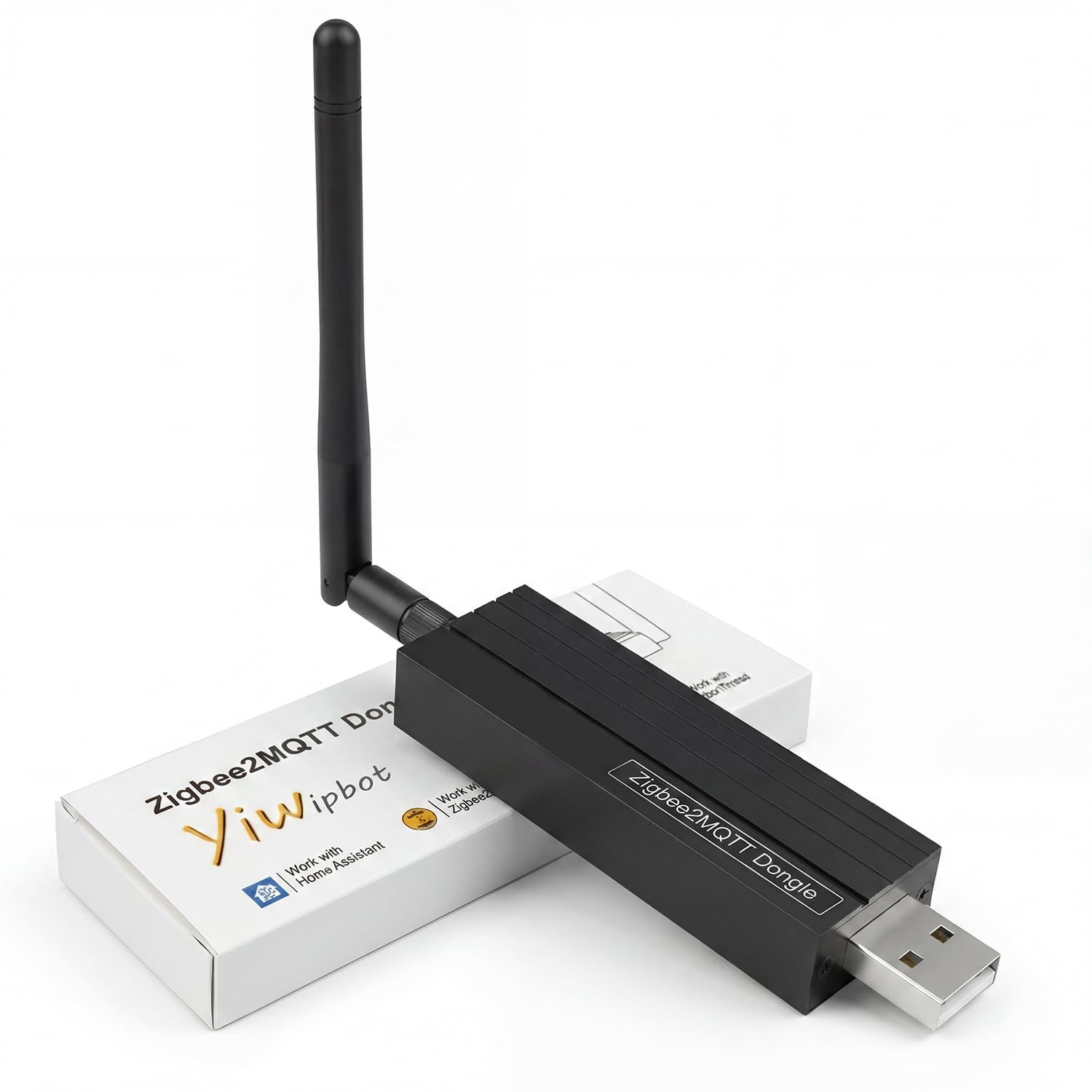
Chip: TI CC2652P + CP2102N dual-chip
Protocols: Zigbee 3.0
Antenna: External
Software: Home Assistant, OpenHAB, ZHA, Zigbee2MQTT
Form Factor: USB gateway
Zigbee 3.0 USB Dongle-P Plus Gateway (CC2652P + CP2102N)
This is the range-focused option. The dual-chip layout pairs the CC2652P radio with a CP2102N USB bridge, a combination that has become a reference design for Zigbee coordinators. The external antenna is the headline feature: it can be positioned away from the server case for a cleaner signal, which helps in houses with thick walls or a server tucked in a cupboard. Support covers Home Assistant, OpenHAB, ZHA and Zigbee2MQTT, so the software side is flexible.
It suits buyers who have struggled with dropouts from a bare USB stick and want the antenna to do the work. The wider software list also makes it a good fit for OpenHAB users, who are less common in this niche. The stick is larger than the compact picks, and the antenna adds a protrusion that can clash with tight USB layouts.
Trade-off: The antenna and dual-chip board make it bulkier than a plain dongle, and it still covers Zigbee only.
Z-Stick 10 Pro (Zigbee 3.0 + Z-Wave 800)
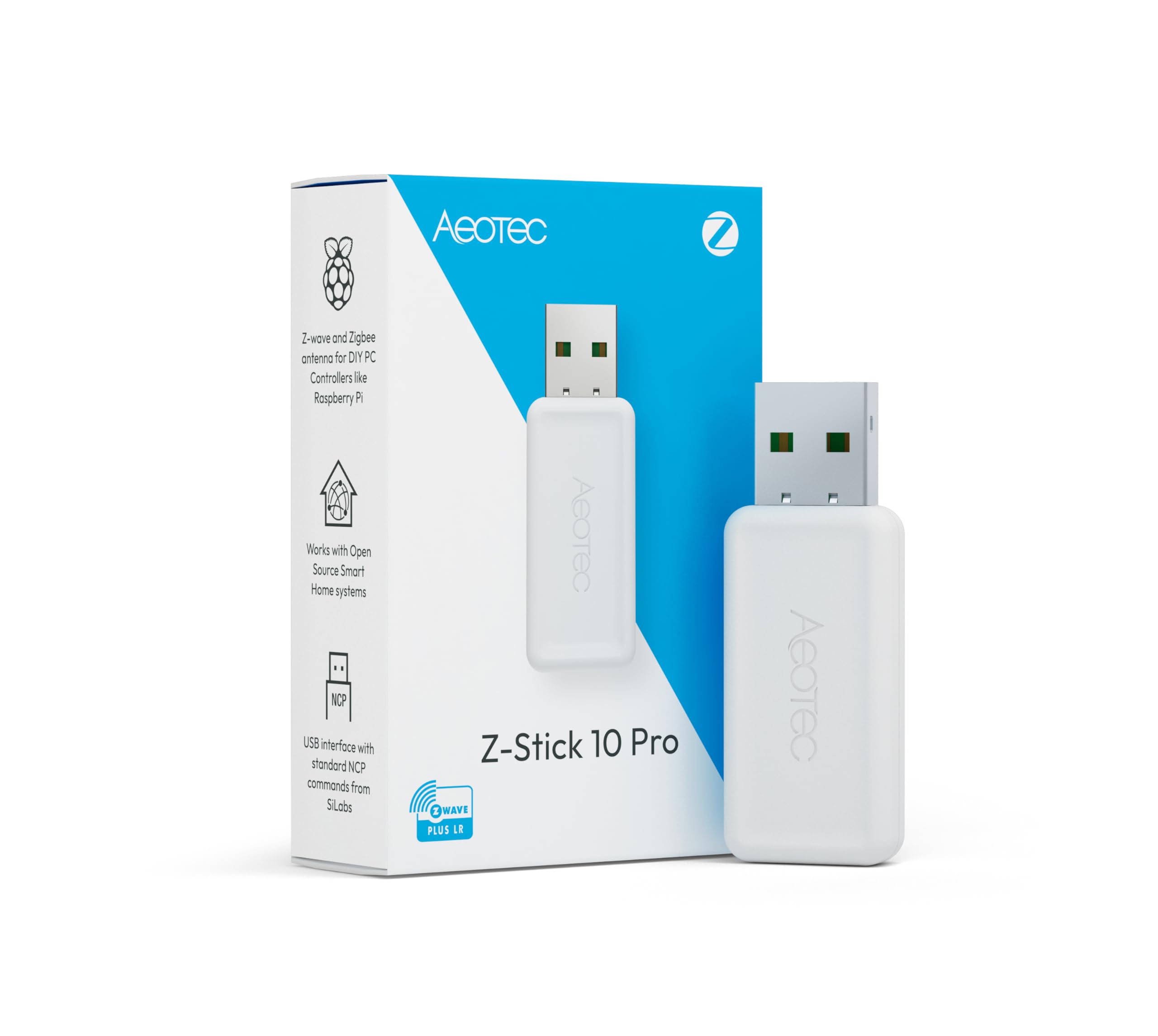
Protocols: Zigbee 3.0 and Z-Wave 800 Series
Range: Up to 1 mile wireless range
Software: Home Assistant, Zigbee2MQTT
Feature: Z-Wave Long Range
Cloud: Cloud-free
Z-Stick 10 Pro (Zigbee 3.0 + Z-Wave 800)
The Z-Stick 10 Pro solves a problem the other four ignore: running Zigbee and Z-Wave from one USB port. It combines Zigbee 3.0 with the Z-Wave 800 Series radio, including Z-Wave Long Range, and the name quotes up to a mile of wireless range. Home Assistant and Zigbee2MQTT are both supported, and the cloud-free design keeps everything local. For a server with limited free ports, one stick covering two protocols is a real convenience.
It suits the mixed-protocol household: Z-Wave locks and sensors alongside Zigbee bulbs, all managed from the same Home Assistant instance. It is also the pick for anyone planning a large property where Long Range Z-Wave matters. The premium price is the obvious barrier, and buyers who run Zigbee only pay for a Z-Wave radio they will never use.
Trade-off: The dual-protocol design commands a premium, which is hard to justify for a Zigbee-only setup.
Before You Buy
- Chip: The coordinator chip determines capacity and firmware support. Newer silicon handles larger meshes; older or budget chips are fine for small setups.
- Protocols: Zigbee-only sticks are cheaper. A combined Zigbee and Thread stick future-proofs for Matter, while a Zigbee and Z-Wave stick suits mixed homes.
- Antenna: An external antenna helps in large or obstructed spaces. A bare USB stick is tidier but more sensitive to placement.
- Placement: A short extension cable keeps the stick away from the server chassis, where metal and USB interference weaken the signal.
- Software: Confirm the stick is listed for the chosen platform, whether that is Home Assistant with Zigbee2MQTT, ZHA or OpenHAB.
- Ports: A server with few free USB ports benefits from a dual-protocol stick, while a hub with spare ports can split the load.
- Firmware: Easy flashing matters for long-term maintenance, since coordinator firmware is updated periodically.
Frequently Asked Questions
-
Does a Zigbee coordinator stick need a separate hub?
No. The stick plugs into the server, and software such as Home Assistant, Zigbee2MQTT or ZHA does the coordinating work on that machine. -
Can one stick handle both Zigbee and Z-Wave?
Only if the model is built for it. The Z-Stick 10 Pro covers both protocols; the other picks in this roundup are Zigbee-only, with some adding Thread. -
Is an external antenna worth it?
In a large house or a server in a cupboard, yes. The antenna can be positioned clear of metal and interference, which a bare stick cannot. -
Does Thread support matter for a Zigbee server?
It matters for buyers planning around Matter. A stick with both Zigbee 3.0 and Thread, such as the SONOFF models here, covers both without a second purchase. -
Can a Zigbee stick also act as a router?
Some models list a router role, including the AVATTO dongle. That is useful for extending a mesh, though a coordinator is the primary job. -
Does the server need to stay on all the time?
Yes. The server is the coordinator, so the Zigbee mesh depends on it running. An always-on home server is the natural home for this setup.
Bottom Line
For most servers, the SONOFF Zigbee 3.0 USB Dongle Plus MG24 is the pick that balances price, capacity and future-proofing, with Zigbee 3.0 and Thread on newer silicon. Buyers on a tight budget can start with the Dongle Lite, while mixed-protocol homes should go straight to the Z-Stick 10 Pro.