Why there are Amazon links here: Brave Review is paid a commission for qualifying Amazon purchases made through the links below. Your price does not change, and using our links is entirely optional. How this works
Best Smart Lock for a Door with a Night Latch and Chain: 5 Keyless Picks That Fit
A door fitted with a night latch and a chain is a specific retrofit problem: the lock body sits on the door face, the chain takes up the frame edge, and most smart deadbolts want that same real estate. This roundup covers five keyless locks that suit that setup, split between handle-and-latch replacements, deadbolt-plus-camera units, and budget lever locks. Renters who cannot drill, homeowners upgrading a front door, and anyone adding keyless entry to a back or bedroom door will each find a fit below. The overview table gives the short answer; the reviews explain the rest.
Overview of the Picks
| Product | Key Spec | Best Use | Price Tier |
|---|---|---|---|
| ULTRALOQ Latch 5 Pro WiFi Smart Lever Lock | Fingerprint, Apple Home Key, Matter, Aliro | Front door with a night latch, Apple households | Premium |
| ULTRALOQ Latch 5 Built-in WiFi Smart Lock | Built-in WiFi, NFC, 5-in-1 keyless entry | Straightforward latch replacement, no hub | Mid-range |
| Lockly Secure Pro Wi-Fi Smart Lock with Handle | Fingerprint, Alexa and Google, auto lock | Mixed smart-home setups, hands-full entry | Mid-range |
| myQ Secure View 3-in-1 Smart Lock Deadbolt + Extra Battery | 2K HDR doorbell camera, face and fingerprint | Doors where a camera and deadbolt matter most | Mid-range |
| Philips Upgraded Wi-Fi Smart Lock with Handle | Fingerprint, keypad lever, auto-lock | Bedrooms, offices, tight budgets | Budget |
ULTRALOQ Latch 5 Pro WiFi Smart Lever Lock
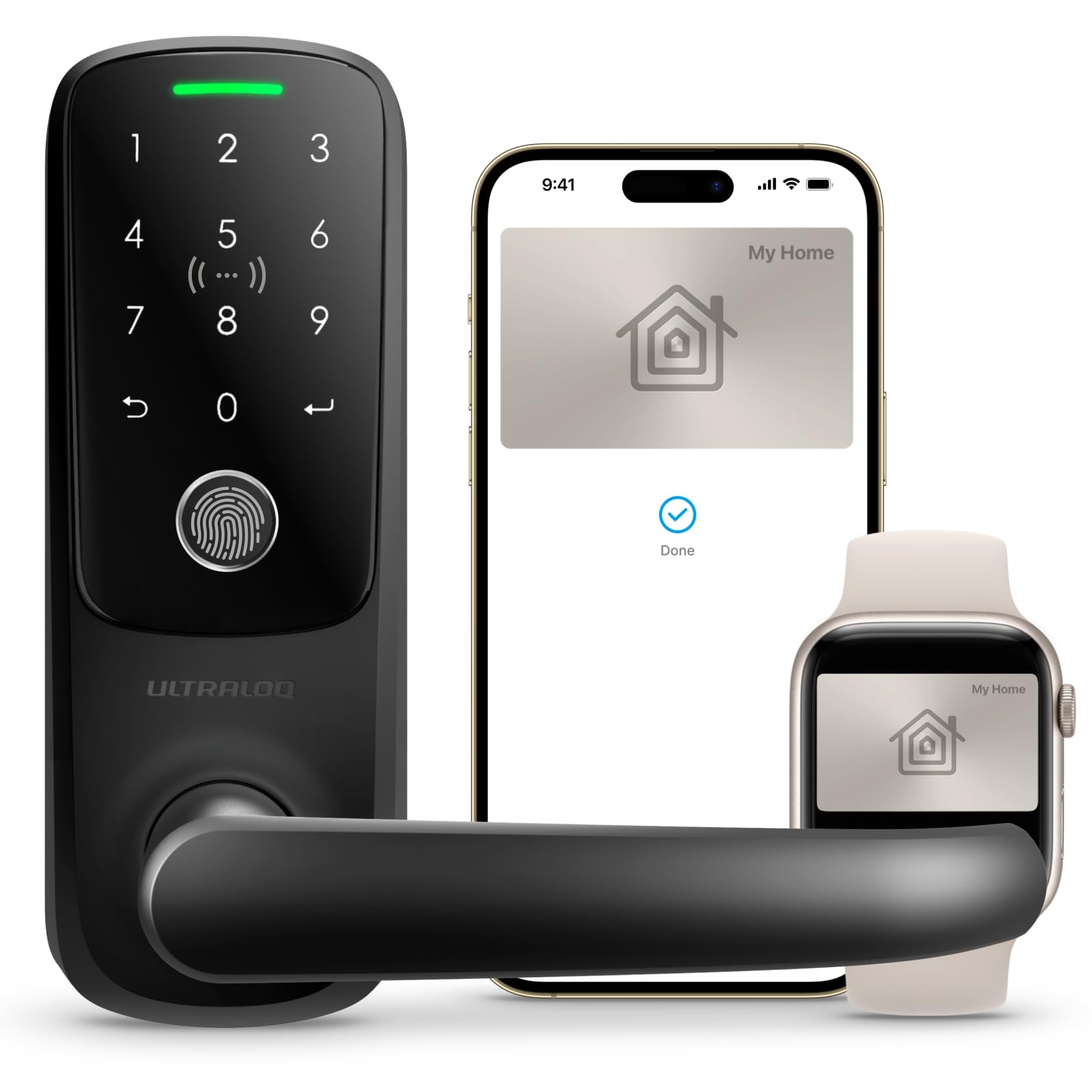
Type: Smart lever lock with latch
Access: Fingerprint, keypad, app, Apple Home Key, Aliro digital key
Connectivity: WiFi, Matter
Format: Door handle replacement
Finish: Lever handle design
ULTRALOQ Latch 5 Pro WiFi Smart Lever Lock
The Latch 5 Pro is built around the handle rather than a deadbolt, which is what makes it workable on a door that already carries a night latch and chain. It replaces the existing lever and latch, leaving the deadbolt and chain hardware untouched. Access comes through a fingerprint reader, a touchscreen keypad, the app, Apple Home Key, and Aliro digital keys, so a phone or a tap is enough. Matter support means it slots into a cross-platform smart home without a proprietary hub.
This is the pick for Apple households and anyone who wants the newest access standards on a front door. The fingerprint reader handles daily comings and goings, while Home Key covers guests and family who prefer a phone tap. Expect to pay for that feature set — this is the premium option in the group.
Trade-off: Matter and Aliro support push the price well above the other latch locks here, and buyers who only need a keypad and fingerprint will be paying for capability they never use.
ULTRALOQ Latch 5 Built-in WiFi Smart Lock
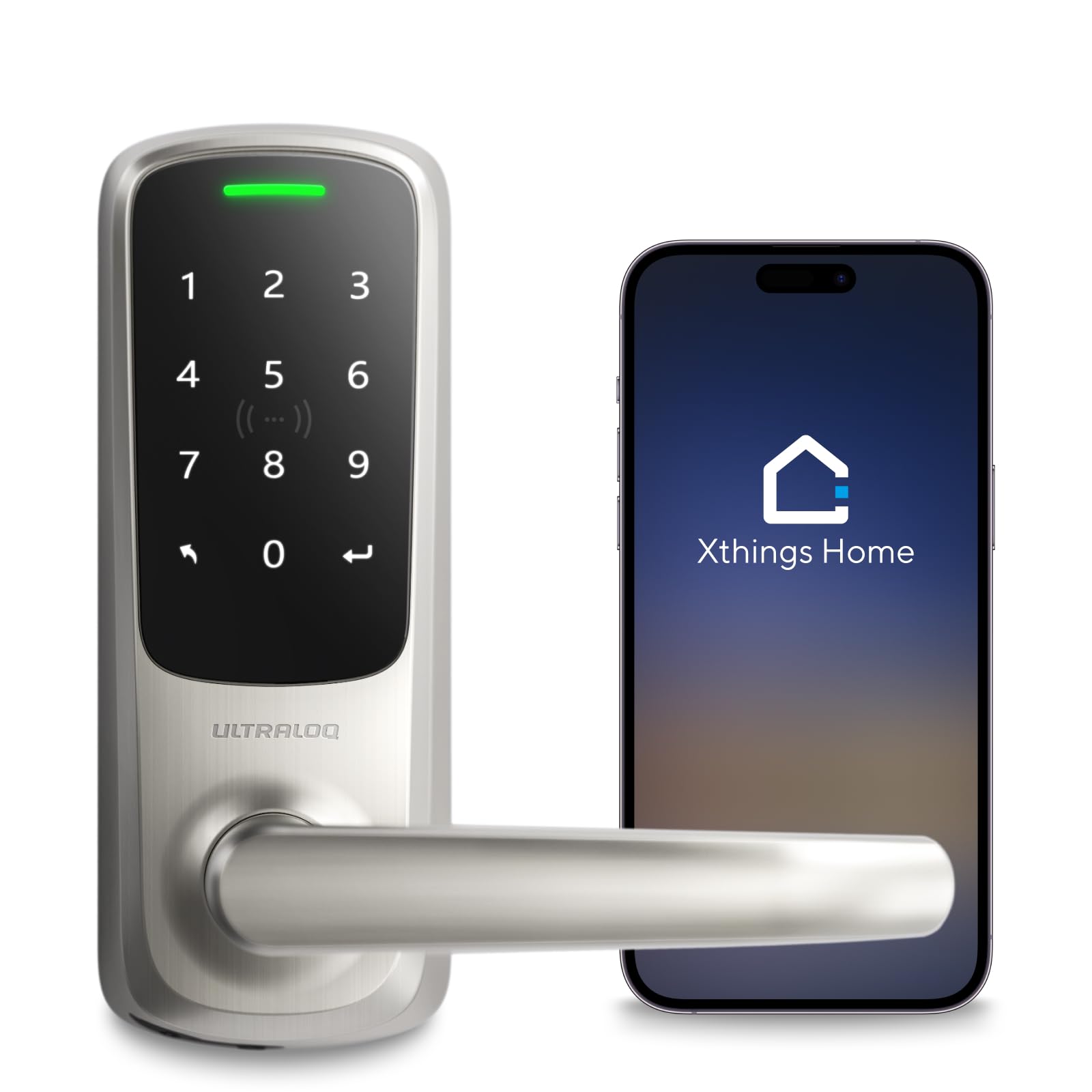
Type: Smart door handle lock with latch
Access: NFC, app control, touch digital keypad, 5-in-1 keyless entry
Connectivity: Built-in WiFi
Format: Lever handle replacement
Finish: Satin nickel
ULTRALOQ Latch 5 Built-in WiFi Smart Lock
The standard Latch 5 takes the same handle-replacement approach and strips out the premium access standards. WiFi is built in, so there is no separate bridge or hub to buy and no extra box to power. NFC and the touch keypad cover everyday entry, and the app handles remote control and access management. The satin nickel finish suits most residential doors without drawing attention.
This is the sensible middle of the range: it fits the night latch and chain setup, connects directly to the home network, and costs noticeably less than the Pro version. Buyers who want app control and keyless entry without a Matter ecosystem will find it does everything needed. The trade-off is a shorter feature list, not a weaker fit.
Trade-off: Without Matter or Apple Home Key, the lock stays inside ULTRALOQ’s own app and its supported integrations, which limits cross-platform automations.
Lockly Secure Pro Wi-Fi Smart Lock with Handle
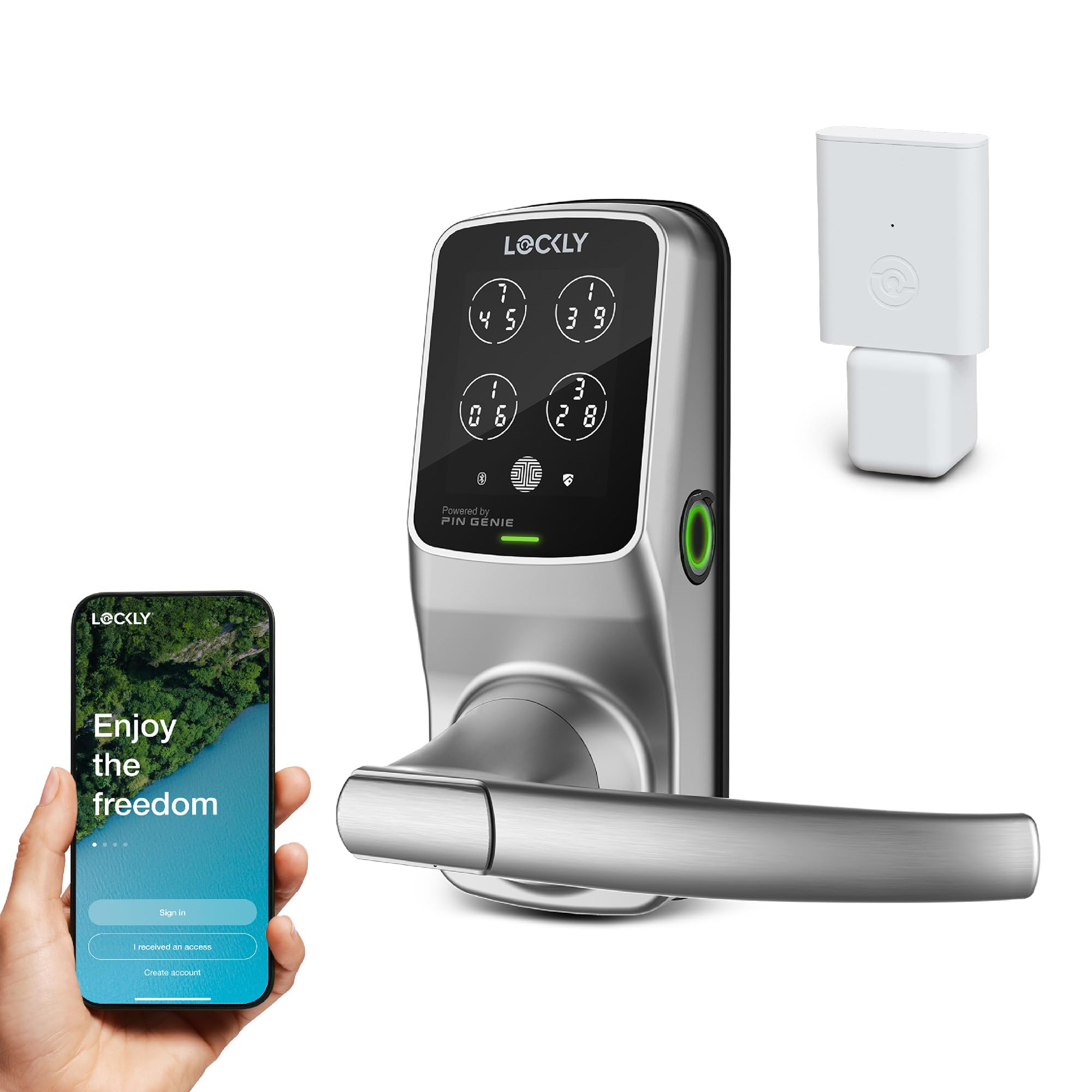
Type: Wi-Fi smart lock with handle
Access: Fingerprint, keypad, app remote control
Connectivity: WiFi, works with Alexa and Google
Features: Auto lock
Format: Handle and lock replacement
Lockly Secure Pro Wi-Fi Smart Lock with Handle
The Secure Pro pairs a fingerprint reader and keypad with a full handle assembly, and it speaks to both Alexa and Google. Auto lock closes the door behind the household without anyone thinking about it, which matters on a door used constantly. App remote control covers letting someone in from elsewhere and checking status. Because it replaces the handle and latch rather than the deadbolt, the existing night latch and chain stay in service.
This is the pick for a mixed smart-home setup — a house with an Echo in the kitchen and a Nest speaker upstairs — where the lock needs to talk to whatever is already there. The fingerprint reader keeps hands-full entry quick, and auto lock is the feature most households end up relying on. Buyers already deep in one ecosystem may prefer a lock built specifically for it.
Trade-off: A full handle replacement is a bigger install than swapping a latch alone, and doors with unusual backset spacing may need extra fitting work.
myQ Secure View 3-in-1 Smart Lock Deadbolt + Extra Battery
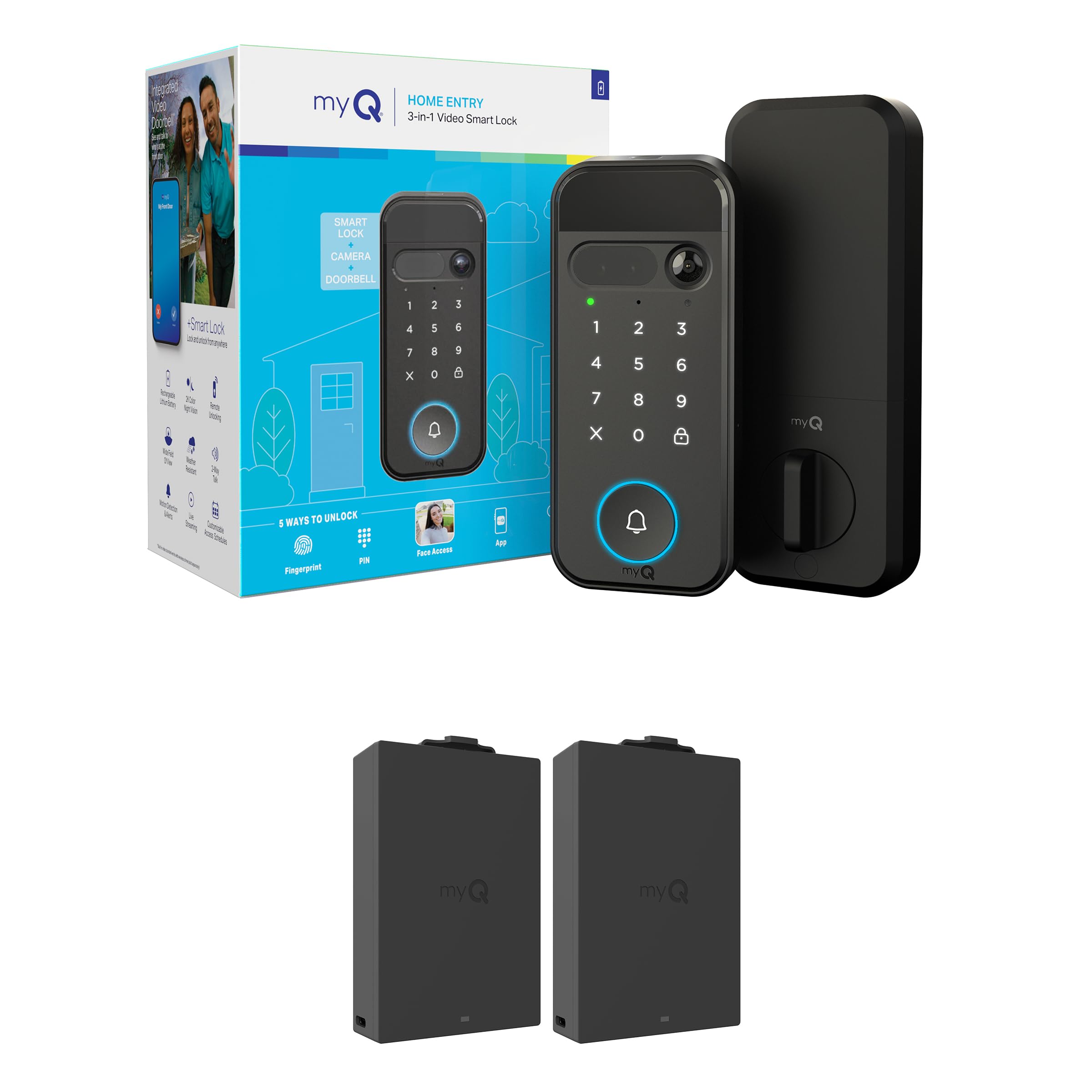
Type: Smart deadbolt with integrated doorbell camera
Access: Face, fingerprint, PIN, app control
Camera: 2K HDR with color night vision
Audio: Two-way audio
Included: Extra battery
Format: Deadbolt replacement
myQ Secure View 3-in-1 Smart Lock Deadbolt + Extra Battery
This one does three jobs at once: deadbolt, doorbell camera, and video monitoring. The 2K HDR camera with color night vision sees who is at the door, two-way audio handles conversations without opening up, and face, fingerprint, and PIN access cover entry. An extra battery ships in the box so the lock keeps running through a swap. It is the most-watched product in this group for good reason.
For a door where security visibility matters as much as keyless entry, this replaces the deadbolt and adds a camera the night latch and chain cannot provide. Buyers who want to see and speak to visitors before unlocking will get the most from it. The catch is that it occupies the deadbolt position, so it suits doors where that hardware can be swapped rather than doors with a fixed night latch only.
Trade-off: A camera-equipped deadbolt draws far more power than a keypad lock, and the video features mean more app setup and a bigger footprint on the door edge.
Philips Upgraded Wi-Fi Smart Lock with Handle

Type: Smart door knob with lever and keypad deadbolt
Access: Fingerprint, keypad, app remote control
Connectivity: WiFi
Features: Auto-lock
Intended use: Bedrooms, offices, front doors
Philips Upgraded Wi-Fi Smart Lock with Handle
The Philips lock is the budget route into keyless entry: a lever handle with a keypad deadbolt, a fingerprint reader, WiFi, and auto-lock, all for the lowest outlay here. It is pitched at bedrooms, offices, and front doors, which tells the story — it is a general-purpose lock rather than a heavy-duty front-door specialist. The fingerprint reader and keypad cover the everyday cases, and the app adds remote control.
This is the pick for a back door, a home office, or a rental where the budget is tight and the door does not need camera coverage or flagship access standards. It has the highest purchase volume of the five, which fits a lock positioned at this price. Buyers wanting a premium feel or the newest connectivity should look higher up the list.
Trade-off: At the budget end, the plastics and internal mechanism are built to a price, so a high-traffic front door will likely show wear sooner than the premium picks.
Before You Buy
- Compatibility: Confirm whether the door takes a handle-and-latch replacement or a deadbolt swap — a night latch and chain setup usually rules out deadbolt-only locks.
- Door prep: Measure the existing backset and check the door thickness against the lock’s stated range before ordering.
- Access type: Decide whether fingerprint, keypad, phone, or face unlock matters most; each lock here leads with a different one.
- Connectivity: Built-in WiFi avoids a hub, while Matter and Apple Home Key matter only if the household already uses them.
- Power: Camera models drain batteries faster; check whether a spare battery or rechargeable pack is included.
- Finish: Match the lever and trim finish to existing door hardware so the retrofit does not look bolted on.
- Rental limits: In a rented property, confirm that replacing the latch or handle is permitted before drilling.
Frequently Asked Questions
-
Can a smart lock work with a night latch and chain still fitted?
Yes, if the lock replaces the handle and latch rather than the deadbolt. The chain and night latch stay in place, and the smart lock handles keyless entry alongside them. -
Does a smart lock replace the chain?
No. A chain is a separate physical barrier, and none of these locks remove the need for it. The lock adds keyless access; the chain stays as a secondary check. -
Which of these is easiest to fit on an existing door?
The latch-and-handle locks are the least invasive, since they reuse the existing latch cutout. Deadbolt models like the myQ require swapping the deadbolt hardware instead. -
Is built-in WiFi better than a hub?
For most households, yes — it means one less device to power and pair. A hub only makes sense if the home already runs on one. -
Do these locks work with Alexa and Google?
The Lockly Secure Pro explicitly supports both. Others rely on their own app and platform integrations, so check the specific model before buying. -
How often do the batteries need changing?
It depends on traffic and features. Camera-equipped locks draw the most, which is why the myQ model ships with an extra battery.
Bottom Line
For a door with a night latch and chain, the ULTRALOQ Latch 5 Pro WiFi Smart Lever Lock is the strongest overall pick: it replaces the handle and latch without disturbing the existing hardware, and it covers fingerprint, keypad, Apple Home Key, and Matter access in one unit. Buyers who do not need the premium standards should take the standard Latch 5 and save the difference.
