Why there are Amazon links here: Brave Review is paid a commission for qualifying Amazon purchases made through the links below. Your price does not change, and using our links is entirely optional. How this works
Best Firewall Setup for IoT Devices: 5 Picks for a Safer Smart Home
Smart plugs, cameras, doorbells and hubs are the weakest links on most home networks, and a router’s built-in firewall rarely isolates them. This guide covers the best firewall setup for IoT devices across five very different approaches: a plug-and-play appliance, three DIY mini PCs for pfSense or OPNsense, and a business-grade unit with IoT segmentation built in. Buyers who want to segment a growing smart home, homelab tinkerers running their own router OS, and small offices with a handful of connected devices will each find a fit below. The overview table comes first so a pick can be made in under a minute.
Overview of the Picks
| Product | Key Spec | Best Use | Price Tier |
|---|---|---|---|
| Firewalla Purple SE | App-managed firewall, no monthly fee | Fastest setup, non-technical buyers | Mid |
| N150 Mini PC Firewall (6 x 2.5GbE) | 6 x 2.5GbE i226V LAN, DDR5 | High-port-count OPNsense builds | Premium |
| SonicWall TZ80 | 5 ports, 750 Mbps threat prevention | Small offices and IoT branch networks | Premium |
| Firewall Router N150 Quad Core Mini PC | 4 x 2.5GbE, dual serial COM | Homelab and industrial gear | Premium |
| Fanless Firewall Appliance J3710 | 4 x i226 LAN, AES-NI | Budget pfSense/OPNsense box | Budget |
1. Firewalla: Cyber Security Firewall for Home & Business (Purple SE)

Type: App-managed network firewall
Intended use: Home and small business protection
Key features: Malware and hacking protection, parental controls, ad blocking
VPN: Server and client
Subscription: No monthly fee
Model: Purple SE
Firewalla: Cyber Security Firewall for Home & Business (Purple SE)
The Firewalla Purple SE is the pick for anyone who wants IoT protection without learning a router OS. It sits between the modem and the existing router, and everything is driven from a phone app rather than a browser console. Malware blocking, ad blocking, parental controls and a VPN server and client are all handled in that same app, and the absence of a monthly fee matters over a multi-year ownership.
For IoT specifically, the appeal is visibility: connected devices show up as individual entries that can be watched and restricted, which is far more than a stock router offers. It suits renters, families and small offices where nobody wants to maintain a Linux box. The caution is hardware: this is a compact appliance with limited port count, so a network with many wired devices will need a switch behind it.
Trade-off: The app-first design trades granular rule-writing for simplicity, so buyers who want full packet-level control will find it restrictive.
2. N150 Mini PC Firewall (N100 Upgrade), 6 x 2.5GbE
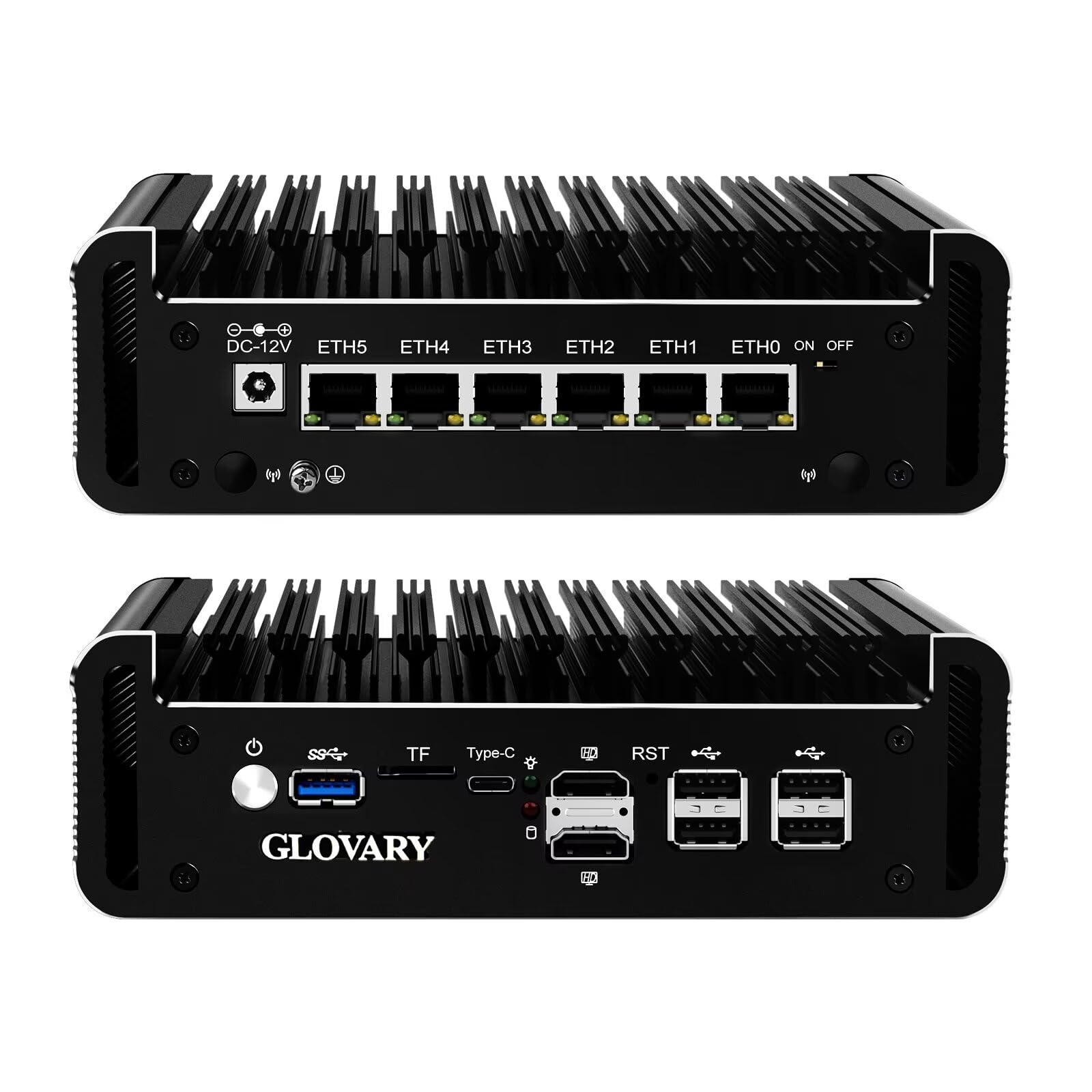
Type: Fanless firewall mini PC
LAN ports: 6 x 2.5GbE i226V
Memory: DDR5 8GB RAM
Storage: 128GB NVMe SSD
Expansion: 2 x M.2 NVMe slots
Display outputs: 2 x HD + USB-C
Processor feature: AES-NI
N150 Mini PC Firewall (N100 Upgrade), 6 x 2.5GbE i226V LAN Fanless OPNsense Desktop Computer
This is the highest-port-count pick in the group, and for IoT segmentation that is the headline. Six 2.5GbE i226V ports allow a dedicated WAN, a trusted LAN, and separate VLANs for cameras, plugs and guest devices without adding a managed switch on day one. The N150 platform with AES-NI keeps VPN throughput respectable, and DDR5 memory plus an NVMe SSD make it responsive under IDS/IPS workloads.
The fanless chassis suits a shelf or wiring closet where noise would be noticed. Two M.2 slots leave room for storage growth, and the triple display output is unusual on a firewall box but handy during setup. It suits homelab users and small offices comfortable installing OPNsense themselves. The caution is that nothing is preconfigured: this arrives as bare hardware and the buyer supplies the operating system, the ruleset and the maintenance.
Trade-off: The premium price buys hardware only, so the real cost includes the time to build and maintain the firewall software.
3. SonicWall TZ80 750 Mbps Firewall + Secure Connect Lite 5-Yr
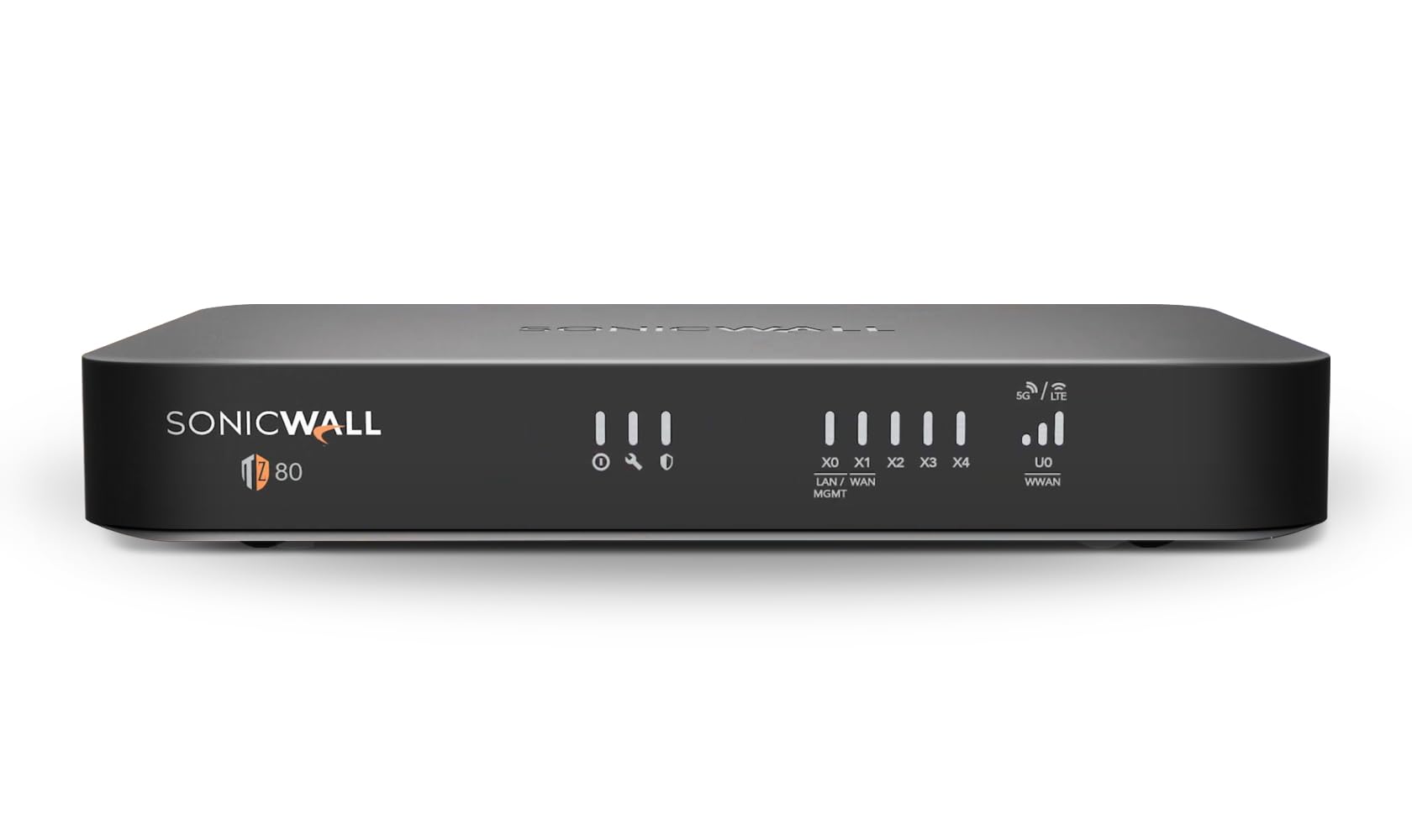
Type: SOHO next-generation firewall
Ports: 4 x 1GbE plus 1 x SFP
Throughput: 750 Mbps firewall and threat prevention
Operating system: SonicOS
Intended use: SOHO, branch and IoT networks
Included service: Secure Connect Lite, 5-year term
5 ports (4x1GbE, 1x SFP); 750 Mbps Firewall SonicWall TZ80 – SOHO NGFW
The TZ80 is the only pick here built and marketed specifically as an IoT NGFW, and it is the one a small business would recognize. SonicOS brings application control, segmentation and threat prevention in a vendor-supported package, and the included five-year Secure Connect Lite term covers a long deployment window. The SFP port is useful for a fiber uplink, and the four GbE ports handle a typical small-office layout.
Setup is wizard-driven but assumes some networking literacy, and the interface is a business console rather than a consumer app. It suits clinics, retail branches, workshops and offices that need documented, supported protection for connected equipment. The caution is the port speed: 1GbE rather than 2.5GbE puts a ceiling on internal throughput compared with the mini PC options.
Trade-off: Buyers pay premium prices for vendor support and licensing, and the 1GbE ports limit fast internal transfers.
4. Firewall Router N150 Quad Core Mini PC, 4 x 2.5GbE
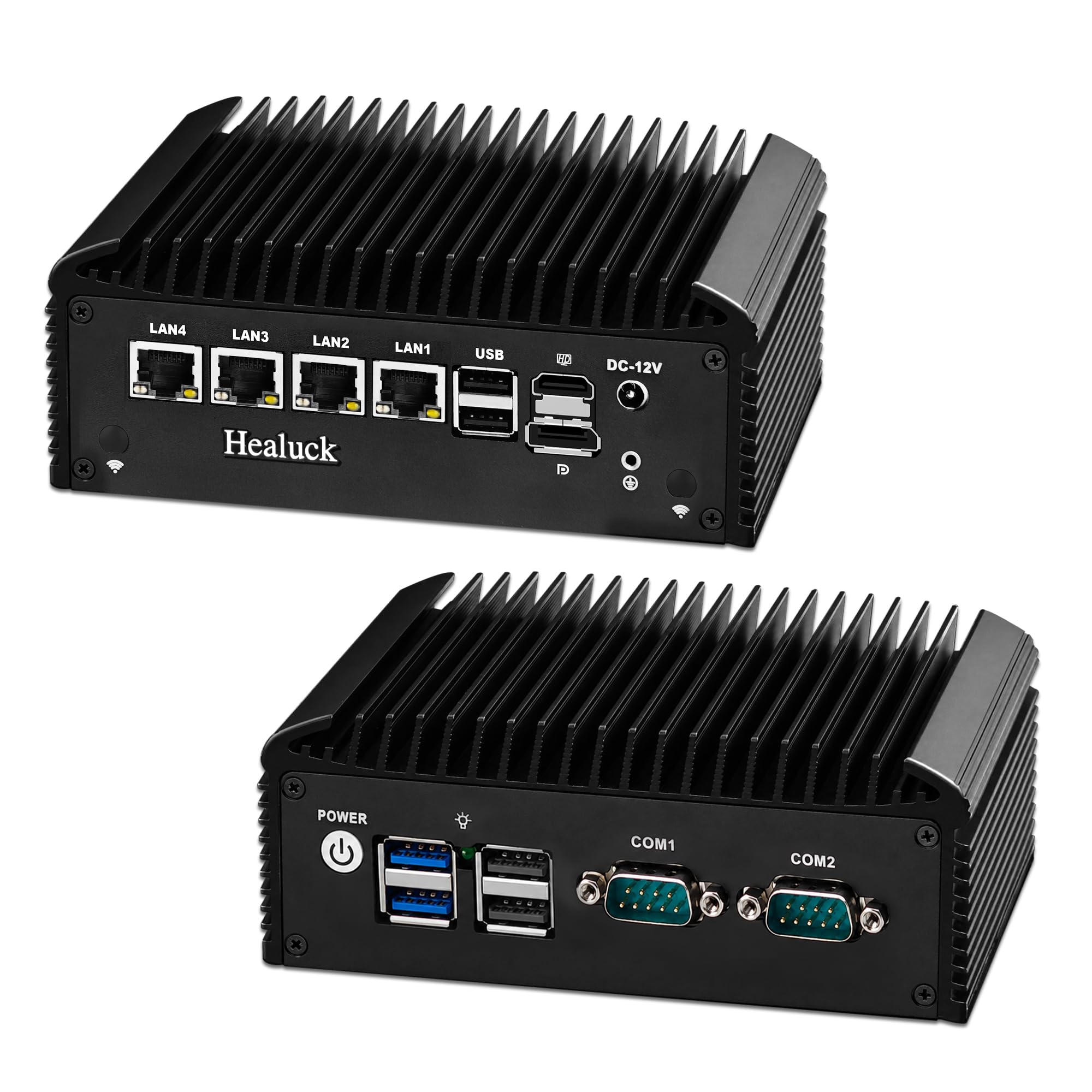
Type: Fanless firewall router mini PC
LAN ports: 4 x 2.5GbE i226V
Serial ports: 2 x DB9 RS232/485 COM
USB ports: 6
Memory: DDR4 8GB RAM
Storage: 128GB SSD
Processor feature: AES-NI
Software support: pfSense
Firewall Router N150 Quad Core Mini PC, 4 x 2.5GbE i226V LAN, 2X DB9 RS232/485 COM
This unit is the homelab specialist of the group, and the dual RS232/485 serial ports are the giveaway. Those COM ports let the box double as a gateway for industrial or legacy equipment — controllers, meters, older access systems — alongside ordinary IoT segmentation on the four 2.5GbE i226V LAN ports. Six USB ports add room for cellular modems, storage or console adapters.
The N150 quad-core with AES-NI and 8GB of DDR4 is a sensible match for pfSense with VPN and IDS enabled, and the fanless chassis keeps it silent. Dual display output helps during first boot and recovery. It suits tinkerers, workshop owners and anyone bridging modern networking with serial hardware. The caution is complexity: serial-port workflows and pfSense tuning assume real networking experience, and the price is high for a box with no software included.
Trade-off: The serial ports and premium price only pay off for buyers with legacy hardware to connect; everyone else overpays.
5. Fanless Firewall Appliance Intel J3710, 4 x i226 LAN
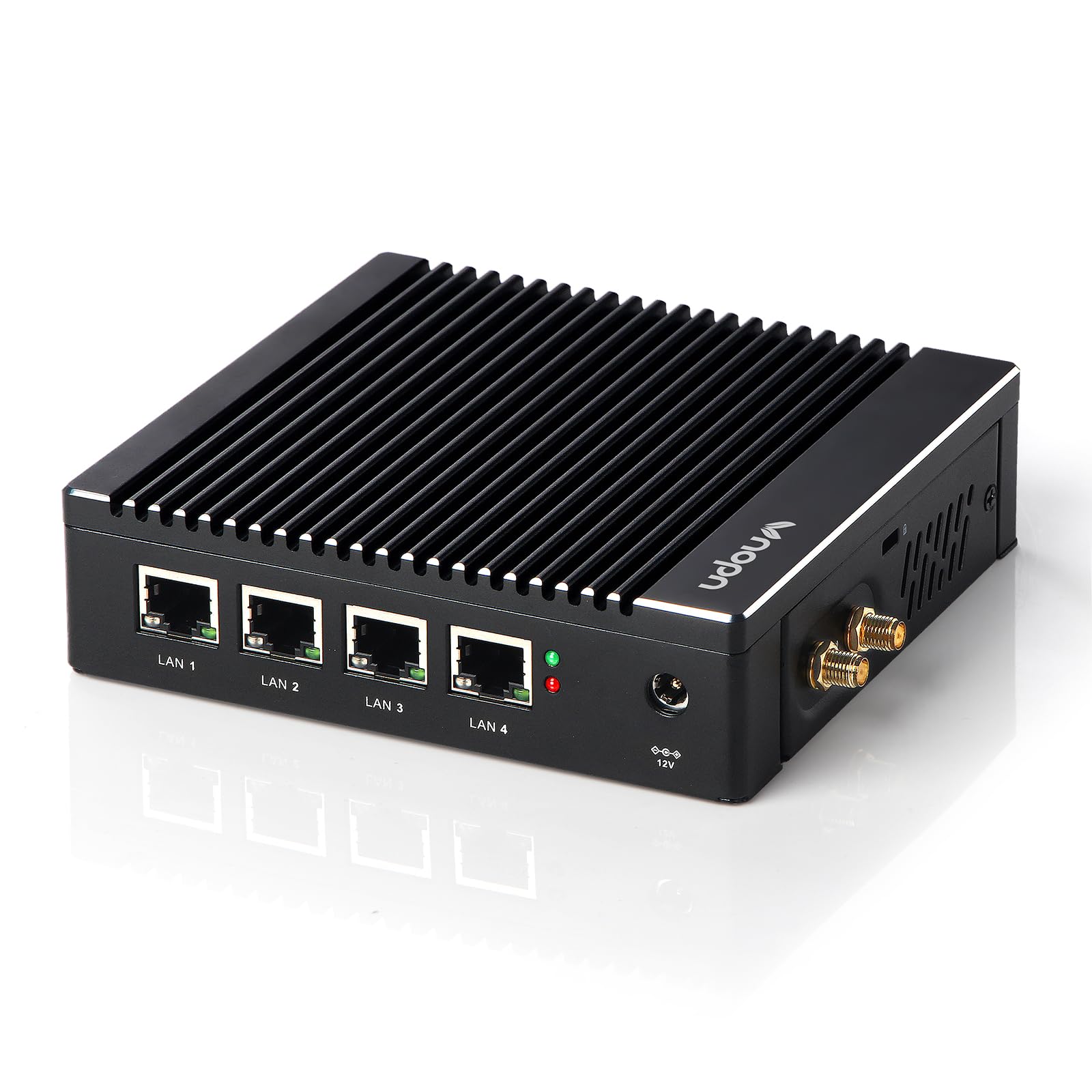
Type: Fanless firewall appliance
Processor: Intel J3710, 4 cores / 4 threads
LAN ports: 4 x Intel i226
Memory: 8GB RAM
Storage: 128GB SSD
Processor feature: AES-NI
Software support: pfSense and OPNsense
Fanless Firewall Appliance Intel J3710 4C/4T, 4 x Intel i226 LAN Ports
The J3710 appliance is the budget entry point and the sensible first DIY firewall. Four Intel i226 LAN ports are enough for a WAN, a main LAN and two segmented IoT VLANs, which covers most smart homes cleanly. The J3710 is an older, lower-power quad-core, so it is best treated as a routing and firewall box rather than a platform for heavy intrusion prevention.
AES-NI support keeps site-to-site and remote-access VPNs usable, and 8GB of RAM with a 128GB SSD is a comfortable base for pfSense or OPNsense. The fanless case runs quietly and draws little power, which suits always-on duty. It suits budget-conscious buyers who still want real segmentation. The caution is headroom: enabling several CPU-hungry services at once will show the age of the processor.
Trade-off: The low price reflects an older, modest processor that limits how many add-on services the box can run at once.
Before You Buy
- Port count: Count the WAN plus every network segment needed — trusted, IoT, cameras, guest — before choosing; four ports is a common minimum.
- Port speed: 2.5GbE ports future-proof internal transfers, while 1GbE is adequate for most internet connections.
- Software model: App-managed appliances need no setup knowledge; mini PCs require installing and maintaining pfSense or OPNsense.
- Processor and AES-NI: AES-NI support keeps VPN throughput usable; older processors limit how many services can run together.
- Licensing and subscriptions: Business firewalls may carry service terms, while the mini PCs and Firewalla list no recurring fee.
- Physical fit: Fanless cases suit closets and shelves, but all of these need ventilation and a stable power source.
- Skill level: Serial ports, VLANs and rule-writing reward experience; buyers without it should lean toward the app-driven option.
Frequently Asked Questions
-
What is the best firewall setup for IoT devices overall?
The Firewalla Purple SE is the easiest route to real IoT protection, while the N150 six-port mini PC is the strongest choice for buyers who want full VLAN control. -
Can a firewall separate IoT devices from a home network?
Yes. Placing smart devices on their own VLAN or network segment stops them from reaching computers and phones directly, which is the core defense against a compromised plug or camera. -
Is a mini PC firewall cheaper than a business firewall?
The hardware is often cheaper, but it arrives without software, so the total cost includes the time to install and maintain pfSense or OPNsense. -
Do these firewalls require a monthly subscription?
The Firewalla unit and the mini PC options list no monthly fee; the SonicWall bundle includes a five-year Secure Connect Lite term instead. -
How many LAN ports are needed for IoT segmentation?
Four is a practical minimum — one WAN, one trusted LAN and at least one IoT segment — while six ports allow cameras and guests to be separated too. -
Can an older processor like the J3710 handle a firewall?
Yes for routing, firewalling and VPN duty in a typical home, but heavy intrusion prevention or many simultaneous services will strain it.
Bottom Line
The best firewall setup for IoT devices depends on willingness to tinker, and the Firewalla Purple SE wins for most households because it delivers segmentation, malware blocking and ad blocking through an app with no monthly fee. Buyers who want maximum port count and full control should step up to the six-port N150 mini PC, while the J3710 appliance remains the value pick for a first pfSense build.
