Why there are Amazon links here: Brave Review is paid a commission for qualifying Amazon purchases made through the links below. Your price does not change, and using our links is entirely optional. How this works
Best Home Media Server Hardware for Plex, Streaming and File Backups
The best home media server hardware turns a shelf of drives into a private streaming library, a photo backup vault, and a file-sharing hub for the whole household. This roundup covers five picks: two Synology units for buyers who want polished software, two UGREEN boxes for hardware-heavy builds, and a rack for anyone mounting gear in a closet or basement. Budget-minded first-timers, Plex enthusiasts with 4K libraries, and small teams sharing project files will each find a match below. The overview table gives a 60-second decision; the reviews explain the trade-offs.
The Picks at a Glance
| Product | Key Spec | Best Use | Price Tier |
|---|---|---|---|
| Synology DS225+ | 2-bay, Intel CPU, hardware transcoding | First private cloud and Plex starter | Mid |
| UGREEN DXP4800 Plus | 4-bay, Intel 8505, 10GbE and 2.5GbE | 4K library and creator workgroups | Premium |
| UGREEN NAS DXP2800 | 2-bay, Intel N100, 2.5GbE, 4K HDMI | Advanced home users and Docker | Mid |
| Synology DS425+ | 4-bay, private cloud focus | Growing libraries and backups | Mid-premium |
| Tecmojo 12U Open Frame Rack | 12U, 19-inch, two 1U shelves | Rackmounting IT and AV gear | Budget |
Synology DS225+ Private Cloud Media Server

Type: 2-bay diskless NAS
CPU: Intel with hardware transcoding
Intended use: Streaming, photo backup, file sharing
Drive bays: 2
Drives included: None
The DS225+ is the entry point into Synology’s ecosystem, and the Intel CPU with hardware transcoding is the headline. That transcoding support matters for Plex and similar servers: it lets the box convert video streams on the fly for phones, tablets, and TVs that cannot handle the original file. Two bays support mirrored drives for redundancy or a pair of large disks for capacity. The chassis is compact and built for quiet shelf duty in a living room or office.
This pick suits first-time server owners who value software polish over raw hardware. Synology’s operating system is the reason many buyers pay a premium here — packages, mobile apps, and a clean web interface make setup approachable. The trade-off is that two bays and a modest CPU leave little headroom for heavy virtualization or a large 4K library, so buyers planning to grow should look at a four-bay unit.
UGREEN DXP4800 Plus 4-Bay NAS
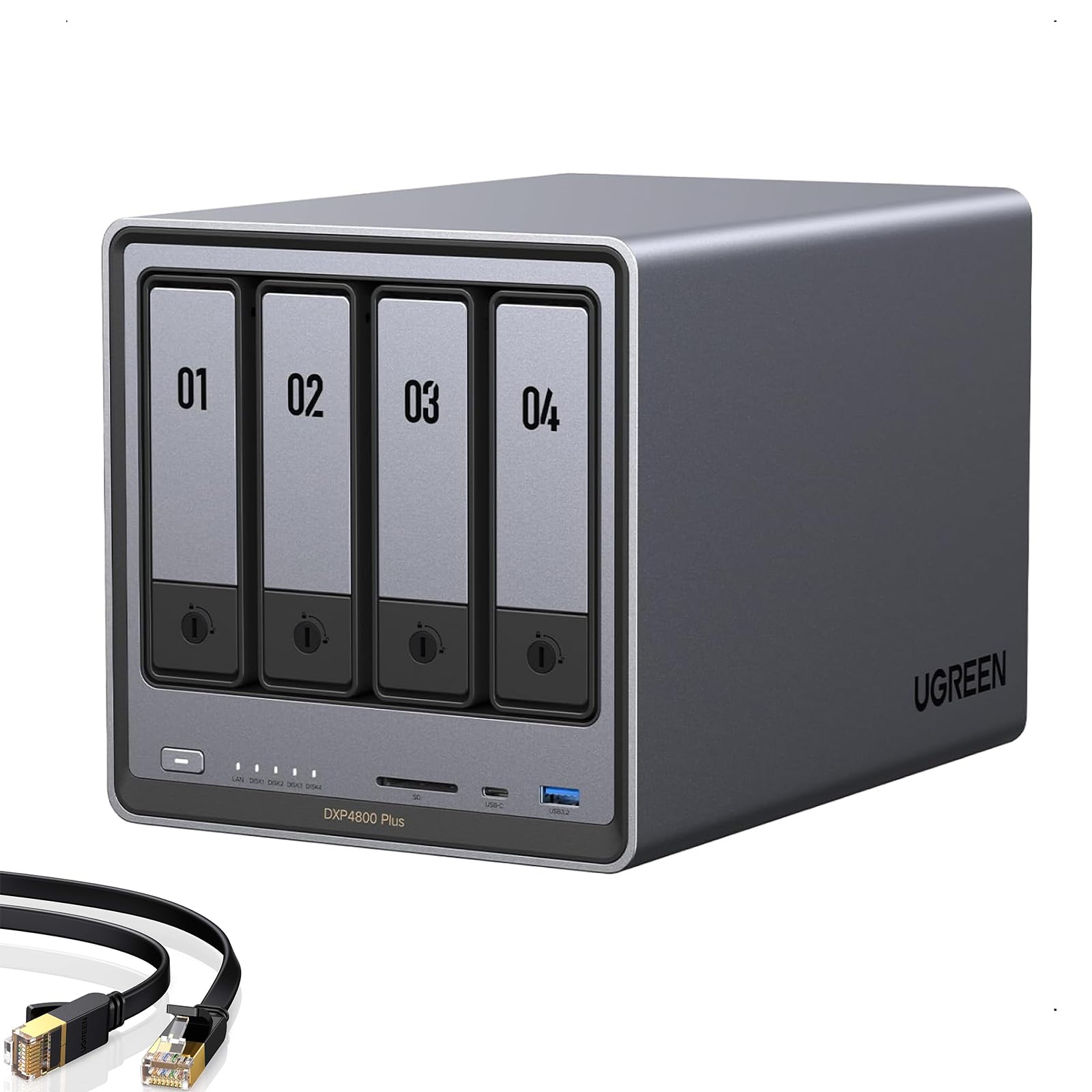
Type: 4-bay diskless NAS
CPU: Intel 8505
Memory: 8GB DDR5
Network: 10GbE and 2.5GbE
Cache storage: Built-in 128G SSD, 2x M.2 NVMe
Intended use: 4K media, file server, families and small teams
The DXP4800 Plus is the most hardware-dense pick in this roundup. An Intel 8505, 8GB of DDR5, and dual M.2 NVMe slots give it the muscle for 4K transcoding, Docker containers, and virtual machines at once. The 10GbE port is the standout: on a compatible network, large file transfers and multi-user streaming stop being a bottleneck. A built-in 128G SSD handles the operating system, keeping the four main bays free for storage drives.
This is the pick for creators and small teams moving big video files, plus families running a serious Plex library. Four bays allow RAID configurations that survive a drive failure without losing the library. The trade-off is price and complexity: it costs noticeably more than the two-bay units, and the 10GbE advantage only pays off with matching network gear.
UGREEN NAS DXP2800 2-Bay
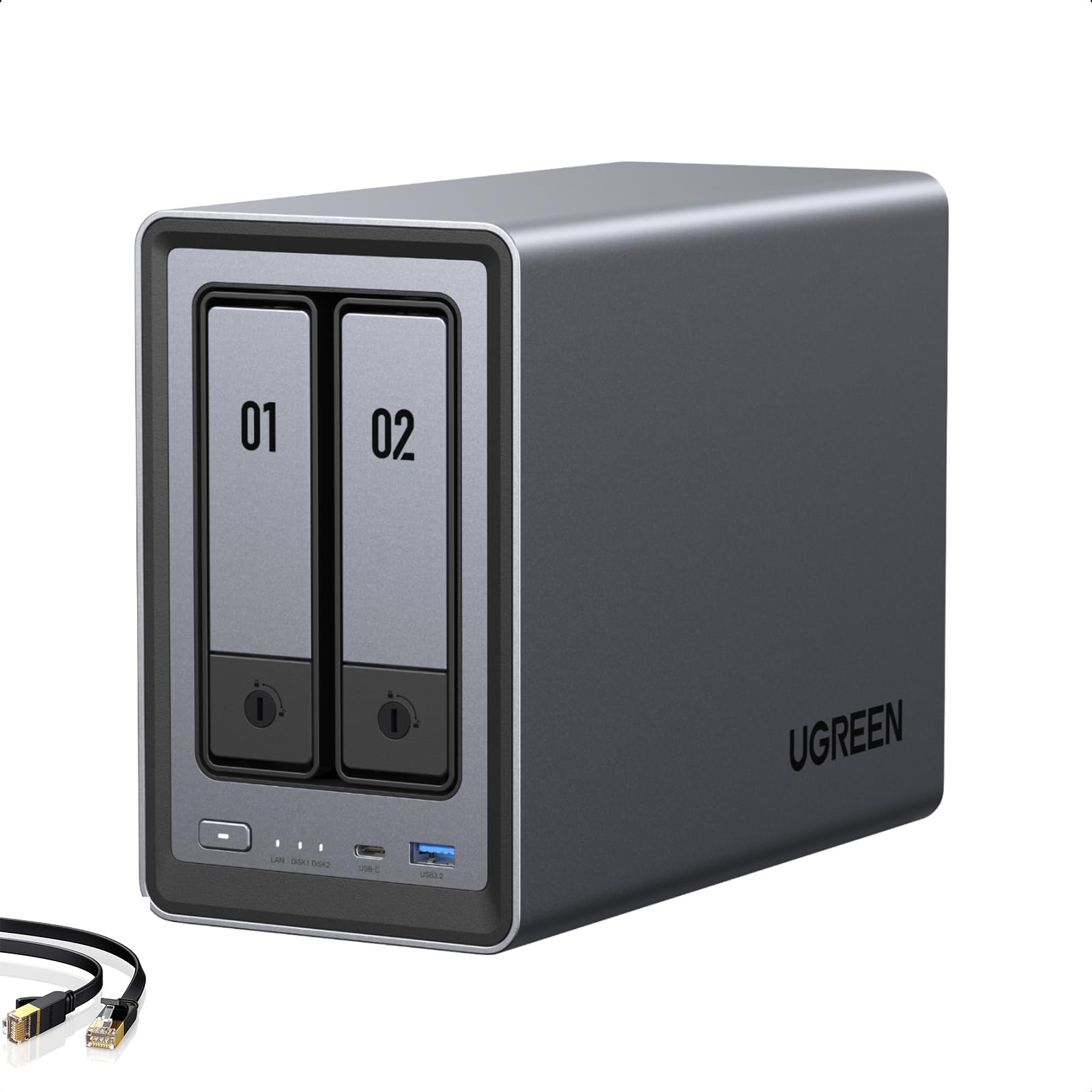
Type: 2-bay diskless NAS
CPU: Intel N100
Memory: 8GB DDR5
Network: 2.5GbE
Cache storage: 2x M.2 NVMe
Video output: 4K HDMI
Intended use: Home media, Docker and VM, Plex, remote work
The DXP2800 is the middle path: two bays, but with hardware that punches above its size. The Intel N100 and 8GB of DDR5 are enough for Plex, Docker containers, and light virtual machines, while the 4K HDMI output lets the unit drive a display directly without a separate player. Dual M.2 NVMe slots add fast cache or separate storage for containers. The 2.5GbE port is a sensible step up from standard gigabit for faster transfers.
This suits advanced home users and remote workers who want more flexibility than a basic two-bay box but do not need four drive bays. It is the natural choice for a Docker hobbyist or someone running a small Plex server with a few remote viewers. The trade-off is capacity: two bays mean buyers eventually face a rebuild to grow storage, so anyone with a large existing library should start at four bays.
Synology DS425+ Private Cloud Media Server

Type: 4-bay diskless NAS
Intended use: Streaming, backup, file sharing
Drive bays: 4
Drives included: None
Ecosystem: Synology private cloud software
Synology DS425+ Private Cloud Media Server – Stream, Back Up & Share Files (4-Bay Diskless NAS)
The DS425+ takes the Synology formula and adds room to grow. Four bays support RAID setups that protect a media library against a single drive failure, and the extra capacity means backups, photos, and video can share one box. Synology’s software is the real draw: scheduled backups, phone photo sync, and user accounts for the whole household are handled through a mature interface rather than command-line tinkering.
This is the pick for households with a growing photo and video archive that want a set-and-forget private cloud. It also suits buyers who already trust Synology’s app ecosystem and want a four-bay unit without jumping to a premium price. The trade-off is that the price climbs toward premium territory while the hardware stays modest — buyers chasing raw transcoding power per dollar will find better value elsewhere.
Tecmojo 12U Open Frame Network Rack
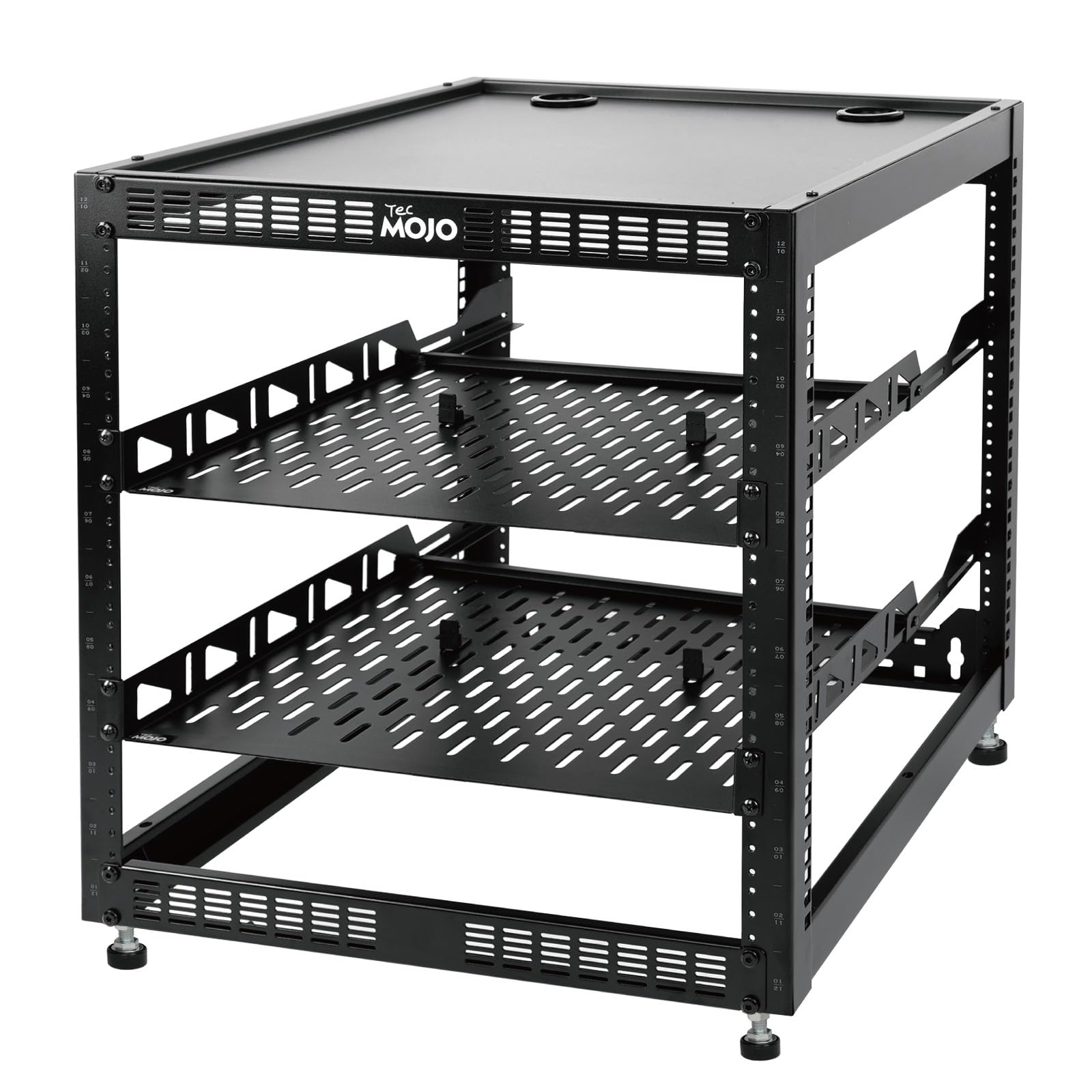
Type: 12U open frame rack
Mounting: Floor standing or wall mounted
Rack width: 19-inch
Included: 2x 1U rack shelves and mounting hardware
Intended use: Networking, audio and video devices
A media server is only half the story — the rack is where the gear lives. This 12U open frame holds 19-inch networking, audio, and video equipment, and it can stand on the floor or mount to a wall. Two included 1U shelves give smaller devices like a NAS, switch, or mini PC a proper home, and the mounting hardware comes in the box. The open frame design keeps airflow unrestricted, which matters for drives and networking gear that run warm.
This pick suits buyers building a dedicated closet or basement setup who want everything in one place. It is also the budget entry in this roundup, which makes it a low-risk add-on for a first server build. The trade-off is that an open frame exposes gear to dust and offers no acoustic dampening, so a busy rack will be heard from an adjacent room.
Before You Buy
- Drive bays: Two bays suit a starter library; four bays allow RAID redundancy and room to grow without rebuilding.
- Transcoding: Hardware transcoding on the CPU is what keeps 4K streams smooth on phones and TVs that cannot play the original file.
- Network: A 2.5GbE port is a sensible baseline; 10GbE only pays off with a matching router or switch.
- Drives: Every pick here is diskless, so budget for NAS-grade drives separately — they are not included.
- Noise and placement: NAS units run continuously; a closet, basement, or utility room keeps fan hum out of living spaces.
- Rack planning: A 12U rack fills faster than expected once a NAS, switch, and shelves are mounted — measure before buying.
- Software ecosystem: Synology favors polish and apps; UGREEN favors hardware per dollar. Pick the priority first.
Frequently Asked Questions
-
What is the best home media server hardware for a beginner?
The Synology DS225+ is the easiest starting point thanks to its mature software and simple setup, provided the library stays modest. -
Do these NAS units come with hard drives?
No. All four NAS picks are diskless, so drives must be purchased separately and matched to the chosen RAID configuration. -
Is a 2-bay NAS enough for Plex?
A 2-bay unit handles a small Plex library fine, but a large 4K collection will outgrow it quickly and force a rebuild. -
What does hardware transcoding actually do?
It offloads video conversion to dedicated silicon on the CPU, letting the server stream to devices that cannot play the original file format. -
Why buy a rack for a home server?
A rack keeps the NAS, switch, and accessories organized, ventilated, and out of the way — useful for closet or basement builds. -
Can these servers back up photos from a phone?
Yes. The Synology units are built around private cloud photo backup, and the UGREEN units support similar apps and containers.
Bottom Line
For most buyers, the Synology DS225+ is the best home media server hardware to start with: it balances price, transcoding support, and the smoothest software in this group. Buyers with a 4K library or a small team should step up to the UGREEN DXP4800 Plus for its four bays and 10GbE. Everyone else can match the DXP2800, DS425+, or the Tecmojo rack to their specific build.
