Why there are Amazon links here: Brave Review is paid a commission for qualifying Amazon purchases made through the links below. Your price does not change, and using our links is entirely optional. How this works
Best Network Cabinet for a Home: 5 Picks for Clean, Lockable Gear Storage
A home network cabinet does two jobs at once: it gets the router, switch, patch panel and NAS off the shelf and into a proper 19" rack, and it keeps that gear locked away from kids, pets and dust. This guide covers five cabinets that suit three kinds of buyers — the renter or small-apartment owner who needs a shallow wall box, the home-lab builder with deep servers to house, and the budget-minded tinkerer who wants an open frame. The overview table below ranks all five at a glance; each review then explains who the pick fits and where it falls short.
The Picks at a Glance
| Product | Key Spec | Best Use | Price Tier |
|---|---|---|---|
| VEVOR 6U Wall Mount Network Server Cabinet | 6U, 14.8" deep, 200 lbs ground load | Compact wall box on a budget | Budget |
| Tecmojo 9U Wall Mount Rack Network Cabinet | 9U, 17.7" deep, cooling fan, white | Mid-size gear with active airflow | Mid-range |
| 15U Wall Mount Home Lab Server Rack | 15U, 24" deep, locking | Deep home-lab servers and NAS | Premium |
| Tecmojo 6U Wall Mount Server Cabinet | 6U, 450mm deep, cooling fan, black | Small black-finish installs with a fan | Budget-plus |
| Tecmojo 12U Open Frame Network Rack | 12U, open frame, 2 shelves included | Fast access, floor or wall | Budget |
1. VEVOR 6U Wall Mount Network Server Cabinet

Rack Units: 6U
Depth: 14.8"
Load Capacity: 200 lbs (ground-mounted)
Door: Locking glass
Side Panels: Included, removable
Intended Use: IT equipment, A/V devices
VEVOR 6U Wall Mount Network Server Cabinet is the smallest and cheapest enclosed option here, built as a steel wall box with a locking glass front door and removable side panels. The 14.8" depth keeps it close to the wall, so it fits hallways, closets and utility corners where a full-depth rack would stick out. The glass door lets status LEDs stay visible while the lock keeps curious hands out.
Six rack units hold a switch, patch panel, router shelf and a small NAS without much room to spare, so this is a cabinet for a modest stack rather than a growing lab. Buyers with deep rack-mount servers or long network switches should look elsewhere. The 200 lbs figure refers to ground-mounted load, so wall installations rely on the mounting hardware and the wall itself.
Trade-off: The shallow depth limits what fits, and long rack-mount gear may not clear the door.
Check the current price on Amazon
2. Tecmojo 9U Wall Mount Rack Network Cabinet
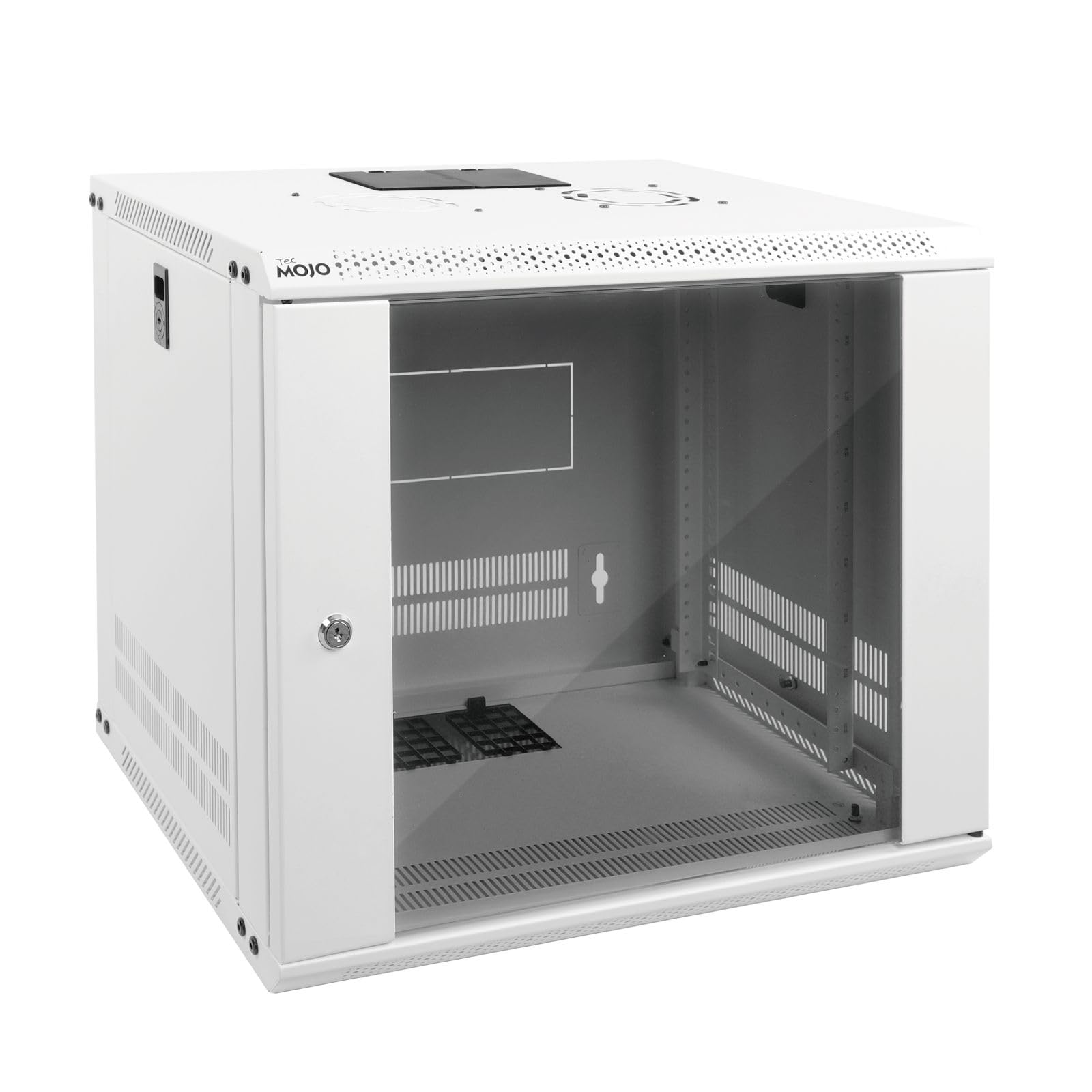
Rack Units: 9U
Depth: 17.7"
Door: Lockable glass
Side Panels: Included
Cooling: Built-in fan
Color: White
Intended Use: 19" IT equipment
The Tecmojo 9U Wall Mount Rack Network Cabinet steps up to nine rack units and a deeper 17.7" body, which opens the door to mid-depth switches and a proper patch panel setup. A factory cooling fan moves air through the enclosure, which matters once a switch, NAS and PoE injectors share the same sealed box. The white finish suits light-colored walls and home offices better than the usual black.
Nine units give a comfortable layout: patch panel at the top, switch below, then shelves for the router, modem and NAS. Buyers who plan to add a rack-mount server later should check depth first, because 17.7" still will not swallow a long chassis. The fan also adds a small amount of running noise that some buyers will notice in a quiet room.
Trade-off: The fan introduces audible hum, and the depth still rules out full-length server chassis.
Check the current price on Amazon
3. 15U Wall Mount Home Lab Server Rack
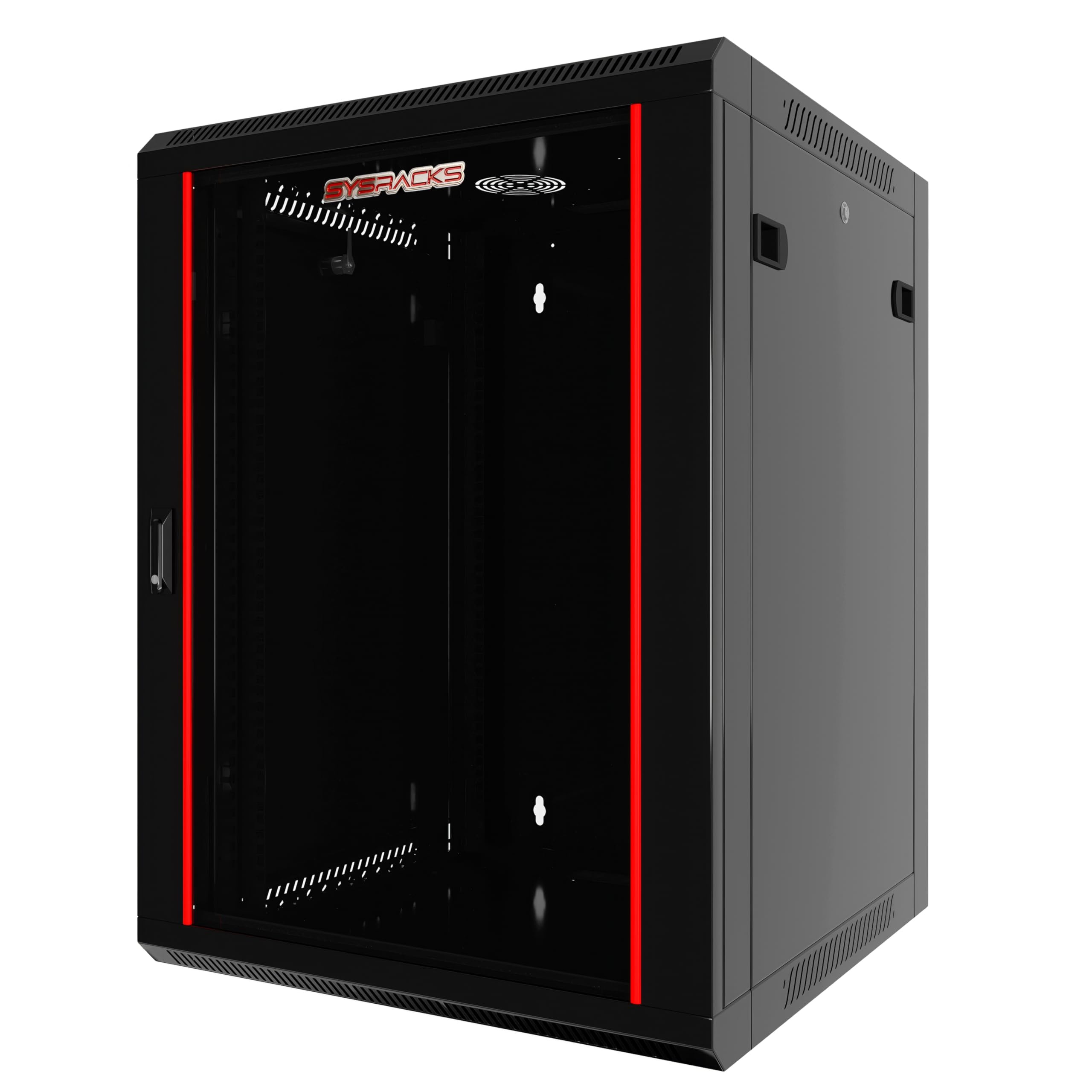
Rack Units: 15U
Depth: 24"
Width: 19" standard
Door: Locking
Configuration: Empty enclosure
Intended Use: Routers, NAS, switches, home network equipment
The 15U Wall Mount Home Lab Server Rack is the serious pick: fifteen rack units and a 24" depth that finally accommodates short-depth servers, big NAS chassis and stacked switch gear. It arrives as an empty enclosure, so buyers supply their own shelves, rails and PDU — which is normal at this level and lets the layout be built around the actual gear. The locking door secures the whole stack.
This is the cabinet for a home lab that keeps growing, or for anyone running a rack-mount NAS plus a virtualization host. Fifteen units is a lot of vertical space, so it needs a wall with real studs behind it and enough clearance to swing the door. The price puts it well above the other picks, and the empty interior means the final cost includes accessories.
Trade-off: The premium price buys an empty shell, so shelves, rails and a PDU are extra.
Check the current price on Amazon
4. Tecmojo 6U Wall Mount Server Cabinet

Rack Units: 6U
Depth: 450mm
Door: Lockable glass
Side Panels: Included
Cooling: Built-in fan
Color: Black
Intended Use: 19" IT equipment, A/V devices
The Tecmojo 6U Wall Mount Server Cabinet takes the compact 6U footprint and adds two things the cheapest boxes skip: a cooling fan and a black finish that blends into media closets and AV stacks. The 450mm depth is enough for shallow switches, patch panels and shelves, and the glass door keeps indicator lights readable while the lock stays shut.
It fits the buyer who wants a small, tidy wall cabinet with active airflow and does not need to house a server. A/V installs benefit too, since amplifiers and receivers can sit on shelves behind the same locked door. The fan is the trade-off point: it adds a little noise and one more component to keep running, and 450mm depth still rules out deep chassis.
Trade-off: The fan adds noise and a failure point, and the shallow body limits server depth.
Check the current price on Amazon
5. Tecmojo 12U Open Frame Network Rack
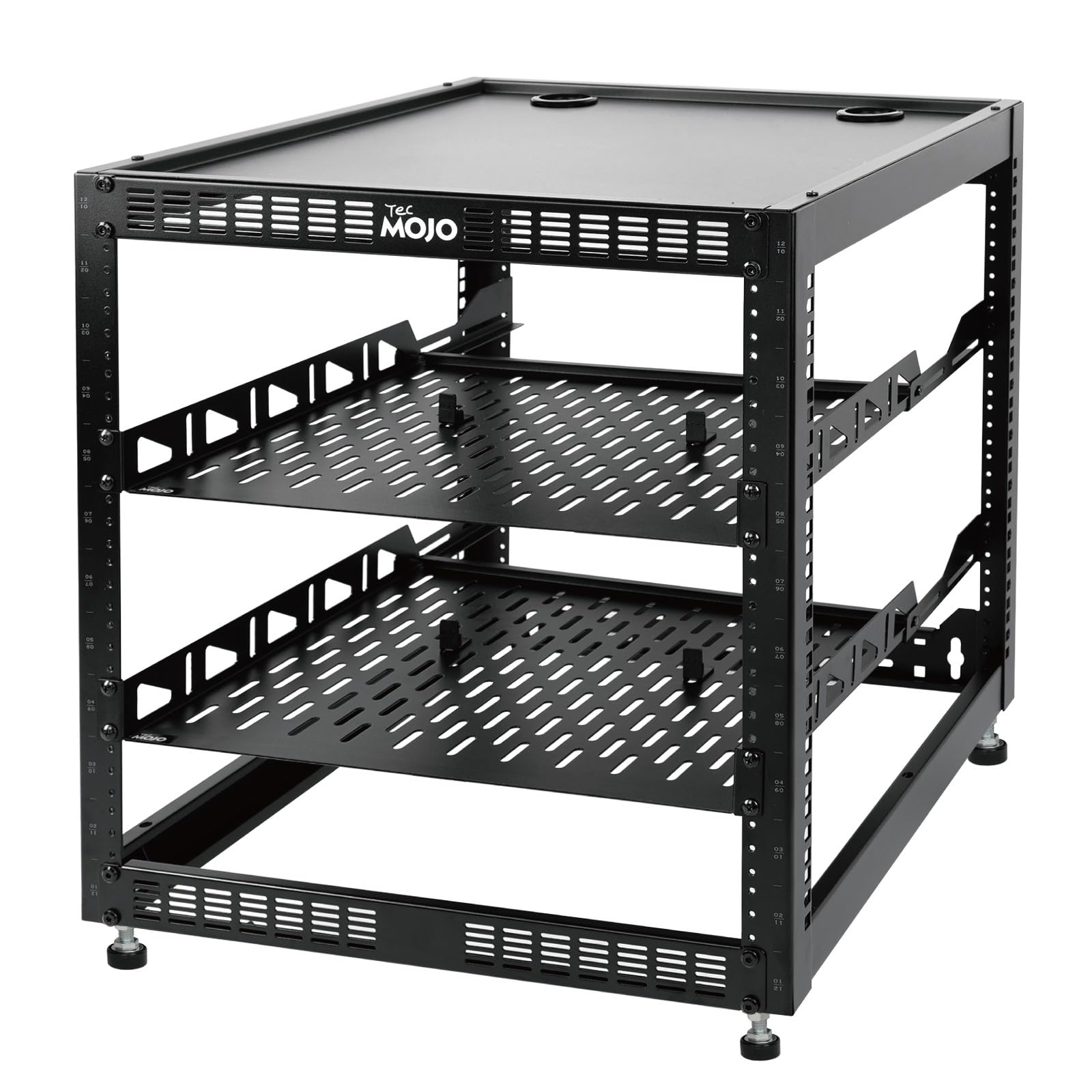
Rack Units: 12U
Frame: Open frame
Mounting: Floor standing or wall mounted
Included: Two 1U rack shelves, mounting hardware
Intended Use: 19" networking, audio and video devices
The Tecmojo 12U Open Frame Network Rack takes a different approach: no door, no side panels, just an open steel frame that can stand on the floor or hang on the wall. Twelve units of open access make cable changes and hardware swaps fast, and two 1U shelves plus mounting hardware come in the box — a real head start for a first rack build. The open design also means unrestricted airflow.
This is the pick for tinkerers, AV setups and anyone who adjusts gear often and does not need a lock. Buyers who want dust protection, childproofing or a clean closed look should choose one of the enclosed cabinets instead. The open frame also leaves cables and blinking lights fully visible, which some rooms will not appreciate.
Trade-off: There is no door or lock, so gear stays exposed to dust, pets and curious hands.
Check the current price on Amazon
Before You Buy
- Rack units: Count the gear first. A switch, patch panel and shelf fit in 6U; a NAS plus server needs 9U or more.
- Depth: Measure the deepest device, then add clearance for cables and the door. Shallow cabinets will not take long chassis.
- Wall strength: A loaded cabinet is heavy. Mount into studs or a solid backing, and treat the stated load rating as a ceiling, not a target.
- Locking vs. open: A lock protects gear from kids and guests; an open frame gives faster access and better airflow.
- Cooling: Sealed cabinets trap heat. A built-in fan or vented panels matter once several powered devices share the box.
- Included accessories: Some cabinets ship with shelves and hardware; others arrive empty and need rails, shelves and a PDU bought separately.
- Finish and placement: Black or white, wall or floor — match the cabinet to the room before drilling holes.
Frequently Asked Questions
-
What size network cabinet fits a typical home setup?
A 6U to 9U cabinet handles a router, switch, patch panel and small NAS. Home labs with servers should start at 12U to 15U. -
Can a wall-mount cabinet hold a rack-mount server?
Only if the cabinet is deep enough and the wall is strong enough. Shallow 14–18" boxes suit switches and shelves, while servers need 24"-class depth. -
Is an open frame rack or an enclosed cabinet better for a home?
Open frames win on access, airflow and price; enclosed cabinets win on security, dust control and looks. The choice comes down to whether the gear needs locking away. -
Do these cabinets include shelves and mounting hardware?
It varies. The Tecmojo open frame ships with two 1U shelves and hardware, while the larger home-lab enclosure arrives empty. -
How much weight can a wall-mounted network cabinet carry?
Ratings differ by model, and the wall itself is often the limiting factor. Anchoring into studs or a plywood backer is the safe approach.
Bottom Line
For most homes, the Tecmojo 9U Wall Mount Rack Network Cabinet is the best network cabinet for a home: nine units, a deeper body and a built-in fan cover a router, switch, patch panel and NAS without stepping up to home-lab money. Buyers with deep servers should go straight to the 15U enclosure, and tight budgets are well served by the VEVOR 6U or the open-frame Tecmojo.
