Why there are Amazon links here: Brave Review is paid a commission for qualifying Amazon purchases made through the links below. Your price does not change, and using our links is entirely optional. How this works
Best Network Security Device for a Home: 5 Picks That Cover Every Setup
The best network security device for a home depends on what needs protecting. Some households want a router that filters traffic at the source, some want a gateway that segments the network, and others simply want alarms and cameras that alert the household to trouble. This roundup covers five devices across those jobs, from a flagship WiFi 7 router to a no-fee alarm kit, so a reader can match a pick to a setup in minutes. The overview table below shows each device’s key spec and best use side by side.
Overview of the Picks
| Product | Key Spec | Best Use | Price Tier |
|---|---|---|---|
| TP-Link Archer BE600 | Tri-band BE9700, 2.5G and 10G ports | Whole-home secure WiFi | Premium |
| 24Pc WiFi+GSM/4G Alarm System | 24-piece kit, no monthly fee | Intrusion alerts | Mid-range |
| Ubiquiti UniFi Security Appliance (USG) | Compact UniFi gateway | Small wired networks | Budget |
| Ubiquiti UniFi Security Gateway Pro | Rack-mount gateway, 4 ports | Larger wired networks | Premium |
| realhide 5GHz WiFi Spy Camera | Mini wireless camera, cloud storage | Indoor monitoring | Budget |
TP-Link Tri-Band BE9700 WiFi 7 Router (Archer BE600)

Type: Tri-band WiFi 7 router
Wireless Standard: BE9700
Ports: 10G port, 2.5G port, three 2.5G LAN
Channel Width: 320MHz
Coverage: Up to 2,600 sq. ft.
Capacity: 120 devices
Security: VPN, HomeShield
The Archer BE600 is the centerpiece pick because it secures the network at the point where traffic enters the home. The 10G and 2.5G ports keep wired connections fast for consoles, NAS boxes and desktops, while the tri-band layout spreads devices across separate lanes. HomeShield adds network-level filtering and parental controls, and the built-in VPN support lets remote workers reach the home network without extra hardware. Coverage reaches up to 2,600 sq. ft. and capacity to 120 devices, which suits a busy family house.
This pick earns its place for households that want one box to handle speed and security together, especially where many devices compete for bandwidth. It suits gamers, remote workers and smart-home owners. The caution is cost and complexity: WiFi 7 is a premium standard, and buyers without WiFi 7-capable devices will pay for headroom they cannot yet use.
Trade-off: The premium price and setup depth are hard to justify for a small apartment with a handful of devices.
Alarm System for Home Security, 24Pcs WiFi+GSM/4G No Monthly Fee Wireless Security System
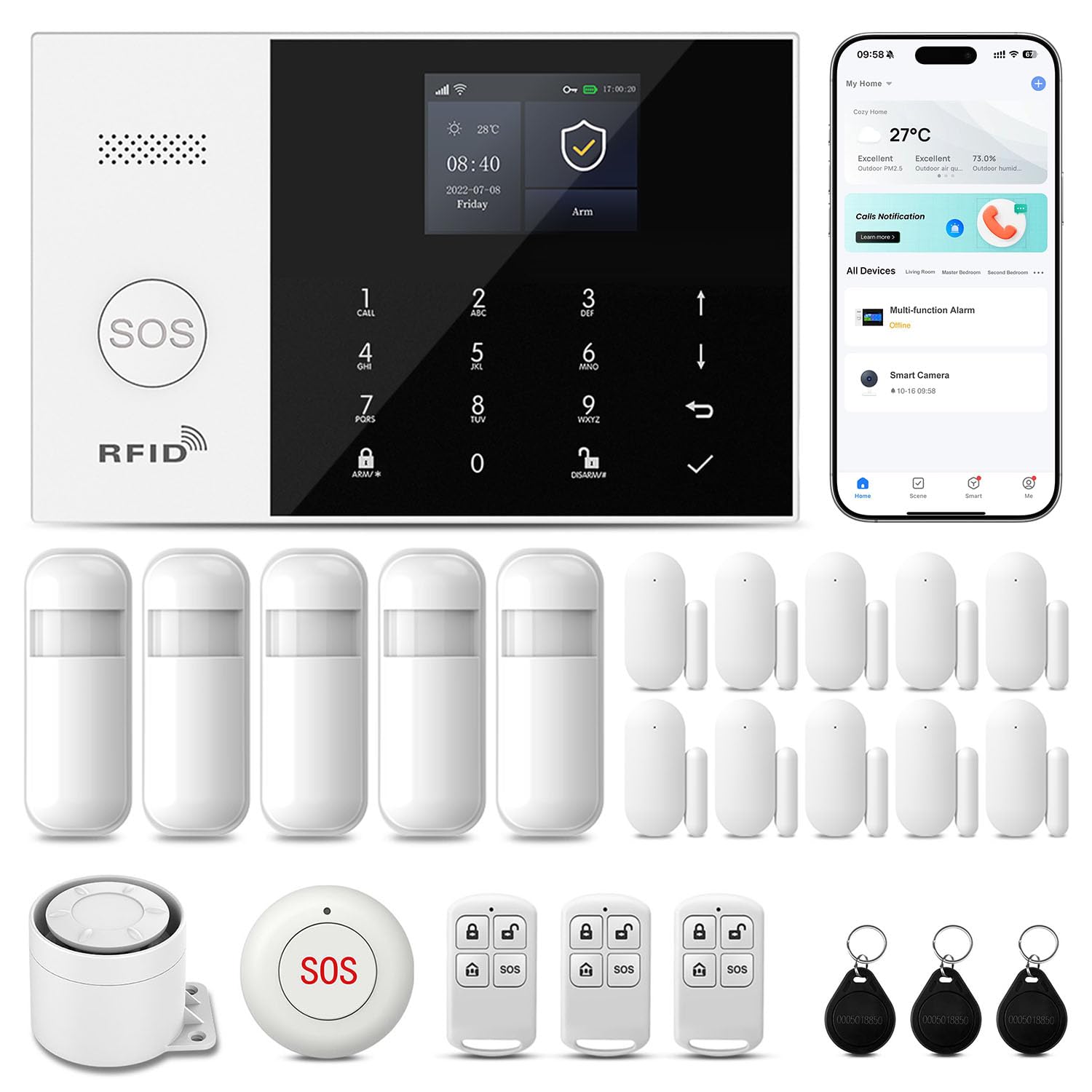
Type: Wireless alarm system kit
Pieces: 24
Connectivity: WiFi plus GSM/4G
Control: Phone app
Alerts: Real-time alert, auto alarm dial
Compatibility: Alexa and Google
Fees: No monthly fee
This kit covers physical security rather than data security, and the 24-piece bundle makes it a practical starter for a whole house. The dual WiFi and GSM/4G path means alerts can still go out if broadband drops, and the auto alarm dial adds a phone-call layer beyond app notifications. Phone app control and voice-assistant compatibility keep day-to-day use simple, and the absence of a monthly fee keeps long-term costs predictable. It suits renters and first-time alarm buyers who want coverage without a contract.
The pick earns its place on breadth: one purchase covers doors, windows and motion zones in a typical home. It is not for buyers who want professional monitoring with a dispatch service, since the no-fee design puts response in the household’s hands. Installation effort across 24 pieces is also a real weekend job.
Trade-off: The no-fee model means self-monitoring, so nobody is dispatched when an alert fires.
Ubiquiti Unifi Security Appliance (USG), Single, White
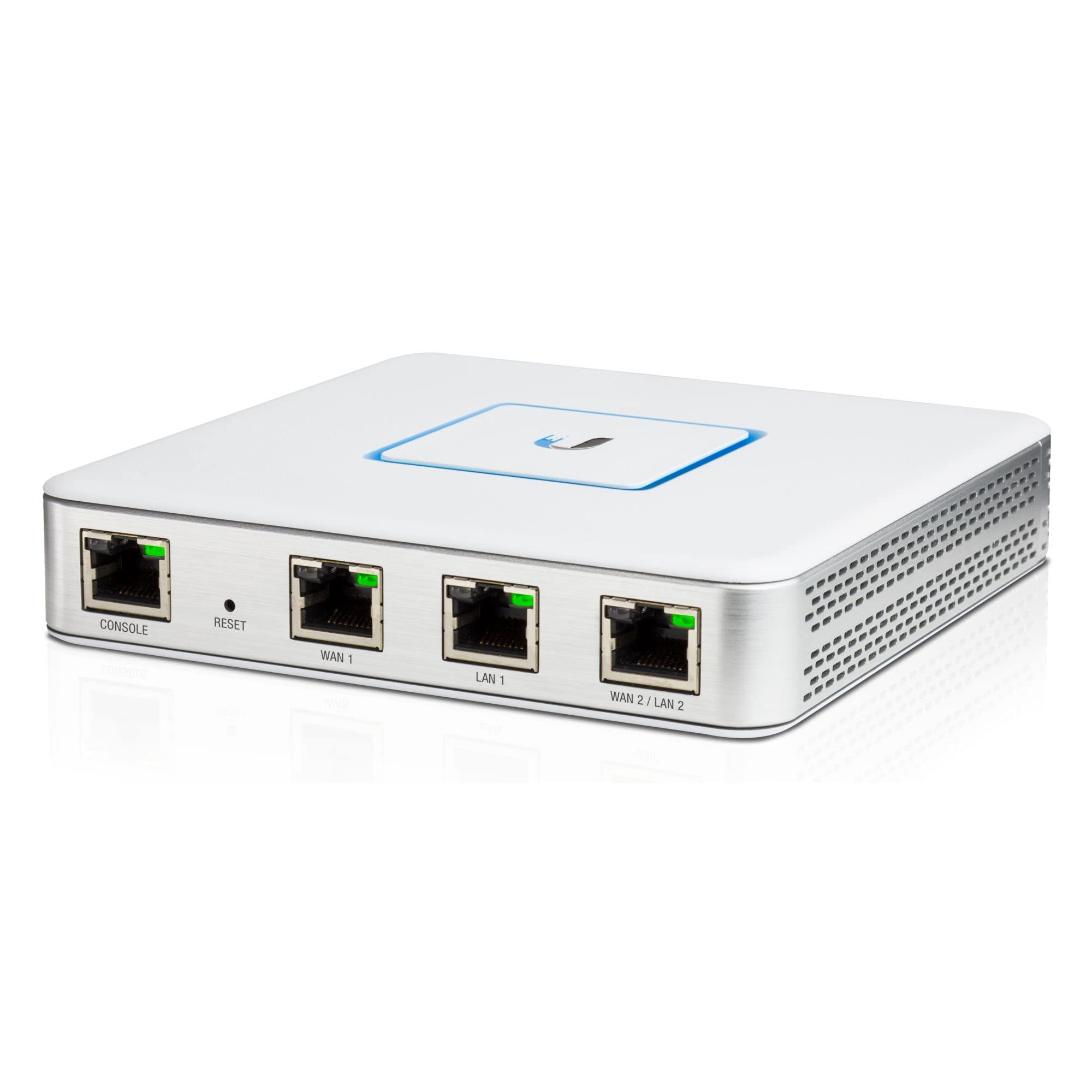
Type: UniFi security gateway
Form Factor: Compact desktop unit
Color: White
Ecosystem: Ubiquiti UniFi
Intended Use: Network routing and firewall
Management: UniFi controller software
The USG is the budget entry into the UniFi ecosystem, and it earns its place by putting firewall rules, VLANs and traffic insight into a small white desktop box. It pairs with other UniFi gear under a single controller, which gives a home network a level of structure that consumer routers rarely match. The compact chassis fits a shelf or cabinet, and the firewall handles routing for a wired home network without fuss. It suits tinkerers and small offices that want segmented, policy-driven networking.
This is not a plug-and-play device: it expects a controller and some networking knowledge, and it does not include WiFi on its own. Buyers who want an app-and-done setup should look elsewhere. For those willing to learn, it delivers serious control at the lowest entry point in this roundup.
Trade-off: Setup requires a UniFi controller and networking know-how, and the unit provides no wireless coverage by itself.
Ubiquiti Networks Unifi Security Gateway Pro (USG-PRO-4)

Type: Rack-mount UniFi security gateway
Form Factor: Rack-mountable chassis
Ports: Four-port gateway
Ecosystem: Ubiquiti UniFi
Intended Use: High-throughput routing and firewall
Management: UniFi controller software
The USG-PRO-4 is the step up for homes and small offices that have outgrown a desktop gateway. The rack-mount chassis and four-port layout suit a structured wiring cabinet or server rack, and the unit handles routing and firewall duties for a larger wired network. It slots into the same UniFi controller as the rest of the ecosystem, so policies and monitoring stay in one place. It suits power users, home labs and small businesses with a rack already in place.
The pick earns its place on capacity and form factor, but it is overkill for a typical apartment and demands the same controller setup as the smaller USG. Buyers without a rack will find the chassis awkward to place, and the price tier is firmly premium. It is a deliberate purchase, not an impulse upgrade.
Trade-off: The rack form factor and premium price make it a poor fit for homes without a wiring closet.
realhide 2026 Upgraded 5GHz WiFi 4K Spy Camera
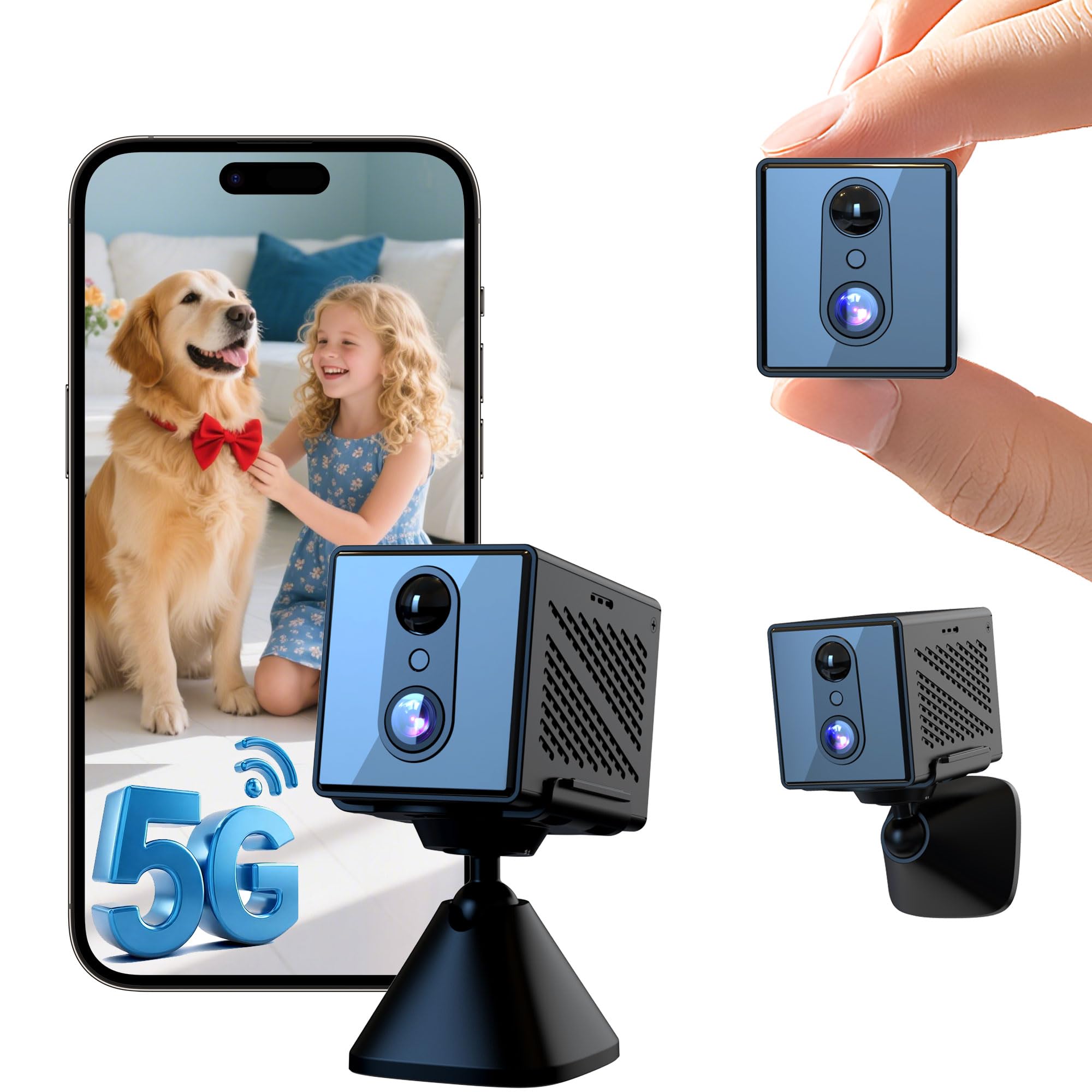
Type: Mini hidden camera
Resolution: 4K
Connectivity: 5GHz WiFi
Night Vision: Yes
Motion Detection: Yes
Storage: Free cloud storage
Battery: Long battery life
This mini camera covers the indoor monitoring side of home security, and the 5GHz WiFi link keeps the feed steadier than older 2.4GHz-only models. The 4K resolution and night vision make detail readable in low light, while motion detection and free cloud storage keep clips accessible without a subscription. Long battery life supports placement away from outlets. It suits renters, nanny-cam users and anyone who wants a discreet indoor view.
The pick earns its place on price and flexibility, but the hidden format brings cautions. Free cloud storage tiers are usually limited, and a covert camera in a shared home raises consent and privacy questions that buyers should settle before use. It is not a substitute for a full alarm system.
Trade-off: The concealed design demands careful, consent-based placement, and free cloud storage has practical limits.
Before You Buy
- Coverage Type: Decide whether the home needs data security (router, gateway) or physical security (alarm, camera) before comparing prices.
- Compatibility: UniFi devices need a controller, and alarm kits need a stable WiFi network plus cellular signal for the 4G backup.
- Network Skill: Gateways reward buyers who understand VLANs and firewall rules; routers and alarm kits suit app-based users.
- Monthly Costs: The alarm kit and camera advertise no monthly fee, while professional monitoring and premium cloud plans add recurring costs.
- Placement: Rack-mount gateways need a cabinet, hidden cameras need consent, and routers need a central spot for coverage.
- Included Pieces: A 24-piece alarm kit covers more openings than a single camera, so match the count to the home’s entry points.
- Scalability: UniFi gear expands across access points and switches, while standalone kits are best treated as complete packages.
Frequently Asked Questions
-
What is the best network security device for a home overall?
The TP-Link Archer BE600 is the strongest single pick for most households because it combines fast WiFi 7 hardware with HomeShield filtering and VPN support in one box. -
Do I need a gateway if I already have a secure router?
Not always. A gateway adds value when the home needs segmented networks or policy control, which matters for home labs and small offices more than for casual use. -
Is the alarm system a replacement for network security?
No. The alarm kit protects doors, windows and rooms, while a router or gateway protects the network itself. The two cover different threats. -
Can the UniFi devices be set up without networking experience?
They can, but the process expects a controller and some familiarity with firewall rules. Buyers who want a simple app setup are better served by a consumer router. -
Are there monthly fees with the alarm kit or the camera?
Both are marketed as no-monthly-fee options. Buyers should still expect limits on free cloud storage and self-monitoring rather than professional dispatch. -
Which pick suits renters best?
The 24-piece alarm kit and the mini camera are the most renter-friendly, since both are wireless and leave no permanent changes to the property.
Bottom Line
For most homes, the TP-Link Archer BE600 is the best network security device for a home because it secures the network at the source while delivering current-generation WiFi speed and coverage. Households that need physical protection should pair it with the no-fee 24-piece alarm kit, and tinkerers can start with the compact UniFi USG. Check current prices on Amazon before deciding, since tiers shift often.
