Why there are Amazon links here: Brave Review is paid a commission for qualifying Amazon purchases made through the links below. Your price does not change, and using our links is entirely optional. How this works
Best Panic Button for a Home: 5 Alerts That Actually Reach Someone
A panic button for the home is a simple idea with a lot of variation behind it. Some models call a caregiver pager on the same property, others tie into a full security system, and a few need a monitoring plan to do anything at all. This roundup covers five picks for three kinds of buyers: family caregivers watching over an aging parent, households already running a home security setup, and anyone who wants a low-cost backup alert path. The overview table below sorts all five by what they actually do, so a reader can shortlist in under a minute.
Overview of the Picks
| Product | Key Spec | Best Use | Price Tier |
|---|---|---|---|
| Easy to Use CallToU Caregiver Pager | 500+FT through-wall range, waterproof call button | Large homes and bathrooms where range matters | Budget |
| SimpliSafe Panic Button | Built-in silent panic, SimpliSafe system required | Homes already on SimpliSafe | Budget |
| Medical Life Alert System | 1 call button + 1 receiver | Small apartments and single-room care | Budget |
| Ring Panic Button | One press for help, base station required | Ring Alarm households adding a bedside button | Budget |
| Portable Caregiver Pager with 2 Buttons | Battery-powered, two call buttons included | Two-room coverage on one receiver | Budget |
Easy to Use, 500+FT Through-Wall CallToU Caregiver Pager
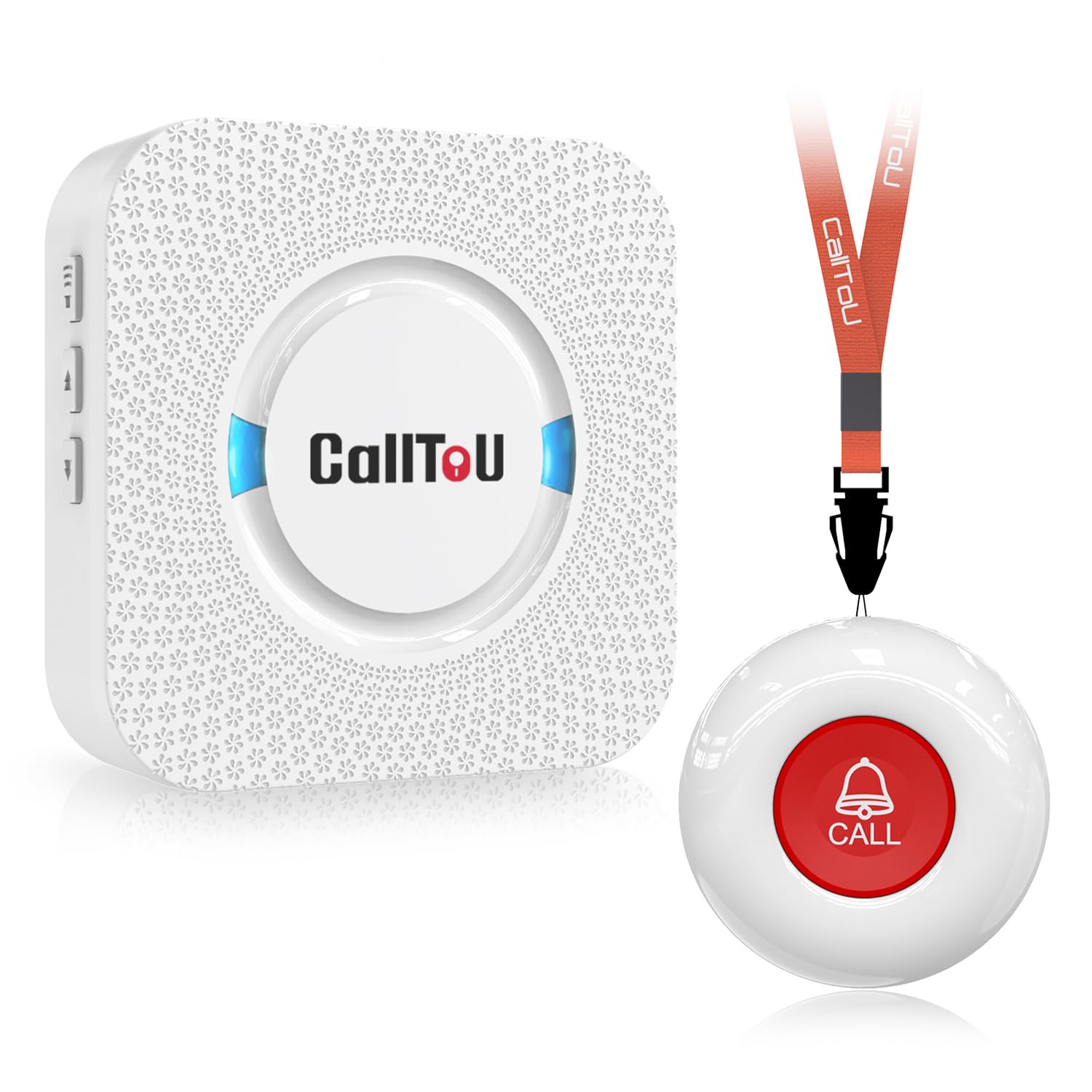
Type: Wireless caregiver pager with call button
Range: 500+FT through-wall
Button build: Waterproof
Intended use: Elderly, seniors, patients, home caregivers
Power source: Battery-powered call button
Alert style: Receiver chime from the call button
Easy to Use, 500+FT Through-Wall CallToU Caregiver Pager is the range pick of the group. The 500+FT through-wall claim is the headline feature, and it is the number that matters most in a home where the receiver sits in a kitchen or office and the button lives in a bedroom or bathroom.
The waterproof button is the second useful detail. A call button that can survive splashes belongs in a bathroom or near a shower, which is exactly where a lot of falls happen. The receiver runs on a standard wall outlet and chimes when the button is pressed, so the alert stays inside the home rather than going out to a phone.
This one suits family caregivers who are on-site and want a loud, simple alert without an app, a subscription, or a phone in the loop. It is not for households where nobody is home during the day, because the receiver has to be within earshot for the alert to mean anything.
Trade-off: The button only reaches the paired receiver, so the system is silent to anyone outside the home and useless if the caregiver steps out.
Check the current price on Amazon
SimpliSafe Panic Button, Latest Gen

Type: Add-on panic button for a security system
Compatibility: SimpliSafe Home Security System
Key feature: Built-in silent panic
Generation: Latest Gen
Placement: Portable, handheld
Alert style: Silent panic signal to the system
SimpliSafe Panic Button – Built-in Silent Panic Feature is the pick for a home that already runs SimpliSafe. The silent panic feature is the differentiator: the button can trigger an alarm response without sounding anything in the room, which matters in a break-in or a confrontation where drawing attention could make things worse.
As an add-on, it slots into the existing system rather than creating a second alert path. That keeps the household on one app and one monitoring arrangement instead of juggling a separate pager. The small handheld shape lets it sit on a nightstand or travel to another room.
The catch is that this button has no standalone function. A buyer without a SimpliSafe base station and an active plan gets nothing from it, and the silent trigger only helps if someone is watching the system’s alerts.
Trade-off: It is dead weight without a SimpliSafe system and monitoring behind it, so the real cost is the whole setup, not the button.
Check the current price on Amazon
Medical Life Alert System for Seniors and Kids

Type: Wireless caregiver pager set
Included: 1 call button + 1 receiver
Intended use: Seniors, kids, patients, nurse calling
Alert style: SOS buzzer alarm at the receiver
Power source: Battery-powered call button
Placement: Fixed or handheld button, plug-in receiver
Medical Life Alert System for Seniors and Kids is the simplest kit here: one button, one receiver, no subscription. The SOS call bell design is aimed at a bedside or a living-room chair, where a senior or a child can reach it and press once to sound the buzzer at the receiver.
The single-button setup keeps the learning curve close to zero, which is the point for a parent or grandparent who will not tolerate a smartwatch or an app. It also works as a patient-assistance call bell in a home-care room, where a caregiver is nearby but not always in sight.
This pick fits small homes and single-room care. It is a poor match for a large multi-floor house, where one receiver may not carry to every corner, and it offers no path to outside help.
Trade-off: One button and one receiver leave no redundancy, so a misplaced button or an unplugged receiver takes the whole alert system offline.
Check the current price on Amazon
Ring Panic Button
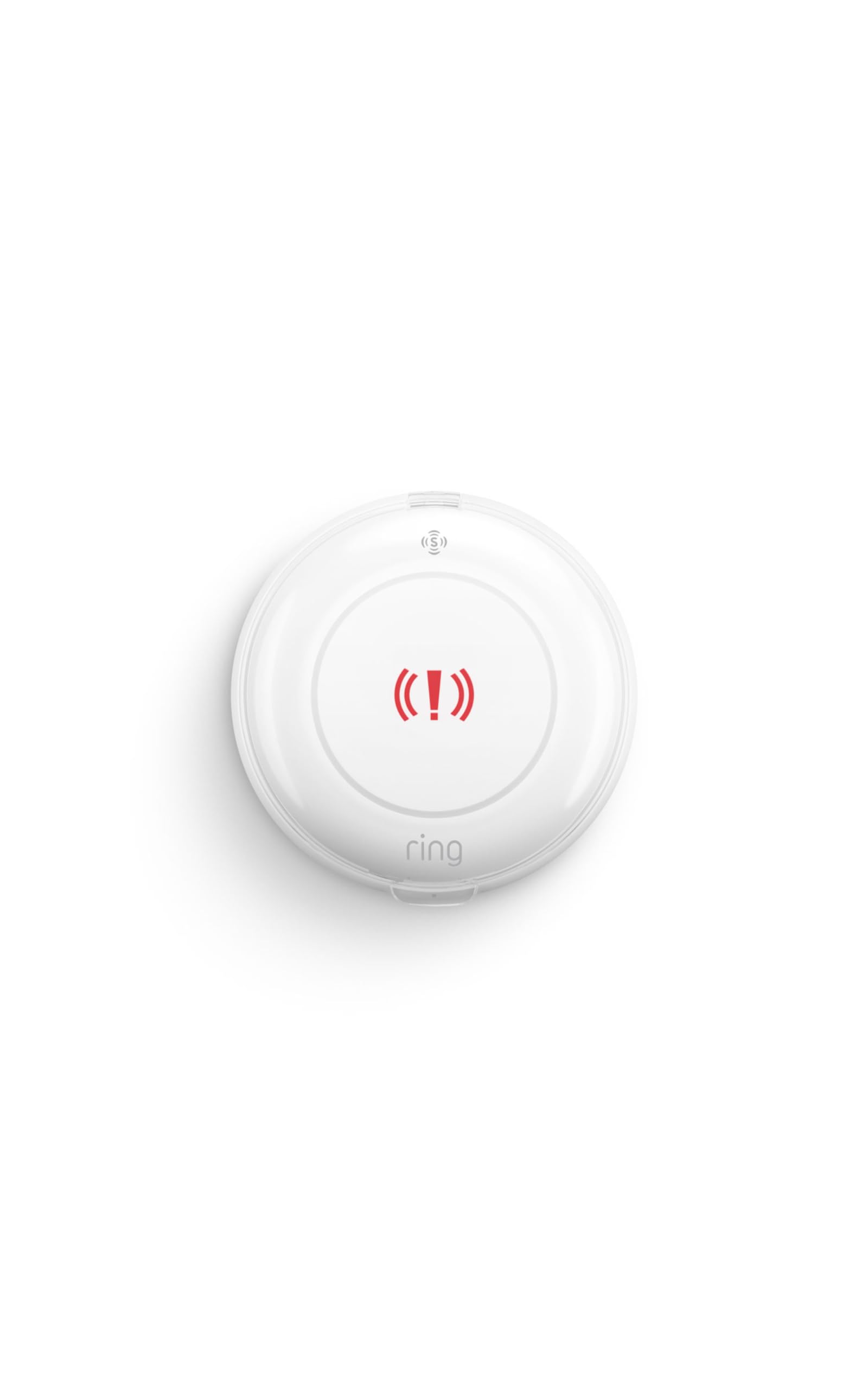
Type: Add-on panic button for a security system
Compatibility: Ring base station required
Monitoring: Professional Monitoring sold separately
Activation: One press for emergency help
Placement: Place anywhere
Alert style: Emergency request through the Ring system
Ring Panic Button is the entry point for a Ring household. One press requests emergency help through the Ring system, and the "place anywhere" design means it can live on a nightstand, by the front door, or in a home office without wiring.
The appeal is that it folds into an ecosystem a lot of homes already have. A family with a Ring Alarm base station can add a physical panic trigger for a modest add-on cost and keep everything in one app. Professional Monitoring is where the real capability comes from, since that is what turns a button press into a dispatched response.
Buyers without a base station should look elsewhere. The button does not work on its own, and the monitoring subscription is a separate purchase that has to be factored into the budget.
Trade-off: The low sticker price is misleading, because the button needs both a base station and a monitoring plan before it can summon any actual help.
Check the current price on Amazon
Portable Battery-Powered Caregiver Pager with 2 Call Buttons

Type: Portable caregiver pager set
Power source: Battery-powered receiver and buttons
Included: 2 wireless call buttons
Intended use: Home care
Alert style: Pager alerts when a button is pressed
Placement: Portable receiver, buttons placed around the home
Portable Battery-Powered Caregiver Pager with 2 Wireless Call Buttons is the two-room option. The pair of call buttons covers, for example, a bedroom and a bathroom, while the portable receiver can travel with the caregiver from room to room instead of being tied to one outlet.
Battery power on both ends removes the outlet hunt and keeps the setup working through a short power cut. For home care where the caregiver moves around the property, a pager that clips on or carries in a pocket is more practical than a receiver stuck in one spot.
This one suits a caregiver who is present but not stationary. It is not a substitute for monitored help, and the two-button limit means a third room needs a second set.
Trade-off: Battery power cuts both ways, since a receiver that runs flat is a silent receiver, and there is no low-battery safety net beyond routine checks.
Check the current price on Amazon
Before You Buy
- Compatibility: Two of these picks are add-ons that only work with a specific security system, so confirm the base station and plan before buying.
- Range: The CallToU model is the only one advertising 500+FT through-wall performance, which matters in a multi-floor home.
- Who receives the alert: A caregiver pager alerts someone on-site; a monitored button alerts a dispatch center. Decide which one the household actually needs.
- Power: Battery-powered receivers and buttons need a check routine, while plug-in receivers die in a power cut.
- Coverage: One button covers one spot. A two-button set or a second purchase is needed for a bedroom-plus-bathroom setup.
- Water resistance: Only the CallToU button is described as waterproof, so bathroom placement for the others is a risk.
- Ongoing cost: Ring and SimpliSafe both depend on a monitoring subscription to reach emergency services.
Frequently Asked Questions
-
What is the best panic button for a home with an aging parent?
The CallToU Caregiver Pager is the strongest fit for most families, thanks to its long through-wall range and waterproof button. A household that wants outside response instead of an in-home chime should look at a monitored system. -
Do these panic buttons call 911 on their own?
No. The caregiver pagers alert a receiver inside the home. The Ring and SimpliSafe buttons can reach emergency services, but only through their respective monitoring plans. -
Can a panic button work without a subscription?
The three caregiver pager picks work with no subscription at all. The Ring and SimpliSafe buttons require their systems and, for real emergency response, paid monitoring. -
Where should a panic button be placed?
The bathroom, bedside, and main living area are the three highest-value spots. A waterproof button belongs in the bathroom; a portable receiver should travel with the caregiver. -
Is a panic button the same as a medical alert system?
Not quite. A medical alert system usually includes a wearable pendant and a monitoring service. These picks are local alert devices or security-system add-ons, and they are cheaper and simpler as a result. -
How many buttons does a home need?
One per room where a person spends long stretches alone. A two-button set covers a common bedroom-and-bathroom layout without buying twice.
Bottom Line
For most households, the Easy to Use CallToU Caregiver Pager is the best panic button for a home: the long through-wall range and waterproof button cover the two places falls actually happen, and it needs no app or subscription. Buyers already inside the Ring or SimpliSafe ecosystems should add the matching button instead, since one alert path beats two.