Why there are Amazon links here: Brave Review is paid a commission for qualifying Amazon purchases made through the links below. Your price does not change, and using our links is entirely optional. How this works
Best Smart Button for Automations for Fast One-Touch Scenes
A smart button is the cheapest way to turn a routine into a single press: lights off at bedtime, a scene at the door, music in the kitchen. The five picks here cover the main hub ecosystems and two wiring-free options, so most households will find a match without digging further. Buyers who already own a Zigbee hub should look at the SONOFF, Aqara and Third Reality models; Philips Hue owners get a native button; Alexa-only homes get a handheld remote with no hub at all. The overview table below narrows it down in under a minute.
Overview of the Picks
| Product | Key Spec | Best Use | Price Tier |
|---|---|---|---|
| SONOFF Zigbee Switch SNZB-01P | Zigbee, three control options, eWeLink app | Budget Zigbee scenes | Budget |
| Philips Hue Wireless Smart Light Switch Button | Battery powered, requires Hue Bridge | Hue-native scene control | Premium |
| Aqara Zigbee Wireless Mini Switch | Zigbee, 3-way control, HomeKit and Alexa | Multi-platform scenes | Budget |
| THIRDREALITY ZigBee Smart Button | Zigbee, 3-way control, SmartThings and Hubitat | Hub-tinkerer setups | Mid |
| Amazon Basics Smart Dimmer Switch and Remote | Alexa only, no wiring, handheld | Alexa households without a hub | Mid |
SONOFF Zigbee Switch SNZB-01P

Type: Wireless push button
Protocol: Zigbee
Hub Required: SONOFF ZigBee Bridge
Control Options: Three
App: eWeLink
Pack Size: 1
SONOFF Zigbee Switch, SNZB-01P Wireless Push Button
The SNZB-01P is a small battery-backed push button that joins a Zigbee network and fires whatever scenes the eWeLink app holds. Three control options map to a press pattern, so one button can carry more than a single action. The plastic housing is light and sticks or sits anywhere a finger reaches, which suits a nightstand, a door frame or a desk edge. It is built for buyers already running a SONOFF bridge and who want the cheapest reliable trigger in that ecosystem.
This pick earns its place on price and simplicity: a single button, a single job, no display and no wiring. The trade-off is that it is only as useful as the bridge it needs — buyers without a SONOFF ZigBee Bridge should budget for one or look elsewhere. It is not for anyone who wants a button that works out of the box with no hub.
Philips Hue Wireless Smart Light Switch Button
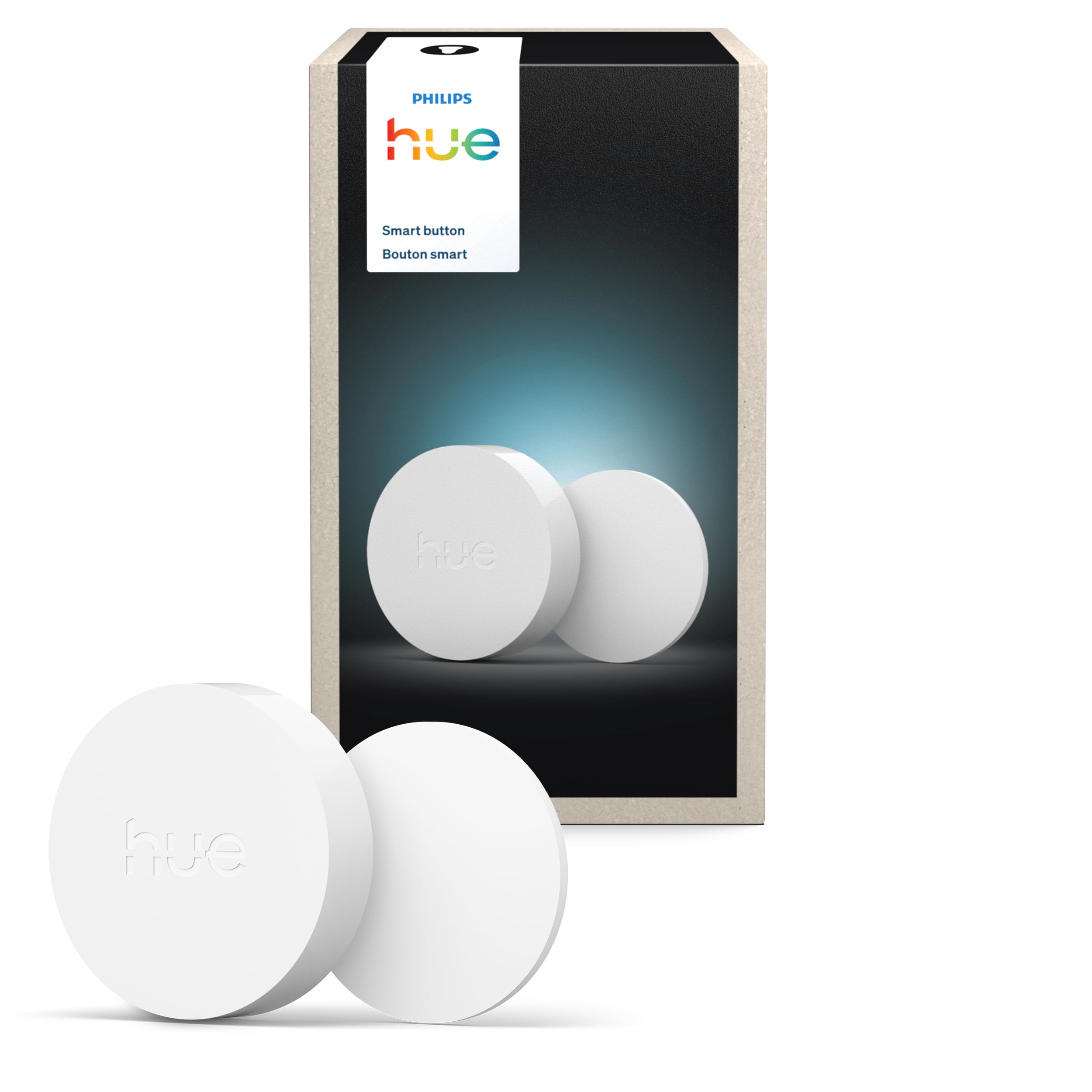
Type: Wireless smart light switch button
Power Source: Battery
Hub Required: Hue Bridge
Installation: No-wire, portable
Color: White
Pack Size: 1
PHILIPS Hue Wireless Smart Light Switch Button
The Hue button is the native trigger for a Hue household: press it to recall a scene, dim a room or fire a routine through the Hue app. It is battery powered and needs no wiring, so it can sit on a table, mount on a wall or travel between rooms. The finish matches the rest of the Hue line, which matters for buyers who care how a button looks in a living room. It requires the Hue Bridge, so it slots into an existing Hue setup rather than a bare home.
This is the premium pick and it earns that place on ecosystem fit and build quality rather than feature count. Buyers who already run Hue lights and a Bridge get the most natural button for the job, with no third-party app in the middle. The trade-off is the price and the lock-in: it is the most expensive button here and does nothing useful without a Hue Bridge.
Aqara Zigbee Wireless Mini Switch

Type: Zigbee wireless mini switch
Protocol: Zigbee
Hub Required: Aqara Hub
Control: 3-way
Platforms: HomeKit, Google Home, Alexa, IFTTT
Pack Size: 1
Aqara Zigbee Wireless Mini Switch
The Aqara Mini Switch is a tiny Zigbee button with three-way control, so a single press, a double press and a long press can each do something different. It works with HomeKit, Google Home, Alexa and IFTTT through an Aqara Hub, which makes it the most platform-flexible button in this group. The small footprint lets it tuck onto a wall plate, a shelf edge or a bedside table without drawing attention. It is aimed at buyers who want one cheap button that can speak to several ecosystems.
It earns its place as the best budget pick for mixed-platform homes: one button, three actions, wide compatibility. The trade-off is the hub dependency again — the Aqara Hub is mandatory, and buyers without one are paying for a button that cannot talk to anything. It is not for anyone who wants a standalone button with no bridge.
THIRDREALITY ZigBee Smart Button

Type: Zigbee smart button
Protocol: Zigbee
Hub Required: Zigbee hub
Control: 3-way
Platforms: SmartThings, Aeotec, Hubitat, Home Assistant, Third Reality Hub
Battery: Included
THIRDREALITY ZigBee Smart Button
The Third Reality button is a Zigbee trigger built for hub tinkerers: it pairs with SmartThings, Aeotec, Hubitat, Home Assistant and the Third Reality Hub. Three-way control gives each button three separate actions, and the battery is included so it works the moment it is paired. The housing is plain and functional, designed to be stuck on a wall or left on a surface. It suits buyers who already run a hub and want a flexible button that is not tied to one vendor’s app.
It earns its place for Home Assistant and Hubitat users, who get a button that slots into their existing automations without extra hardware. The trade-off is setup friction: pairing a Zigbee button to a third-party hub takes more steps than a native ecosystem button, and the experience varies by hub. It is not for buyers who want a plug-and-play button with no configuration.
Amazon Basics Smart Dimmer Switch and Remote
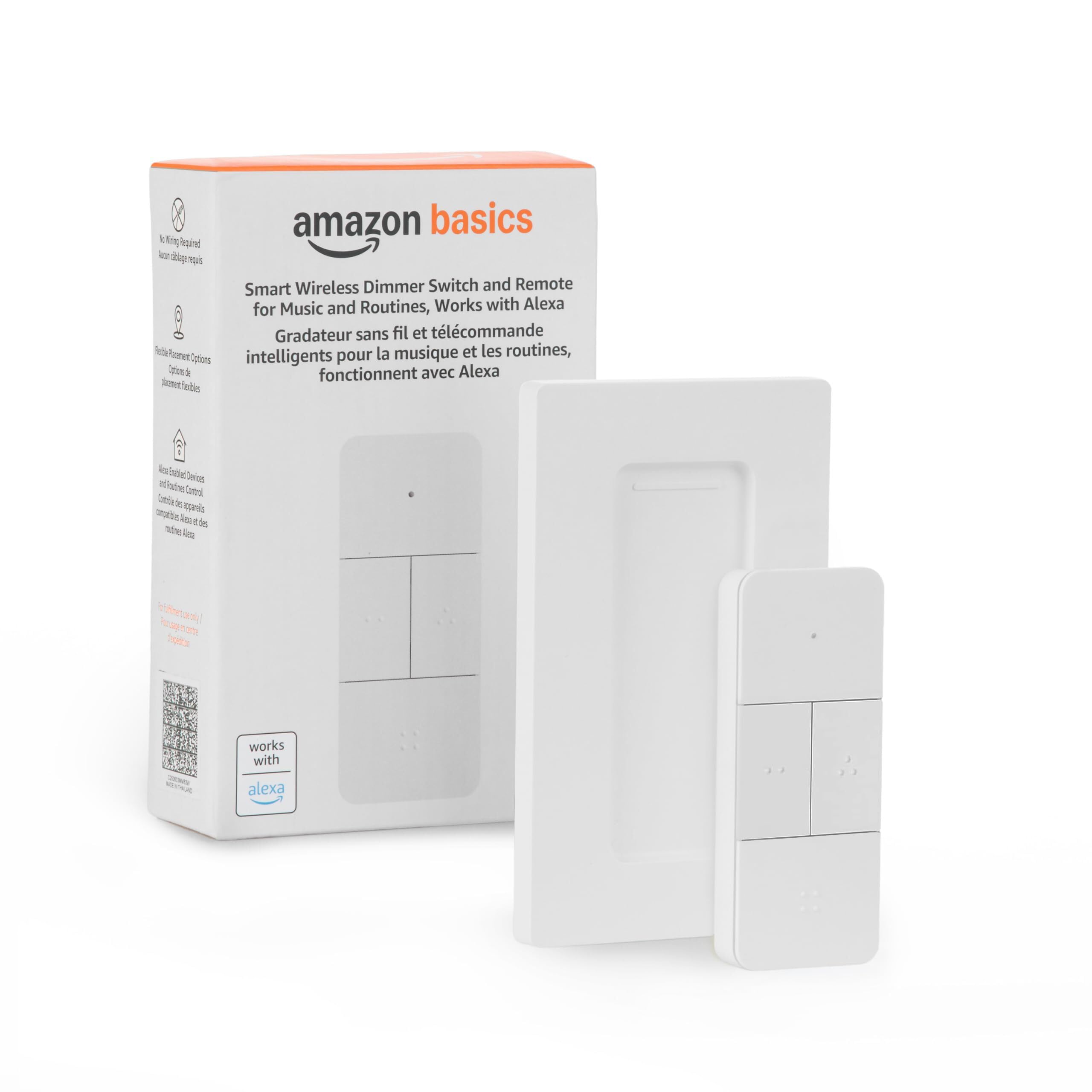
Type: Smart dimmer switch and handheld remote
Platform: Alexa only
Hub Required: Compatible Echo devices
Installation: No wiring
Control: Music and routines
Form Factor: Handheld
Amazon Basics Smart Dimmer Switch and Remote
This Amazon Basics remote is the odd one out: it is a handheld button and dimmer for Alexa routines and music, with no wiring and no separate hub beyond an Echo device. It pairs with compatible Echo speakers and lets a press start a routine, change volume or dim a light. The handheld shape means it can live on a coffee table or a nightstand rather than a wall. It is built for Alexa households that want a physical trigger without buying into Zigbee or Hue.
It earns its place as the pick for Alexa-only homes, where the other four buttons would need a hub that is not already on the shelf. The trade-off is ecosystem lock-in: it works with Alexa only, so a household that later moves to HomeKit or Google Home would have to replace it. It is not for buyers who want multi-platform control or a wall-mounted switch.
Before You Buy
- Hub compatibility: Four of the five picks need a hub — SONOFF Bridge, Hue Bridge, Aqara Hub or a Zigbee hub. Confirm the hub is already owned before buying.
- Protocol: Zigbee buttons are cheap and flexible but need a Zigbee controller; the Amazon Basics remote skips Zigbee entirely and relies on Echo devices.
- Control options: Three-way control on the SONOFF, Aqara and Third Reality buttons lets one button fire several scenes; single-action buttons suit simpler routines.
- Power: All five are battery powered, so plan for periodic battery changes and keep spares on hand.
- Installation: None require wiring, but wall mounting needs the right adhesive or bracket for the surface.
- Ecosystem lock-in: The Hue button favors Hue, the Amazon Basics remote favors Alexa, and the Zigbee buttons favor whichever hub is already running.
- Placement: Handheld remotes suit tables and nightstands; stick-on buttons suit door frames and wall plates.
Frequently Asked Questions
-
Do smart buttons need a hub?
Most do. The SONOFF, Hue, Aqara and Third Reality buttons each require their own bridge or a Zigbee hub, while the Amazon Basics remote needs a compatible Echo device instead. -
Which smart button works with the most platforms?
The Aqara Mini Switch is the most flexible here, working with HomeKit, Google Home, Alexa and IFTTT through an Aqara Hub. -
Can a smart button control more than one scene?
Yes. The SONOFF, Aqara and Third Reality buttons offer three-way control, so a press pattern can trigger different scenes. -
Is a smart button better than a smart switch?
A button is cheaper and needs no wiring, which suits renters and quick scene triggers; a smart switch replaces a wall switch and controls the circuit directly. -
Do these buttons work without Wi-Fi?
Zigbee buttons talk to their hub over Zigbee, and the hub handles the network connection, so the button itself does not need direct Wi-Fi. -
Which pick suits an Alexa-only home?
The Amazon Basics Smart Dimmer Switch and Remote is the only one built for Alexa alone, with no Zigbee hub required.
Bottom Line
For most buyers, the Aqara Zigbee Wireless Mini Switch is the best smart button for automations: three-way control, wide platform support and a budget price, provided an Aqara Hub is already in place. Hue households should take the Philips Hue button for its native fit, and Alexa-only homes should take the Amazon Basics remote. The Aqara Zigbee Wireless Mini Switch is the safest all-round starting point.